A disk cleaner removes temporary data, caches, logs, update leftovers, and other files that may no longer be useful. The market includes built-in tools, commercial suites, and open-source programs, so choosing a free disk cleaner is not simple. This guide compares Disk Cleanup with third-party software, reviews six disk cleaner free options, and explains their platforms, limits, and deletion behavior.
Disk Cleanup vs. Disk Cleaner
Disk Cleanup: Microsoft’s built-in Windows utility removes selected temporary and system files. You choose a drive, review categories, and can select Clean up system files for more Windows-related items. It requires no installation and suits occasional maintenance.
Disk cleaner software: Third-party tools usually scan more locations, including app leftovers, browser data, privacy traces, and multiple drives. Many also add scheduling, exclusions, startup controls, disk optimization, or performance tools.
Why Download a Disk Cleaner to Replace Disk Cleanup?
Clean junk files as scheduled: Some products run daily, weekly, at sign-in, or while the computer is idle. Wise Disk Cleaner and Razer Cortex, for example, both provide scheduled cleanup settings.
Clean beyond Microsoft system files: Third-party utilities can target browser caches, app temporary data, gaming-platform leftovers, logs, and installation residue.
Deep privacy cleaning: Many tools remove cookies, browsing history, recent-file lists, and other activity traces. Secure deletion may also be available, but overwritten data can be difficult or impossible to recover.
Additional maintenance tools: Some programs add startup management, drive optimization, performance monitoring, or background-service control. These features can be useful, but scan results should still be reviewed before deletion.
Best Free Disk Cleaners: A Quick Snapshot
A reliable disk cleaner free option should clearly show which cleanup features are included at no cost and which require a paid upgrade. The disk cleaner free shortlist below includes fully free programs, free editions, and one Mac product with only a limited free cleanup. Therefore, “free” does not mean every feature remains permanently unlocked.
Disk Cleaner |
Clean Junk Files |
Clean Temp Files |
Clean Cache Data |
Supported Platform |
Advanced SystemCare |
Free |
Free |
Free |
Windows |
Wise Disk Cleaner |
Free |
Free |
Free |
Windows |
BleachBit |
Free |
Free |
Free |
Windows, Linux |
Razer Cortex |
Free |
Free |
Free |
Windows 10/11 64-bit |
CCleaner |
Free |
Free |
Free |
Windows, macOS |
MacKeeper |
One free |
Limited |
Limited |
macOS |
The comparison reflects the vendors’ currently published feature information. MacKeeper allows one free junk-file and unused-app removal rather than unlimited cleaning.
The following six free disk cleaner tools focus on different cleanup needs, from automatic Windows junk removal to privacy-focused browser cleaning and gaming cache cleanup. Each section explains what the tool can clean, where its cleanup features stand out, and which type of user it suits best.
>
1. Advanced SystemCare: Free Disk Cleaner for Windows
Best for: Automatic Windows cleanup plus broader PC maintenance.
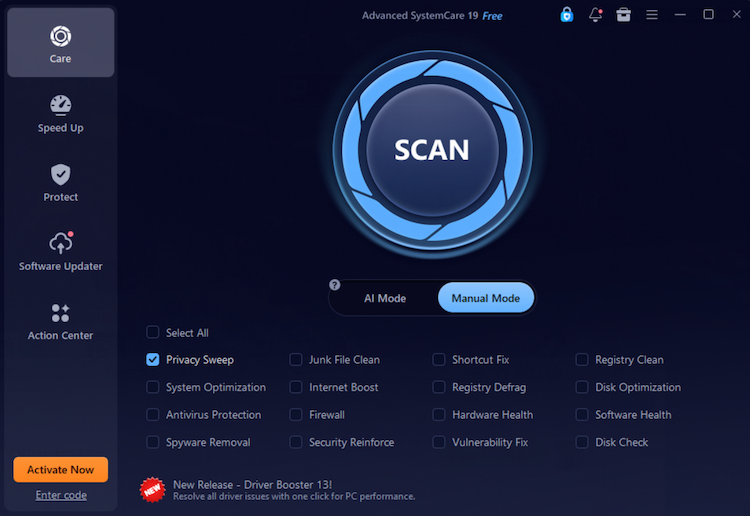
Advanced SystemCare focuses on broad Windows cleanup for Windows 11, Windows 10 and more rather than only removing basic temporary files. Its cleaning tools can scan system junk, logs, browser caches and traces, temporary data, app leftovers, and invalid registry entries, helping users reclaim space from several common sources in one scan. Compared with more narrowly focused cleaners, its main advantage is combining Windows, browser, and third-party application cleanup in one place.
Advanced SystemCare Free
- Clean: 420 billion traces removed & 85 EB junk files cleaned
- Protect: 80 million unauthorized access blocked & 20 million bugs fixed
- Speed Up: 6 million hours of startup time saved & Turbo boost
- Optimize: Auto clean and auto care your PC with AI mode
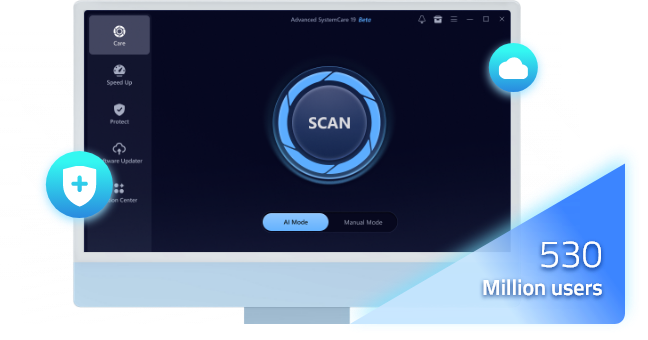
Its free edition covers the core cleanup tasks users need to scan unnecessary files and free up disk space on Windows. It also includes tools such as startup optimizer and Turbo Boost for additional PC maintenance, but disk cleaning remains the main focus here.
2. Wise Disk Cleaner
Best for: Lightweight scheduled cleaning and drive optimization.
Wise Disk Cleaner stands out for separating everyday cleanup from more detailed file-based scanning. Its Common Cleaner targets Windows junk, update leftovers, thumbnail caches, browser data, and temporary files created by applications such as Adobe and Office. For deeper control, Advanced Cleaner can scan selected local drives for specific temporary, dump, and other unnecessary file types, while also allowing users to add custom file types or folders.
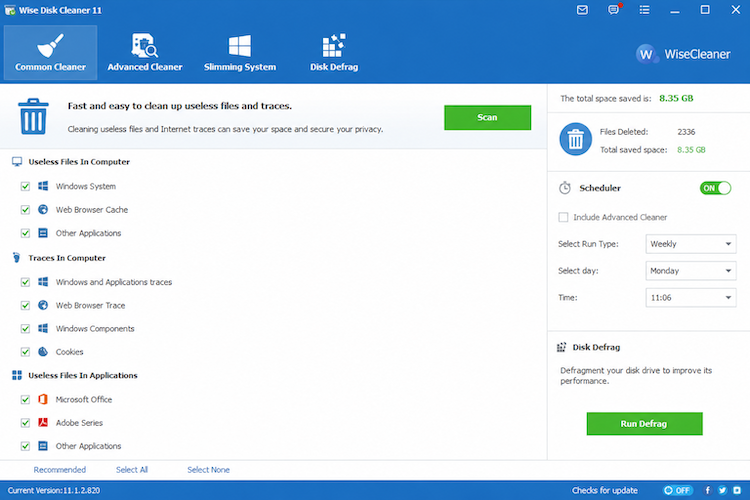
If you are comparing disk cleaner free software, Wise Disk Cleaner is especially useful for users who want more control over what locations and file types are scanned. AutoClean can also perform routine cleanup automatically based on saved settings.
Users who want to clean disk free without installing a large optimization suite may prefer its focused interface. Avoid Safe Deletion unless necessary because it overwrites deleted data and substantially reduces recovery chances.
3. BleachBit: Open-Source PC Disk Cleaner
Best for: Privacy-focused users and open-source software fans.
BleachBit focuses more on privacy and precise, user-controlled cleanup than on automatic PC optimization. It can remove browser caches, cookies, history, temporary files, logs, recent-file lists, and other application traces, while its newer browser-cleaning features target additional data created by Chromium- and Firefox-based browsers.
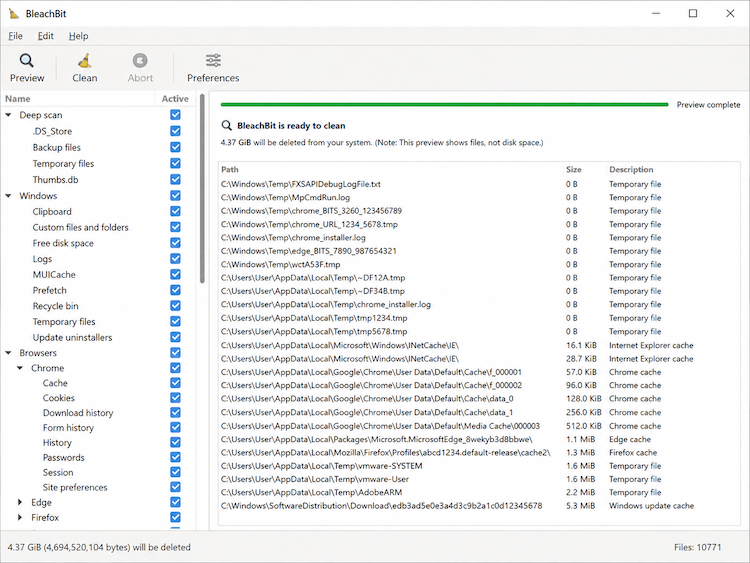
Unlike many all-in-one Windows optimizers, BleachBit lets users preview what will be removed before cleaning and provides advanced options such as custom CleanerML rules and secure file deletion. Among disk cleaner free tools, it is particularly suitable for users who prefer open-source software and want detailed control over browser and privacy-related cleanup.
Its file-shredding and free-space-wiping tools are intended to prevent recovery. Preview the results carefully and avoid selecting categories you do not understand.
4. Razer Cortex: Disk Cleaner for Games
Best for: Gaming PCs with several launchers and accumulated cache.
Razer Cortex System Booster scans gaming platforms, Windows, and browsers for junk files and lets users customize what is removed. Scheduled cleanup is available. Game Booster can stop non-essential processes during play and restore the previous state afterward.
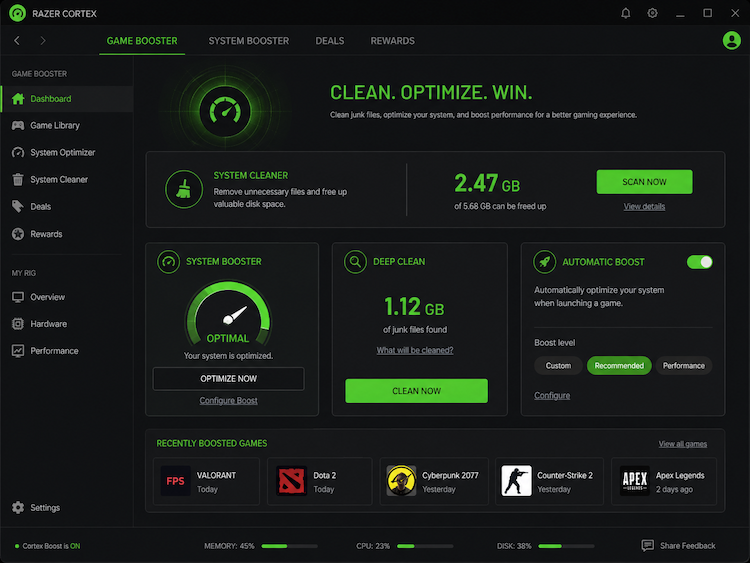
This makes it a practical disk cleaner for games on 64-bit Windows 10 and Windows 11. It is not available for macOS.
5. CCleaner: Free Disk Cleaner for Windows and Mac
Best for: Users who want one familiar brand across both platforms.
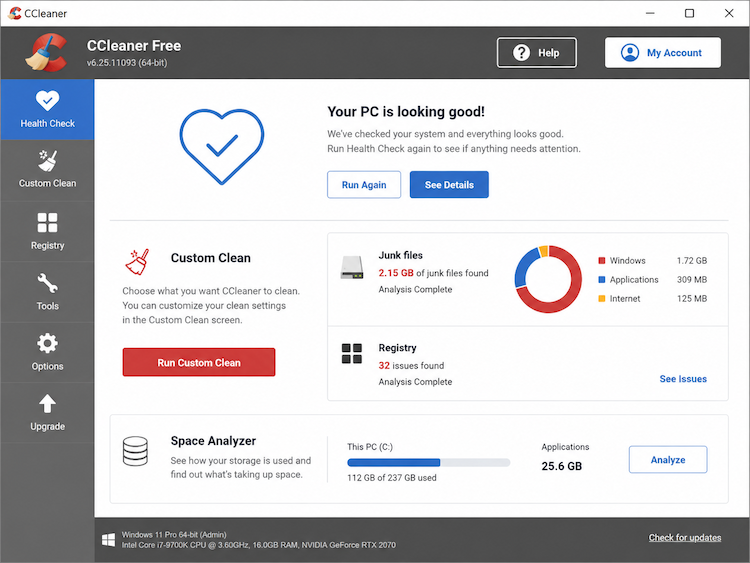
CCleaner Free removes temporary system and application files, browser data, cookies, cached images, and other clutter. Windows users receive Health Check and Custom Clean.
The Mac free edition also includes clutter cleaning, browser-data removal, duplicate finding, large-file discovery, app removal, and startup management. Automatic browser cleaning and some automation features require a paid edition.
6. MacKeeper: Disk Cleaner for Mac
Best for: Mac users who want to test an all-in-one utility.
MacKeeper Safe Cleanup targets junk files, logs, caches, mail attachments, localization files, and app leftovers. Duplicate Finder and Smart Uninstaller are also available.
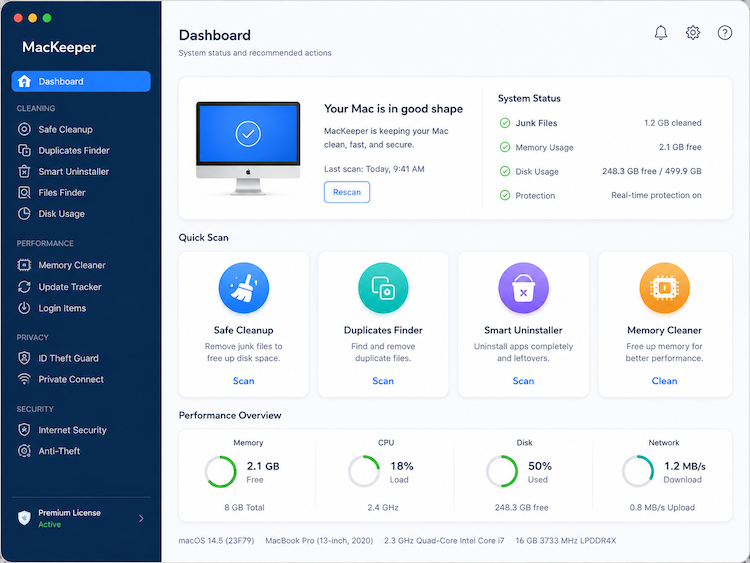
Its free access is limited to one junk-file and unused-app removal rather than unlimited cleanup. MacKeeper is therefore a trial-style option, not a permanently unrestricted cleaner. Users needing repeated free Mac cleanup should also compare CCleaner for Mac.
FAQs About Free Disk Cleaner Software
Is It Safe to Use a Free Disk Cleaner?
Usually, yes, when it is downloaded from the official vendor and the scan is reviewed before cleaning. Keep backups, create a restore point before registry changes, and treat secure overwriting, shredding, and free-space wiping as permanent operations.
What’s the Best Disk Cleaner Free Software?
Advanced SystemCare offers the broadest Windows combination in this comparison. Wise Disk Cleaner is lighter, BleachBit is open-source, Razer Cortex suits gaming PCs, and CCleaner works on Windows and Mac. Choose according to your platform and whether you prioritize automation, privacy, gaming, or additional optimization.
What Types of Files Do Disk Cleaners Delete?
Typical targets include temporary files, browser caches, cookies, logs, thumbnails, crash reports, installer residue, update leftovers, Recycle Bin or Trash contents, and selected app data. Review cookies, saved browser sessions, Downloads, and old update files before removing them.
Will the Computer Run Faster after Cleaning the Disk?
It can help when a drive is nearly full or an application has accumulated excessive cache. However, cleanup will not fix low RAM, overheating, failing storage, malware, or heavy background activity. Microsoft also recommends managing startup apps and uninstalling unused software when diagnosing performance problems.
Can I Recover Files After a Disk Cleaner Deletes Them?
Recovery depends on the deletion method and whether the data has been overwritten.
Advanced SystemCare Disk Cleaner can either move files to the Recycle Bin or delete them directly. Its Pro Recovery Center can restore files deleted through the direct method.
Ordinary deletion performed by CCleaner may sometimes remain recoverable before the space is overwritten, but secure deletion is specifically designed to prevent recovery.
Wise Safe Deletion and BleachBit shredding or free-space wiping should be treated as permanent.
Razer documents selecting and removing detected junk but does not describe a general recovery feature, so users should assume that removed items may not be recoverable. This is an inference from its published support documentation.
MacKeeper can ask whether to empty the Mac Trash during cleanup. Once Trash is emptied, recovery is not guaranteed.
Conclusion
A reliable disk cleaner free tool should reclaim space without hiding what it will remove. For routine maintenance, a disk cleaner free tool is most useful when it provides transparent scan results and allows users to review items before removal. Advanced SystemCare is the strongest all-around Windows recommendation because it combines automatic cleanup with startup and performance tools. Download now, review the scan, and schedule maintenance at a sensible interval.
Advanced SystemCare Free
- Clean: 420 billion traces removed & 85 EB junk files cleaned
- Protect: 80 million unauthorized access blocked & 20 million bugs fixed
- Speed Up: 6 million hours of startup time saved & Turbo boost
- Optimize: Auto clean and auto care your PC with AI mode