In today’s digital world, simply hitting “Delete” on a file isn’t enough. Deleted files can often be recovered using readily available software, which puts sensitive information at risk. That is where a file shredder comes in.
A file shredding program doesn’t just hide your data—it destroys it beyond recovery, giving you true peace of mind when disposing of or transferring sensitive information. In this guide, we’ll review the top file shredder programs in 2026, and answer the question on everyone’s mind: Can shredded files ever be recovered?
What is a File Shredder and Why You Need One
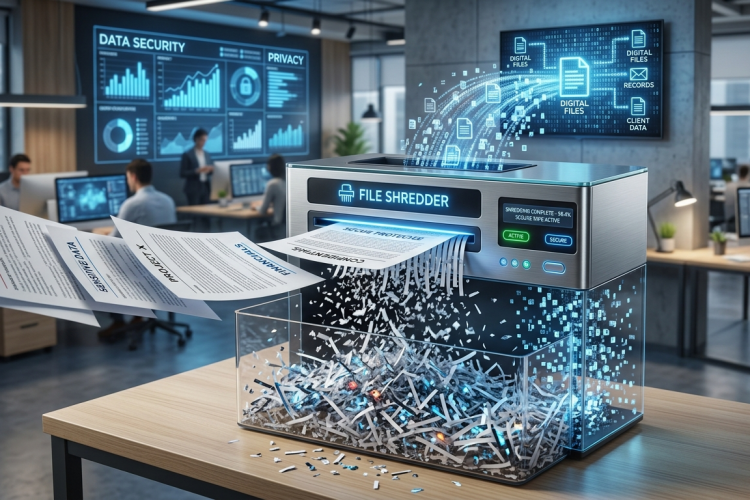
A file shredding program is a specialized tool that goes beyond ordinary deletion. Instead of simply marking a file as deleted, it overwrites the file’s data multiple times, making it unrecoverable.
Why do you need one? Consider common scenarios:
Selling or donating a computer
Cleaning up sensitive work documents
Securely wiping USB drives
Protecting your privacy
Without a reliable file shredder Windows 11, you’re leaving a digital trail that recovery tools can easily uncover. And with identity theft and data breaches on the rise, that’s a risk no one should take lightly.
How Does a File Shredding Program Erase Data Completely
A file shredding program works by overwriting the file’s data with random patterns multiple times. Most programs use recognized security algorithms, such as DoD 5220.22-M, which overwrite the file several times to prevent recovery. Some programs even provide advanced options, including multiple-pass shredding for highly sensitive files.
Top 5 File Shredder for Windows 11 to Safeguard Your Data
Here are some of the best file shredder programs for 2026, all designed for file shredder Windows 11 users who want reliable and secure deletion.
#1. IObit File Shredder
IObit Advanced SystemCare is best known as a comprehensive PC cleaning and optimization tool. Its primary function is to enhance your computer’s performance by cleaning junk files, optimizing the registry, and managing startup programs. However, it also includes a powerful file shredder IObit feature.
This best free file shredder Windows 11 allows users to permanently delete files or folders so that no recovery software can restore them. For Windows 11 users, this file shredder for Windows 11 is efficient, fast, and safe, combining optimization and data security in one solution.
Advanced SystemCare Free
- Clean: 420 billion traces removed & 85 EB junk files cleaned
- Protect: 80 million unauthorized access blocked & 20 million bugs fixed
- Speed Up: 6 million hours of startup time saved & Turbo boost
- Optimize: Auto clean and auto care your PC with AI mode
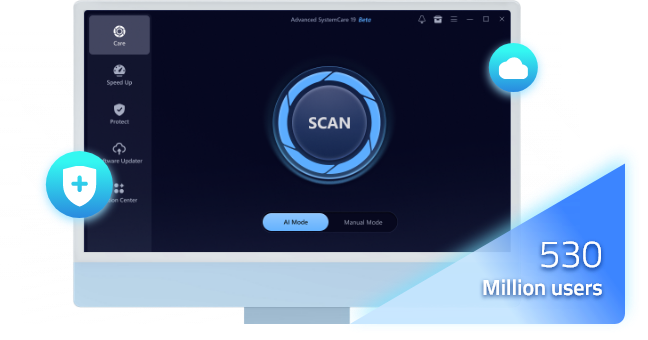
Core features of IObit file shredder Windows:
Offers an all-in-one solution combining system optimization, PC health check, secure file shredding, and other powerful tools within a single program.
Adheres to the NIST SP 800-88 standard and supports multiple proven data sanitization methods.
Features a user-friendly dashboard with a one-click approach, making it accessible even for novice users.
Includes AI-driven intelligent Windows 11 optimizer that automatically identifies and removes junk files from dozens of popular applications.
Provides over 10 practical utilities in addition to the file shredder, making it a comprehensive system maintenance solution.
#2. Eraser
Eraser is a veteran open‑source file shredder for Windows 11 that prioritizes flexibility and advanced scheduling. It allows users to schedule automatic shredding, choose from multiple deletion algorithms, and securely erase individual files, folders, or even entire drives.
Additionally, Eraser can wipe the unallocated free space on a drive, ensuring that any remnants of previously deleted files—even those removed by standard Windows deletion — are thoroughly overwritten and unrecoverable.
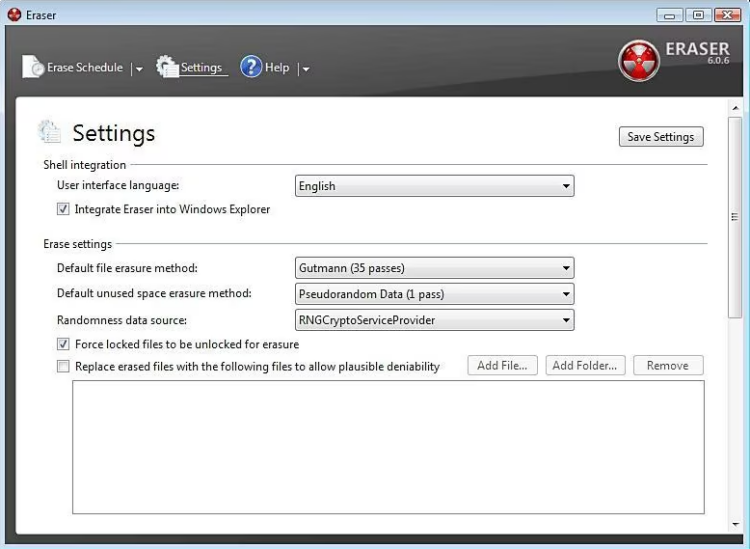
Core features:
Completely free and open-source, with full source code transparency and no hidden costs.
Supports a wide range of file systems including FAT16, FAT32, and NTFS, ensuring broad compatibility.
Allows users to schedule automatic file shredding tasks for regular, hands‑off privacy maintenance.
Integrates seamlessly into the Windows Explorer context menu for one‑click secure deletion.
Can free up disk space to eliminate traces of files that were previously deleted but never shredded.
Also Read: How to Boost Internet Speed on PC Fast & Easy >>
#3. Secure Eraser
Secure Eraser is designed specifically for file shredder programs enthusiasts. It offers a wide range of deletion methods, from simple overwriting to advanced multi-pass algorithms. A particularly unique feature is its ability to remove cross‑references in the hard drive’s allocation tables, which prevents anyone from deducing that a file ever existed there in the first place—an extra layer of privacy rarely found in other shredders. It’s ideal for users who handle highly sensitive data and want to ensure that no file is ever recoverable.
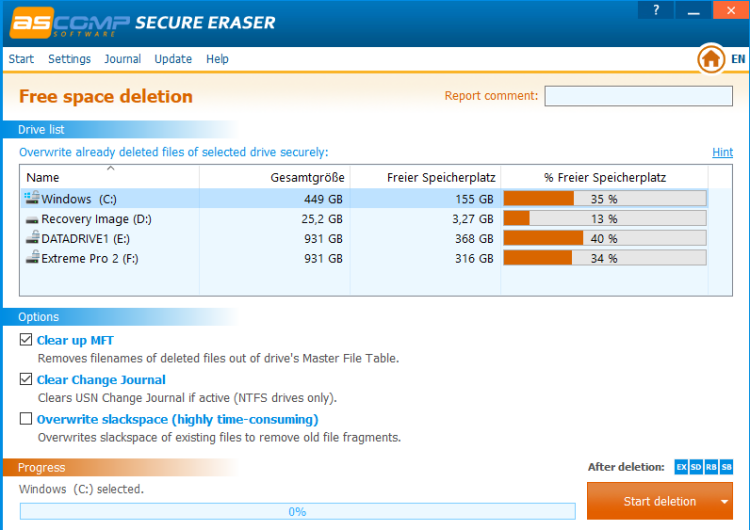
Core features:
Overwrites data up to 35 times and removes file cross-references in allocation tables for an unmatched level of destruction.
Can securely erase files, entire drives, folders, surfing traces, and Recycle Bin contents for comprehensive system cleaning.
Adheres to the NIST SP 800-88 standard and supports all common proven data sanitization guidelines.
#4. File Shredder
File Shredder is a straightforward and lightweight tool for Windows users. Its clean interface and simple workflow make it an excellent choice for beginners. Despite its simplicity, it provides multiple shredding methods, including fast and secure deletion options.
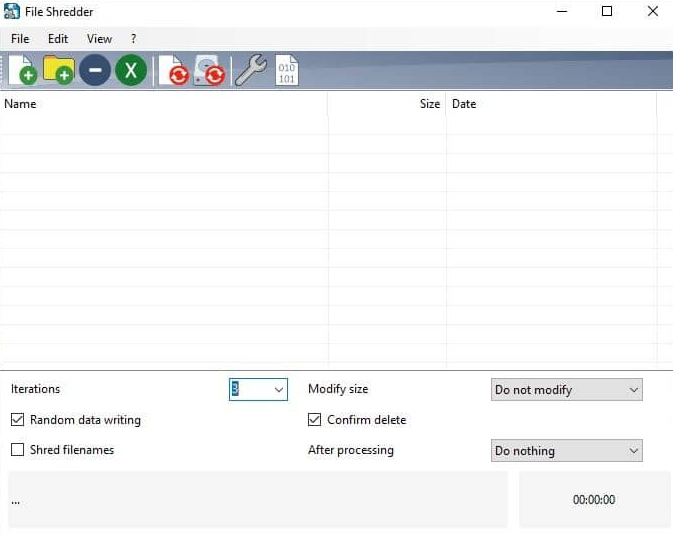
Core features:
Completely free and released under a GNU license, with no restrictions on usage.
Offers five progressively stronger shredding algorithms to choose from, allowing customization of security level.
Includes an integrated Disk Wiper to securely erase unused free space on your hard drive.
Extremely lightweight, consumes minimal system resources, and is fast and reliable for targeted file deletion.
#5. BleachBit
BleachBit combines system cleaning with secure free file shredder for Windows 11. It cleans up after a large number of programs and Windows itself, while also allowing you to shred individual files or wipe free space on a hard disk to ensure that previously deleted files cannot be recovered. BleachBit is free, open‑source, and supports Windows 11, 10, and earlier versions.
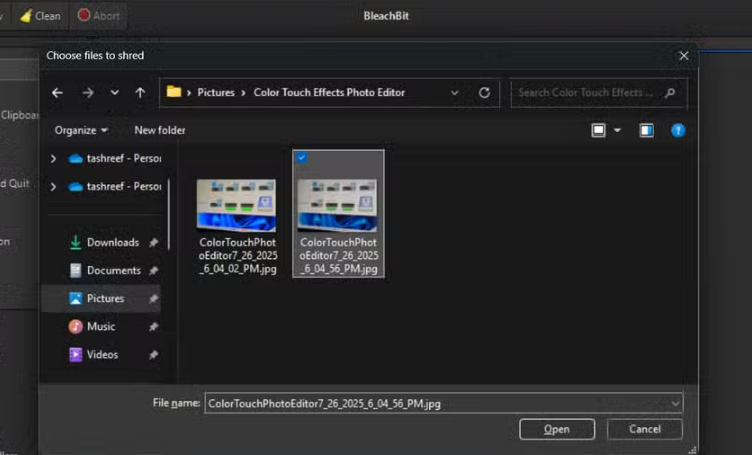
Core features:
Completely free and open-source, with no hidden costs, ads, or telemetry.
Cross platform compatibility allows it to run on both Windows and Linux systems, unlike most competitors.
Doubles as a powerful system cleaner that can solve Windows 11 100 disk usage and remove junk from over 90 applications while also shredding files.
Can run in portable mode from a USB drive without formal installation, preserving privacy and convenience on shared or locked-down computers.
How to Safely Shred Files: Step-by-Step Guide
Using a file shredder program is usually straightforward. While the exact steps vary by software, most tools follow a similar pattern. Here’s a general step-by-step guide using IObit file shredder for Windows 11.
Step 1. Download IObit Advanced SystemCare on your Windows PC.
Step 2. Open it, then find file shredder in the toolbox in the upper right corner.
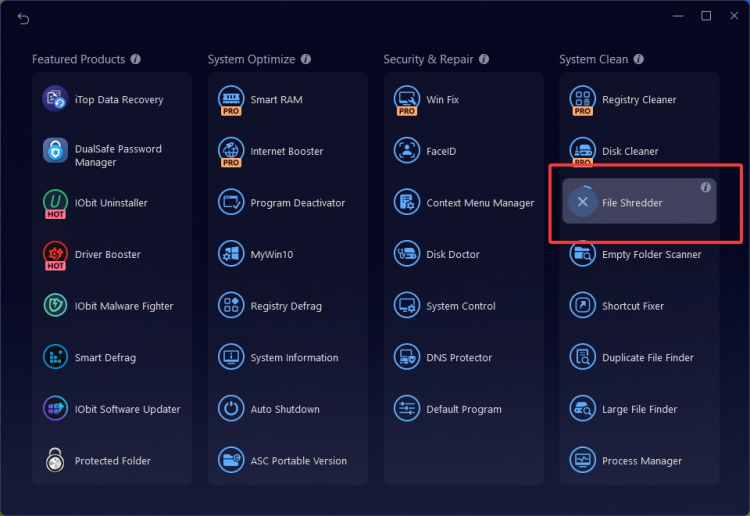
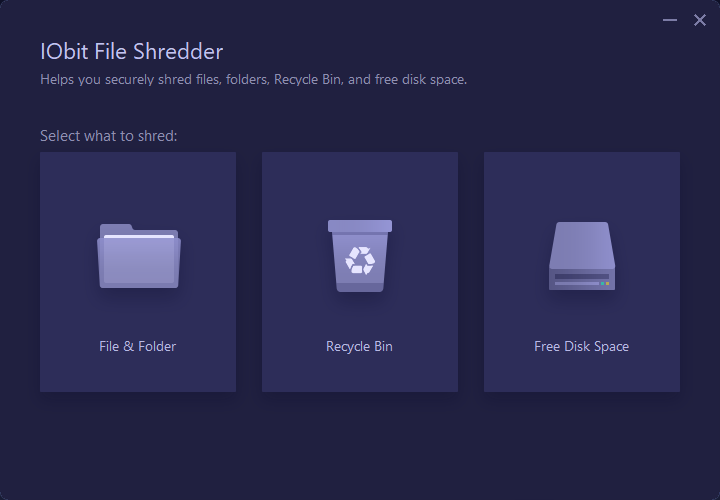
Step 3. Open this file shredding program, you can choose to shred file, folder, recycle bin, or free up disk space.
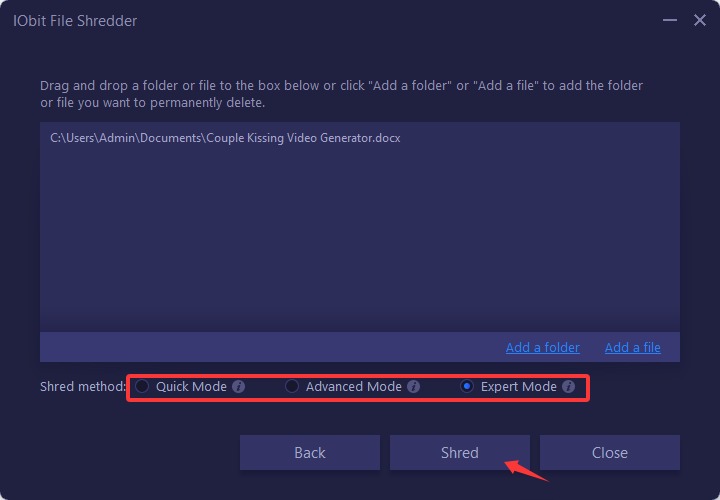
Step 4. Add a file or folder, select the shred mode, and click shred to completely wipe all data securely.
Can Deleted Files be Recovered After Shredding?
Once you use a reputable file shredding program, recovering deleted files is nearly impossible. Unlike standard deletion, where files can be restored using recovery software, shredded files have been overwritten according to secure algorithms.
Of course, the effectiveness depends on the program used and the method selected. Advanced programs like file shredder IObit allow multiple-pass deletion and verification, ensuring the highest level of security.
Also Read: 6 Best RAM Optimizers Windows 11 to Boost PC Performance >>
Final Words
Protecting your sensitive information is more important than ever, and relying on basic deletion isn’t enough. Using a file shredder for Windows 11 or any other system ensures that your personal and professional data is permanently erased, giving you peace of mind.
Whether you choose a specialized tool like Eraser or a multi-functional solution like Advanced SystemCare, the key is consistency. Regularly shredding files you no longer need and taking advantage of secure deletion features is part of responsible digital hygiene.
Advanced SystemCare Free
- Clean: 420 billion traces removed & 85 EB junk files cleaned
- Protect: 80 million unauthorized access blocked & 20 million bugs fixed
- Speed Up: 6 million hours of startup time saved & Turbo boost
- Optimize: Auto clean and auto care your PC with AI mode