





Lane Maxwell
With extensive experience in the tech industry, Lane is a trusted editor who delivers actionable insights and solution-driven content. His articles have guided millions of readers toward effective and efficient problem-solving.
Expert in
PC Health Solution

All-in-one PC health solution: clean, optimize and secure

Comprehensive PC cleaning, optimization and protection

Keep drivers always up-to-date

More stable performance with less system crashes

Protect millions of computers against malware

Top computer security with full-round protection

Protect against viruses & boost PC performance
Clean: 420 billion traces removed & 85 EB junk files cleaned
Protect: 80 million unauthorized access blocked & 20 million bugs fixed
Speed Up: 6 million hours of startup time saved & Turbo boost
Optimize: Auto clean and auto care your PC with AI mode

This guide reviews the top 6 picks of the RAM optimizer Windows 11. You can learn more about the features and how to optimize RAM on Windows easily.

Lane Maxwell


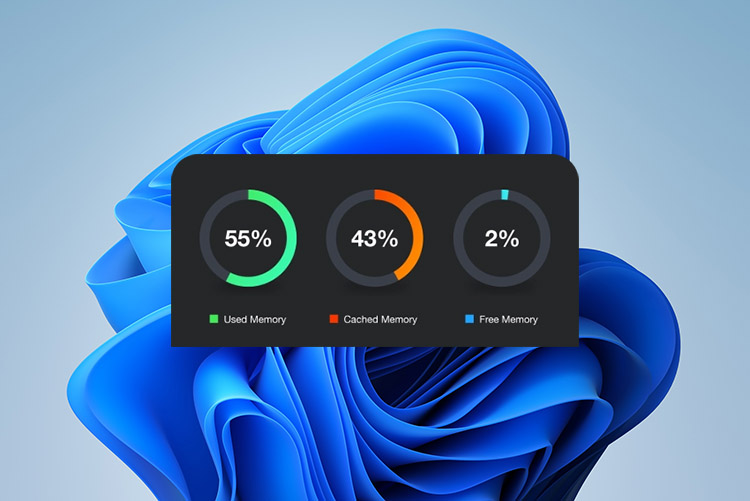
Many Windows 11 users face frustrating issues like high RAM usage. Running multiple programs simultaneously often leads to memory overload, which causes slow system performance, lag when multitasking, and delayed application loading. Even with decent hardware, your PC may feel sluggish. In this article, we will explore the benefits of using a RAM optimizer, the best RAM optimizer Windows 11 - 6 options, and how to optimize RAM in Windows 11 step by step. Just keep reading to learn more!
Before looking into the best RAM optimizer for Windows 11, let’s check out what to consider when choosing the right one.
Real-Time RAM Monitoring: Choose a RAM optimizer for Windows 11 that shows live memory usage, including standby and active RAM. So you can track performance improvements accurately.
System Cleanup Features: Look for built-in junk file removal, cache cleaning, and registry optimization to reduce system load and improve overall RAM efficiency consistently.
Ease of Use and Automation: The best RAM optimizer for Windows 11 should be easy to use without requiring technical knowledge or manual configuration steps.
Compatibility and Safety: Choose a RAM optimizer Windows 11 supports with low resource usage, positive reviews, and proven reliability to avoid crashes or system conflicts.
To detect CPU and GPU performance issues online for free, this Bottleneck Calculator can do a great job. Try it out.
Now that you know what features to look for, let’s dive into the specifics. Here are the 6 best RAM cleaner Windows 11 that help improve performance and speed.
IObit Advanced SystemCare is a powerful all-in-one optimization tool for Windows. It offers full system performance improvements, which can help you clean junk files, speed up systems, protect privacy, and boost internet speed. As the best RAM optimizer for Windows 11, it temporarily disables unnecessary background processes and services to free up RAM and allocate more resources to the tasks you are focusing on.

Key Features:
Free AI-powered system optimization: Adopting intelligent algorithms, Advanced SystemCare analyzes and automatically optimizes system performance for smoother and faster operation without manual adjustments. Best of all, it’s free to start!
One-click RAM cleanup: How to optimize RAM on PC? The RAM optimizer frees up memory by closing unnecessary background apps and processes, which can improve multitasking speed and overall system responsiveness instantly.
Deep junk file removal: The best free RAM optimizer Windows 11 can even thoroughly scan and remove temporary files, cache, logs, and leftover data to reclaim storage space and reduce system clutter effectively.
Boost internet speed: It optimizes network settings, manages bandwidth usage, and reduces latency. So you can enjoy faster browsing, smoother streaming, and improved online performance.
Security & Privacy Protection: It can clear browsing traces, block threats, and prevent unauthorized access to keep your system safe and private.
Best free RAM cleaner Windows 11
User-friendly with AI Mode for beginners
Regular updates and strong customer support
Free version delivers excellent performance
Comprehensive full system care
Can take a few minutes for scanning
Some advanced features require the paid version
Wise Memory Optimizer is a lightweight, dedicated memory cleaner Windows 11. Focusing purely on memory management, it frees up in-use RAM, defragments memory, and clears standby lists with minimal system impact. It’s also the best RAM optimizer for Windows to improve responsiveness on both old and new computers.
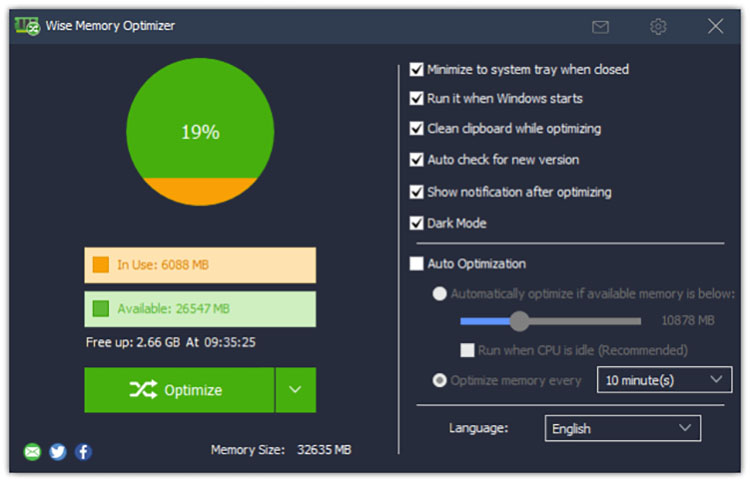
Simple one-click or auto operation
Support disk and memory optimization
Extremely lightweight RAM optimizer Windows 11
Noticeable improvements in responsiveness
Leave files behind after removal
Automatic optimization interrupts background tasks
CCleaner is a widely recognized PC optimization tool that can speed up and maintain computers and mobile devices. Instead of simply clearing RAM, which may cause apps to reload slowly, the best RAM optimizer for Windows 11 reduces resource usage by putting inactive apps to sleep and cleaning unnecessary files.
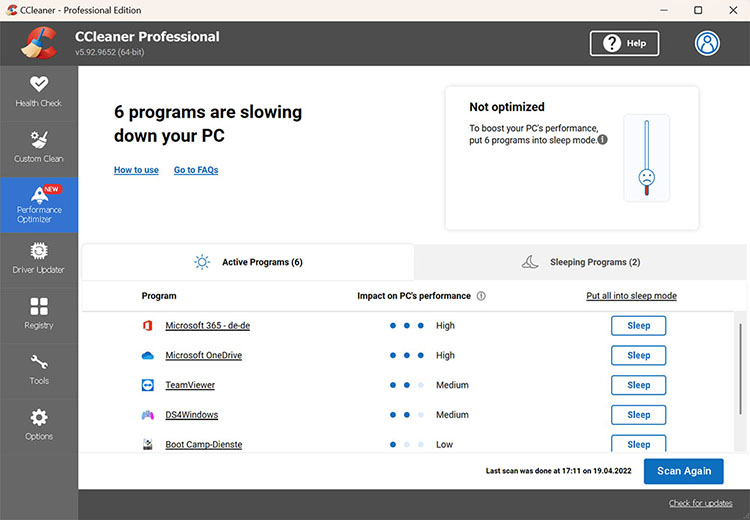
Trusted tool for effective junk cleaning
Improve perceived speed and battery life
Free version covers essential needs
Enhance startup performance and resource management
Ads in the free version
Limited impact on modern high-RAM systems
Integrated into Avira System Speedup, Avira RAM Cleaner, the memory cleaner Windows 11, is a dedicated tool that can boost device performance by freeing up memory and closing unnecessary background processes. In addition, its System Speedup can clean up junk files, temporary files, system cache, and registry errors to enhance overall system speed.
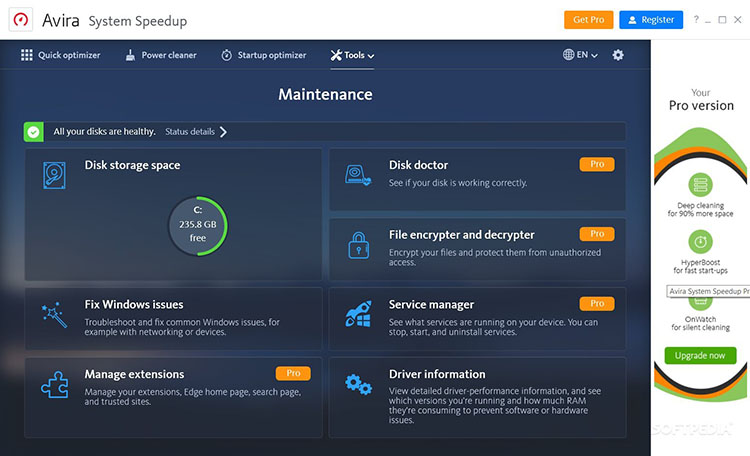
Solid Windows 11 RAM optimization tool
A suite of tools for boosting PC performance
Bundled antivirus software for system health
Aggressive upselling pop-ups
Relatively heavier compared to other tools
Fortect is a comprehensive software designed to optimize and protect computers. This RAM optimizer Windows 11 scans your computer for and clears unnecessary files, browser cache, and broken registry keys to free up resources. You can also use it as a maintenance tool to repair system issues, improve stability, and enhance overall performance.
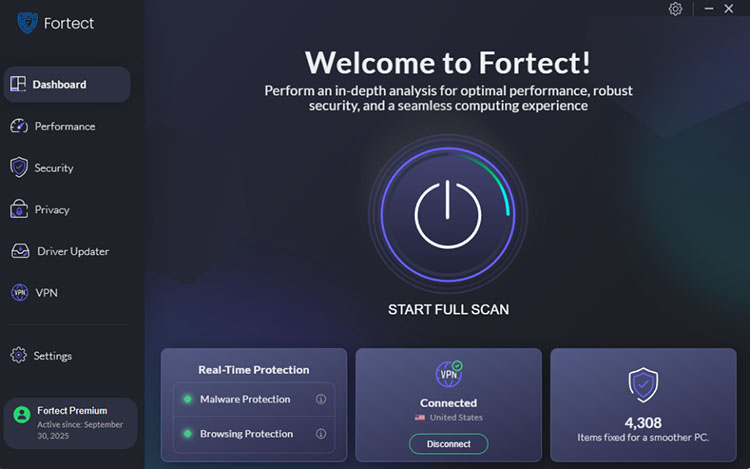
All-in-one system repair tool
Intuitive interface & obvious RAM improvement
Low impact on system resources during scans
Good for long-term use
Less emphasis on real-time RAM freeing
Full automation features are behind a paywall
Also known as Windows Memory Cleaner is a free and open-source RAM optimizer Windows 11. It uses native Windows API to clear specific memory areas(up to 7), targeting caches and standby lists to reclaim RAM when programs fail to release memory properly.
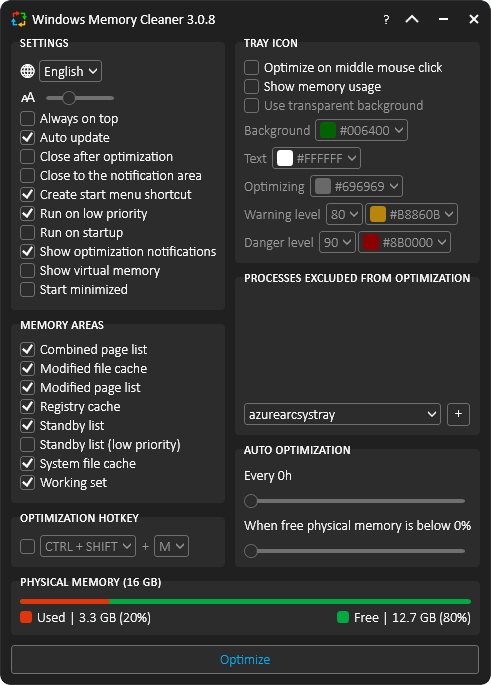
Lightweight, open-source, and transparent Windows memory optimizer
Free RAM quickly with visible improvements
Auto mode and threshold triggers work well
Native Windows approach that feels safer and more legitimate
Unnoticeable gains on high-RAM/newer PCs
Requires administrator privileges for each run
Now you have the best RAM optimizer Windows 11 options at hand. It’s time to see how they work in reality. In this part, we will use the IObit Advanced SystemCare as an example. Here’s how to optimize RAM usage Windows 11/10 with it.
Step 1. Free download and launch IObit Advanced SystemCare on your Windows PC.
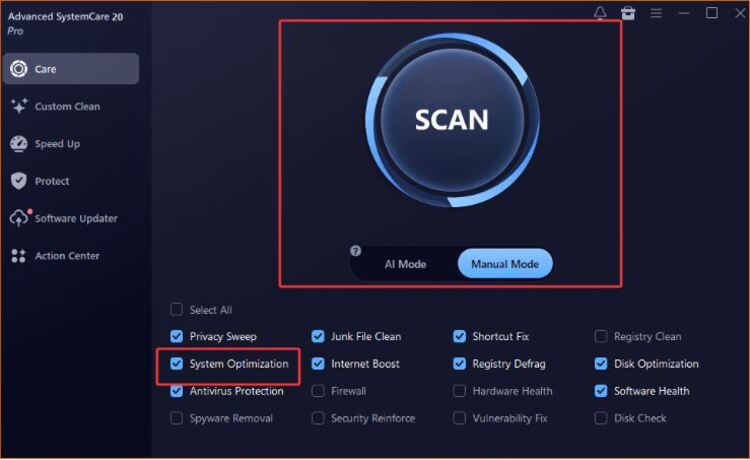
Step 2. Under the “Care” tab, Select Manual Mode. Select “System Optimization” and the other Optimize function you need. Click “SCAN”. Alternatively, you can select AI Mode to automatically scan all the files & items in your PC.
Step 3. Click on “Auto Fix” to optimize your PC RAM and clean up junk files to optimize PC performance easily.
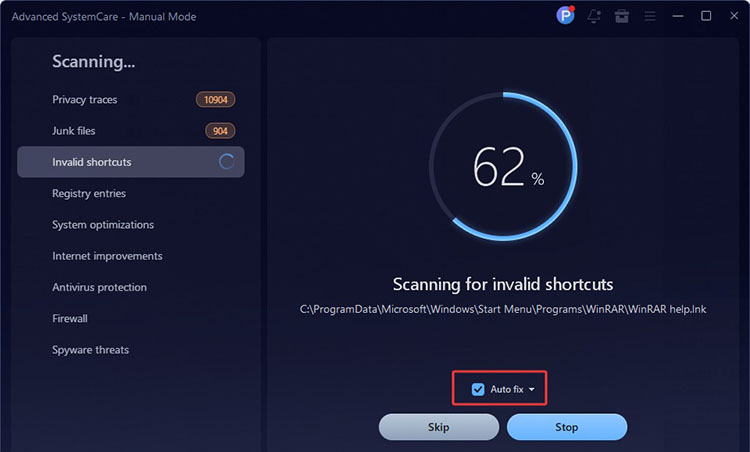
Step 4. After the scanning, your system performance will be greatly optimized.
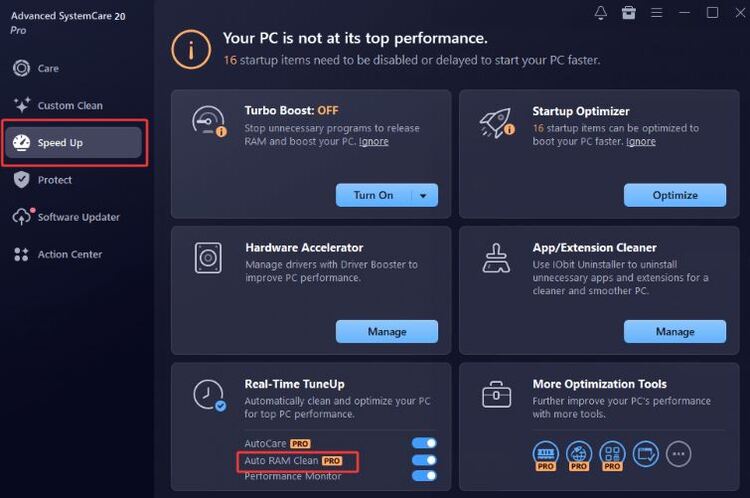
Step 5. If you need a better RAM cleaning, you can go to Speed Up on the left and click the Auto RAM Clean for a real-time optimization.
After exploring the best RAM optimizer Windows 11 tools and steps, you might still have a few questions. Below are some common FAQs to help you better understand these tools.
Q1: Is a RAM optimizer Windows 11 really necessary?
Yes, especially if your system frequently runs out of memory or slows down during multitasking. A reliable RAM optimizer Windows 11 can automatically free up unused memory, reduce background load, and improve overall responsiveness without requiring constant manual adjustments.
Q2: Will using a RAM cleaner Windows 11 harm my system?
No, as long as you choose reputable software. Trusted tools safely clean unnecessary memory and background processes without affecting important system functions or stability.
Q3: Does a RAM optimizer work better than built-in Windows tools?
For many users, yes. While Windows includes basic memory management, dedicated tools offer deeper cleaning and more effective optimization overall. For instance, IObit Advanced SystemCare is a strong choice when you are looking for the best RAM cleaner for PC, offering AI-powered optimization, real-time RAM cleaning, and one-click system tune-ups for consistent performance improvements.
The Bottom Line
When high RAM usage slows down your Windows system, there’s no need to worry. With the 6 options introduced above, you can significantly improve multitasking, responsiveness, and overall performance. Among them, Advanced SystemCare from IObit stands out as the best RAM optimizer Windows 11, thanks to its powerful features, user-friendly design, and consistent results. Give it a try to make your system faster and more responsive for free!

All-in-one PC health solution.
Free Download