Duplicate files often build up on a computer without users noticing. Repeated downloads, cloud syncing errors, backup copies, and file edits can quickly create multiple versions of the same data. These duplicates waste storage space, slow down file searches, and make folders harder to manage. Removing them helps free up space and keeps the system more organized and responsive. This post shares 20 duplicate file finders for Windows, Mac, iOS, and Android.
Fast Overview of Top 8 Duplicate File Finders
Before going into detailed reviews, here is a quick overview of some of the most commonly used duplicate file finder tools and what they offer.
Tools |
Supported platforms |
Scan range |
Price |
IObit Advanced SystemCare |
Windows |
All drives (from C to more) |
Free |
Duplicate File Finder for Windows |
Windows |
System & local storage |
Free |
dupeGuru |
Windows/macOS/Linux |
All files & folders |
Free/open-source |
Auslogics Duplicate File Finder |
Windows |
Selected folders or full system scan |
Free/$29.95/yr |
AllDup |
Windows |
Selected files, folders, and storage devices |
Free |
Nektony Duplicate File Finder |
macOS |
System drive and user folders |
Free/$14.95/yr |
Duplicate Files Fixer |
Windows/macOS/Android |
User-defined |
$39.95/yr |
Zero Duplicates |
macOS/iOS |
Specific folders and drives |
$22/mo |
Introduce 8 Best Duplicate File Finder Software in Detail
1. IObit Advanced SystemCare
Advanced SystemCare includes a built-in duplicate file finder that works as part of its broader system optimization suite. It scans entire drives or target specific locations, which makes it flexible for both quick checks and deeper cleaning tasks. The tool is free to use and runs on Windows for both basic and advanced duplicate removal without installing separate software.
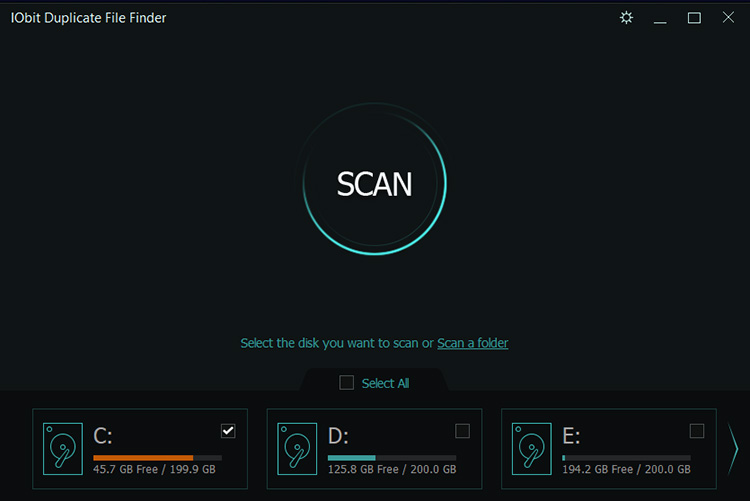
Beyond basic scanning, the duplicate file finder for Windows also offers more refined controls to avoid deleting important files by mistake. You can define exclusions, filter by file type or size, and adjust duplicate matching rules depending on how strict the scan should be. The tool can also remove temporary system file, browser caches, and more, to free up valuable disk space, reduces storage clutter, and keeps your PC better organized for smoother everyday performance.
Advanced SystemCare Free
- Clean: 420 billion traces removed & 85 EB junk files cleaned
- Protect: 80 million unauthorized access blocked & 20 million bugs fixed
- Speed Up: 6 million hours of startup time saved & Turbo boost
- Optimize: Auto clean and auto care your PC with AI mode

2. Duplicate File Finder for Windows
Duplicate File Finder for Windows can identify identical files as well as similar photos and videos, which is useful when dealing with burst shots, edited images, or slightly altered clips.
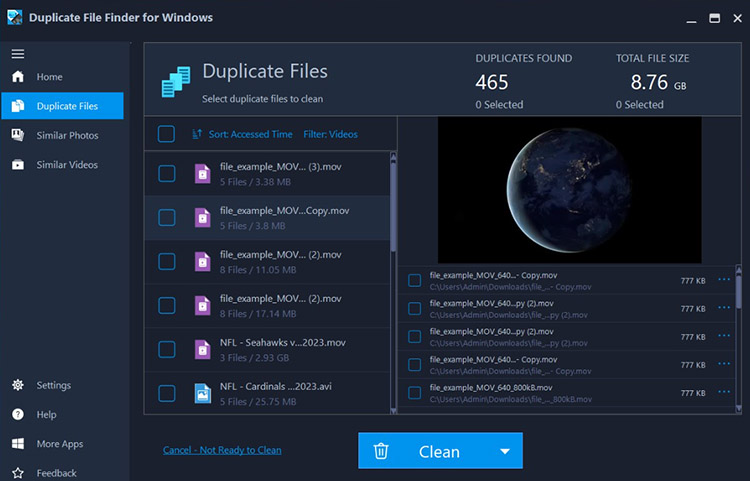
The interface stays simple, so navigation does not feel overwhelming even when large scan results appear. Users can rely on auto-selection to speed up decisions or manually review each group when more control is needed and clean junk files efficiently. Light and Dark themes are also available in Duplicate File Finder for Windows app.
3. dupeGuru
dupeGuru adopts deeper comparison methods that help uncover duplicates even when file names differ slightly. This is preferred when a system has years of mixed media, backups, and reorganized folders that no longer follow a clean structure.
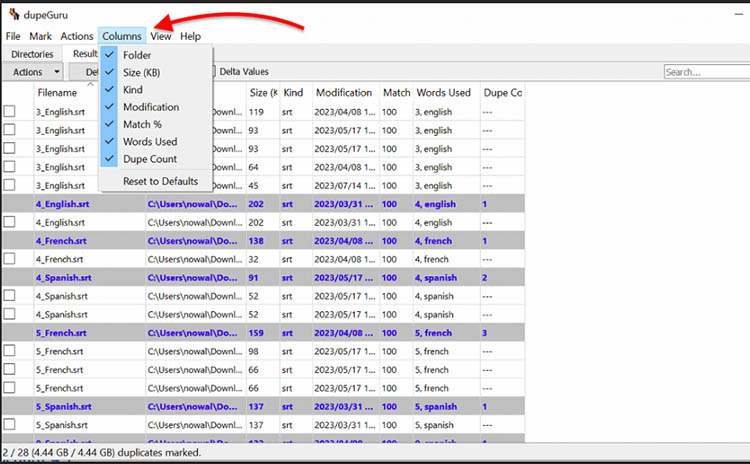
dupeGuru includes dedicated engines for music and images to recognize similar photos even when they have been resized, rotated, or lightly edited. At the same time, its fuzzy matching system detects files that are nearly identical but not exact copies. Users can adjust filters, ignore specific directories, and set size limits to fine-tune results. As a duplicate file finder Windows solution, it embraces strong customization, though it may feel less intuitive for beginners and require more time to master compared to simpler tools.
4. Auslogics Duplicate File Finder
Auslogics Duplicate File Finder can detect redundant content across a system and enable users to quickly understand where space is being wasted. In everyday use, it works well for clearing repeated downloads, backup copies, and scattered media files that build up over time. The duplicate file finder is typically chosen for its balance between simplicity and reliability.
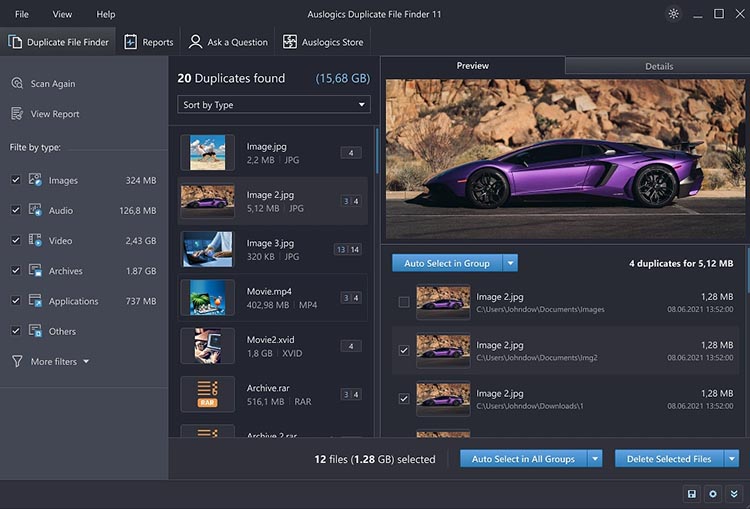
One of its stronger points is how it checks files based on real content rather than just names or surface-level details. This reduces the chance of false matches and gives more accurate results when scanning large folders or external drives. Users can narrow results by file type, size, or modification date, which makes the process more controlled when working with mixed data. For users learning how to delete duplicate files, this built-in protection adds extra confidence during cleanup on Windows systems where storage is often spread across multiple locations.
5. AllDup
AllDup is a free duplicate file finder that lets users customize almost every aspect of a scan, from matching file names and sizes to comparing file content, metadata, timestamps, and attributes. It also supports hash-based detection for highly accurate results, making it a solid option for organizing large file collections.
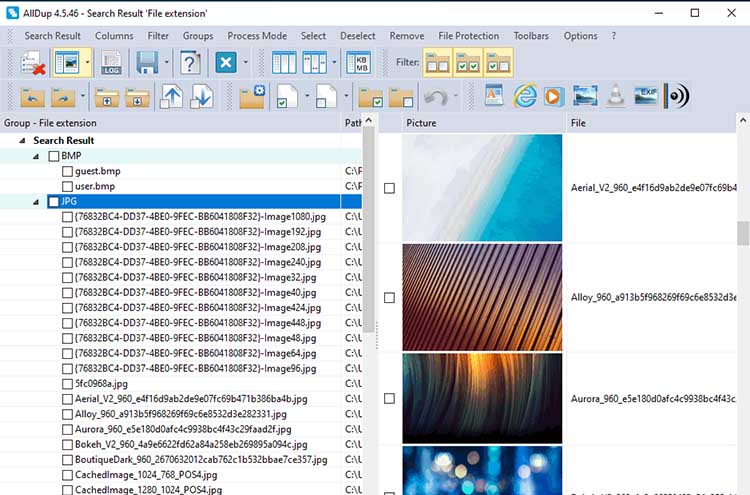
Before deleting anything, users can preview images, videos, audio files, and documents, then choose exactly which copies to keep or remove. Deep scans with using content or hash comparisons may take longer on large storage drives.
6. Nektony Duplicate File Finder
Nektony Duplicate File Finder searches for exact duplicates by comparing file content instead of filenames alone, while also recognizing similar photos and duplicate folders. As a duplicate file finder app, it strikes a good balance between speed and accuracy for users with large photo libraries or multiple external drives.
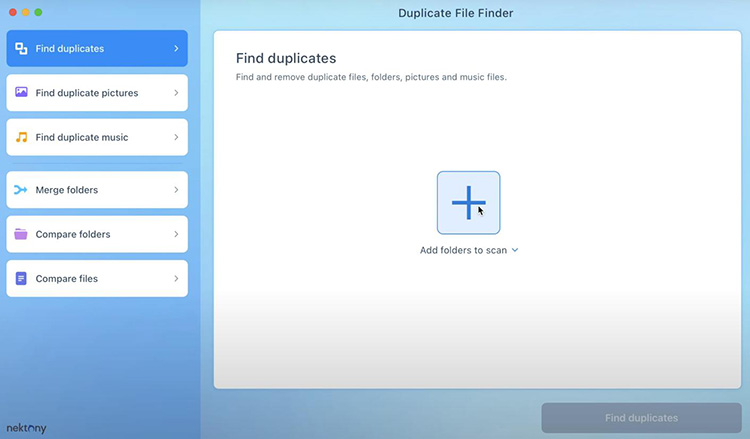
The software also puts emphasis on preventing accidental file loss. Every deletion requires confirmation, and files can be moved to the Trash instead of being erased immediately. Additional tools, including folder comparison, Smart Select, Quick Look previews, and customizable scan exclusions, provide greater control during cleanup.
7. Duplicate Files Fixer
Duplicate Files Fixer locates redundant files without relying only on file names. By comparing the actual content, it can identify duplicate documents, photos, music, and videos with a higher level of accuracy. The software also supports external drives and selected cloud storage locations. As a duplicate file finder app, it provides a clean layout that keeps scan results organized and easy to review.
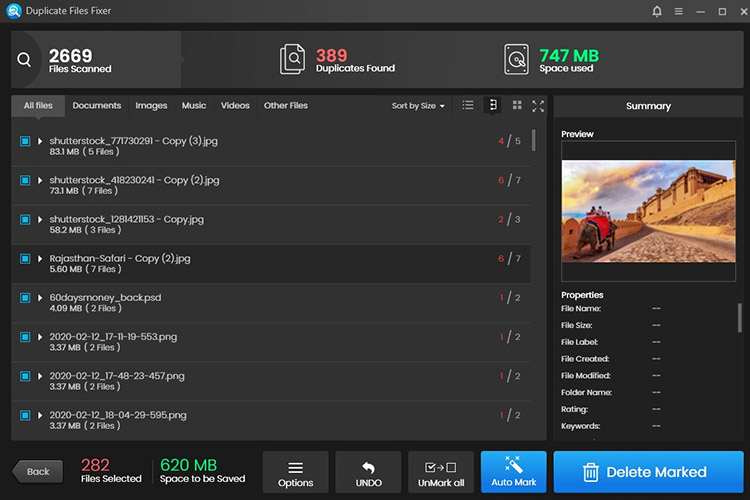
Duplicate files are grouped together to compare them before removal, while the auto-mark feature can select redundant copies based on predefined rules to save time. Exclusion settings prevent important folders from being scanned.
8. Zero Duplicates
Zero Duplicates examines the actual file content to detect duplicates even after files have been renamed or moved into different folders. As a duplicate file finder app, it emphasizes both convenience and data privacy.
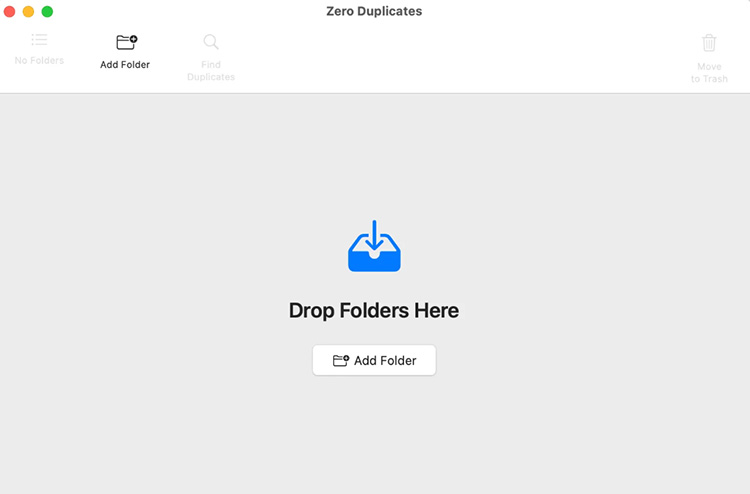
The duplicate file finder always preserves at least one copy of every matching file, and removed items can be recovered from the Trash if needed. Unlimited scans are available in the free version. However, free deletion is capped at a limited amount of storage, and the application does not analyze the native Apple Photos library.
Another 12 Duplicate File Finder Software with Highlights
#9 Duplicate File Finder Free
Supported Platform: Windows
Price: Free
Highlight: Lightweight software to fast, simple scan and remove of duplicate files to free up disk space.
#10 CloneSpy
Supported Platform: Windows 10 and below
Price: Free
Highlight: Flexible pool-based folder comparisons, byte-by-byte exact matching, and automated deletion options with zero ads.
#11 Duplicate Cleaner
Supported Platform: Windows
Price: 7-day free trial/$54.95 a PC (lifetime)
Highlight: Specialized matching algorithms for duplicate photos, music, and video content.
#12 Easy Duplicate Finder
Supported Platform: Windows & Mac
Price: $39.95/year
Highlight: Smart auto-selection rules, live file previews, and a built-in undo option for safe recovery.
#13 Vovsoft Duplicate File Finder
Supported Platform: Windows
Price: Free trial/$19 (lifetime)
Highlight: Simple tool to identify byte-identical files without cluttering menus.
#14 MindGems Fast Duplicate File Finder
Supported Platform: Windows
Price: Free/$39.95 (lifetime)
Highlight: Fast scan with built-in image and video preview capabilities.
#15 CCleaner Duplicate Finder
#16 WinDirStat
#17 Duplicate File Detective
Supported Platform: Windows
Price: Free/$60 (lifetime)
Highlight: Enterprise-grade tool featuring command-line support, scheduled scans.
#18 TreeSize
#19 BreviSoft Duplicate File Finder & Remover
#20 Aryson Duplicate File Finder & Remover
Supported Platform: Windows & Mac
Price: Free/$39
Highlight: Detect duplicate documents, archives, and media files across internal drives and external storage media.
Why Choose to Remove Files with Duplicate Finder
Duplicate files are easy to overlook because they often end up in different folders, drives, or backup locations. Clean up temp files to remove clutter, then scan for duplicates to recover significantly more disk space. A duplicate file finder takes the guesswork out of the process by locating redundant files automatically, so storage cleanup is much faster and more accurate.
Auto Scan and Identify Duplicate Files
Searching for duplicate files by hand can take hours, especially on a drive with thousands of documents, photos, and videos. A dedicated tool scans selected locations automatically and compares file content to identify true duplicates.
Free Up Disk Space Faster
Duplicate files consume valuable storage without adding any real value. Removing unnecessary copies is one of the quickest ways to recover disk space without installing additional storage hardware.
Organize Files More Efficiently
Cleaning duplicate copies out creates a more organized file structure, making it easier to browse directories, find important documents, and manage your data on a daily basis.
Conclusion
Choosing the right duplicate file finder can make a big difference when dealing with growing amounts of unnecessary data. For Windows users who want a simple and reliable cleanup option, IObit Advanced SystemCare is a viable option. Its built-in duplicate finder is available for free to scan files, remove redundant copies, and recover valuable storage space without extra steps.