- Support Center
- Multiple Languages
- Language
- Help Us Translate
Expert in
PC Health Solution

All-in-one PC health solution: clean, optimize and secure

Comprehensive PC cleaning, optimization and protection

Keep drivers always up-to-date

More stable performance with less system crashes

Protect millions of computers against malware

Top computer security with full-round protection

Protect against viruses & boost PC performance

Best FPS tester for you to estimate in-game frame rates based on your CPU and GPU. Enter your specs to get fast and accurate performance predictions. No signup required.

FPS Calculator is a web-based tool designed to estimate how well a specific set of computer hardware(CPU, GPU, and RAM) will perform in various video games. It helps gamers and builders like you predict performance before buying a new game or upgrading their PC.

Performance Prediction
It can estimate the average frame rate a PC can achieve at specific resolutions (1080p, 1440p, 4K).

Hardware Matching
Game FPS calculator helps you determine if CPU and GPU are well-balanced or if one is causing a "bottleneck."

System Requirement Verification
A more detailed alternative to "Can I Run It" tools, providing actual numbers rather than just a "Yes/No."

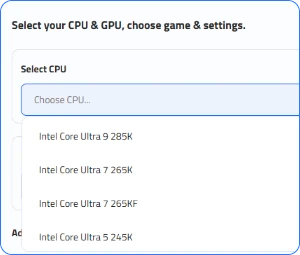
Step 1. Select a CPU, GPU, and other hardware.
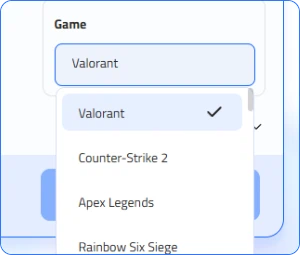
Step 2. Choose a game you want to check its performance.
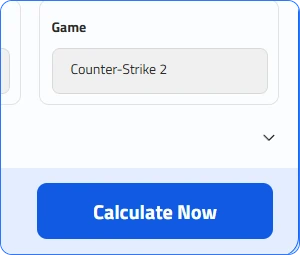
Step 3. Click Calculate Now to conduct the FPS test.
Rapidly detect and repair drivers.
Enhance gaming drivers.
Eliminate system errors.
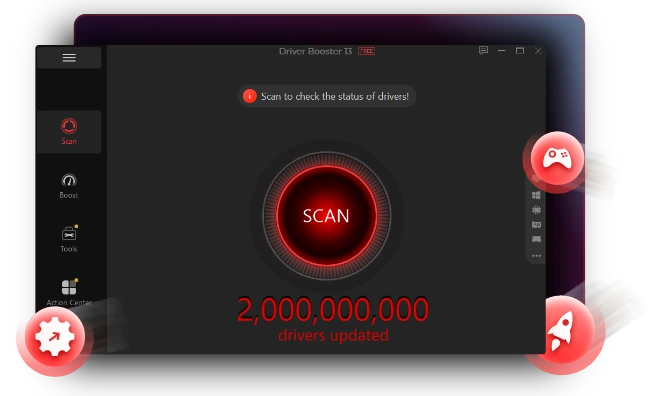
Upgrading hardware like CPU or GPU is expensive and time-consuming. Here, IObit Driver Booster is recommended to boost FPS on PC without paying. It is a maintenance tool that updates outdated or broken drivers automatically.
Free Download Driver Booster SubscribeBoost FPS Instantly
By ensuring your Graphics (GPU) Drivers are always "Game Ready," the tool unlocks the full potential of your hardware. Keeping these drivers current can significantly increase frame rates in new titles and fix visual glitches or stuttering that occur with older software versions.
Free Download Driver Booster Subscribe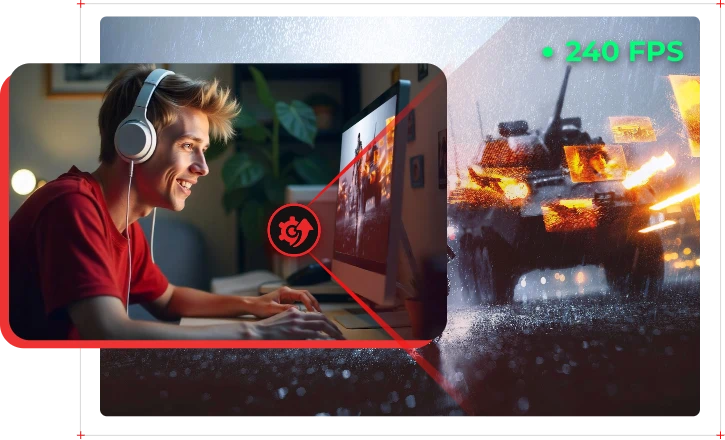
Game Boost Mode Supported
This exclusive feature optimizes your PC’s resources for a gaming session. With one click, it silences background processes and clears RAM, funneling 100% of your CPU and memory power toward the game to ensure a smoother, lag-free experience.
Free Download Driver Booster Subscribe
Update All Drivers in One Click
It features a one-click driver update via a massive database of certified drivers, ensuring your hardware communicates perfectly with your OS without the hassle of manual searching. With IObit Driver Booster, your PC will always be at peak performance for all games.
Free Download Driver Booster Subscribe
Saving your time and effort from manual benchmarking by this online free PC FPS calculator. No need to buy and test real PCs.
Effort
Accuracy
Purpose
Cost
IObit FPS Calculator
Instant; no installation needed
Estimated (based on database averages)
Pre-purchase planning/hypotheticals
Free
Manual Benchmarking
High; requires owning the hardware
100% accurate for your specific rig
Troubleshooting existing performance
Costs of hardware/software
In-Game Settings
Most modern games feature an integrated FPS counter. Look under Settings > Video or Gameplay for a toggle labeled "Show FPS," "Display Performance Stats," or "Telemetry." This is the most accurate method because it doesn't require any extra software running in the background.
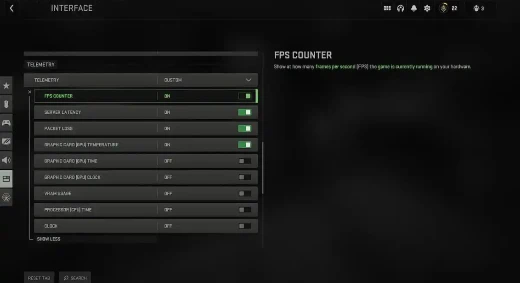
Digital Platform Overlays
If you play games through a launcher, you likely have a free FPS counter already available:
Steam: Go to Settings > In-Game and enable the In-game FPS counter.
Ubisoft/EA: These launchers have similar toggles in their respective "In-Game Overlay" settings.
NVIDIA/AMD: If you have an NVIDIA or AMD graphics card, you can use Alt+R or Ctrl+Shift+O to toggle a hardware performance overlay.
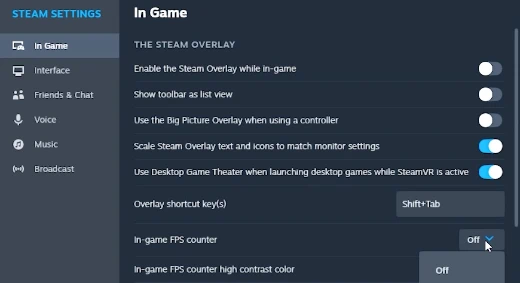
Third-Party FPS Counter
For detailed analytics, use a dedicated utility like MSI Afterburner (paired with RivaTuner). These FPS counters can display a highly customizable "On - Screen Display" (OSD) that shows not just your FPS, but also your CPU and GPU temperatures and usage percentages.
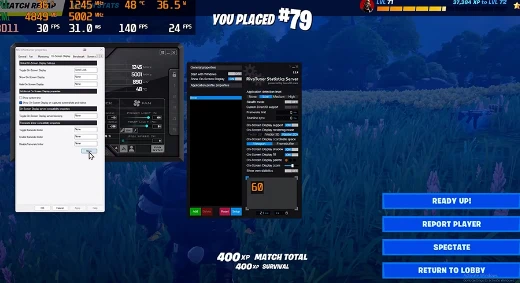
Besides FPS tester, here are some other must-have free and online tools for boosting your games.

Bottleneck Calculator
Use IObit Bottleneck Calculator to analyze your CPU and GPU pairing to determine if one component is limiting the other's performance, providing a percentage-based score to help you optimize your PC build for gaming.
Try for Free Now
Can I Run It?
The IObit Can I Run It tool allows you to search for specific games and instantly compares their official system requirements against your PC's hardware to determine if your computer can run them smoothly.
Try for Free Now
Rate My PC
The IObit Rate My PC tool provides a comprehensive performance benchmark of your computer's hardware, assigning a numerical rating to your system to help you understand how it compares to modern standards and where potential upgrades are needed.
Try for Free NowHow does the Game FPS Calculator work?
This FPS calculator PC uses a mathematical algorithm to compare your hardware's raw processing power against a database of real-world benchmarks to estimate how many frames per second your PC can generate for a specific game.
Which data does the FPS Calculator for games use?
The game FPS calculator analyzes three primary categories of data:
Hardware Specs: Your CPU model, GPU model, and the amount/speed of your RAM.
Game Requirements: The specific graphic engine demands and optimization levels of the game you want to play.
Display Settings: Your chosen screen resolution (e.g., 1080p, 1440p) and visual quality presets (e.g., Low, Ultra).
Why is the actual FPS different from the calculator's estimate?
PC performance calculators provide an estimate based on "clean" systems. Real-world factors like background apps (Chrome or Discord), overheating (thermal throttling), and unoptimized game patches can cause your actual FPS to be lower than predicted.
What is a good FPS for gaming?
60 FPS is the best for smooth everyday gaming. Competitive players often target 120, 144, 240 or even higher FPS to match a high-refresh-rate monitor. Use this FPS estimator to see the best FPS for you before building up a PC.
Is a higher FPS always better?
Generally, yes, because it makes gameplay smoother and more responsive. However, if your FPS exceeds your monitor's refresh rate (e.g., getting 200 FPS on a 60Hz screen), you won't see those extra frames, and it may cause "screen tearing" unless you use technologies like G-Sync or FreeSync.
Will a Games FPS calculator tell me if I have a bottleneck?
Yes, many PC performance calculators specifically highlight if your CPU or GPU is too weak for the other. For example, if your GPU is idling at 40% while your CPU is at 100%, the calculator will flag a "CPU Bottleneck," meaning a faster processor would significantly boost your frame rate.