All PC users eventually face the same problem: dwindling memory and slowing system performance. However, dealing with invalid registry items, browser data, history, and other unnecessary files can be a hassle—some are hard to locate, while others are tedious to clean up manually. Consequently, there is a pressing need for a professional PC cleaner to help remove junk files, useless data, and software caches.
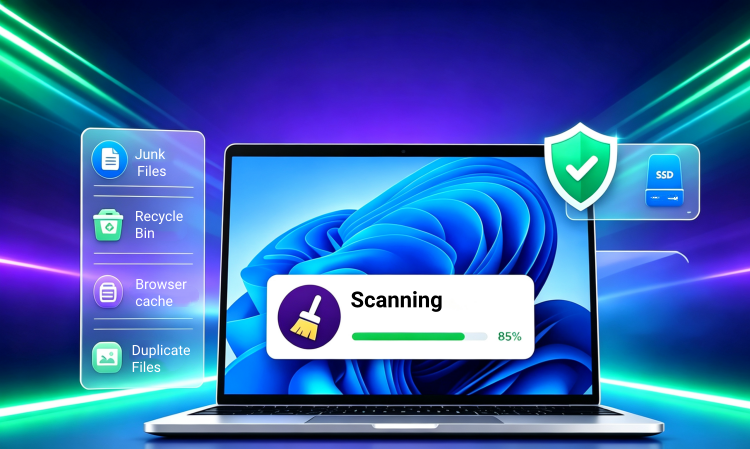
So, which PC cleaner is right for you? We have selected 7 highly popular products, providing detailed comparisons and overviews to help you quickly make a choice and get started.
PC Cleaner Software: What Does It Clean
For different PC cleaner programs, their features may not be the same. But we make a summary list of what the top 7 PC cleaner software (introduced in the next part) can clean.
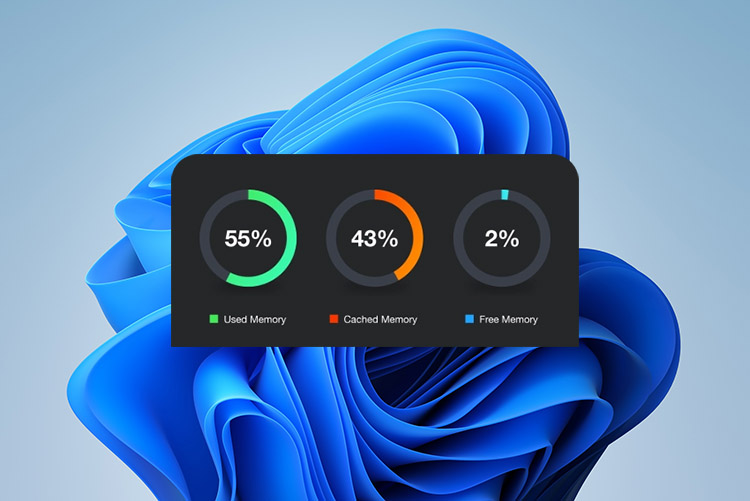
Clean RAM: Remove active physical memory occupied by background processes, cached files, and non-essential apps.
Remove Windows operating system junk: Clean Windows temporary files, Shader cache, thumbnails, Delivery Optimization files and others in Windows system.
Clean junk files beyond Windows OS: Give a deeper, more comprehensive cleanup and auto target hidden temporary files, cache, and leftover logs from third-party applications, web browsers.
Clean browser cache: Purge accumulated caches, cookies, and tracking history across all installed web browsers (Chrome, Edge, Firefox, Opera) simultaneously from a single interface.
Clean registry: Remove obsolete keys after uninstallation and fix broken shortcuts or file associations.
Clean temporary files: Delete short-term data files created by the operating system, applications and browsers that are not removed upon closing.
Remove virus or spyware: Detect and remove simple threats on your PC.
Top 7 PC Cleaners Listed: Choose the Proper One In Secs
#1 Advanced SystemCare
Supported OS: Win11/Win10/Win8/Win7/Vista/XP
Price: Free/$16.77 a year
Best for: Who need an all-in-one PC cleaner and optimizer with AI mode
#2 Glary Utilities
Supported OS: Win11/Win10/Win8/Win7/Vista/XP
Price: Free/$19.97 a year
Best for: Who prefer PC disk cleaner with comprehensive toolbox
#3 CCleaner
Supported OS: Win11/Win10/Win8/Win7
Price: Free/$29.95 a year
Best for: Who opt for targeted cleaner software across multi-app environments
#4 Microsoft PC Manager
#5 Cleaner One Pro
#6 PCHelpsoft PC Cleaner
#7 Windows Built-in Cleaner
7 Best PC Cleaner to Clean and Boost PC Performance
Advanced SystemCare: Best Overall PC Cleaner
Advanced SystemCare is a comprehensive, free PC cleaner and Windows optimizer. It handles everything from cleaning up junk files with AI Mode and Manual Mode to removing privacy data like cache and browsing history. Beyond automated cleaning, it also boosts PC performance and offers basic system protection features.
Advanced SystemCare Free
- Clean: 420 billion traces removed & 85 EB junk files cleaned
- Protect: 80 million unauthorized access blocked & 20 million bugs fixed
- Speed Up: 6 million hours of startup time saved & Turbo boost
- Optimize: Auto clean and auto care your PC with AI mode
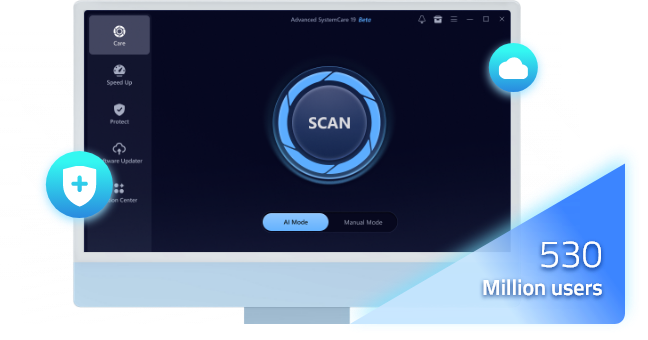
Key features of Advanced SystemCare to clean PC:
Clean junk files: Automatically clean kinds of junk files from Windows OS and third-party applications. Temp files, log files, DirectX Shader cache, Windows Installer unused files, software redundant files, and more.
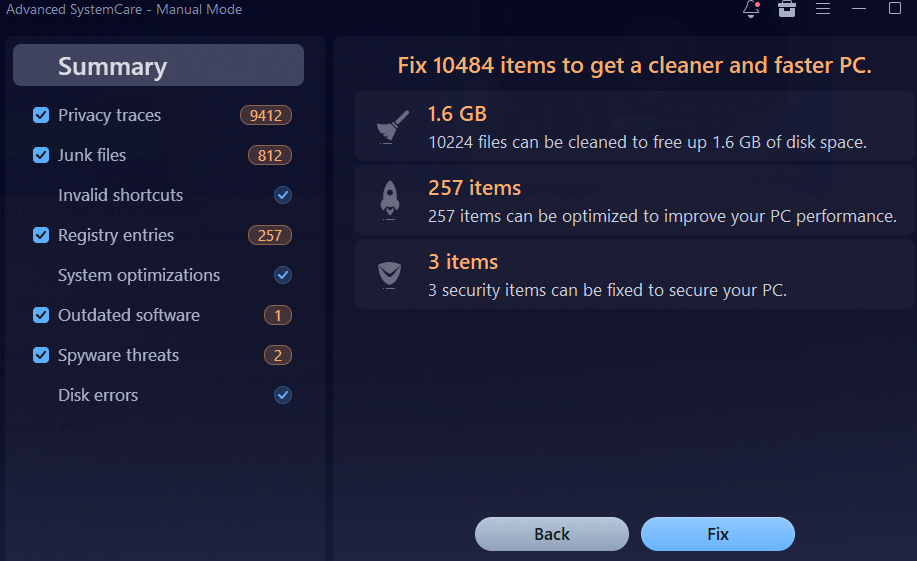
Remove privacy data: Delete selected objects from Firefox, Chrome, and other browsers and applications, including cache, history, download history, cookies, bookmark backup, etc.
Clean RAM automatically: Auto clean RAM manages system resources and disables inactive processes and programs to improve PC performance.
Clean registry: Identify and fix corrupted registry entries to prevent system and software crashes.
Scheduled cleaning: Make a scheduled cleaning in Settings and automatically clear unnecessary files of browsers and programs at Windows startup.
Additional features you may need:
Update software
Startup manager
PC performance monitor
Folder protection with password
Browsing protection from ads and scams
Work mode, games mode and economy mode
Glary Utilities: Best PC Cleaner for Performance Optimization
Glary Utilities cleans up your PC and keeps it in good performance with massive features to keep Windows running smoothly, quickly, and securely. Serving as a digital "Swiss Army knife" for PC cleaning and maintenance, it provides a series of Windows tools, from disk cleanup to software uninstaller.
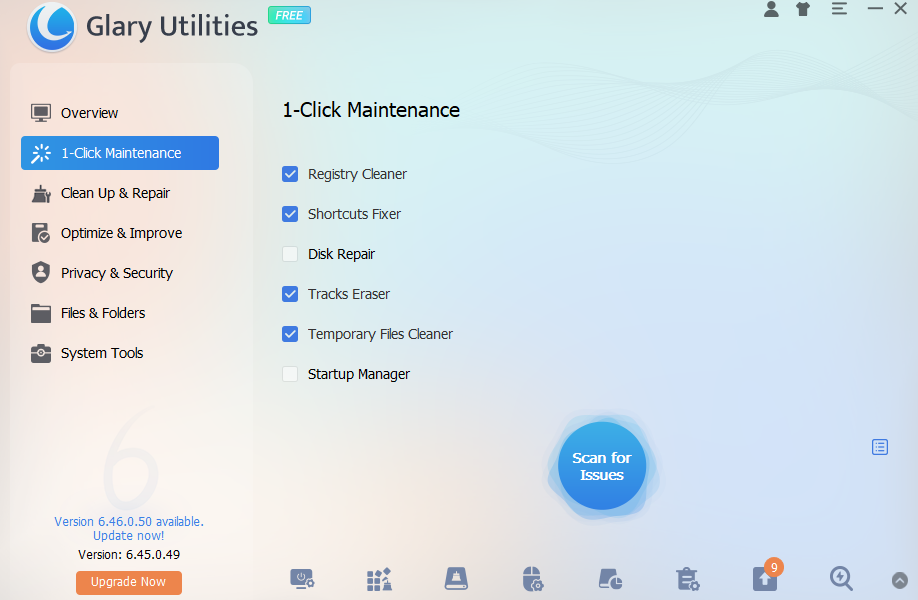
Core PC cleaning features of Glary Utilities:
One-click cleaning: Clean registry, temporary files, tracks, fix shortcuts and manage startup apps with one click.
Clean disk: Deep scan selected local drives to remove system log files, browser caches, temporary installation data, memory dump files, and more.
Duplicate file finder and empty file finder: Scan drives for exact duplicate documents, pictures, and others to clean wasted disk space. Locate and delete empty folders left behind uninstalled software.
Additional features you may like:
Startup manager
Disk defrag
Driver manager
Software updater
Memory optimizer
File encrypter
File shredder
CCleaner: Best PC Cloud Drive Cleaner
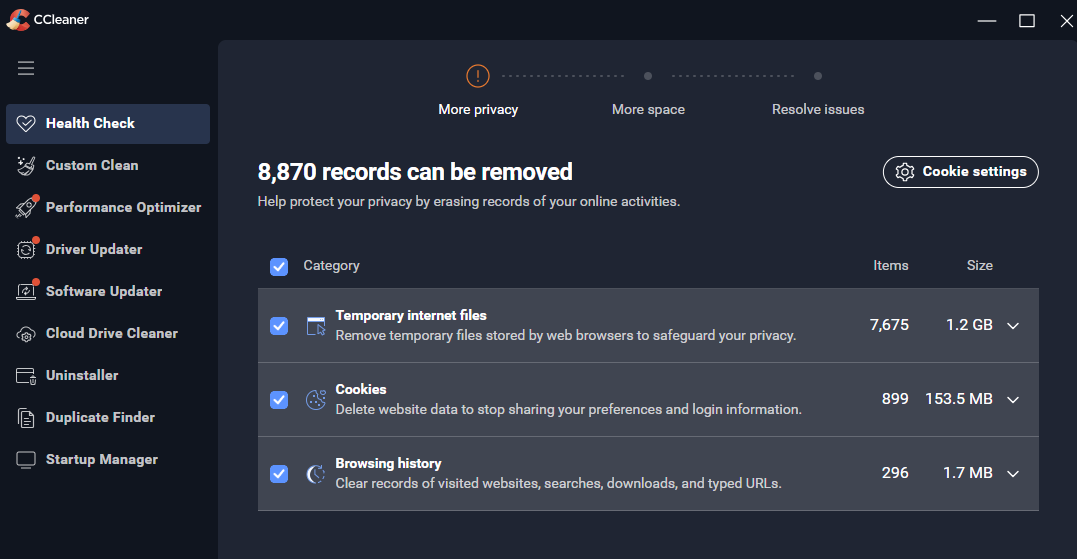
CCleaner is a big brand in the industry that claims to be a tool to help remove junk files and get more space. It cleans unnecessary files and registry on PC, cleans cloud drives (Google Drive, OneDrive, and Dropbox), and finds duplicate files instantly.
Main PC cleaning features of CCleaner:
Health check: Auto scan temporary Internet field, cookies and browsing history to erase all records from online activities and protect your privacy.
Custom clean: Clean junk files of Windows OS and third-party apps, including thumbnail cache, Windows log files, download folders, web cache, etc.
Cloud drive cleaner: Clear forgotten items, duplicate and outdated files in your Google Drive, OneDrive and Dropbox.
Extra features you may need:
Driver updater
Sleep mode
Driver updater
Software updater
Uninstaller
Startup manager
Microsoft PC Manager: Best Totally Free PC Cleaner
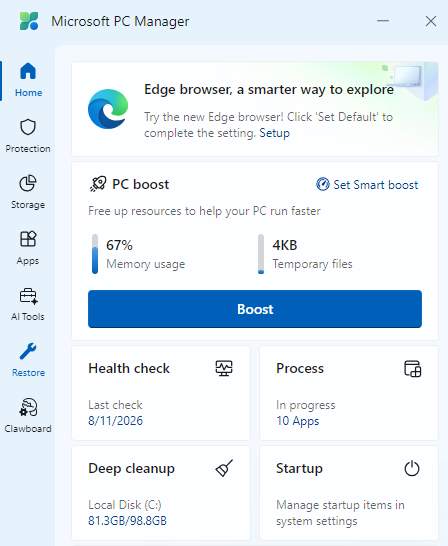
When it comes to a completely free PC cleaner, aside from open-source software like BleachBit, PC Manager (developed by Microsoft), is definitely worth a try. It has a simple interface, deep cleaning features, and specially, direct access to Windows Settings.
Cleanup features of Microsoft PC Manager:
Health check: Clean recommended regular cleanup for temporary files, Windows log files, thumbnail cache. Clear usage traces from system, Edge and Chrome.
PC boost: free up resources to help your PC run faster. You can toggle on Smart boost setting to automatically boost PC when high RAM usage or temporary files over 1GB.
Disk cleanup: Scan browser items, system items, application items, and usage traces and remove with one click.
Get more done with these supplementary tools:
Cleaner One Pro: Best PC Junk Cleaner
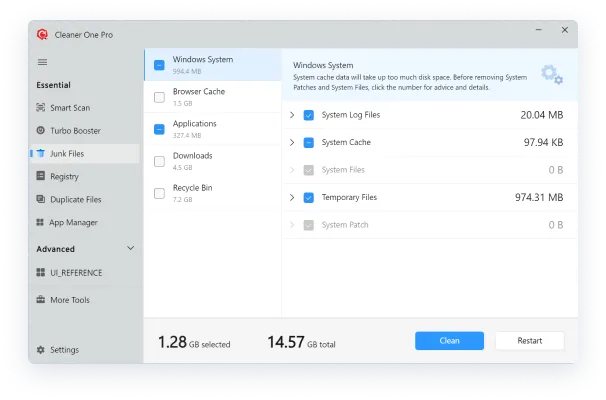
Cleaner One Pro is a great disk cleaner and performance optimization utility for Windows and macOS. Its modern and clean user interface makes it easy to use.
What to clean with Cleaner One Pro:
Junk files: Scan and remove unneeded files to free up space and prevent tracking by third-party, system cache, browser cache, download files, and more.
Registry: Find and delete unused registry keys to keep your PC in good performance and prevent system crash or freeze.
Duplicate files: Scan, select and delete duplicate documents, folders, media, photos and more to free up space.
Similar photos: Scan local drives or folders and delete similar photos to release more storage.
Extended functional utilities:
PC HelpSoft PC Cleaner: Best PC Cleaner for Beginners
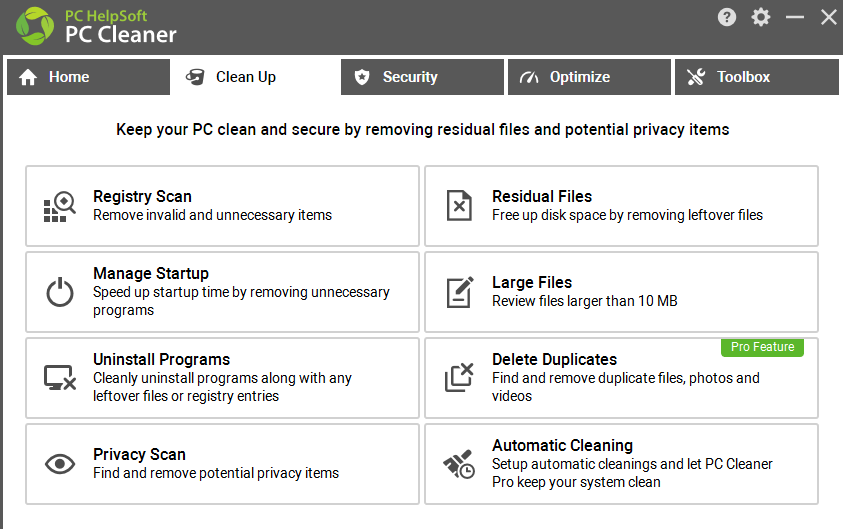
PC Cleaner developed by PC HelpSoft is a Windows software for PC cleanup, protection and optimization. With an intuitive dashboard divided into four categories: Clean Up, Security, Optimize, and Toolbox, you can easily find the tool you want.
What Clean Up features do of PC HelpSoft PC Cleaner:
Registry scan: Scan and remove invalid and unnecessary items.
Residual files: Delete those residual files left behind on your system after uninstalling an application.
Large files: Select minimum file size, then scan large files that are over the size on your PC, and remove them to free up disk space.
Duplicate files: Find and remove duplicate files, photos and videos in a Pro version.
Privacy scan: Delete Windows junk files (temp files, document search, and the like), Internet histories, cookies, recently viewed web pages, logs of conversations in Skype, Meetings, etc.
Supplementary tools and features:
Manage startup
Uninstall programs
ID scan
Device wiper
Shred files
Windows repair
Analyze disk
Windows Built-in Cleaner: Safest PC Cleaner
Windows includes native maintenance tools for removing system clutter. Storage Sense is to automatically free up disk space as preset, while Disk Cleanup is to allows users to perform manual oprations to release storage space.
Check what they can remove from your PC.
Storage Sense to remove:
Disk Cleanup to remove:
Clearly, these features are limited in cleaning up PCs and freeing up space, focusing on removing Windows OS files only. To completely remove junk files, browser caches, viruses, and more, you need to download a comprehensive PC cleaner software to clean all kinds of junk files like IObit Advanced SystemCare.
FAQs about PC Cleaning
Is PC cleaner safe?
A reputable PC cleaner can be safe to use, like PC Manager developed by Microsoft, and Advanced SystemCare developed by IObit, which can be downloaded from the official Microsoft Store. Before deleting files, creating a backup or restore point is a good option.
When should I clean my PC?
When there is a sign of the following, open a PC cleaner and start freeing up storage.
The storage drive is nearly full or displayed in a red bar.
The boot time is longer than before.
You've uninstalled many apps without complete deletion.
You find many background processes in Task Manager while many of them are unused.
You find broken file shortcuts (when you click the icon, it shows File Not Found).
You find some duplicate files.
How often should I clean my PC?
For most users, scanning and cleaning a PC once in one or two months is enough. If you frequently download large files, install and uninstall applications, clean your PC after uninstalling to remove residuals without manual operation.
Can a PC cleaner make my computer faster?
A PC cleaner can sometimes make computers run faster and improve performance, but the results depend on what's slowing down your computer. It purges unnecessary files to free up space, and manages startup programs to make boot time faster.
Some problems caused by low RAM, malware, overheating cannot be changed when using a PC cleaner.
Conclusion
Which is the best PC cleaner? It depends on your needs. The similarities of a PC cleaner is to remove unnecessary files and offer automatic routine PC cleaning. While, they are not giving the same features and tools. IObit Advanced Software is good for AI scanning and automatic fixing. Glary Utilities is good for disk cleanup and file management. Choose one you like, and download and start scanning your PC now.