When demanding games, 3D rendering, or other GPU-intensive tasks push your graphics card to its limits, how can you tell whether it is performing as expected? The best GPU stress test can help assess performance, temperature, and stability. Online estimators offer quick predictions, while dedicated benchmarks put your hardware through real rendering workloads for measurable results.
GPU Stress Test Tools: Feature Comparison
Compare the features of 6 GPU stress testing tools to find the one that best suits your needs.
|
IObit PC Stress Test Online |
UNIGINE Superposition |
OCCT 3D |
FurMark |
3DMark |
UNIGINE Heaven |
| Installation Required |
No |
Yes |
Yes |
Yes |
Yes |
Yes |
| GPU Performance Score |
Yes (estimated scores) |
Yes |
No |
Yes (benchmark mode) |
Yes |
Yes |
| FPS Measurement |
Yes (estimated fps) |
Yes (during benchmark) |
No |
Yes (benchmark mode) |
Yes |
Yes |
| GPU Stress Testing |
Yes (estimated scores) |
Yes(real-time rendering) |
Yes |
Yes |
Yes
|
Yes(real-time rendering) |
GPU Stability Testing
|
No |
Yes |
Yes (outstanding) |
Yes |
Yes |
Yes (basic) |
| Error Detection |
No |
No |
Yes |
No |
No |
No |
| GPU Temperature Monitoring |
No |
Yes
|
Yes |
Yes |
Yes |
Yes |
| GPU Clock Monitoring |
No |
Yes |
Yes |
No |
No |
No |
| GPU Power Monitoring |
No |
Hardware-dependent |
Yes |
No
|
No |
No |
| Free or Paid |
Free |
Free, and $19.95 to unlock a lifetime license. |
1-hour free test only. €4.50 for a monthly subscription. |
Free |
Free versions with limited functions. $34.99 to unlock the full version. |
Free edition. And $14.95 for the advanced version. |
Please read on to see detailed product reviews.
Performance Estimator GPU Stress Test - Online GPU Stress Test
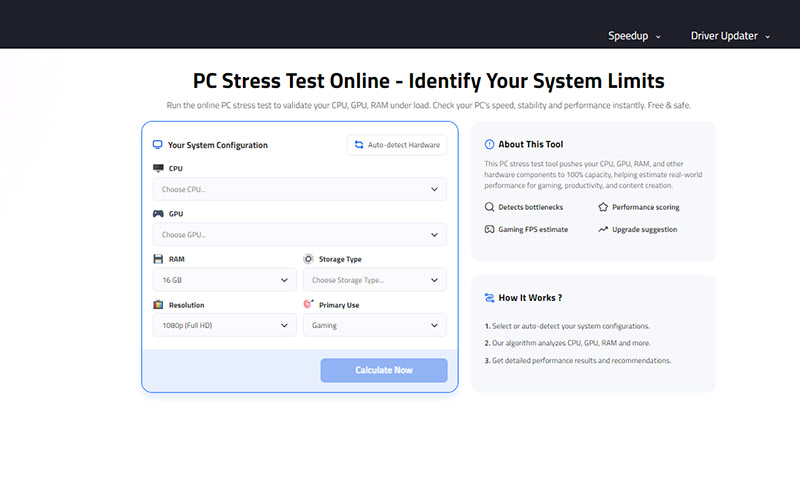
Not every GPU check requires a desktop application. IObit PC Stress Test Online provides a browser-based estimate of system performance using the hardware configuration you select or detect. The best GPU stress test online tool examines the relationship between your processor, graphics card, memory, and storage, then presents estimated performance scores, possible hardware bottlenecks, and projected gaming FPS at different resolutions.
The results from the free GPU stress test program enable you to easily assess the relative performance of PC configurations or plan a hardware upgrade, and figure out how to fix CPU bottleneck easily.
Core Features of IObit PC Stress Test Online
Hardware configuration analysis: Accepts CPU, GPU, RAM, storage type, display resolution, and primary usage details to assess a PC configuration.
Performance scoring: Generates an estimated performance score based on the selected hardware specifications.
Bottleneck estimation: Identifies potential CPU–GPU imbalances that could restrict performance in specific workloads.
Gaming FPS estimates: Predicts frame rates at different settings and provides component recommendations for planned upgrades.
Who Should Use This Tool?
IObit PC Stress Test Online is ideal for anyone who wants a quick estimate of GPU performance without downloading or installing any software.
Synthetic Benchmark GPU Stress Test - UNIGINE Superposition
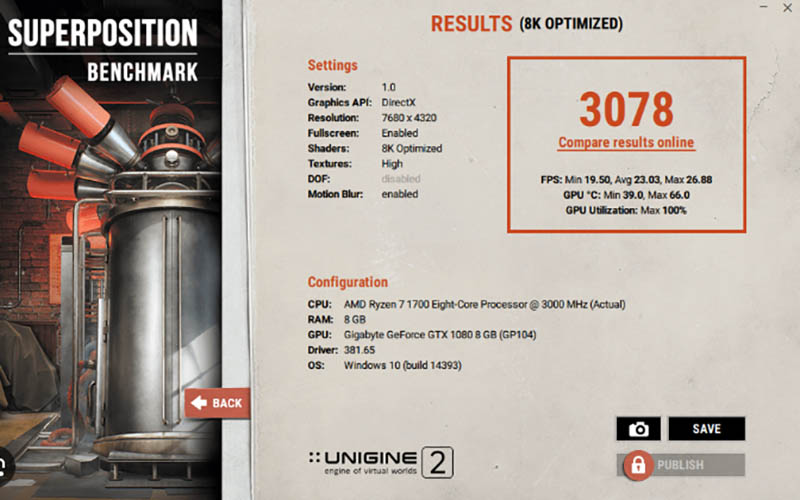
UNIGINE Superposition is a graphics benchmark that renders a detailed, cinematic laboratory environment to measure GPU performance under demanding visual workloads. Built on the UNIGINE 2 engine, the best GPU stress test tool produces benchmark scores that can be compared across different hardware configurations. Its intensive rendering workload also makes it a useful option for checking graphics card stability, observing temperatures, and identifying potential cooling issues.
Unlike browser-based resource monitor and estimators, the best GPU stress test program runs a graphics workload directly on the PC, allowing users to assess actual rendering performance rather than predicted results. However, its results reflect the APIs and rendering techniques it supports, so they may not fully represent performance in newer games.
Core Features of UNIGINE Superposition
High-load graphics rendering: Renders complex scenes with detailed textures, lighting effects, and numerous objects to rank GPU capabilities under sustained demand.
Flexible benchmark presets: Offers different quality levels and resolutions, including demanding 4K and 8K options, for comparing graphics performance across hardware tiers.
Performance monitoring: Displays hardware statistics during testing, enabling users to observe GPU behavior, clock speeds, and thermal conditions.
Score comparisons: Generates benchmark results that enthusiasts can use to measure differences between graphics cards, assess overclocking gains, and check performance consistency.
Who Should Use This Tool?
Gamers, overclockers, and PC technicians checking GPU scores, stability, and thermals.
GPU Stability Stress Test - OCCT 3D
OCCT 3D is the best GPU stress test tool to push graphics cards under demanding workloads and identify instability that may not appear during everyday use. It puts the GPU under sustained or variable loads, allowing users to check for rendering errors, client-server runtime process high GPU issues, crashes, and abnormal hardware behavior.
While conventional GPU benchmarks primarily measure rendering speed, OCCT emphasizes GPU stability test and error detection under load. Its testing options can expose problems associated with unstable clock speeds, insufficient cooling, or other hardware issues.
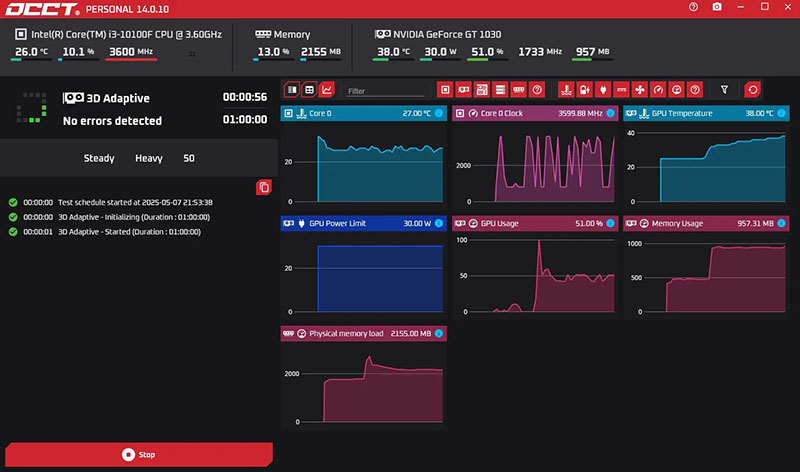
Core Features of OCCT 3D
GPU load testing: Applies demanding graphics workloads to evaluate how a graphics card responds to sustained processing demands.
Adaptive workload options: Available 3D Adaptive testing varies the GPU load to reveal instability during changing workloads rather than only under a fixed load.
Error detection: Monitors supported tests for computational or rendering errors, providing more diagnostic information than simply waiting for a crash.
Hardware monitoring: Tracks GPU-related readings, such as temperature, frequency, and power consumption, when supported by the hardware and monitoring system.
Who Should Use OCCT 3D?
Occt GPU stress test is suitable for PC builders, gamers, overclockers, and troubleshooting enthusiasts who need to check GPU stability rather than just measure frame rates.
Read More: Battlefield 6 High CPU Usage? 6 Ways to Fix It >>
Thermal/Power GPU Stress Test - FurMark
FurMark is a graphics card testing utility recognized for its animated fur-rendering workload, which generates substantial GPU activity over an extended period. The best GPU stress test’s emphasis is on thermal behavior and operational stability rather than measuring how smoothly a card runs a particular game.
Running Furmark GPU stress test can observe how quickly GPU temperatures rise and whether the graphics card encounters errors during intensive rendering. It can also expose instability caused by aggressive overclocking or inadequate cooling, although further testing may be needed to determine the root cause.
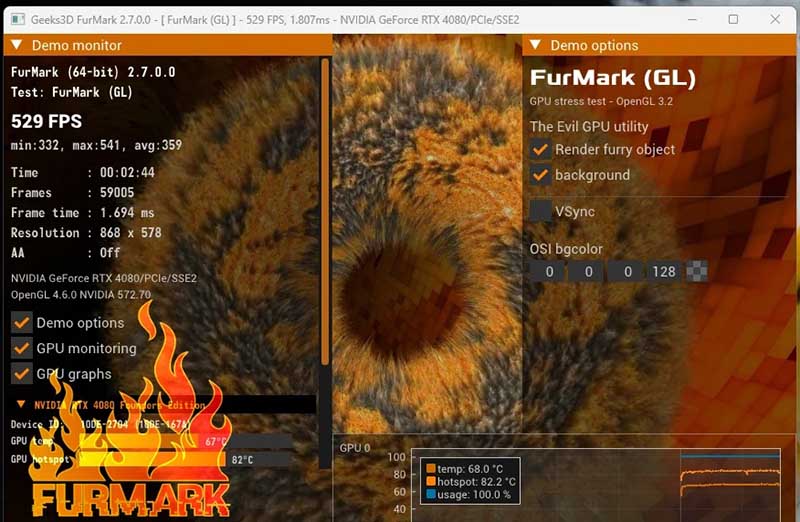
Core Features of FurMark
Intensive 3D workload: Its computationally demanding rendering process keeps the graphics processor busy, making thermal response easier to observe.
Thermal CPU GPU temperature monitor: When paired with compatible monitoring utilities, users can follow temperature changes, fan speeds, and operating frequencies throughout a test.
Visual and stability checks: Rendering glitches, driver failures, and unexpected system interruptions can indicate that further hardware investigation is necessary.
Performance scoring: Available benchmark modes produce results that can be compared across systems tested with equivalent configurations.
Who Should Use This Tool?
FurMark is a good option to benchmark test GPU stress for PC enthusiasts, hardware testers, and users diagnosing graphics card overheating or instability.
Real-World Gaming GPU Stress Test - 3DMark
3DMark is a PC benchmarking suite developed by UL Solutions that measures graphics and processor performance through purpose-built rendering and computing tasks. Its tests cover a range of hardware capabilities, giving a consistent way to assess gaming-oriented performance without relying solely on frame rates from individual titles.
The best GPU stress test software offers workloads for different graphics architectures, resolutions, and rendering techniques. Depending on the benchmark, users can examine traditional 3D rendering, ray-tracing performance, or other specialized capabilities. The resulting scores reveal how a system compares with similarly equipped machines and if a hardware upgrade or configuration adjustment produces a measurable difference.
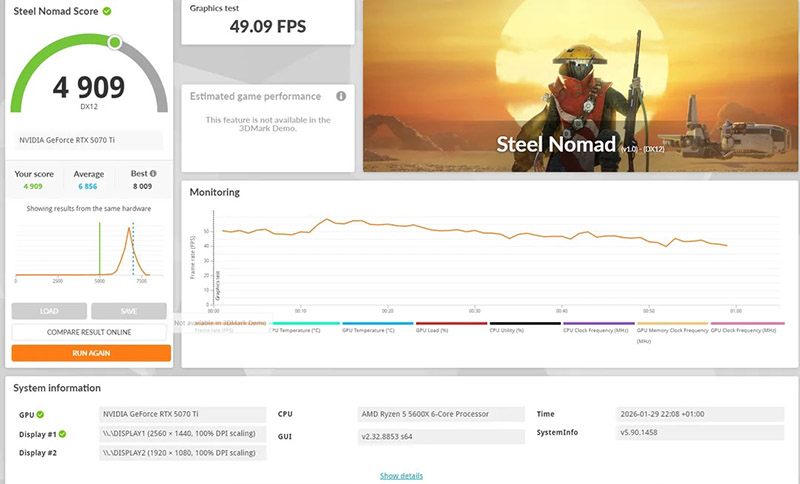
Core Features of 3DMark
Hardware-specific test selection: Includes benchmark workloads for different tiers of gaming hardware, from mainstream PCs to high-performance systems.
Cross-system score analysis: Generates numerical results to gauge graphics cards and processors under matching test conditions.
Advanced rendering evaluations: Selected benchmarks examine demanding techniques such as real-time ray tracing and high-resolution graphics processing.
Extended stability assessment: Dedicated stress tests repeat benchmark workloads to identify performance degradation or potential instability during sustained operation.
Who Should Use This Tool?
Gamers and PC enthusiasts can use 3DMark to rank graphics cards, measure upgrade gains, and evaluate ray-tracing performance.
Another Real-Time 3D Rendering Tool for GPU Stress Testing - UNIGINE Heaven
Although UNIGINE Heaven and UNIGINE Superposition are both developed by UNIGINE, they are two separate benchmarking tools. Heaven is the older tool, released in 2009. Despite being an older benchmark, UNIGINE Heaven remains a popular choice among PC enthusiasts. Its lightweight design, broad graphics API support, and straightforward benchmarking process make it useful for testing GPU stability and monitoring temperatures under load. It also has a long history of community use, making it easier to compare results with other hardware configurations.
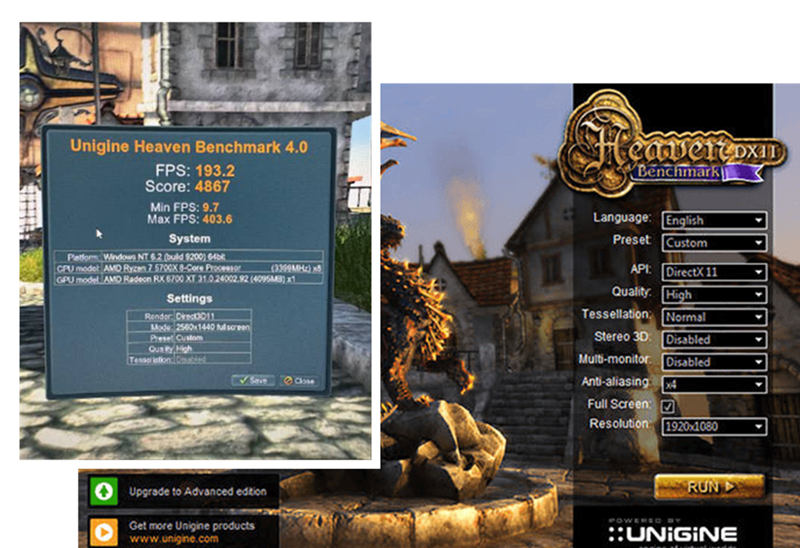
Core Features of UNIGINE Heaven
GPU Performance Benchmark: Run graphics rendering tests to measure FPS and generate benchmark scores for comparing GPU performance.
GPU Stress Testing: Run intensive 3D workloads or looped benchmarks to check whether your graphics card can maintain stable performance under heavy loads.
Hardware Monitoring: Monitor GPU temperature, clock speed, and other hardware information during benchmark tests.
Customizable Test Settings: Adjust graphics quality, resolution, anti-aliasing, and tessellation settings to test GPU performance under different workloads.
Who Should Use This Tool?
UNIGINE Heaven is ideal for users who want a lightweight, easy-to-use tool to benchmark GPU performance, test stability, and monitor temperatures under load.
Bonus Tip: Use a PC Optimizer to Boost Your Computer’s Performance
Background applications, unnecessary startup programs, accumulated temporary files, and heavy memory use can make a PC feel sluggish, even when the GPU itself is working correctly.
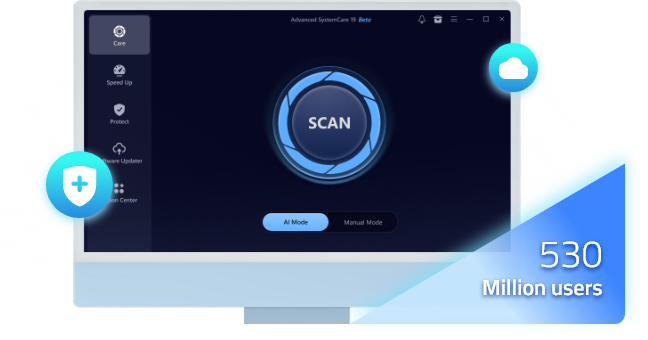
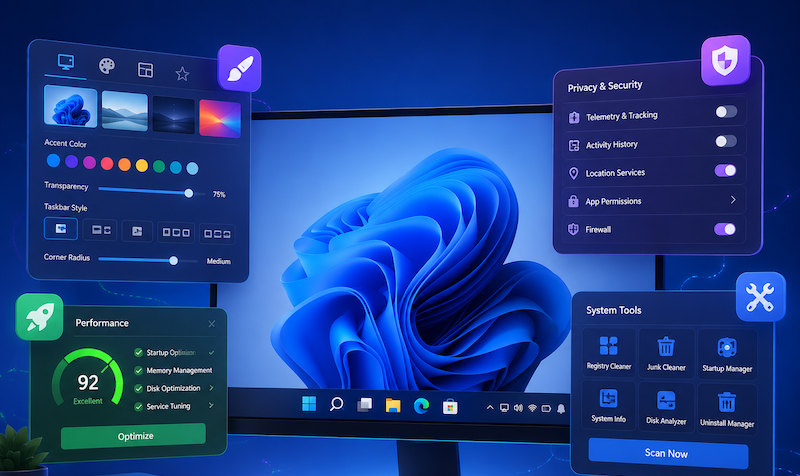
IObit Advanced SystemCare is a PC maintenance and optimization utility that features junk-file cleanup, startup management, and resource optimization to address common causes of sluggish Windows performance. Its Turbo Boost mode can free up system resources by limiting unnecessary background activity, while the built-in Performance Monitor displays CPU and GPU temperatures alongside memory usage. These tools can prepare a PC for more consistent GPU benchmarking without a steep learning curve when learning how to boost GPU performance.
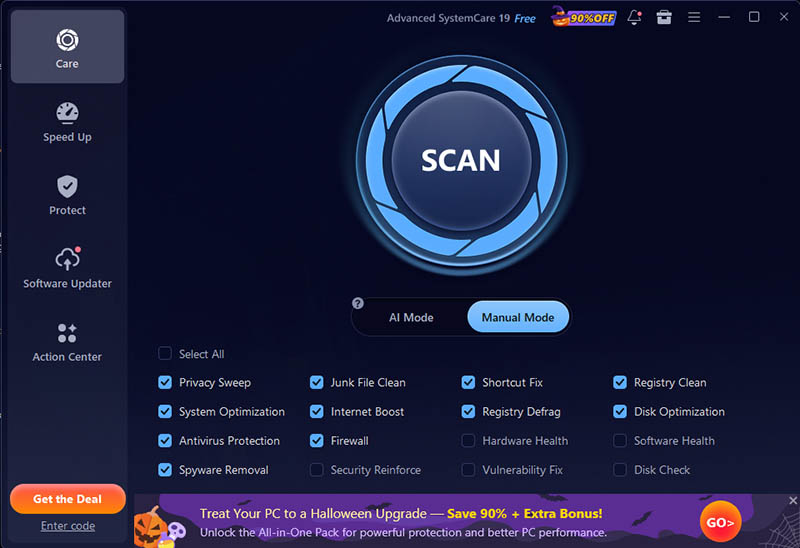
Core Features of Advanced SystemCare
Junk-file cleanup: Scans for supported temporary files, caches, and other unnecessary data to recover storage space.
Startup management: Identifies unnecessary startup applications that can slow down booting and consume resources in the background.
Memory and process management: Uses available optimization features to reduce avoidable resource consumption.
System maintenance tools: Accesses supported cleanup, optimization, security-related functions from one application, and fixes system high disk usage.
Who Should Use This Tool?
Advanced SystemCare is geared toward users looking to reduce background clutter and optimize their PCs for more consistent GPU benchmark results.
Conclusion
The best GPU stress test depends on what you need to find out. Use IObit PC Stress Test Online for a quick estimate, Superposition or 3DMark for performance comparisons, OCCT for stability diagnostics, and FurMark for thermal testing. Keep your PC maintained with Advanced SystemCare, then retest under consistent conditions to see whether system responsiveness improves.
Advanced SystemCare Free
- Clean: 420 billion traces removed & 85 EB junk files cleaned
- Protect: 80 million unauthorized access blocked & 20 million bugs fixed
- Speed Up: 6 million hours of startup time saved & Turbo boost
- Optimize: Auto clean and auto care your PC with AI mode