A Windows tweaker gives you easier access to customization, performance, privacy, and hidden system settings that may otherwise require Registry Editor or Group Policy. Some tools focus on appearance, while others prioritize speed or privacy. The best Windows tweaker therefore depends on what you want to change, how technical you are, and whether you prefer free or paid features.
What Are Windows Tweakers?
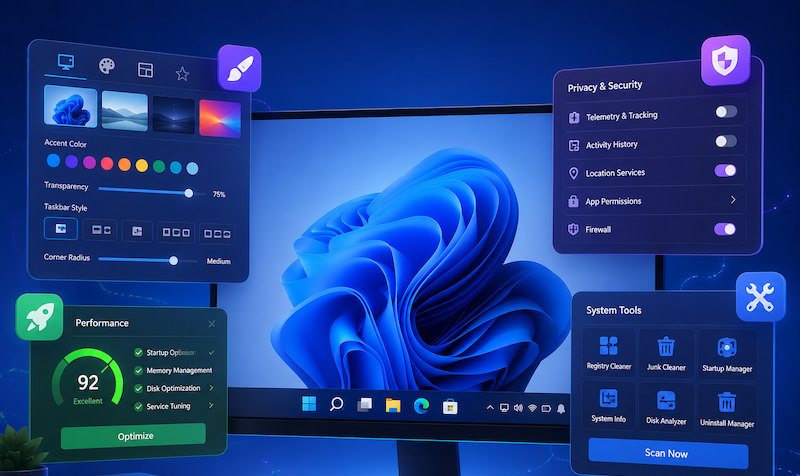
A Windows tweaker is a utility that gathers system settings and hidden options into one interface, reducing the need to edit registry keys manually. A good tool should make changes understandable and reversible, especially because aggressive tweaks can sometimes affect Windows behavior.
The three most common areas are:
1. UI Customization
A Windows tweaker can change how Windows looks and behaves by adjusting the Start Menu, taskbar, File Explorer, context menus, transparency effects, icons, and other interface elements. Some tools can also restore classic Windows behaviors that are no longer easily accessible through Settings.
2. System Optimization
Optimization tweaks target startup programs, background services, memory use, disk activity, and general responsiveness. Some tools simply expose Windows settings, while optimizer-focused products can actively clean files or temporarily stop unnecessary processes.
3. Privacy & Security Control
Privacy functions may include telemetry controls, advertising-ID settings, tracking restrictions, browser privacy, and permission management. Before applying privacy tweaks, check exactly what each switch changes.
Price and complexity also matter. Some utilities are completely free and portable, while others combine free and Pro features. If you search “Windows tweaker GitHub,” remember that GitHub contains many independent scripts and tweak collections; verify the publisher, source code, release history, and restore options before running them.
Lightweight, Fast Windows Tweaker – Ultimate Windows Tweaker
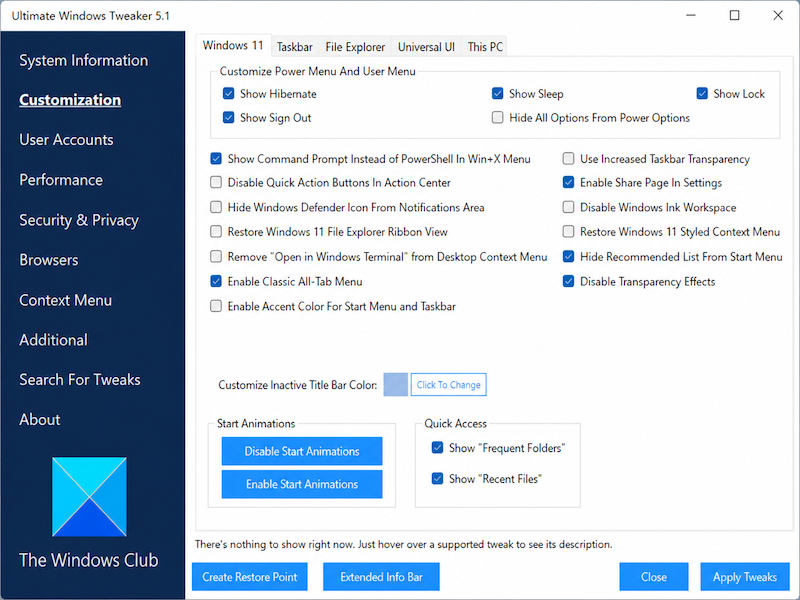
Ultimate Windows Tweaker is one of the lightest choices in this comparison. The current UWT 5.2 is designed for Windows 11, is portable, is roughly 219 KB, and provides more than 200 tweaks from one compact interface. Windows 10 users should use UWT 4.8 instead.
Is It a Good Windows Tweaker?
UI Customization: Ultimate Windows Tweaker provides controls for the taskbar, Start Menu, File Explorer, context menus, Quick Access, transparency effects, and other Windows interface elements. It can also restore selected classic Windows behaviors.
Performance Tweaks: It includes Windows behavior and system-related tweaks, but it is not designed as a one-click PC cleaner or RAM optimizer.
Security & Privacy: Dedicated Privacy, Windows Defender, and Windows Apps sections give users access to privacy- and security-related Windows settings.
Advanced Windows Control: Its biggest strength is the large number of categorized Windows settings that would otherwise require Registry edits or manual configuration.
For users searching “Ultimate Windows Tweaker Windows 10,” the important distinction is version compatibility: UWT 4.8 is intended for Windows 10, while UWT 5.2 targets Windows 11.
If your query is “Ultimate Windows Tweaker change language,” the current official UWT 5 documentation does not list a built-in Windows display-language switch. Windows display language should normally be changed through Windows Settings rather than treated as a system tweak.
User Experience:
1.“Works very well indeed. I use it all the time on both of my laptops.” (The AVSIM Community)
2.“Yep, I used it way back with Windows 8. Especially with the early versions of 8, UWT was very useful.” (Reddit)
3.“I've used the ‘Ultimate Windows Tweaker’ several times in the past & it's always worked flawlessly.” (TechSpot)
Pros & Cons:
Pros: Free; portable; extremely lightweight; more than 200 categorized tweaks.
Cons: Different Windows versions require different UWT releases; advanced tweaks can cause unwanted changes; some security tools may flag it because it modifies system settings; interface options can feel dense for beginners.
Who Should Use It?
Ultimate Windows Tweaker is ideal for users who want a lightweight Windows tweaker without installing a full optimization suite. Create a restore point first and apply only tweaks you understand.
The Most Functional Windows Tweaker – Winaero Tweaker
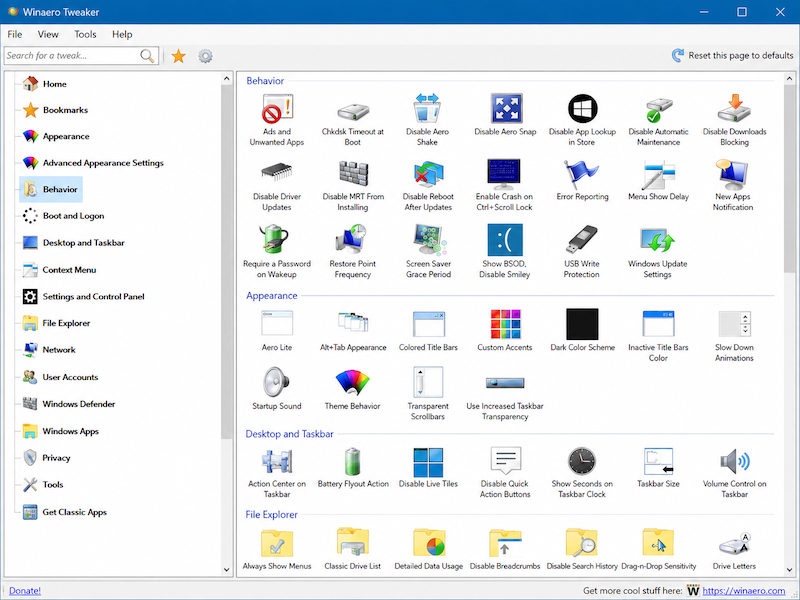
Winaero Tweaker is a better choice when customization depth matters more than simplicity. It is widely used for appearance, File Explorer, context menus, boot and logon options, taskbar settings, classic Windows behavior, and privacy-related adjustments.
Is It a Good Windows Tweaker?
UI Customization: Excellent for Explorer behavior, borders, icons, context menus, classic UI options, taskbar details, and other visual changes.
Performance Tweaks: Includes system-behavior options, though it is not a cleanup or RAM-boosting suite.
Security & Privacy: Offers settings related to telemetry, advertising, Windows behavior, and privacy preferences.
Advanced Windows Control: Its biggest advantage is breadth: settings that normally require Registry edits are organized in a searchable interface.
User Experience:
1.“I use it for a few tweaks. Definitely legit software.” (Reddit)
2.“I use it because I wanted to increase the size of window borders... Works great for that.” (Reddit)
3.“I've used it since it came out for Windows 7. It's my favorite software.” (Reddit)
Pros & Cons:
Pros: Very large tweak library; free; strong UI customization; useful explanations for many settings.
Cons: Can overwhelm beginners; careless changes may affect Windows behavior; not a traditional PC cleaner; major Windows updates can change whether older tweaks still work.
Who Should Use It?
Winaero Tweaker suits enthusiasts and power users who want the deepest manual customization in this list. It is arguably the strongest Windows tweaker here for appearance and hidden Windows behavior, but users should change settings gradually and keep backups.
Windows Tweaker and Optimizer – IObit Advanced SystemCare
Advanced SystemCare takes a different approach. It is not primarily a visual customization tool; instead, it combines system cleanup, performance tuning, privacy protection, and maintenance in an all-in-one Windows toolkit.
Is It a Good Windows Tweaker?
UI Customization: None. Advanced SystemCare does not focus on changing the Start Menu, taskbar, File Explorer appearance, or Windows visual style.
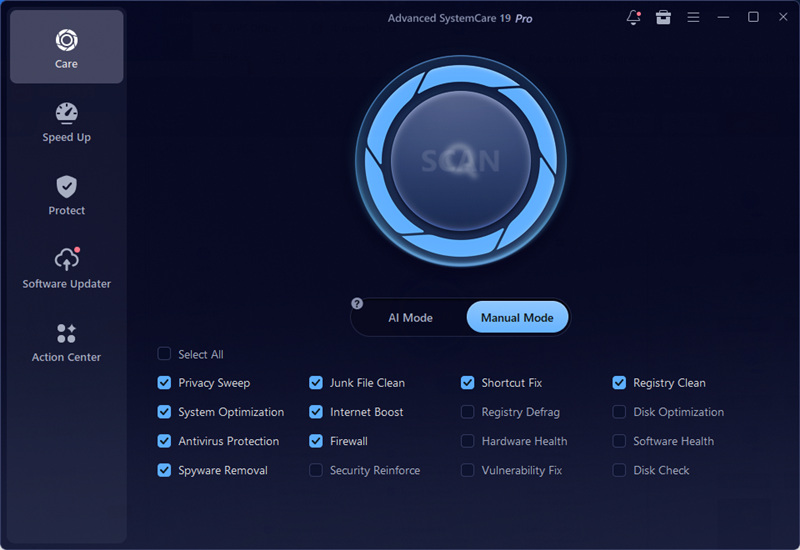
Performance Optimization: Advanced SystemCare covers several areas of PC optimization. Startup Optimizer helps manage startup items, while Real-time TuneUp and Turbo Boost help optimize RAM usage and reduce unnecessary background activity. In Manual Mode, users can run Disk Optimization, Registry Clean, Registry Defrag, Junk File Clean, and System Optimization. It also includes App/Toolbar Cleaner to remove unnecessary applications, browser extensions, and toolbars.
Security & Privacy: Privacy Sweep, Spyware Removal, Security Reinforce, Vulnerability Fix, Antivirus Protection, and related protection tools help reduce privacy and security risks.
Advanced Windows Control: Rather than exposing hundreds of hidden Registry switches, Advanced SystemCare combines selectable maintenance modules, automated cleanup, performance monitoring, startup control, and optimization tools in one interface.
User Experience:
1.“This is the very best pc maintenance software I have found.” (trustpilot.com)
2.“A great program.” (trustpilot.com)
3.“After running Advanced SystemCare... my Windows boot time dropped from 1.5 minutes down to just 22 seconds!” (trustpilot.com)
Pros & Cons:
Pros: Broad PC maintenance; strong startup and background-process optimization; privacy cleanup; beginner-friendly interface.
Cons: Little visual customization; some advanced features require Pro; may be broader than necessary for users who only want Registry tweaks; cleanup results should be reviewed before changes are applied.
Who Should Use It?
Choose Advanced SystemCare if your idea of a Windows tweaker is primarily faster startup, cleaner storage, controlled background activity, and privacy maintenance rather than changing Windows aesthetics.
UI Windows Tweaker – iTop Easy Desktop
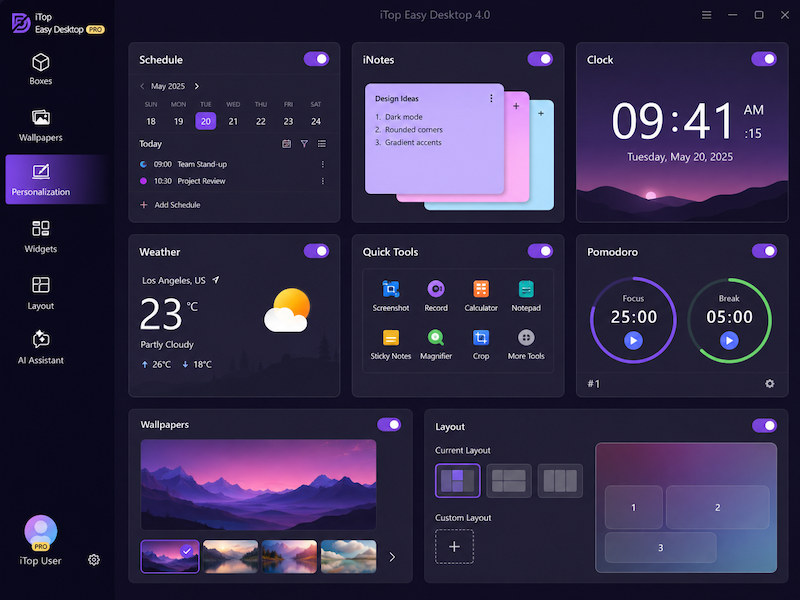
While Advanced SystemCare focuses on performance and maintenance, iTop Easy Desktop moves in the opposite direction by concentrating on visual customization and desktop organization. Its current product page highlights live and static wallpapers, themed packs, Start Menu customization, desktop icons, mouse cursors, Boxes, and other desktop-management tools. Steam update information also references Fancy Taskbar support on Windows 11.
Is It a Good Windows Tweaker?
UI Customization: This is iTop Easy Desktop’s strongest area. It lets users customize themes and wallpapers, the taskbar, Start Menu, desktop icons, and mouse cursors, while also providing tools to organize the desktop more efficiently.
Performance Tweaks: Limited. iTop Easy Desktop mainly improves desktop organization and workflow rather than CPU, RAM, startup services, or Registry performance.
Security & Privacy: Private Box can password-protect sensitive desktop files.
Advanced Windows Control: Boxes, Folder Portal, layout snapshots, quick hide, widgets, search, and desktop workflow tools extend beyond appearance without becoming a deep system tuner.
User Experience:
1.“PERFECT” — Steam user review. (Steam Community)
2.“The automatic icon grouping works surprisingly well.” (Steam Community)
3.“Icons and settings keep resetting all the time.” (Steam Community)
Steam reviews are generally positive, although some users report occasional issues with icons or settings resetting.
Pros & Cons:
Pros: Strong visual customization; desktop auto-organization; wallpapers and Start Menu styles; free version available.
Cons: Weak system-performance tuning; some visual options are version/edition dependent; less privacy control than UWT or ASC; possible compatibility issues with other desktop/wallpaper tools have been reported.
Who Should Use It?
iTop Easy Desktop is the most suitable Windows tweaker in this list for users who mainly want a cleaner, more colorful desktop, custom Start Menu, icons, cursor styles, and wallpaper options rather than deep Registry or performance changes.
Conclusion
No single Windows tweaker is best in every category. Ultimate Windows Tweaker is excellent for lightweight system changes, Winaero offers the deepest customization, and iTop Easy Desktop specializes in visual styling. For users who care more about performance, cleanup, privacy, and automatic maintenance, Advanced SystemCare provides the broadest all-in-one solution. Download Advanced SystemCare from IObit to optimize and maintain your Windows PC.
Advanced SystemCare Free
- Clean: 420 billion traces removed & 85 EB junk files cleaned
- Protect: 80 million unauthorized access blocked & 20 million bugs fixed
- Speed Up: 6 million hours of startup time saved & Turbo boost
- Optimize: Auto clean and auto care your PC with AI mode