It is essential to keep device drivers up to date for system stability and hardware performance. However, manually installing the correct driver for each component is time-consuming and error-prone. A reliable automatic driver updater solves this problem which can scan your system, identify outdated or missing drivers, and download the right updates with a single click. This tool makes the entire process simple, fast, and safe. In this article, we will list the best 5 automatic driver update software for Windows that help ensure your devices always perform at their best, whether you are a casual user or a PC enthusiast.
Driver Booster – Modern Automatic Driver Updater for Every Use
Platforms: Windows 11, 10, 8.1, 7
Pricing: Free/Pro (starting at $19.95/year)
Our Rating: ★★★★★
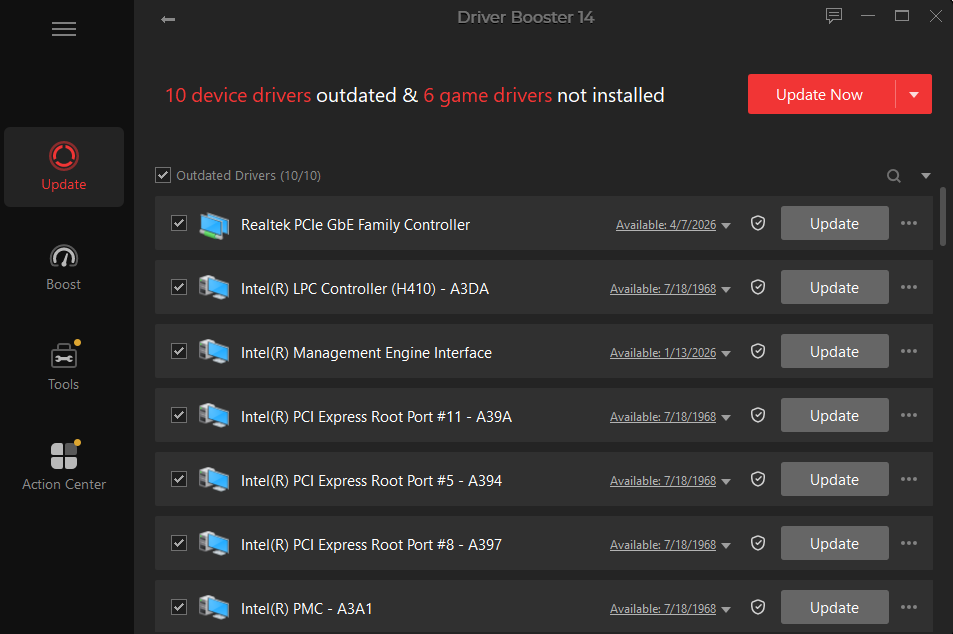
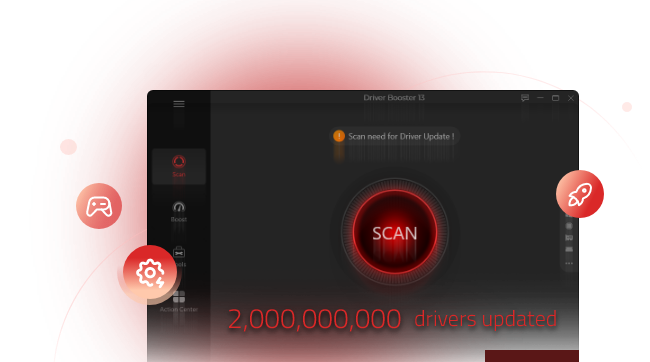
Driver Booster by IObit is one of the most popular auto driver updater in the market. It boasts a database of over 12 million drivers for devices ranging from graphics cards and network adapters to gaming peripherals. It delivers verified drivers and ensures a reliable workflow. Just in a single click, you can update Windows drivers without extra setup. Multiple drivers update are also available.
This best driver update for Windows not only updates drivers but also fixes common device issues, like no audio, network failure etc. Its one-click scan and update feature makes driver maintenance effortless, even for beginners.
Pros & Cons:
✅ Huge driver database covering both common and rare hardware.
✅ Supports offline driver updates for PCs without internet.
✅ Includes game components and runtime libraries updates.
✅ Creates a system restore point before each update for safety.
❌ Free version has a daily download speed limit.
❌ Some advanced features require the Pro version.
Verdict: Driver Booster excels as a reliable automatic and free driver updater. Its scanning speed is fast, and the update success rate is high. For most users, the free version is sufficient, while the Pro version offers convenience features like automatic background updates and faster downloads.
Driver Booster Free
- Automatically scan and update drivers.
- Update game ready drivers for peak gaming performance.
- Identify and fix various common of hardware issues.
- Boost 30% of system performance for fast & smooth running.
Driver Easy – Automatic Driver Updater with Easy Downloads & Installations
Platforms: Windows 11, 10, 8.1, 7, Vista, XP
Pricing: Free/Pro ($29.95/year)
Our Rating: ★★★★
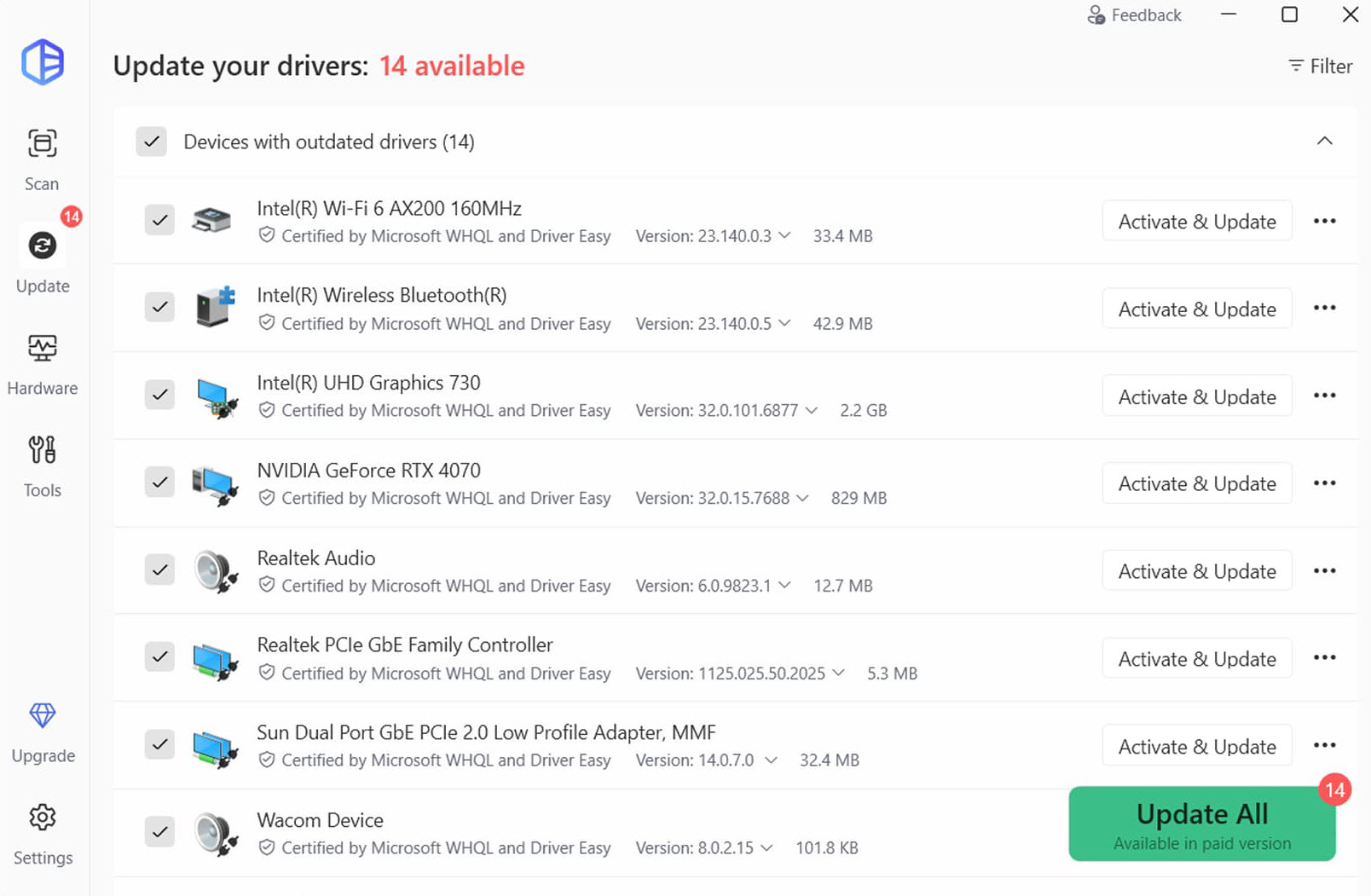
Driver Easy lives up to its name by providing a straightforward, user-friendly experience. It scans your system, lists all outdated drivers, and offers two update options: automatic (Pro only) or manual download links for free users. The tool supports offline scanning, allowing you to download updates on another computer and transfer them.
Pros & Cons:
✅ Very clean and intuitive interface.
✅ Offline scan feature works without an active internet connection.
✅ Provides official driver sources for safety.
❌ Free version requires manual installation for each driver.
❌ Pro price is slightly higher than some competitors.
Verdict: Driver Easy is a good auto driver updat tool for Windows 11 and older versions. It is particularly useful for users who need offline capabilities. The free version is functional, but the Pro version unlocks true one-click automation, which is worth the cost for regular users.
Avast Driver Updater – Automatic Driver Updater with Vast Database
Platforms: Windows 11, 10, 8.1, 7
Pricing: Paid (starting at $43.99/year, offering a 30-day free trial)
Our Rating: ★★★★
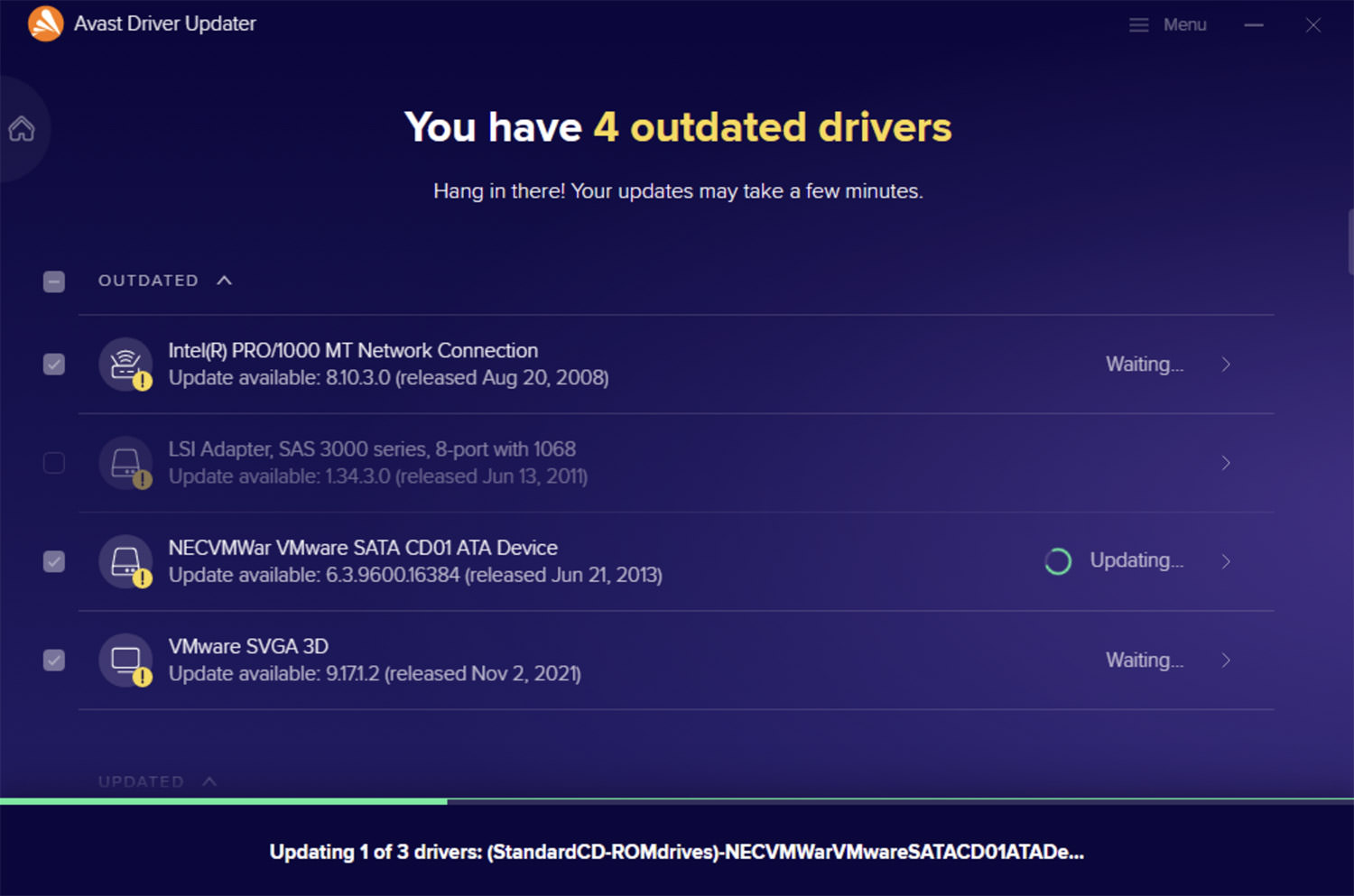
Avast Driver Updater comes from a well-known name in PC security. It offers a massive database of over 700,000 drivers, covering virtually any hardware, GPU, keyboard, printer etc. The tool focuses on safety and reliability, testing each driver before installation to prevent system crashes. It automatically creates a backup before any update.
Pros & Cons:
✅ Extremely large driver database.
✅ Rigorous driver testing for stability.
✅ Automatic backup and restore functionality.
❌ A limited free trial instead of really free version.
❌ Higher annual cost compared to many alternatives.
Verdict: Avast Driver Updater is one of the best premium automatic driver update software candidate for users who prioritize safety above all. It is ideal for business or professional environments.
AVG Driver Updater – Automatic Driver Updater with Security Focus
Platforms: Windows 11, 10, 8.1, 7
Pricing: Paid (starting at $43.99/year, offering 15-day free trial)
Our Rating: ★★★★
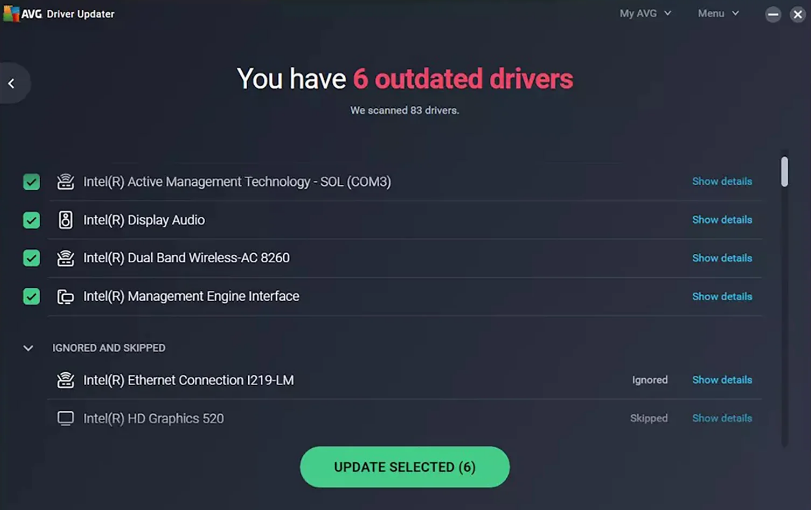
AVG Driver Updater shares technology with its Avast sibling but is marketed under the AVG brand. It focuses on updating drivers to fix security vulnerabilities, improve system stability, and enhance hardware performance. The tool scans for outdated, missing, or corrupted drivers and provides oneclick fixes.
Pros & Cons:
✅ Strong emphasis on securityrelated driver updates.
✅ Automatically creates a full system backup before updates.
✅ Clean, easy-to-navigate dashboard.
❌ No free version; only a trial.
❌ Similar features to Avast but with less frequent updates.
Verdict: AVG Driver Updater is a solid choice for users who already trust the AVG ecosystem. As an automatic driver updater with a security focus, it ensures that driver vulnerabilities are patched quickly.
DriverMax – Automatic Driver Updater with Easy Setup
Platforms: Windows 11, 10, 8.1, 7, Vista
Pricing: Free/Pro (starting at $8.95/month or $10.39/year)
Our Rating: ★★★★
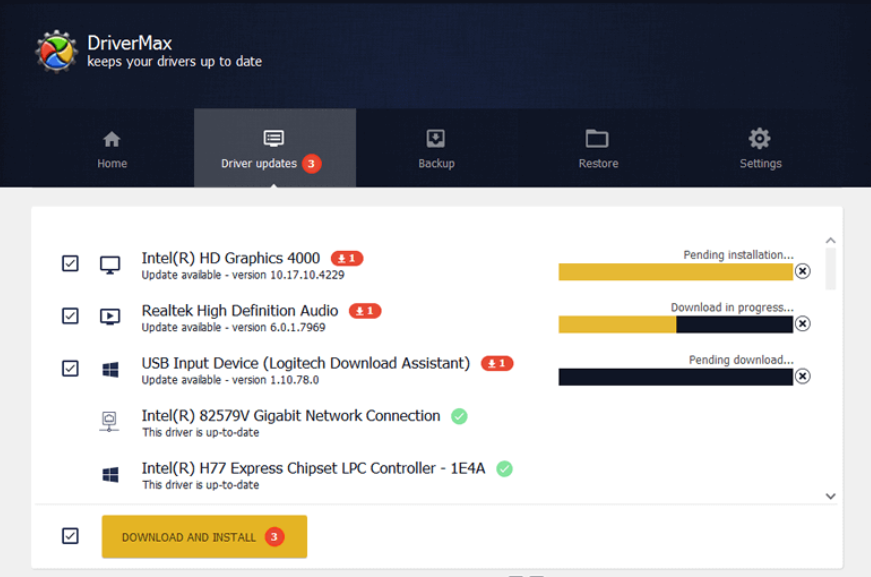
DriverMax is one of the oldest driver update tools still actively maintained. It offers a simple setup process and a clean interface. The tool can update drivers automatically, create driver backups, and restore previous versions if needed. Free users are limited to two driver downloads per day.
Pros & Cons:
✅ Easy installation and beginnerfriendly design.
✅ Driver backup and restore features.
✅ Supports silent installation for batch updates.
❌ Free version limits downloads to two drivers per day.
❌ Pro subscription model is monthly, which can become expensive.
Verdict: DriverMax is a dependable free automatic driver updater for light use. The free version works well for occasional updates, while the Pro version removes download limits. Its longevity in the market and consistent updates make it a trustworthy option.
FAQs About Automatic Driver Updater
▶ What is an automatic driver updater?
An automatic driver updater is the software that scans your computer for outdated, missing, or corrupted device drivers, then downloads and installs the correct versions automatically.
▶ Why do you need an automatic driver updater?
Outdated drivers can cause hardware malfunctions, poor gaming performance, network issues, and even system crashes. A driver updater that automates the process saves time and eliminates human error.
▶ How does an automatic driver updater work?
It compares the driver versions on your system against an online database, identifies what needs updating, and installs the right files—often with a single click.
▶ Should you use a free automatic driver updater or buy one?
A free automatic driver updater is sufficient for basic or infrequent updates. Paid versions typically offer multiple/background updates, and priority support.
▶ Will update drivers automatically cause errors?
Reputable tools create system restore points and driver backups before updating, allowing you to roll back if any issue occurs. Risks are minimal when using trusted software.
The Bottom Line
Driver update plays a crucial role in letting your system achieve peak performance. An auto driver updater ensures a streamlined and accurate process that saves you from the hassle of manual searches and risky wrong installations. Whether you choose a free version for occasional use or a paid tool for full automation, frequently updating your drivers is a smart maintenance habit. Pick the best automatic driver updater that fits your needs perfectly and keep your drivers always new.
Driver Booster Free
- Automatically scan and update drivers.
- Update game ready drivers for peak gaming performance.
- Identify and fix various common of hardware issues.
- Boost 30% of system performance for fast & smooth running.