There’s no sound coming from your audio device? Network refuses to connect? Frequent visual glitches while gaming? These problems may seem very distant, but did you know they might all be caused by an outdated driver? Sometimes, updating your device drivers will be the key to fixing the issues. At this time, you need a driver scanner and updater, which scans and detects your device status and updates available drivers for you.
This blog gathers a bunch of powerful driver scanners with different features; check and see which driver detector suits you best.
Why Do You Need a Driver Scanner and Updater
In the first place, why on earth do you need a driver scanner? Do you really need one? Check the reasons below.
Bug fixes: Manufacturers release driver updates regularly to fix known bugs and issues and add new functions, maintaining your devices.
Security patches: Outdated drivers can be vulnerable to hacking, unauthorized access, or malware. Updating drivers helps fix possible flaws.
Optimized performance: Updating GPUs, VRAM, and motherboards optimizes performance, especially for gamers and creators.
Quick Comparison Before You Choose the Best Driver Scanner
Keeping your device drivers up-to-date indeed brings benefits and solves your device problems. But which driver scanner should users choose? We have intensively tested a series of driver updaters and picked out 5 top ones with balanced features and decent performance. Check and compare before you decide.
|
IObit Driver Booster |
CCleaner |
Avast Driver Updater |
Snappy Driver Installer |
Windows Built-in Driver Updater |
| Free Driver Scanner |
Yes; free version available |
No, paid to use |
30-day free trial |
Yes; 100% free |
Yes; 100% free |
| Database |
18 Mil+ |
90 Mil+ |
70 Mil+ |
50 GB+ |
/ |
| Restore Points |
Yes |
Yes |
Yes |
Yes |
Yes |
| Auto Driver Update |
Yes |
Part of; you have to approve installations in the main interface |
Part of; the scan frequency is not customizable, and it only notifies you when outdated drivers are found |
Yes |
Yes |
| Game Boost |
Yes |
No |
No |
No |
No |
| Troubleshooting |
Yes |
Yes |
Yes |
No |
Yes |
| Compatibility |
Windows 11, 10, 8.1, 8, and 7, Vista, XP, x86, x64, and ARM64 |
Windows 11, 10, 8.1, or 8 (32-bit and 64-bit) |
Windows11/10/8/7, macOS, Linux, or ARM-based devices |
Windows 11, 10, 8.1, 8, and 7, Vista, XP, Server Edition |
Windows 11, 10, and Server 2022/2025 |
Driver Scanner and Updater Top 5 Ranking List
If the brief comparison chart is not detailed enough, this section can help you pick out your driver updater. Check and compare each one by the detailed features, advantages, shortcomings, usage, and pricing info.
1. IObit Driver Booster – Free Driver Scanner
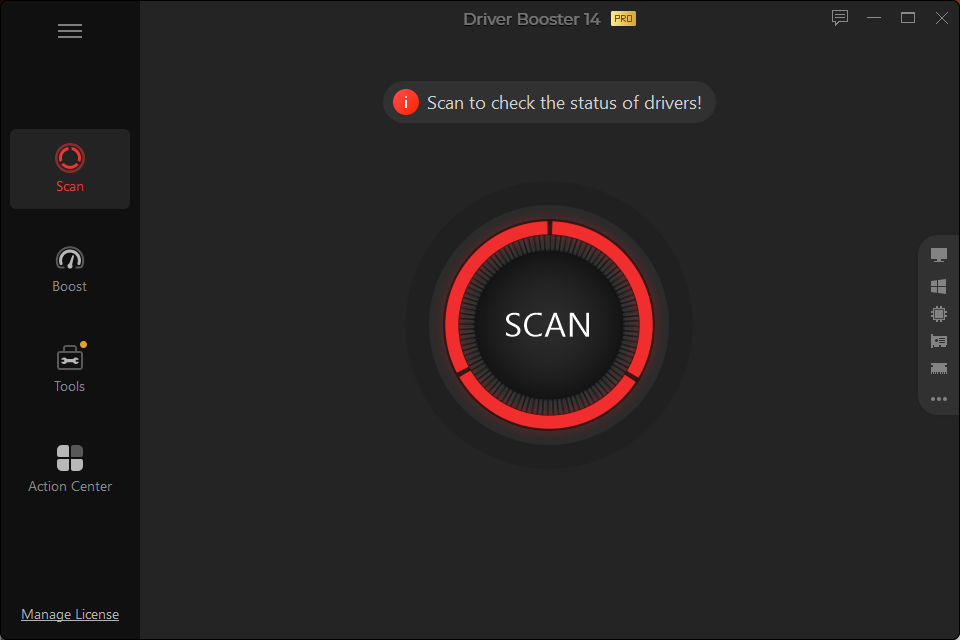
Among the tested and selected driver scanner and updater nominees, IObit Driver Booster stands out with its versatile and powerful features. This free driver scanner detects and updates outdated and uninstalled drivers, troubleshoots issues, and helps boost games.
Features:
Free driver scanner and updater, which scans and updates outdated, missing, corrupted, and malfunctioning drivers in 1 click.
Create backup and restore points automatically before updating, ensuring safety and the chance to roll back.
Based on 12+ million drivers from 2500+ manufacturers, covering whatever driver updates you need: motherboard, graphics card, audio devices, network adapters, etc.
This driver detector provides other features like Game Boost to improve gaming performance and troubleshooting tools to fix common problems.
Driver Booster Free
- Automatically scan and update drivers.
- Update game ready drivers for peak gaming performance.
- Identify and fix various common of hardware issues.
- Boost 30% of system performance for fast & smooth running.
What Users Like:
Free to scan drivers and update 1 driver/day.
Ensure security with double authority from WHQL and IObit Test.
It provides “Latest First” and “Stability First” modes for gamers who want the latest updates and users who prefer security.
Suitable for gamers and creators to boost PC performance and gaming experience.
What Users Don’t Like:
How to Update Drivers with This Driver Scanner and Updater
Step 1. Download IObit Driver Booster and install it on your device.
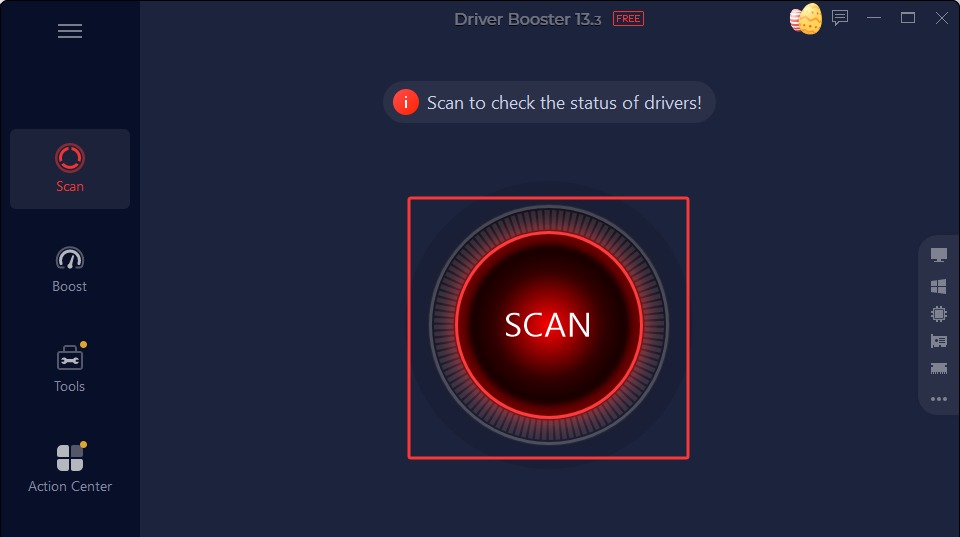
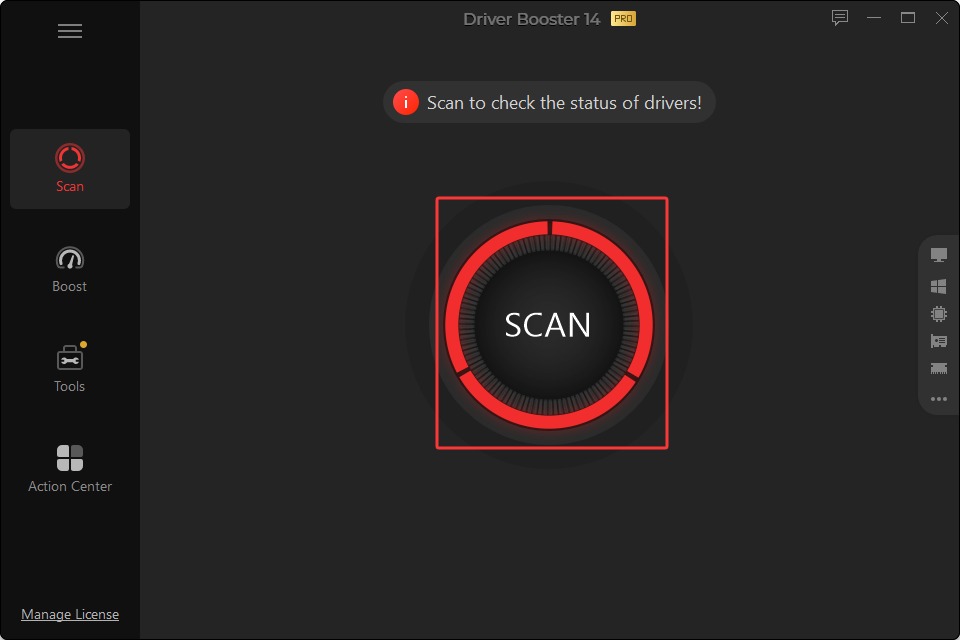
Step 2. Launch the app > click SCAN to check if you have outdated, corrupted, missing, or uninstalled drivers.
Step 3. Check the available updates > choose the drivers you want to update. For example, choose the GPU drivers > click Update Now. Or choose multiple drivers to update in 1 go.
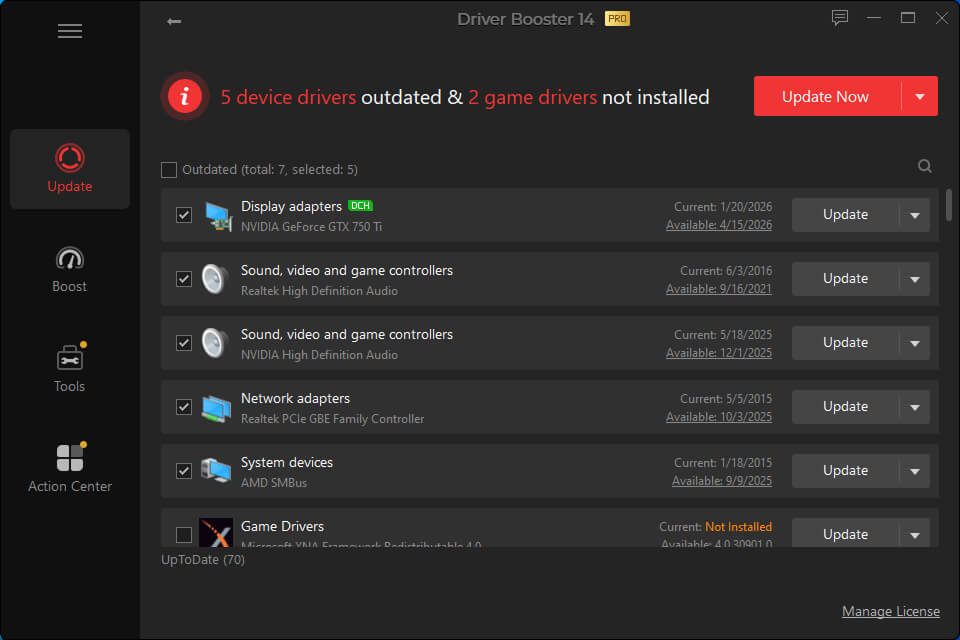
Step 4. When finished, your drivers are up to date. It brings better visual performance and may fix possible related problems.
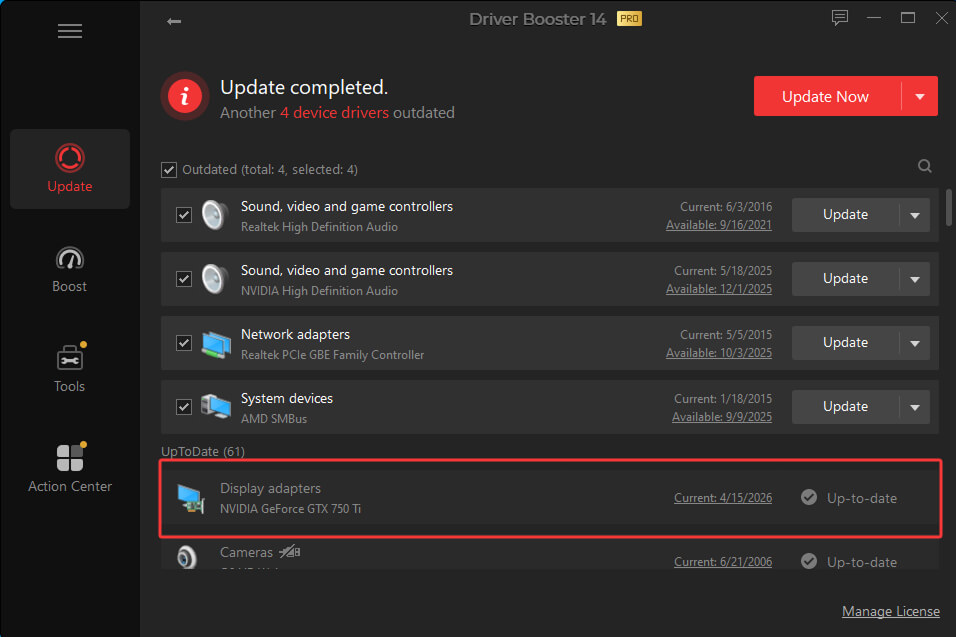
This is how you update drivers easily. If you have laggy gaming issues, try using the Game Boost feature. For instance, fix Roblox laggy issues with this tool.
Pricing:
The free version is available.
| Driver Booster Pro |
3 Months |
6 Months |
12 Months |
| 1 PC |
$11.95 |
$17.95 |
$19.95 |
| 3 PCs |
$11.95 |
$21.95 |
$22.95 |
2. CCleaner – Scan and Update All Drivers at Once
CCleaner, one of the best PC optimizers that cleans hard disk junk and boosts PC performance, also comes with a driver update feature. Powered by a huge database, it can also scan and update all drivers in 1 click, including audio, network, display, Bluetooth, and other common hardware device drivers.
Features:
Scan and update drivers, including sound, video, internet connection, and essential hardware devices.
Roll back to the previous version of the drivers.
Provide an issue-fixing feature by restoring to the former drivers.
What Users Like:
Quick, auto driver updater.
Providing a rollback feature in case any problem appears.
This driver detector comes with other powerful features to optimize your system.
What Users Don’t Like:
How to Scan and Update All Drivers
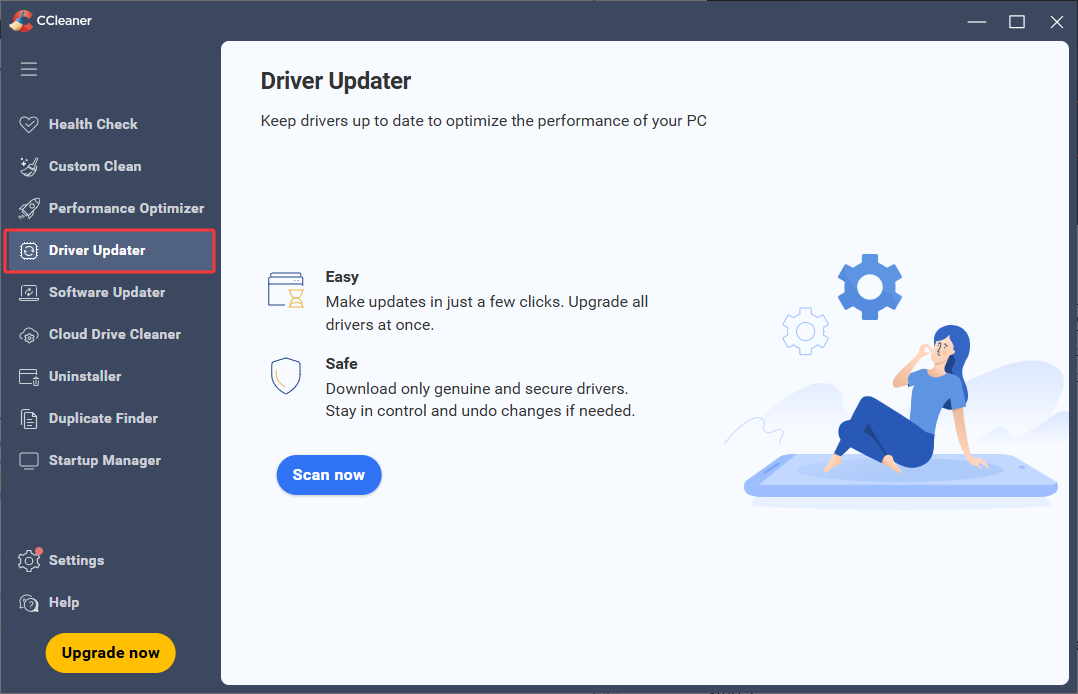
Step 1. Launch the app > head over to the Driver Updater tab.
Step 2. Click Scan now.
Step 3. Choose the scanned versions you want to update > click Update all.
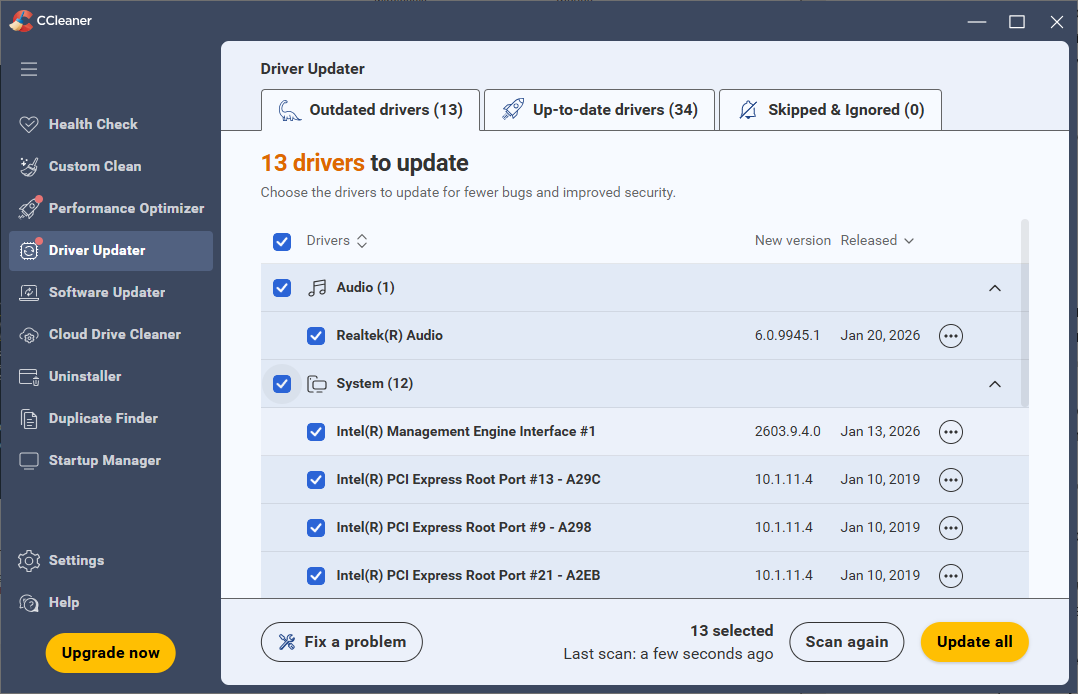
Step 4. Since the Driver Update is a paid feature in CCleaner, if you haven’t purchased it yet, you will be guided to the upgrade page. Finish your purchase, and you can continue to update the drivers.
Pricing:
The Driver Update feature is locked in the Pro version.
$1.19/mon for 1 year.
$1.09/mon for 2 years.
$0.99/mon for 3 years.
3. Snappy Driver Installer – Offline Free Driver Scanner
If you don’t want to scan driver update online but prefer offline driver updating, then Snappy Driver Installer will be one of your go-to places. This open-source, portable driver scanner and updater installs and updates hardware device drivers easily.
Features:
100% Free driver scanner and updater, open-source, no paid premium versions or features.
Offline driver database support.
This driver checker creates a system restore point before updating.
Automatically find the best-matching drivers for any device.
What Users Like:
Free to scan and update drivers.
Provide 2 versions for different use preferences: SDI Full for offline use and SDI Lite to scan driver update online.
Provide detailed system info like motherboard, environment, power, and monitor.
Offer customizable themes for the UI.
It is portable, so you can keep it on your USB drives and use it on the go.
What Users Don’t Like:
How to Update Drivers with This Free Driver Scanner
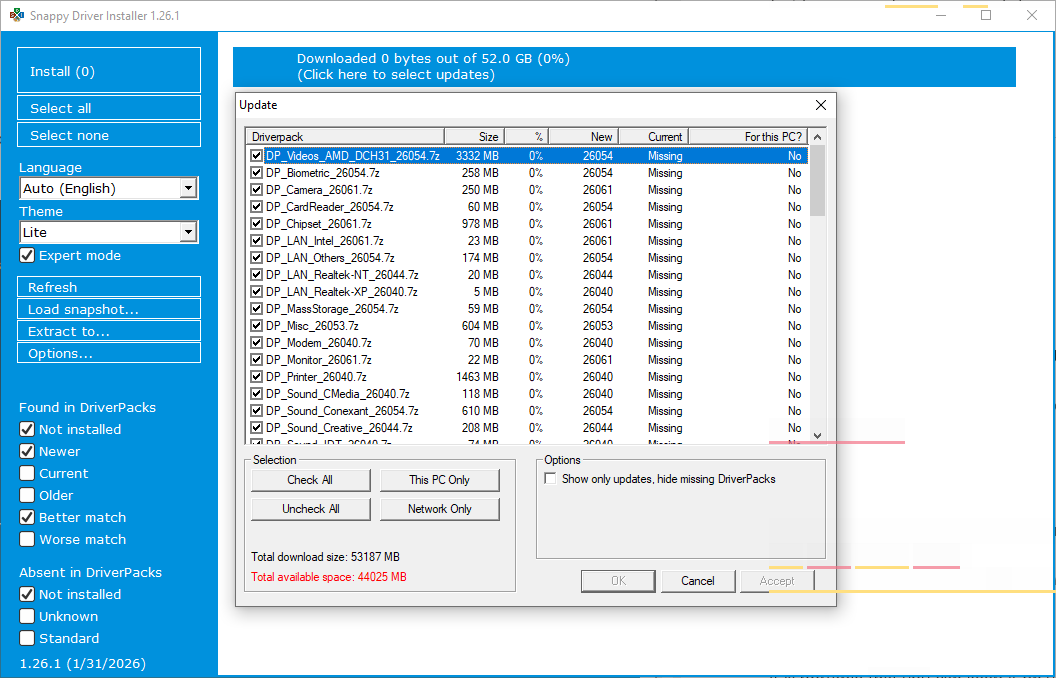
Step 1. Download the full or lite version that you need.
Step 2. Decompress the downloaded RAR file > start the app from the .exe file.
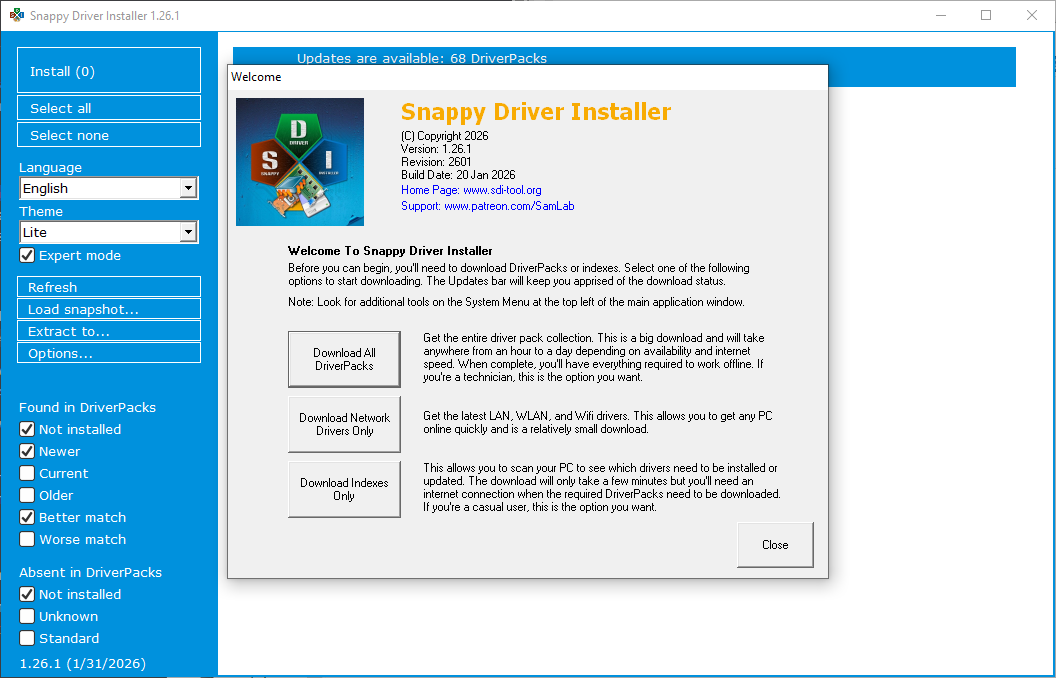
Step 3. Choose to Download All Driver Packs, Download Network Drivers Only, or Download Indexes Only, as you need.
Step 4. Click the horizontal bar to choose and download drivers.
Pricing:
100% free.
4. Avast Driver Updater - Driver Updater with Free Trial
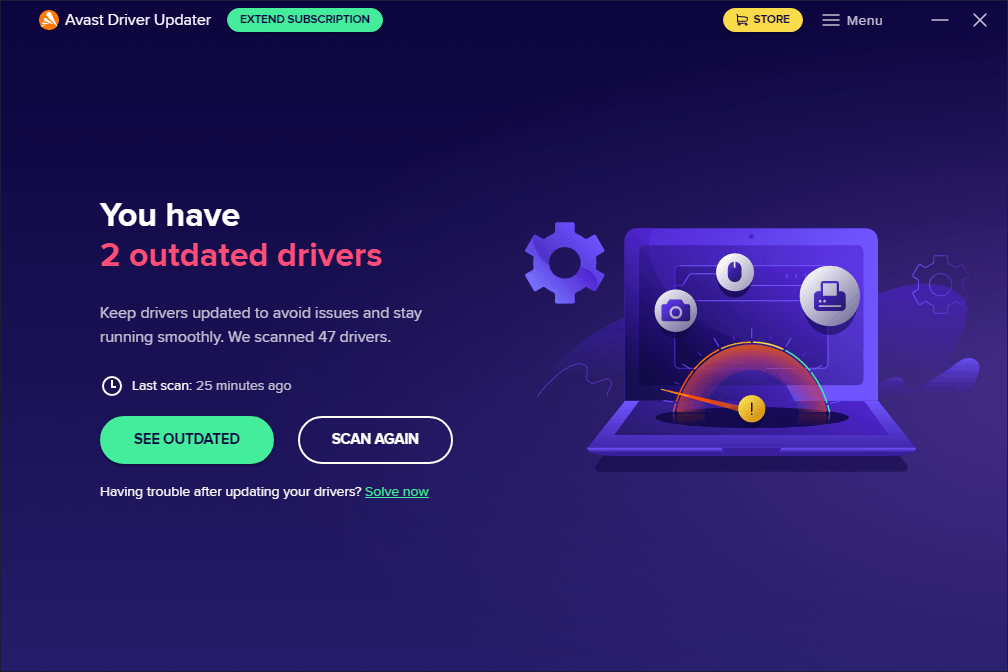
Some paid driver updaters also provide free trials for users. Avast Driver Updater is a wise option with a 30-day free trial. Once you have downloaded and installed the app, the trial is automatically activated without credit card info or account sign-up. During the trial subscription, all pro features are unlocked.
Features:
Scan and update drivers online in 1 click.
Create automatic system restore points and a snapshot of the PC before a driver update is installed.
Automatically keep a backup version of your drivers before updating, and perform auto-delete regularly to free up space.
What Users Like:
Filter available driver updates to choose: Audio, Connectivity, Display, Monitor, etc.
Provide alternative driver options in case there are no available updates.
Clear and easy-to-use User Interface.
What Users Don’t Like:
How to Update Drivers with This Driver Scanner and Updater
Step 1. When installed, it prompts you to start a scan and choose to update. Later, you can go back to the main interface and Scan Again.
Step 2. Choose the scanned versions you need > click Update or Update All.
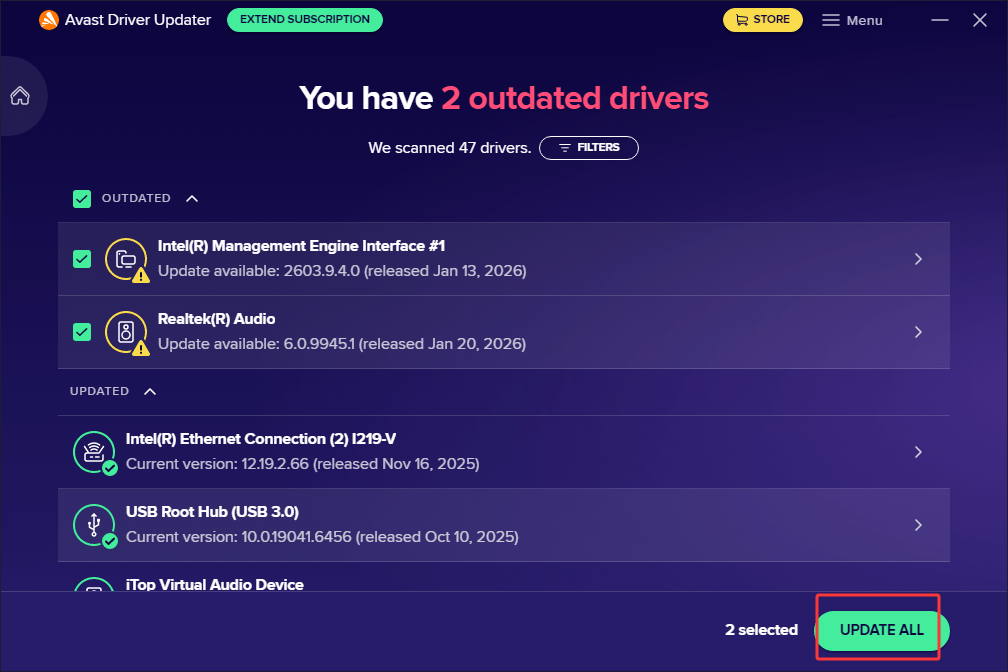
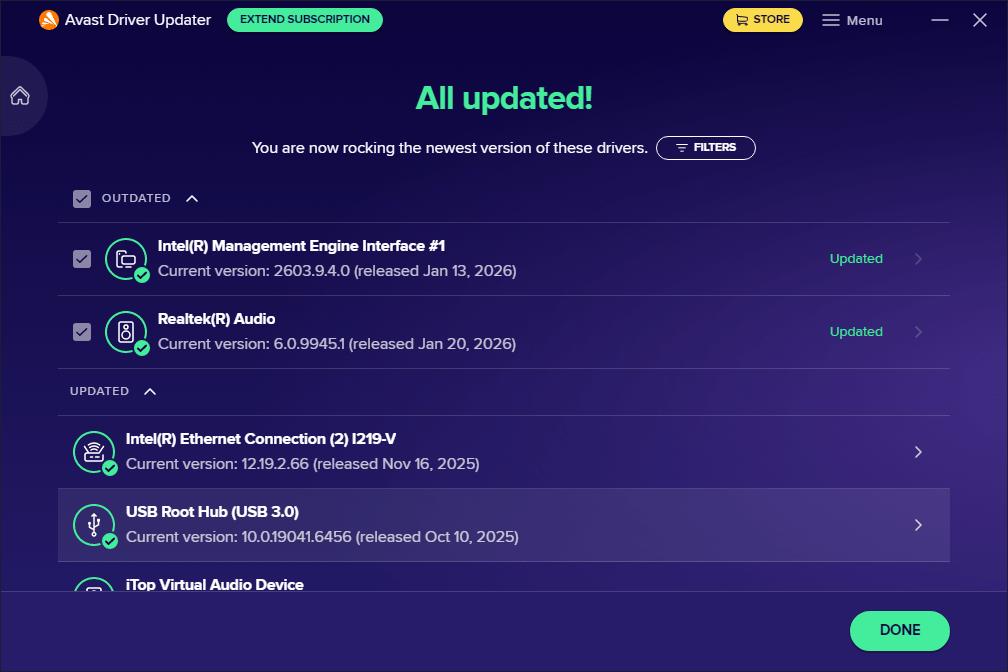
Step 3. In a while, your drivers will be updated.
Pricing:
30-day free trial is available and will be activated once you install.
$2.09/mon for a 1-year subscription.
$1.99/mon for a 2-year subscription.
$1.89/mon for a 1-year subscription.
5. Windows Built-In Driver Updater – Suitable for Light Users
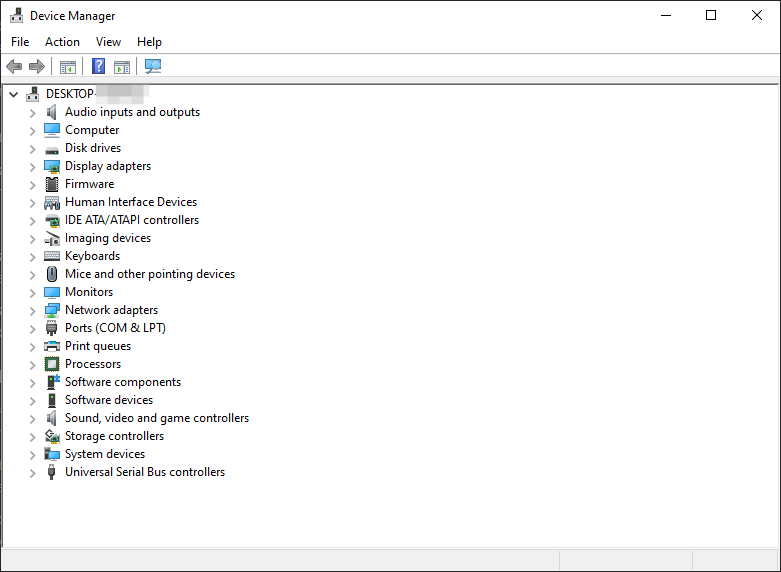
Windows has its own built-in official driver scanner and updater, which is Device Manager, allowing users to manage, install, uninstall, scan, and update drivers for all current hardware devices, including updating keyboard drivers, network adapters, etc. This free driver scanner and updater is safe, integrated, and reliable for most common users.
Features:
Allow users to scan and update drivers manually and safely.
Support automated and silent driver updates.
Offer optional updates provided by manufacturers that are not strictly required for basic system stability.
Allow users to revert to a previously installed driver version.
What Users Like:
Official tool, safe and reliable.
Features are out of the box, no need for extra downloads and installations.
Update only stable versions, safe.
What Users Don’t Like:
Users can only update an individual device driver manually at 1 time; if you want to update multiple drivers, try using Windows Update, which batches driver updates together with other system updates. Or, try using other driver scanners like Driver Booster.
Sometimes versions are delayed and lack certain updates from manufacturers; not suitable for game players and creators.
How to Scan and Update Drivers Manually
Step 1. Right-click on the Windows Start menu > Device Manager.
Step 2. Choose the driver you want to manually update > right-click on it > Update driver. E.g., update the audio driver to date to fix audio driver issues.
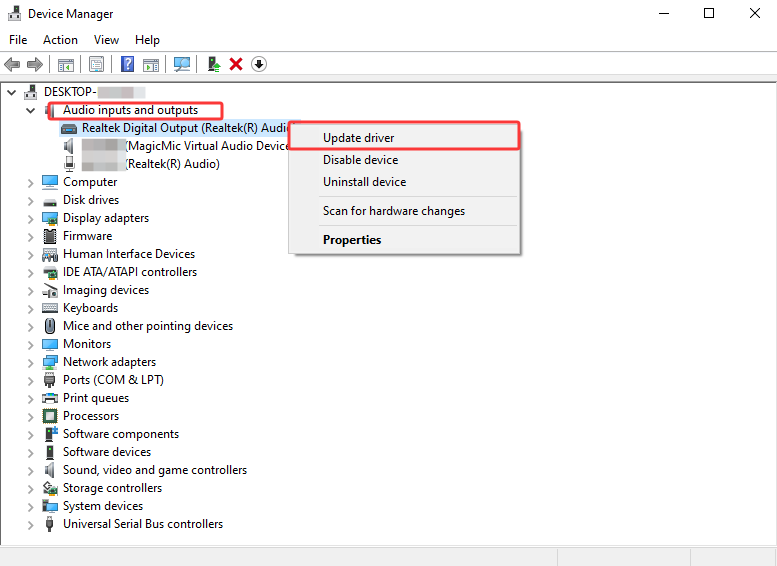
Or, right-click on the device > Properties > go to the Driver tab > Update Driver.
Pricing:
Totally free.
FAQs about Driver Scanner and Updater
Any other information you want to know about the driver scanners? Check the following questions and answers.
Is There a Free Driver Updater?
Of course, yes. The Windows built-in Device Manager is 100% free and safe to use. If you want a third-party free driver scanner, check Snappy Driver Installer, or other budget-friendly apps that offer free versions/trials.
Can a Driver Updater Improve Gaming Performance?
Yes. Updating graphics, chipset, audio, and network drivers can improve game compatibility, fix bugs, reduce crashes, and optimize performance. Plus, it is recommended to make some system and in-game tweaks or use game boosters to add extra
Do I Necessarily Need a Driver Updater?
Not always. Windows Update can install many common drivers automatically. However, a dedicated driver updater is useful if you frequently experience hardware issues, gaming performance problems, missing drivers, or want to keep all drivers up to date with minimal effort.
How Often Should I Update My Drivers?
For most users, checking for updates every one to three months is sufficient. Gamers or users who rely on GPUs, audio interfaces, or other specialized hardware might as well update to the latest drivers.
Should I Update Every Available Driver?
Not necessarily. If your PC is working well, updating every driver isn't always required. Focus on critical drivers such as graphics, network, chipset, storage, and audio drivers, especially when fixing issues or improving compatibility.
The Bottom Line
To keep your hardware device drivers up to date, the listed and introduced 5 driver scanner and updater apps are regarded as the most worth trying when considering the core driver update features, versatile functions, cost efficiency, and security. Check which suits your situation and needs best!
Driver Booster Free
- Automatically scan and update drivers.
- Update game ready drivers for peak gaming performance.
- Identify and fix various common of hardware issues.
- Boost 30% of system performance for fast & smooth running.