Expert in

PC Health Solution

Driver Easy Review

  • Everything about Driver Easy
  • Pros and cons of Driver Easy
  • The Best alternative to Driver Easy
Driver Easy Review
What is Driver Easy

What is Driver Easy?

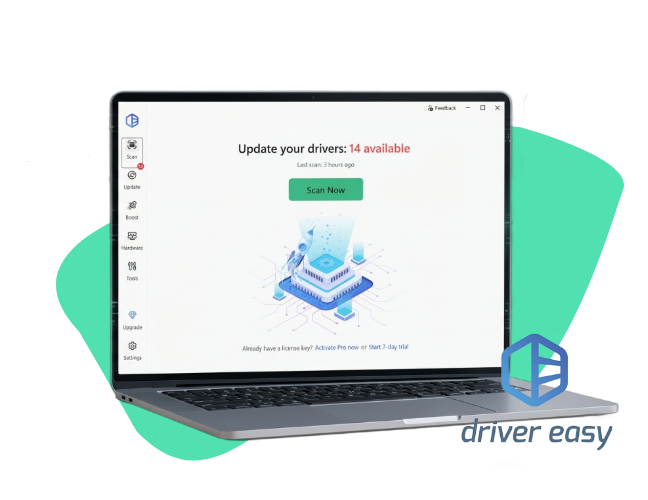
Driver Easy is a Windows software utility designed to automatically detect, download, and install missing or outdated device drivers for your computer's hardware.

Key Features of Driver Easy

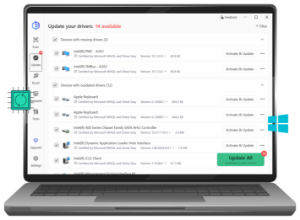
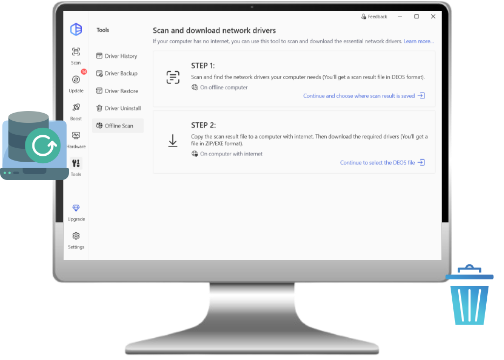
Driver Easy makes keeping your computer running smoothly simple by scanning your PC to find missing or outdated drivers and letting you update them all in one click. It handles the frustrating work of searching manufacturer websites for you, while also offering a backup tool to protect your system if an update goes wrong, and an offline scan to help you get back online if your internet driver stops working.
Key Features of Driver Easy

More Features of Driver Easy

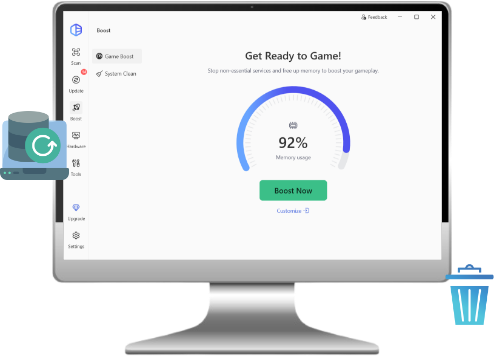
Driver Easy also includes features to keep your PC organized and gaming smoothly, such as a Driver Uninstaller to completely remove old, leftover drivers and a tool that scans for missing game dependencies (like DirectX) to prevent crashes. Additionally, it lets you schedule automatic scans, view a quick summary of your hardware specs, and use an exclusion list to skip updates for specific devices if you prefer to stick with an older, stable version.
More Features of Driver Easy

Is Driver Easy Good

Driver Easy updates your drivers for free and has an intuitive user interface. But for free version users, features like automatic update, uninstall and roll back drivers are unavailable compared to some competitors. Unless you are stuck with a broken computer that cannot connect to the internet and desperately needs its "Offline Scan" tool to grab a network driver.
Is Driver Easy Good
Driver Booster
- Best Alternative to Driver Easy
Update all the available drivers for your devices and boost PC performance free. A one-click solution.

Check the Pros & Cons of Revo Uninstaller

Here are the pros and cons of Driver Easy for a comprehensive understanding of this software.
What Editor Dislikes
  • Limits driver download speeds
  • No automatic driver installation
  • Install incompatible drivers
  • No uninstall driver option for free version

Is Driver Easy Worth It?

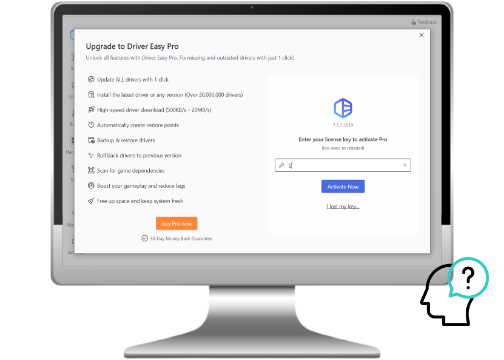
Driver Easy Free and Driver Easy Pro differ significantly in features. Driver Easy Free vs. Driver Easy Pro, should you pay for the pro version?
Driver Easy Free
  • Detects all missing/outdated drivers
  • Limited download speed
  • Manual only driver installation
  • Download drivers one by one
  • No automatic backup
  • View hardware specs, use Offline Scan
Driver Easy Pro
$29.95/Year for 1 PC
  • Detects all missing/outdated drivers
  • High-speed downloads
  • 1-Click automatic installation
  • "Update All" is available
  • Automatic driver backups and System Restore points
Editor Says: Choose Driver Easy Free if you only have one or two outdated drivers and don't mind updating them manually, or choose Driver Easy Pro if you want to fix all 14 outdated drivers automatically with a single click.

Hear What Users Say About Driver Easy

Online install driver no need the CD
This tool can auto download almost all correct drivers for your computer. For some old PCs, you may need to first install the network adapter first to let the pc can access the internet, then it can auto find other hardware drivers. If you do not have the network driver software, you can first install a universal network card driver (search from google).
Driver Easy Review 1
From CNET, Posted by EasierSoft AutoBAUP
Auto install hardware driver from internet
This software automates your computer hardware driver installation work, it is easy, no need to use the installation CD now, just one click on the Scan button, then Driver Easy will auto get your hardware type, and then auto search and download their driver software from the internet, and auto install them to your computer.
Driver Easy Review 2
From CNET, Posted by Easier-Free-Barcode
Auto download computer hardware driver online
Driver Easy let your computer hardware driver installation work automatically and it is ease, no need the hardware installation CD again, just click the Scan icon on the program's main form, then Driver Easy will auto scan and find your hardware type, and then auto search and download their driver software from internet, and auto install them to your computer.
Driver Easy Review 4
From CNET, Posted by Visual-Ping-Tester
Handy, But Use With Caution
DriverEasy is one of the more popular apps of its type however it definitely pays to proceed with caution. After installation, the first order of business is to run the integrated 'driver backup' utility just in case things don't work out when a driver is updated. Next, create a PC restore point for an easy rollback if needed. Lastly, although the program has the ability to update drivers in bulk, I highly recommend going one-by-one and checking to make sure each new driver works correctly before moving on to the next.
Driver Easy Review 3
From CNET, Posted by mistertee

Driver Easy vs. Driver Booster

Driver Easy and Driver Booster are both trustworthy driver updaters for PC, but there are some differences between them. Driver Easy focuses on detecting all missing or outdated drivers, while Driver Booster focuses on one-click driver solution.
Feature Driver Easy Driver Booster
Free Install Manual Automatic
Free Speed Slow Fast
Focus Stability Gaming
Offline Tool Yes Yes
Game Boost No Yes
More About Driver Easy Free Download Buy Pro
Editor Says: Driver Easy is better if you are offline and need to get a broken PC back on the internet. Driver Booster is better if you play video games and want a more generous free version.

Frequently Asked Questions of Driver Easy

Is Driver Easy safe to use?
Yes, the software itself is safe from malware and viruses, but the driver updates it suggests can occasionally be risky. Because it relies on an automated database, it sometimes installs incompatible drivers that can cause system instability or crashes.
Is Driver Easy completely free?
No, it is a "freemium" tool. The free version only scans your PC and leaves you to download and manually install the drivers at incredibly slow speeds, while the paid Pro version unlocks automatic one-click installation and faster speeds.
Will Driver Easy fix my PC crashes?
Only if the crashes are directly caused by a corrupted or missing hardware driver. If your computer is crashing due to malware, overheating, or failing hardware, Driver Easy will not solve the problem.
How do I uninstall Driver Easy?
You can remove it just like any regular Windows program. Open your Windows Start Menu, search for Apps & Features (or Installed Apps), locate Driver Easy in the list, and click Uninstall.
Driver Booster - Best Alternative to Driver Easy
Free download this powerful driver updater for PC to update drivers, boost gaming experience, solve driver problems, etc.