Tired of constant “Update Available” pop-ups? While it’s easy to keep clicking “Remind Me Later,” outdated software can slow down your PC and leave it vulnerable to security threats. Manually updating dozens of applications is a tedious time-suck, and not every updater you find online is trustworthy.
Fortunately, a trusted PC program updater can take the burden off your shoulders. In this guide, we will explore the top 4 free and legit updaters, walk you through a one-click method to update everything at once, and share a pro-level tip. Scroll down to keep your PC optimized and secure without fuss.
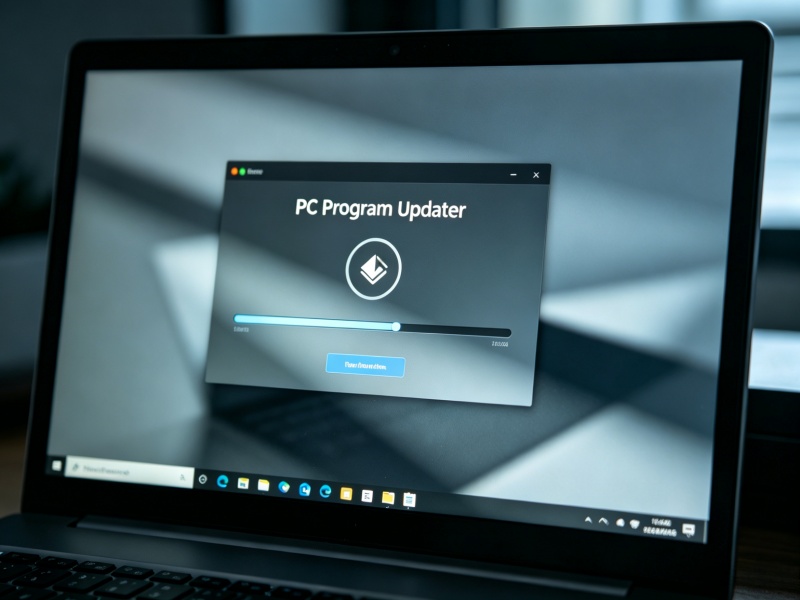
Why Keeping Your PC Programs Updated is Important
Regularly updating your PC programs is vital for several interconnected reasons:
Updates can fix critical vulnerabilities that cybercriminals could exploit to access your data or install malware on your system.
Developers often optimize software to improve speed, efficiency, and resource utilization.
Updates resolve known issues, reducing crashes, lag, and other software errors.
Software updates improve compatibility with new Windows releases, device drivers, and modern hardware.
Keeping software current can reduce conflicts between applications and improve overall system reliability.
Many updates introduce new functionality, usability improvements, and interface enhancements.
Top 4 Free PC Program Updaters for PC in 2026 [No Bloatware]
Regular patching isn’t just good digital hygiene; it’s one of the simplest, most effective defenses you can set up—and the right updater tool makes it effortless. Let’s look at the tools below:
Patch My PC Home Updater: Portable PC Software Updater for Home Users
Patch My PC Home Updater is a free software updater for Windows that helps users automatically install, update, and manage over 500 popular applications. It offers silent updates, scheduled scans, bulk app installation, and software removal, allowing users to keep their applications current with minimal effort. Tailored for home users, this lightweight tool simplifies software maintenance without any bloatware.
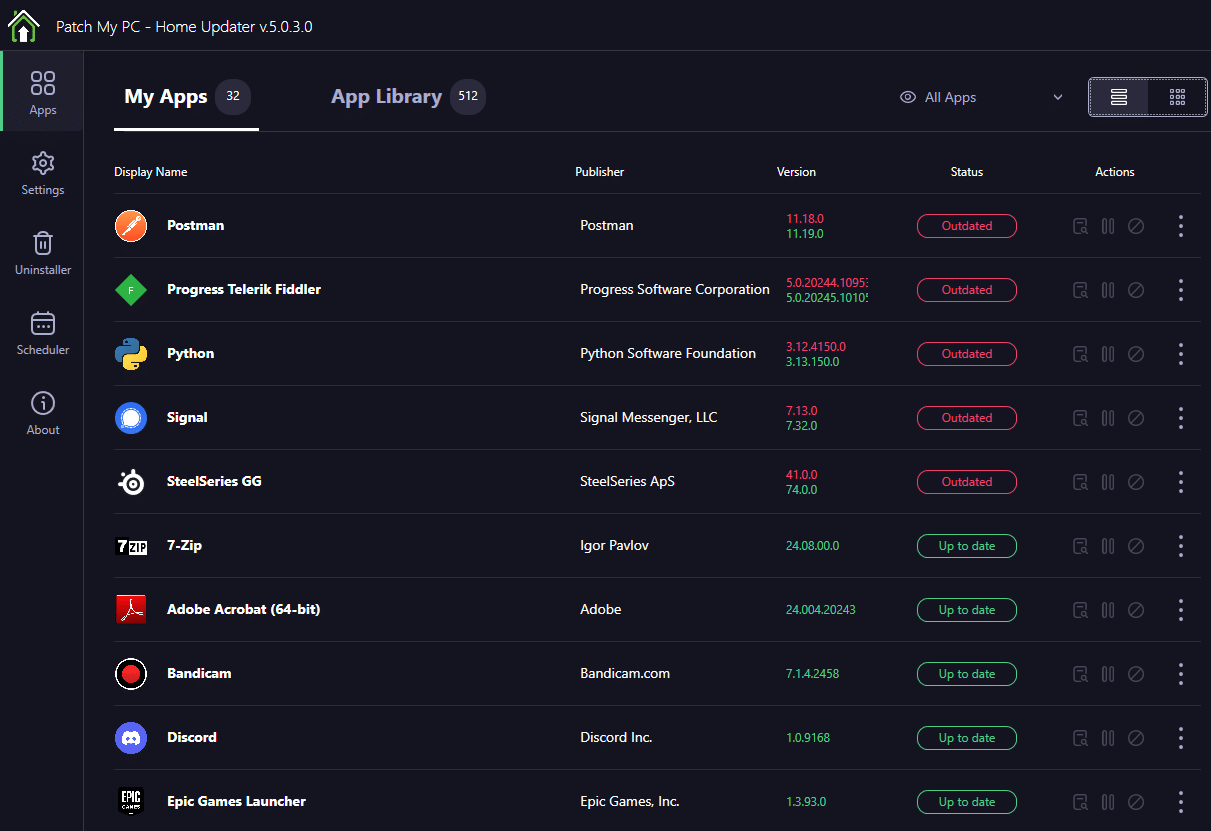
Pros
Free to use with no bundled bloatware
Supports 500+ popular applications
Silent and scheduled automatic updates
Fast scanning and one-click bulk updates
Cons
Designed for home users, not enterprise environments
The catalog doesn't include every Windows application
Advanced SystemCare: All-in-One System Optimizer & Software Updater for PC
Unlike the other tools in this list, Advanced SystemCare is an all-in-one Windows optimization suite. Its built-in Software Updater can automatically detect outdated applications and install the latest versions in just a few clicks, sparing you the hassle of manual downloads.
Advanced SystemCare Free
- Clean: 420 billion traces removed & 85 EB junk files cleaned
- Protect: 80 million unauthorized access blocked & 20 million bugs fixed
- Speed Up: 6 million hours of startup time saved & Turbo boost
- Optimize: Auto clean and auto care your PC with AI mode
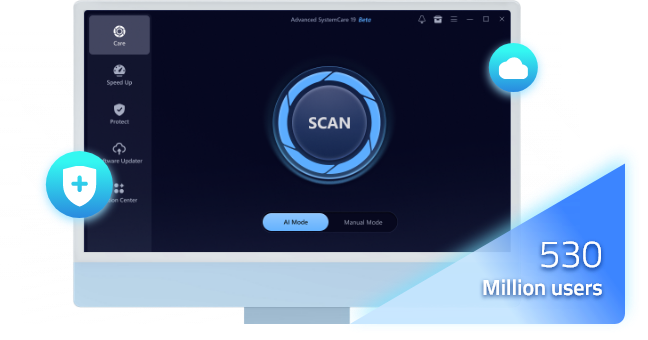
In addition to software updates, Advanced SystemCare supports junk file cleanup, startup management, privacy protection, and system optimization to help keep your PC running smoothly. Ideal for users who want a PC software updater combined with comprehensive PC optimization and maintenance tools.
Pros
One-click software updates, hassle-free
Clean layout suitable for beginners and pros
Includes PC cleanup and performance optimization tools
Time-saving automation compared to manual updates
Cons
Supports fewer applications than some dedicated updater tools
Certain advanced features require the Pro version
For users who prefer a dedicated PC program updater, IObit Software Updater is a great option to consider.
UniGetUI: Open-source PC Program Updater for Power Users
UniGerUI (formerly known as WingetUI) is a popular, open-source PC program updater that wraps a clean graphical interface around powerful Windows package managers, including Winget, Chocolatey, Scoop, and Pip. Rather than typing commands, users can discover, install, update, and remove applications from one centralized dashboard. Its ad-free design and powerful management features make it an excellent choice for advanced users who want greater control over their applications.
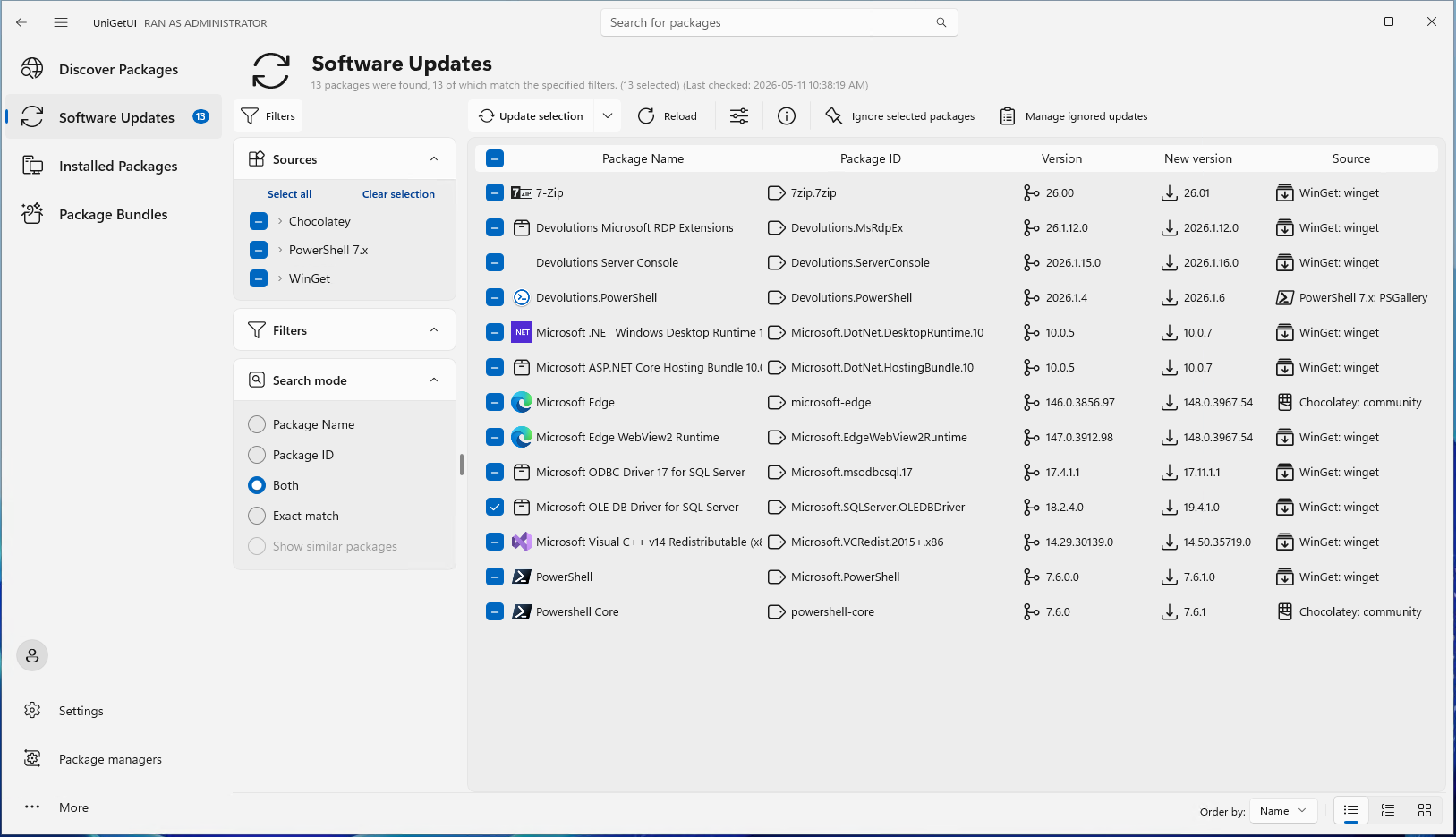
Pros
100% free and open-source
Supports bulk software installation and updates
Access to a large software catalog from multiple sources
Advanced features for power users and developers
Cons
A steeper learning curve for beginners
Requires external package managers for full functionality
Update consistency may differ across software repositories
UCheck: Lightweight and Easy-to-Use Software Updater for Windows
UCheck, developed by Adlice Software, is a dedicated Windows utility designed to identify, download, and install updates for your installed software. It supports a broad range of popular applications, streamlines software maintenance, and reduces the security risks that come with outdated apps.
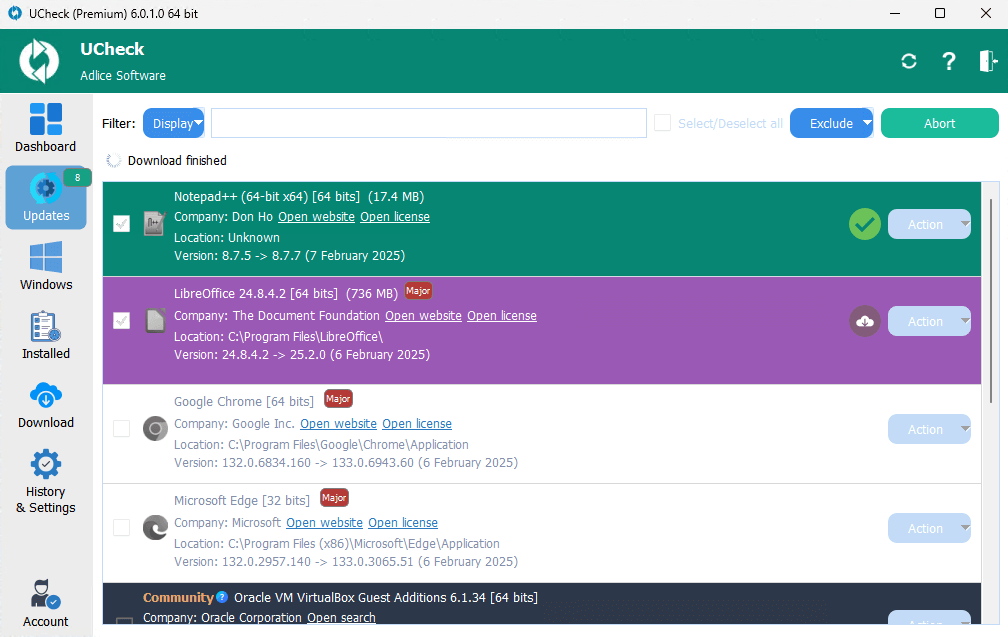
Pros
Lightweight and easy to install
Clean and straightforward interface
Rapid scanning for outdated software
Supports batch updates for multiple applications
Cons
Some advanced automation features require the paid version
Smaller application catalog compared to package-manager-based tools
How to Update All PC Programs with One Click?
Skip the hassle of updating programs one by one. By using a specialized tool like Advanced SystemCare, you can ensure all your applications are up to date with just a few simple clicks.
Here is a quick step-by-step guide to running the tool:
Step 1. Download and install Advanced SystemCare on your PC.
Step 2. Launch the application and navigate to the Software Updater tab. The tool will automatically scan your system and display a clean list of all available updates.
Step 3. Click Update All to install every available update at once, or click Update next to a specific application to update it individually.
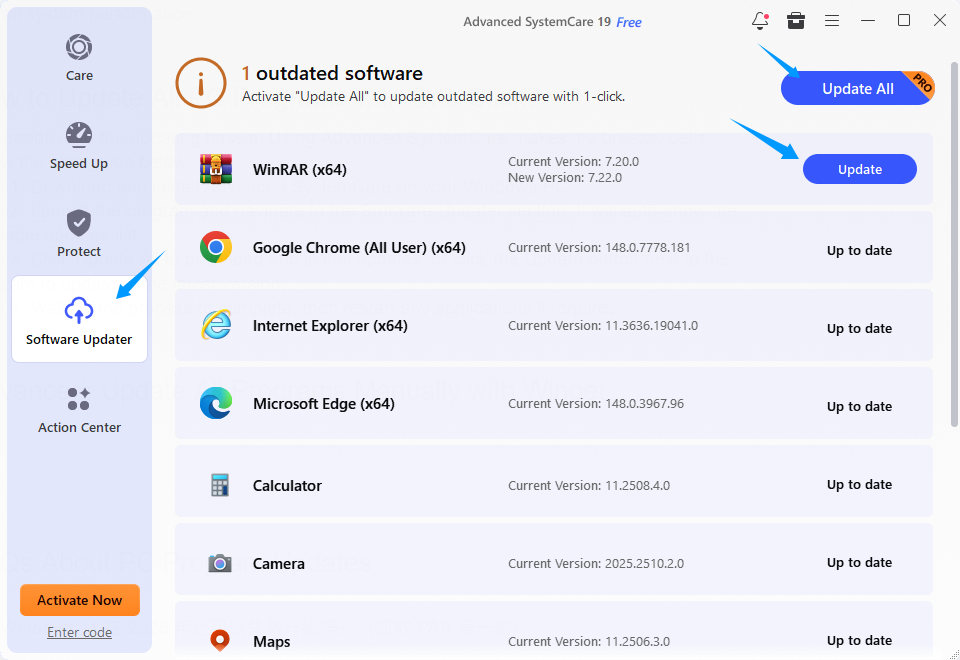
Step 4. Wait for the process to complete, then restart any applications if required.
Also Read: How to Update Windows Apps & Non-Windows Apps >>
Advanced: Update All Programs Manually with Winget
If you want to update your software like a seasoned IT professional, Windows does offer a powerful built-in tool: Windget (Windows Package Manager). It lets you discover, install, upgrade, and remove applications straight from the command line, no third-party software needed. No sketchy download buttons, no bloatware, and entirely free. Here is how to use this command-line magic:
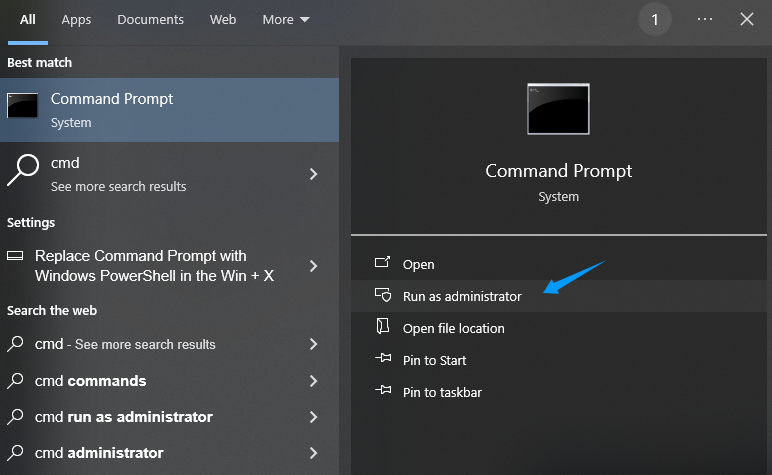
Step 1. Press Windows + S, type cmd, then right-click Command Prompt and choose Run as administrator.
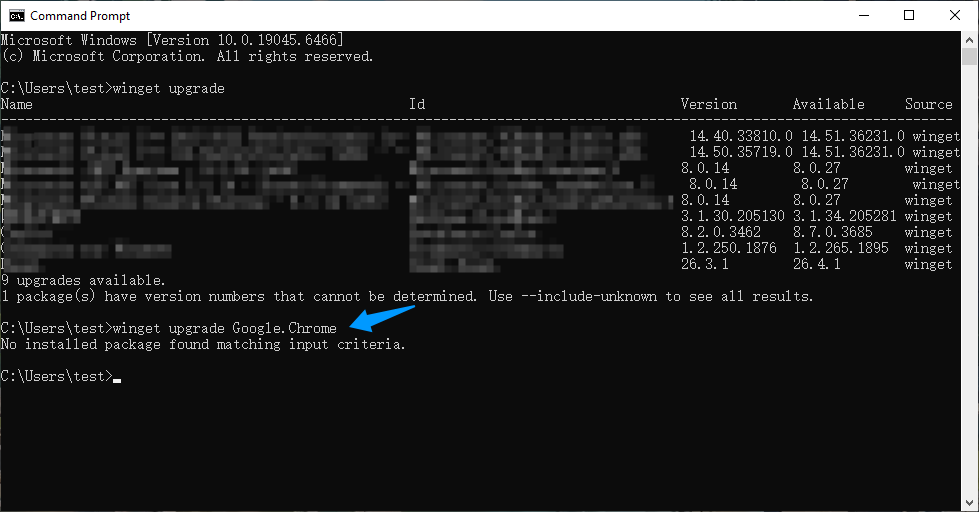
Step 2. Type the command winget upgrade and press Enter. Winget will list all the installed applications with available updates.
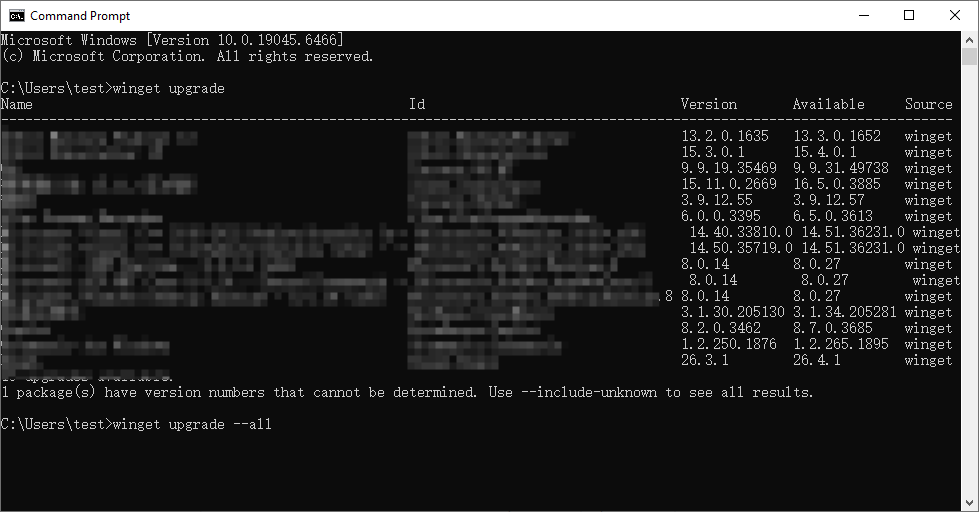
Step 3. Type the command winget upgrade --all to update all applications at once. Winget will automatically download and install the latest versions of the available programs.
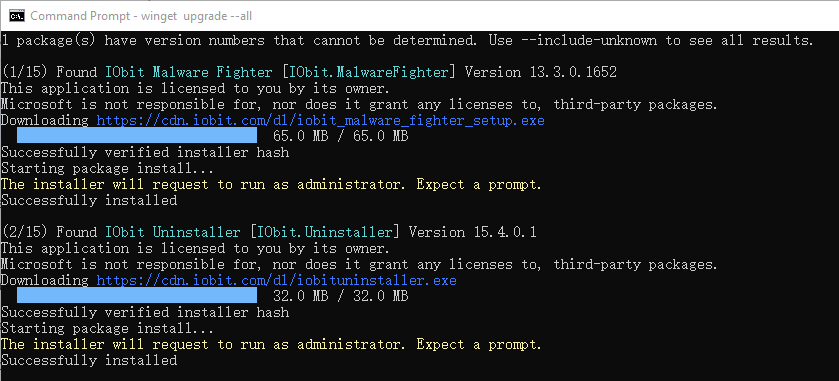
Step 4. (Optional) If you want to update one program, use the command winget upgrade "Program Name". For example, winget upgrade Google.Chrome.
FAQs About PC Program Updates
How do I update my apps through the Microsoft Store?
Here is the quick process:
Open the Microsoft Store application.
Click on the Library icon located in the bottom-left corner.
Click the Get updates button in the top right. The Microsoft Store will scan for available updates and install them automatically.
How often should I update my PC programs?
It's a good practice to install updates as soon as they become available, particularly security updates. Alternatively, you can use an automatic software updater such as Advanced SystemCare to keep your applications up to date with minimal manual effort.
Can updating programs improve PC performance?
Yes, as mentioned above, software updates often deliver performance boosts, bug fixes, and stability tweaks that help applications run faster and crash less.
What should I do if a program won't update?
Restart your PC and run the software updater for PC as administrator, check your internet connection, or reinstall the application. If the issue persists, visit the software developer’s official support page to report it.
Conclusion
Staying on top of software updates is one of the easiest ways to protect your PC and keep it running fast. No matter which method you choose, consistency is what truly counts.
For a completely hassle-free experience, Advanced SystemCare serves as a comprehensive PC program updater. Beyond managing your app updates in the background, it cleans junk files, optimizes Windows, and strengthens your digital security in one seamless sweep. Making a dedicated tool a regular part of your maintenance routine is an easy way to keep your computer running like new.
Advanced SystemCare Free
- Clean: 420 billion traces removed & 85 EB junk files cleaned
- Protect: 80 million unauthorized access blocked & 20 million bugs fixed
- Speed Up: 6 million hours of startup time saved & Turbo boost
- Optimize: Auto clean and auto care your PC with AI mode