Every day, thousands of fake emails, login pages, and text messages look convincing enough to trick people into giving away passwords, banking details, or other sensitive information. A single careless click can lead to stolen accounts, unauthorized purchases, identity theft, or even the loss of important personal and business data. As these scams become more sophisticated, recognizing suspicious signs is no longer enough; you also need reliable phishing attack prevention solutions.
Here, you'll learn several effective ways for phishing attack protection, along with tips for dealing with phishing emails and messages.
What Is a Phishing Attack
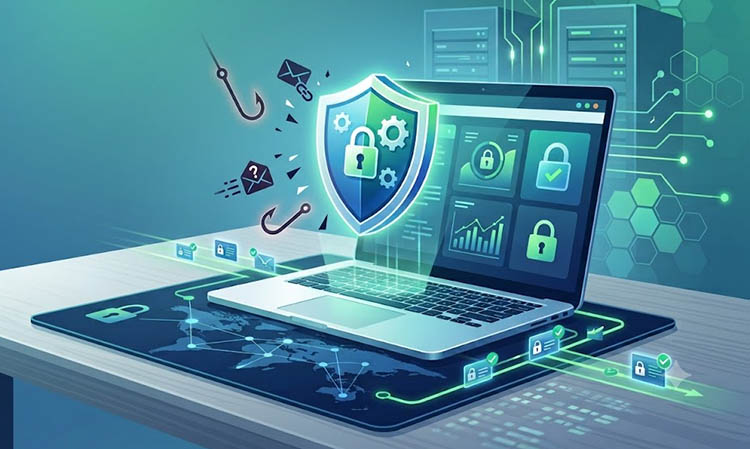
What’s the definition of a phishing attack? Phishing is a type of cyber scam where attackers pretend to be trusted organizations, companies, or individuals to trick people into revealing sensitive information or taking harmful actions. Because phishing attempts are designed to look legitimate, they can be difficult to identify without proper awareness and phishing attack prevention measures.
Common types of phishing attacks include:
Email phishing: Attackers send fake emails that imitate banks, online services, employers, or popular brands.
Text message phishing: Fraudulent SMS messages may pretend to come from delivery companies, financial institutions, or government services, encouraging recipients to click a link or provide personal information.
Website and login page phishing: Cybercriminals create realistic copies of trusted websites to capture usernames, passwords, payment information, or other private data.
Social media phishing: Attackers may use fake profiles, direct messages, or compromised accounts on social platforms to build trust and send malicious links.
How to Spot a Phishing Attack
Knowing how to prevent phishing attack risks starts with observing the warning signs that separate legitimate messages from fraudulent ones. Recognizing these warning signs is one of the simplest ways to improve your phishing attack protection and avoid becoming the next target of an online scam.
Suspicious sender addresses: Phishing emails and websites often use addresses that look similar to trusted brands but contain small changes.
Urgent requests or threats: Scammers frequently create panic by claiming that an account will be closed, a payment is overdue, or immediate action is required.
Poor grammar or unusual wording: Many phishing attempts contain awkward sentences or language that does not match the communication style of the real organization.
Unexpected attachments or links: Be cautious when receiving files, login links, or download requests that you were not expecting, especially from unknown senders.
Requests for sensitive information: Trusted companies usually do not ask users to provide passwords, verification codes, or full payment details through email or text messages.
Understanding these different attack methods and means to identify them makes it easier to recognize suspicious activity and apply effective phishing attack protection, like using antivirus software for free before a scam causes damage.
IObit Malware Fighter Free
- Quick and deep system scanning throughout PC system.
- Smart defense against all malicious infestations.
- High-level security and privacy protection in real time.
- Leading anti-malware and anti-virus engines.
How to Prevent a Phishing Attack
While awareness is the first line of defense, security tools can offer additional protection by detecting threats before they cause harm. This section explains reliable ways to enhance your security. Keep reading to learn how tools like IObit Malware Fighter can improve phishing attack prevention and create a safer online experience.
1. Utilize Anti-Phishing Software for All-Round Phishing Attack Prevention
A solid security program identifies suspicious websites, dangerous links, and hidden threats that are easy to miss during everyday browsing. IObit Malware Fighter combines anti-phishing capabilities with malware detection and privacy protection features. It blocks risky online activities while adding extra protection for files, downloads, and personal data.
Why Choose IObit Malware Fighter for Phishing Protection?
Free Online Surfing Protection Against Phishing Attacks
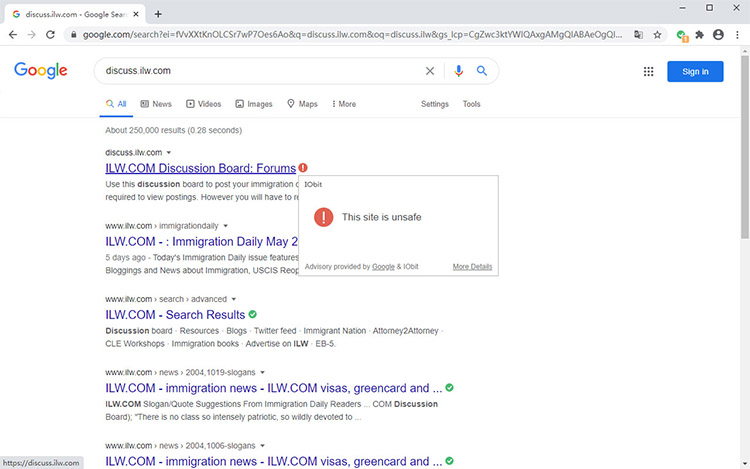
IObit Malware Fighter presents free protection against malicious websites, fake login pages, harmful email links, and suspicious online advertisements that may attempt to steal personal information.
Lightweight Browser Extension to Guard Against Online Phishing
The browser extension works with popular browsers such as Google Chrome, Firefox, and Microsoft Edge, offering a simple and lightweight way to block ads in Chrome, check websites and block unsafe pages without interrupting normal browsing.
All-Round Online & Local Protection Beyond Phishing
Besides online threat detection, IObit Malware Fighter also includes virus scanning, anti-tracking, homepage protection, download monitoring, and local safeguards for files, cameras, and USB devices.
How to Prevent Phishing Attacks with IObit Malware Fighter
Step 1. Download the latest version of IObit Malware Fighter from its official website and complete the installation process on your Windows PC.
Step 2. Launch the program and switch to the Browser Protect tab.
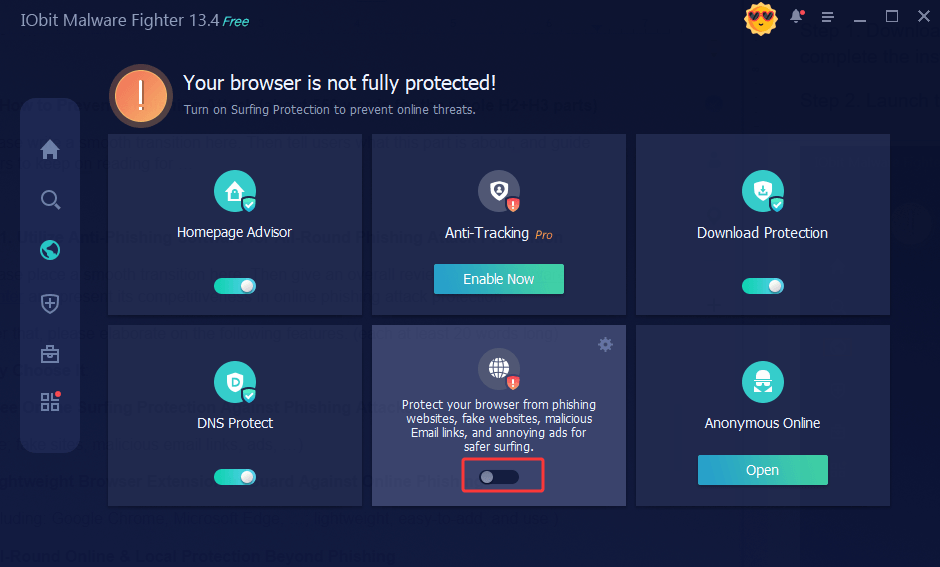
Step 3. Hover over Surfing Protection and configure Surfing Protection, then follow the prompt to install the extension. The extension supports most web browsers such as Google Chrome, Firefox, Microsoft Edge, and Internet Explorer.
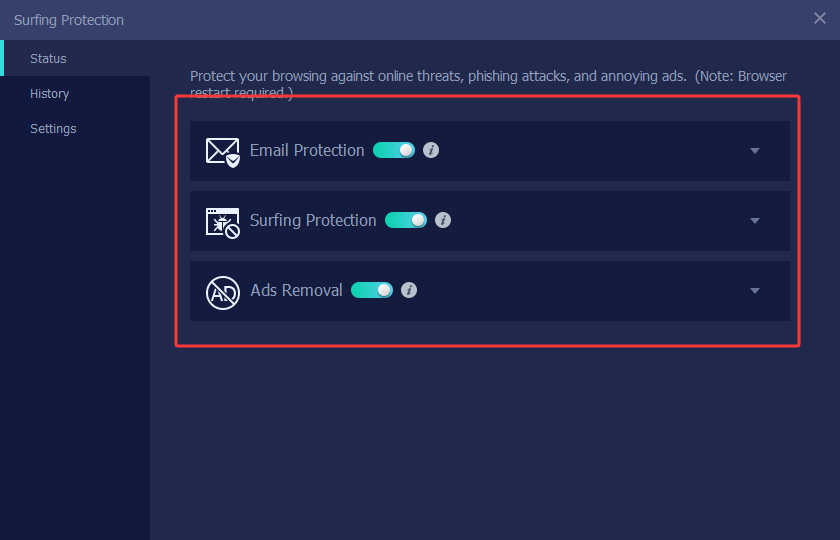
Step 4. Add the recommended extension for browsers. Once enabled, the extension can identify unsafe websites while you browse. This is how this PC virus protection software guards against viruses, malware, phishing threats, etc., for you.
IObit Malware Fighter Free
- Quick and deep system scanning throughout PC system.
- Smart defense against all malicious infestations.
- High-level security and privacy protection in real time.
- Leading anti-malware and anti-virus engines.
2. Activate Multi-Factor Authentication
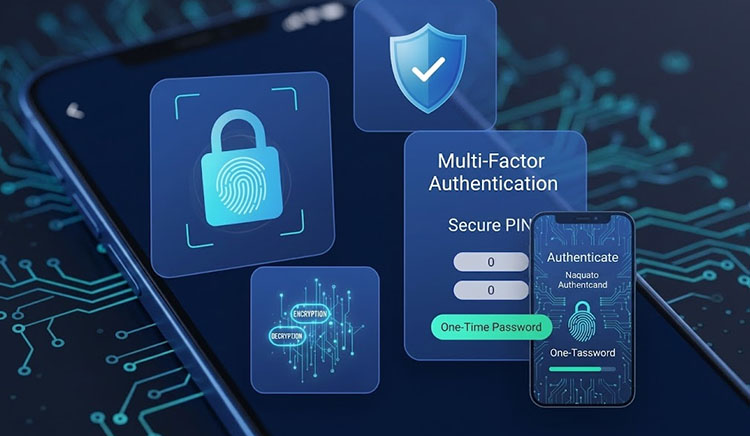
A strong password is important, but it should not be the only barrier protecting your accounts. Multi-Factor Authentication (MFA) adds an extra verification step by requiring more than one way to confirm your identity before allowing access. Learning how to avoid phishing also means adding security layers that protect you when a mistake happens.
MFA helps protect accounts by combining multiple verification methods, blocking unauthorized access with a second check, and reducing account takeover risks. To activate MFA for an app account:
Open the app and go to Account Settings or Security Settings.
Find Multi-Factor Authentication, Two-Factor Authentication (2FA), or a similar option, then turn it on.
Choose a verification method, such as an authentication app, security key, or SMS code. Complete the setup process and save the backup recovery codes.
3. Enable Email Filters to Prevent Phishing Emails
Email phishing remains one of the most common ways attackers try to steal passwords, financial details, and personal information. While you can use filters to block phishing emails, it has limits because scammers constantly change their addresses and names. Plus, Gmail’s built-in email security features can identify suspicious messages.
Email filters analyze sender reputation, email content, attachments, and links to identify potential spam or phishing attempts. Many email services use machine learning to recognize new phishing techniques and update their detection rules. To enable filters in Gmail and block them:
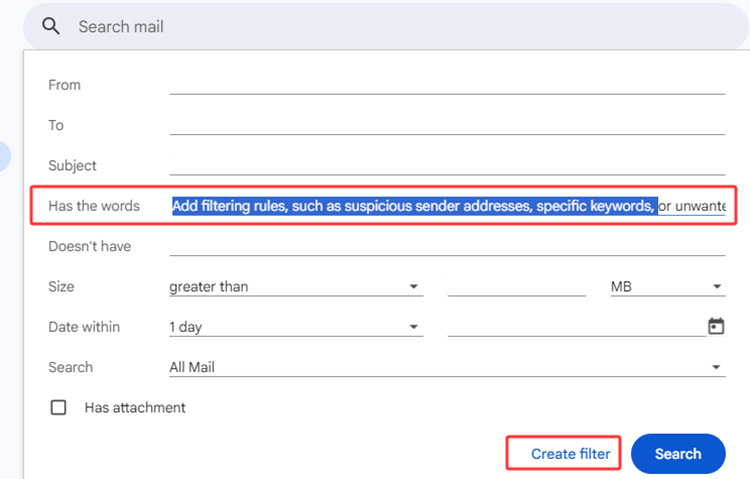
Open Gmail, click Show search options in the search bar.
Enter your filter criteria and set rules for suspicious senders, keywords, or attachments.
Select Create filter at the bottom of the window. Check the filtered, suspicious senders, and block and report them.
Gmail’s built-in spam protection is also enabled by default, so keeping it active prevents phishing emails more effectively.
4. Use Password Manager for Phishing Attack Protection
Along with staying alert when browsing, using a password manager can provide an additional layer of phishing attack prevention by letting users create and manage stronger login credentials.
A password manager reduces the risk of multiple accounts being compromised when one password is exposed. Many password managers recognize saved website addresses and will not automatically enter login information on fake domains, and help avoid common phishing traps. To get started with a password manager such as Google Password Manager:
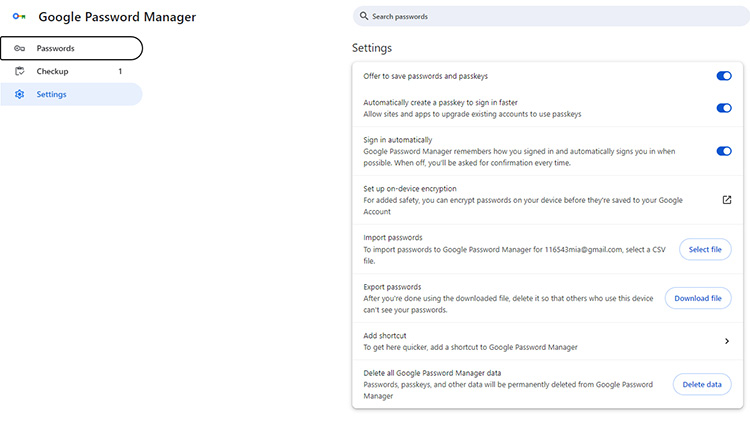
Open Chrome settings, access Google Password Manager, and turn on password saving.
It can fill saved logins on trusted websites and create stronger passwords for new accounts.
View, update, or remove passwords anytime through your Google Account.
What to Do If You Get Phishing Emails & Messages
Even with strong security habits, phishing emails and messages can still reach your inbox or phone. Taking the right steps can limit potential damage and improve your overall phishing attack prevention strategy. Follow these actions to figure out how to avoid phishing attempts in the future.
Do not click or reply: Avoid opening links, downloading attachments, or responding to the sender. Any interaction may confirm that your account is active or expose more information.
Report the message: Use your email provider’s “Report phishing” or “Report spam” option to improve threat detection and protect other users.
Verify before taking action: Contact the company through its official website or customer support channels instead of using contact details provided in the suspicious message.
If you have already clicked a suspicious link:
Disconnect from the internet: Temporarily turn off Wi-Fi or network access if you downloaded a file or suspect malware activity.
Change affected passwords: Update passwords immediately, especially for accounts where you entered login details on a suspicious website.
Contact financial institutions: Notify your bank or payment provider if you shared financial information or noticed unusual transactions.
Final Thoughts
Phishing attacks can target anyone, but understanding common warning signs and taking proactive security measures can greatly reduce the risks. From recognizing suspicious messages to using MFA, password managers, email filters, and anti-phishing tools, these steps create stronger digital protection. Download the best malware removal tool, IObit Malware Fighter, right now to add an extra layer of defense against online threats and strengthen your phishing attack prevention solution.