Imagine waking up, grabbing your coffee, and sitting down to tackle your to-do list, only to find your computer moving at the speed of a tired snail. Your browser is hijacked by weird pop-ups, and suddenly, you get an alert that your personal data might have been leaked on the dark web. It’s a nightmare scenario that’s becoming all too common in our hyper-connected world. To keep your digital life from turning into a horror movie, finding the right PC virus protection software is no longer optional; it’s a survival tactic.
In this guide, we’ll break down the top tools of 2026 to ensure your hardware stays healthy and your data stays yours.
Why Do You Need PC Virus Protection Software?
Cyber threats have evolved far beyond the "annoying pop-up" era. Today, a virus is essentially a piece of malicious code designed to replicate itself and spread to other files or systems, often with the intent to steal, corrupt, or lock your data for ransom. Without reliable virus protection software for PC, your operating system is essentially an open door in a bad neighborhood. Here is why you need a dedicated shield:
Enhance PC Performance: Removes hidden threats that consume CPU, memory, and disk resources.
Protect Against Data Leaks: Shields sensitive documents, banking details, and passwords.
Prevent Financial Loss: Stops phishing scams and ransomware attacks.
Secure Online Browsing: Blocks malicious websites and unsafe downloads.
Guard Connected Devices: Scans USB drives and external devices automatically.
Provide Real-Time Monitoring: Detects threats before they can execute.
Compare First Among Virus Protection Software for PC
After extensive research and testing, we selected five standout free antivirus software tools that offer strong security, useful extra features, and reliable performance. Whether you want advanced ransomware defense or antivirus software free for windows, the following comparison makes it easier to choose the right option.
|
Malwarebytes |
IObit Malware Fighter |
Bitdefender |
McAfee |
Windows Defender |
| Core Features |
AI Scam Guard, Remote Access Monitor |
Triple Engine, Safe Box, Anti-Tracking |
Autopilot Advisor, File Decryption |
Identity Monitoring, QR Scam Check |
Cloud-delivered Protection |
| Free Trial |
Yes; 14 days |
Yes; free version |
30 Days |
30 Days |
Free |
| Virus Protection |
Excellent |
Advanced (Bitdefender Engine) |
Top-tier |
High |
Reliable |
| Malware Protection |
Superior |
Multi-layered |
Comprehensive |
Advanced |
Standard |
| Online Browsing Protection |
Yes; Browser Guard |
Yes; anti-tracking, DNS/surfing/downloading protection, etc |
Yes; Web Attack Prevention |
Yes; Social Messaging Guard |
Yes; SmartScreen |
| Identity Theft Protection |
Yes |
No (Focuses on Malware) |
Yes |
Yes (Up to $2M Insurance) |
No |
| VPN |
Yes (Standalone) |
Yes, a standalone app to download |
Yes (Unlimited on Premium) |
Yes |
No |
| Performance Impact |
Medium |
Low |
Low |
Medium |
Very low |
| Max Devices |
1-5 for different plans; up to 20 for Teams |
3 for a single license |
1-5 for different plans |
1/5/10/unlimited for different plans |
5 for
Microsoft 365 Personal |
Kind Reminder: Running more than one antivirus program on the same computer can lead to software conflicts, system instability, and slower performance. For the best protection and a smoother user experience, it is recommended to install and use only one reliable antivirus solution at a time.
Top 5 Picks: PC Virus Protection Software for Windows
The 2026 landscape is more complex than ever, but these five tools have risen to the top of the pile. Whether you are a casual browser or a high-stakes professional, one of these will suit your needs.
1. Malwarebytes: Best Malware Removal for PC
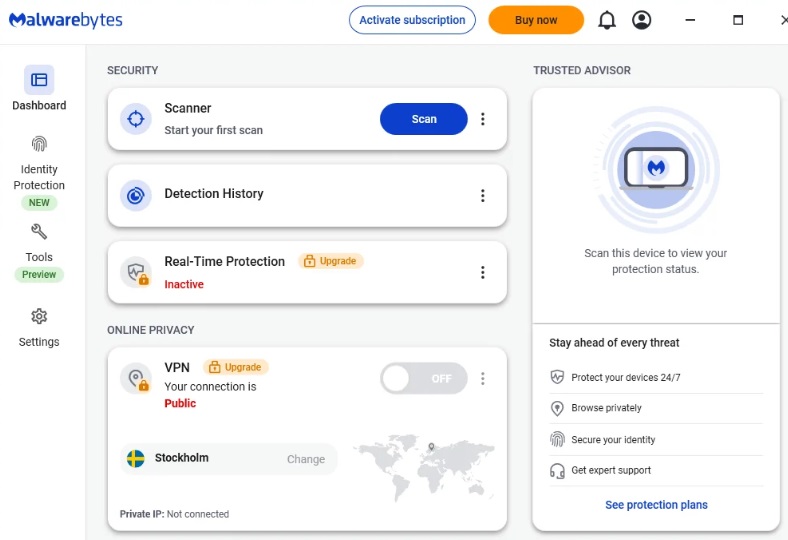
Malwarebytes has long been the "secret weapon" for techies who need to clean up a system that's already been compromised. In today’s world, it has shifted from a reactive cleaner to a proactive powerhouse. It is especially good at sniffing out "Potentially Unwanted Programs" (PUPs) that other brands might ignore.
 Why Choose It:
AI Scam Guard: Uses advanced machine learning to analyze the language of emails and texts, spotting hyper-realistic phishing scams before you click a link.
Remote Access Monitor: In an era of remote work, this feature alerts you immediately if someone tries to gain unauthorized access to your PC via RDP or other protocols.
Windows Privacy Check: Malwarebytes now scans your OS settings to ensure you aren't accidentally sharing more data with third-party apps than you intended.
What You May Not Like: The real-time protection is only available in the paid version, and it can be a bit "chatty" with notifications.
Who It’s For: Users who frequently download files from the web or work in high-risk digital environments.
Pricing: Free version available (scanning only); Premium starts at ~$44.99/year.
2. IObit Malware Fighter: Best Free PC Virus Protection Software
When it comes to sheer value, IObit Malware Fighter is arguably the antivirus software free for Windows that offers the most "bang for zero bucks." It doesn't just rely on its own logic; it integrates world-class technology to create a fortress around your data. It’s the best antivirus for PC, and a perfect choice for those who want high-end protection without the high-end price tag.
IObit Malware Fighter Free
- Quick and deep system scanning throughout PC system.
- Smart defense against all malicious infestations.
- High-level security and privacy protection in real time.
- Leading anti-malware and anti-virus engines.

Why Choose It:
Scan & Remove Viruses Automatically and Effortlessly: This tool is designed for "set it and forget it" users. It handles automatic scanning and fixing in the background, effectively neutralizing threats without requiring you to manually navigate complex menus or handle technical jargon.
Comprehensive Guards from Triple Engines & Massive Virus Database: By combining the IObit Anti-malware Engine, the world-renowned Bitdefender Engine, and a specialized Anti-ransomware Engine, it accesses a 200 Million+ database to catch even the most elusive fileless threats.
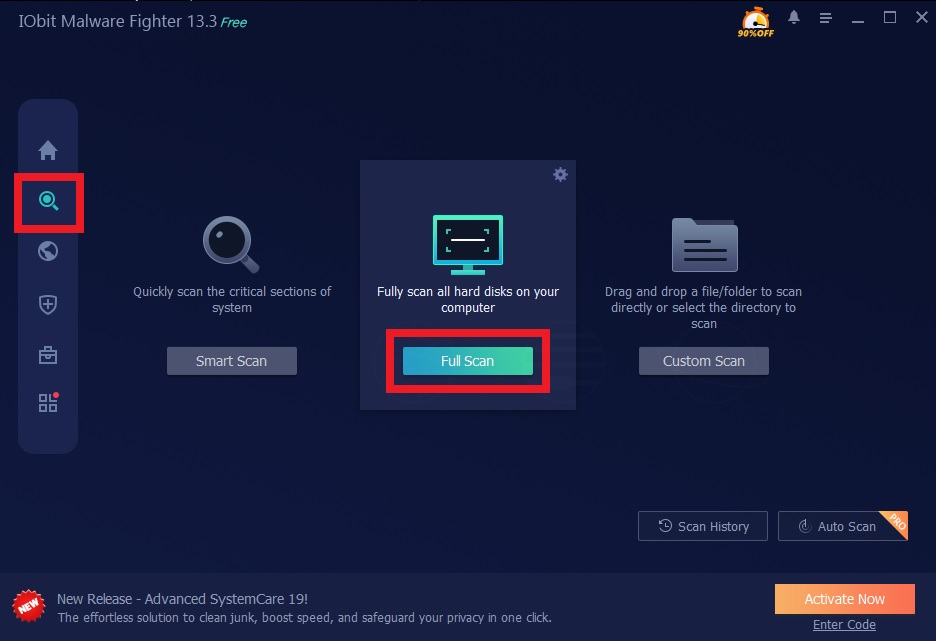
Diverse Scanning Methods for Different Needs: Whether you need a lightning-fast Smart Scan for active areas, a Full Scan for deep cleaning, or a Custom Scan for specific folders, the software adapts to your schedule and security concerns.
Intensive Online & Real-Time Protection: It goes beyond simple file scanning to include DNS protection and a tool to block ads in Chrome, alongside specialized guards for your USB drives, camera, and sensitive private files.
What You May Not Like: The Free version is robust, but the most advanced engines (like Bitdefender) require the Pro upgrade.
Who It’s For: Everyday users who want a lightweight, automated security solution that doesn't slow down their gaming or work.
Pricing: Free version available; Pro version frequently on sale for ~$19.95/year for 3 PCs.
How to Protect Your PC from Viruses Firmly for Free?
Protecting your system shouldn't require a PhD in Computer Science. Here is how to get started with IObit Malware Fighter in three simple steps:
Step 1: Download and Install. Click the button below and download the installer. Follow the on-screen prompts to set up the software. It’s lightweight, so it won’t take long.
Step 2: Run an Antivirus Software Scan. Once opened, click the large "Fix All" button on the main dashboard to run an auto scan. We recommend trying out a "Full Scan" by clicking on the search bar/scan icon from the left bar.
Step 3: Fix and Secure. If any threats are detected, the software will list them. Simply click the "Fix" or "Remove" button to quarantine and delete the malicious files instantly.
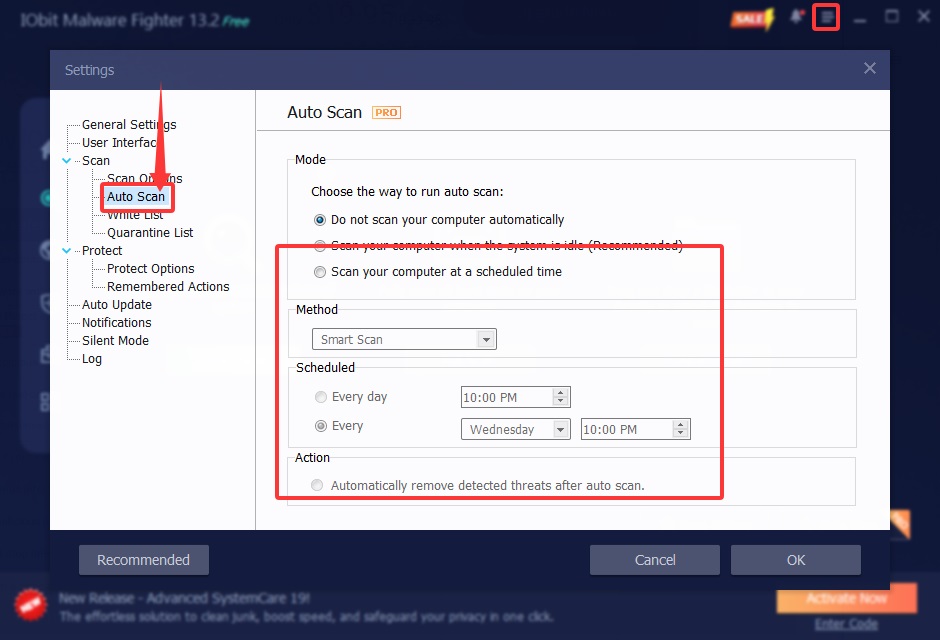
Pro Tip: Enable the Auto Scan feature in the Pro version to let the software monitor your PC in real-time while it's idle. This ensures you never forget a scan again! Try it now.
3. Bitdefender: Multilayer Ransomware Protection App
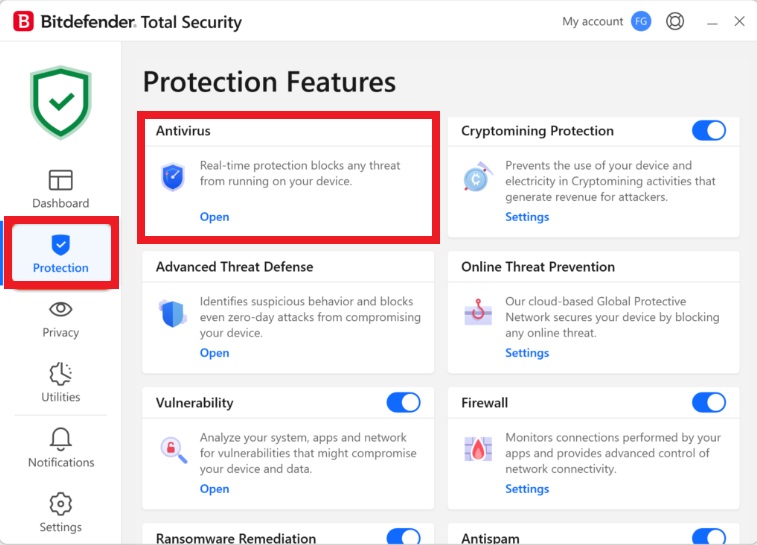
Bitdefender is widely considered the "gold standard" for detection accuracy. If you are looking for virus protection for pc free download options that also offer professional-grade paid tiers, Bitdefender is a top candidate. Its new version is incredibly smart, using an "Autopilot" mode that makes security decisions for you so you don't have to.
Why Choose It:
Multilayer Ransomware Protection: It creates a dedicated data-protection layer that safeguards your photos and documents. If a suspicious app tries to encrypt them, Bitdefender blocks it and restores the files from a temporary backup.
Security Advisor (Autopilot): This feature acts as your personal cybersecurity consultant, recommending specific settings based on how you use your computer (e.g., gaming mode vs. work mode).
System Vulnerability Test: With one click, it checks for outdated software and missing Windows patches that hackers often exploit to gain entry.
What You May Not Like: The initial scan can be quite slow as it builds a comprehensive index of your system.
Who It’s For: Families and professionals who prioritize "bulletproof" security and ransomware defense.
Pricing: Free version available; Total Security plans start around $39.99/year.
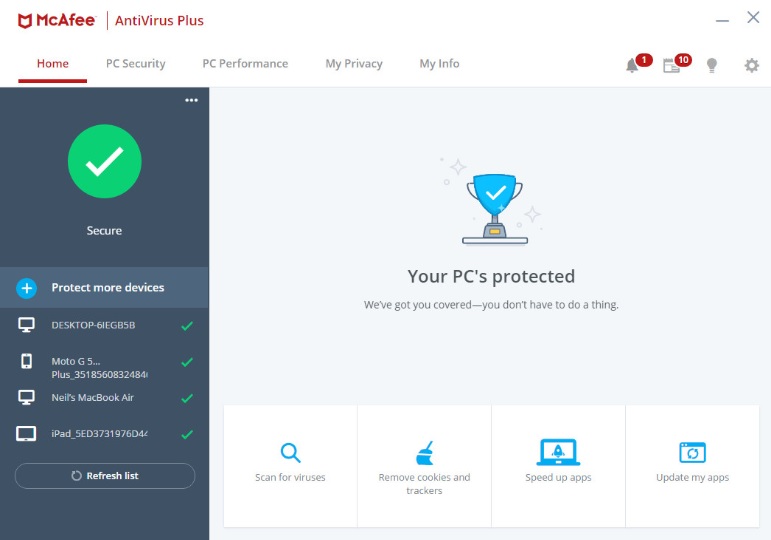
4. McAfee: PC Virus Protection Software with Anti-Identity Theft
McAfee has undergone a massive rebranding recently, moving away from just "antivirus" to a full "identity protection" suite. It is the best choice if you are worried about more than just your PC, specifically your credit score and online accounts.
Why Choose It:
Scam Detector: This update includes a specialized tool to spot QR code scams and risky messages in apps like WhatsApp or Telegram.
Identity Monitoring: McAfee monitors the dark web for your email, SSN, and bank accounts, providing a dedicated "Protection Score" to show you how safe you really are.
Unlimited Device Support: Most McAfee plans allow you to protect every device in your household (PC, Mac, iOS, Android) under a single subscription.
What You May Not Like: It is a bit heavier on system resources compared to IObit or Bitdefender.
Who It’s For: Large households with many different devices and users who do a lot of online shopping.
Pricing: Starts at ~$39.99/year for the basic plan.
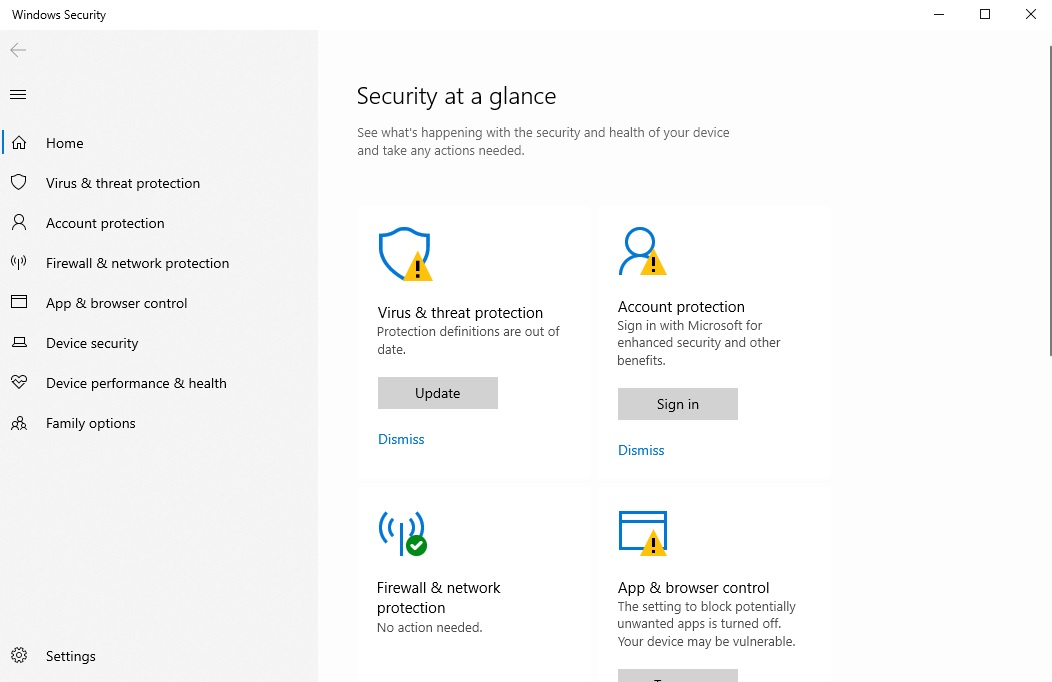
5. Microsoft Defender: Inbuilt Antivirus Software Free for Windows
If you are a Windows user, you already have this. The free antivirus software Microsoft Defender has evolved from a basic tool into a very competent security suite. It is arguably the most seamless antivirus software best free option, because it is built directly into the kernel of your operating system.
Why Choose It:
Native Integration: Because it’s built by Microsoft, it has the lowest possible system impact. You’ll barely notice it’s running.
Cloud-Delivered Protection: It uses the power of Microsoft’s massive global network to identify new threats in real-time, often before they even reach your device.
Zero Trust Approach: It treats every application as potentially untrusted until verified, which is a modern standard for corporate-level security.
What You May Not Like: It lacks advanced features like a VPN or deep identity theft protection found in paid suites.
Who It’s For: Casual users who practice good "digital hygiene" and don't want to spend money on extra software.
Pricing: Completely free (included with Windows).
5 More Virus Protection Software for PC Nominees
If the top five don't quite fit your vibe, here are five more heavy hitters that deserve a mention:
Kaspersky:
Kaspersky is well-known for its outstanding ransomware protection, effectively detecting and blocking ransomware/malware while continuously monitoring the system for unauthorized access.
*Due to geopolitical concerns, Kaspersky is banned in the US. Users in the US may try exploring other options to remove viruses in PC.
Norton AntiVirus:
A classic for a reason. It offers an incredible suite of "extras," including a password manager and 50GB of cloud backup to keep your most vital files off-device.
Avast Antivirus:
Great for those who want a visual and easy-to-use interface. Its "Wi-Fi Inspector" is particularly good at finding weak spots in your home network.
Symantec (Broadcom):
This is the go-to for enterprise and business users. It offers incredibly deep control over network policies and endpoint security for large teams.
Eset:
A favorite for gamers. It has a tiny footprint and an exceptionally accurate "Gamer Mode" that ensures you never get a pop-up in the middle of a boss fight.
Final Thoughts
Navigating the internet without a shield is like walking through a rainstorm without an umbrella; you're going to get soaked eventually. Whether you choose the massive feature set of McAfee or the lightweight efficiency of PC virus protection software like IObit, the key is to stay proactive.
If you want a blend of powerful multi-engine defense and automated maintenance, try IObit Malware Fighter. It’s the easiest way to keep your PC running like new while keeping the "bad guys" at bay. Stay safe out there!
IObit Malware Fighter Free
- Quick and deep system scanning throughout PC system.
- Smart defense against all malicious infestations.
- High-level security and privacy protection in real time.
- Leading anti-malware and anti-virus engines.