We’ve all been there: you download a tool promising a “free clean-up,” only to be bombarded by pop-ups, hidden fees, or software that crashes every other second. Finding legitimate anti virus software for free can feel like navigating a digital minefield. Many users are understandably wary of "free" claims, fearing they’ll end up with glorified bloatware that does more harm than good.
In this guide, we will compare the best virus protection for free options, explain what each tool does best, and help you choose the one that fits your device.
Quick Look - 7 Anti Virus Software Best Free Picks
If you're in a hurry, here is a snapshot of how the top contenders stack up. This is a practical way to compare anti virus software for windows free without getting lost in feature lists.
|
Free Highlights |
Advanced Highlights |
System Impact |
Microsoft Defender
|
Real-time protection
SmartScreen web filtering
|
Multi-device management
Identity theft monitoring via Microsoft 365
|
Very Low |
| IObit Malware Fighter |
Real time protection
Anti-malwar
|
Anti-ransomware
Anti-tracking
Bitdefender engine
Browser protect
|
Low |
| Avast |
Advanced ransomware shield
Wi-Fi network inspector
|
Sandbox mode for risky files
Webcam/firewall protection
|
Moderate to High |
| AVG |
Email attachment scanning
Basic malware engine
|
Secure payment protection
Automated performance tune-up tools
|
Moderate |
| Bitdefender |
On-demand scanning Anti-phishing protection |
Multi-layer ransomware remediation
Unlimited VPN access
|
Low |
| Avira |
Cloud-based detection
Lightweight software update
|
Unlimited VPN
Automatic driver/software patching
|
Moderate |
| Malwarebytes |
Deep-clean remediation
Browser scam blocking
|
Real-time exploit prevention
Brute-force attack protection
|
Moderate |
Microsoft Defender - Built-in Free Anti Virus Software Windows
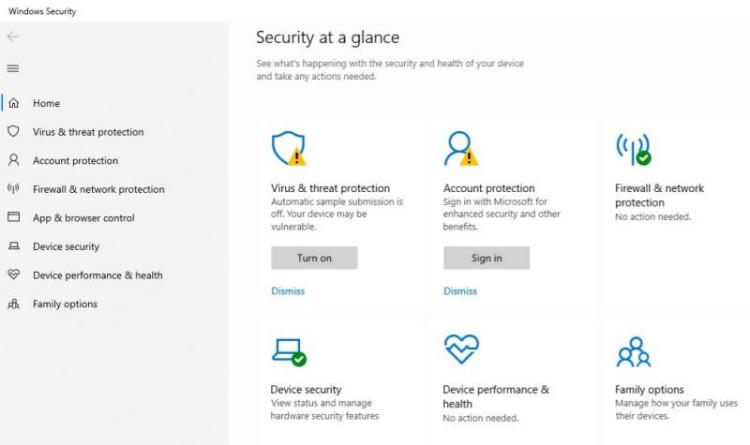
For many, the search for anti virus software windows begins and ends with the tool already installed on their machine. Microsoft Defender has evolved from a basic utility into a powerhouse of native protection. Because it is baked directly into Windows 10 and 11, it offers a level of stability that third-party apps sometimes struggle to match. It doesn't require a separate account or a bulky download, making it the most frictionless virus protection for free.
Key points:
Real-time Threat Protection: It monitors your system in the background to detect and block malware and viruses before they can execute.
Cloud-Delivered Security: Leveraging Microsoft’s global network, it provides near-instant updates to defend your PC against emerging "zero-day" threats.
Tamper Protection: This guard prevents malicious applications from disabling your antivirus or silently changing your security settings without permission.
Pros
Provides full security with no fees or annoying pop-up ads for premium upgrades.
Work in harmony with the Windows kernel.
Cons
Fewer bonus tools than some third-party suites.
Best for: Users who want a clean, built-in, and low-maintenance starting point.
IObit Malware Fighter - Best Virus Protection for Free
IObit Malware Fighter Free is a beginner-friendly anti-malware solution for users who want basic PC protection and extra defense without a complicated setup. It includes real-time protection that scans and helps prevent malware before it is installed, along with protection against threats such as virus, ransomware, spyware, Trojans, adware, and worms. That makes it a strong candidate for anyone searching for the best virus protection for free with an easy interface.
IObit Malware Fighter Free
- Quick and deep system scanning throughout PC system.
- Smart defense against all malicious infestations.
- High-level security and privacy protection in real time.
- Leading anti-malware and anti-virus engines.

Why Choose IObit Malware Fighter:
Real-time protection against viruses: It constantly monitors your system activity, blocking threats before they can execute. This proactive stance is essential for maintaining a clean system in a high-risk digital environment.
3 scan styles to meet your needs: Lets you choose the level of checking you need, which is convenient when you want a fast scan for routine use or a deeper scan for problem cleanup.
Constantly protects you against any PC threats: Using an expansive database, it identifies and neutralizes everything from basic viruses to complex trojans and bots, ensuring your anti virus software for free experience is truly safe.
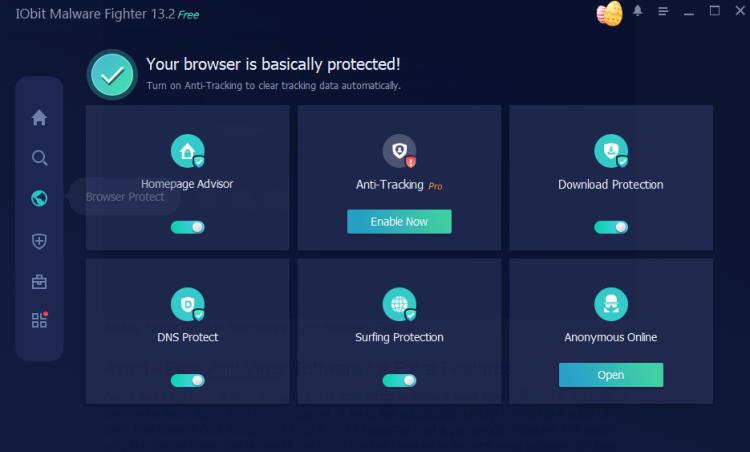
Browser security/safe browsing assistance: It guards your online experience by blocking malicious URLs and preventing unauthorized changes to your homepage or search engine, which is a common tactic for adware.
Clean dashboard for all level users: You don't need to be a tech genius to use it. The interface is intuitive, putting all the essential security toggles right at your fingertips without confusing jargon.
Include more security-oriented features: Beyond basic scanning, it offers tools to protect your camera from unauthorized access and a "data shield" to keep your private files under lock and key.
Cons: The free version occasionally suggests other IObit utilities.
Best for: Users looking for a lightweight but powerful primary layer of defense against modern malware.
How to protect your PC from virus:
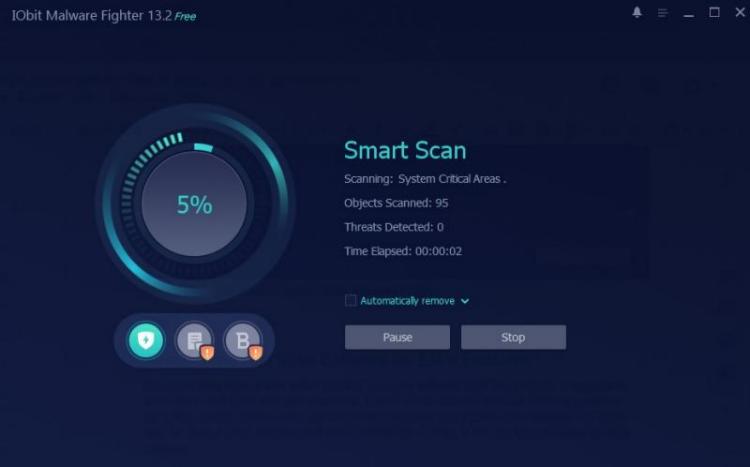
Step 1. Click the download button below, install it on your Windows PC, and launch it.
Step 2. Enter the homepage, and you can see the red warning that your PC is in danger. Click Fix All, and let it scan your PC problem automatically.
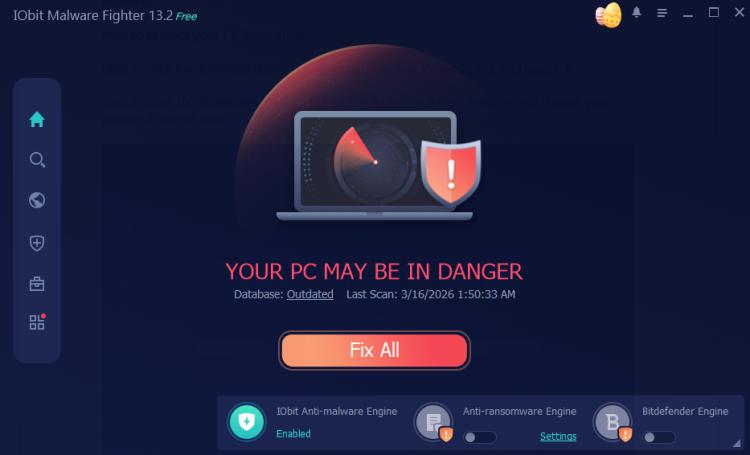
Or click on the scan icon from the left window, and choose your preferred style of scan.
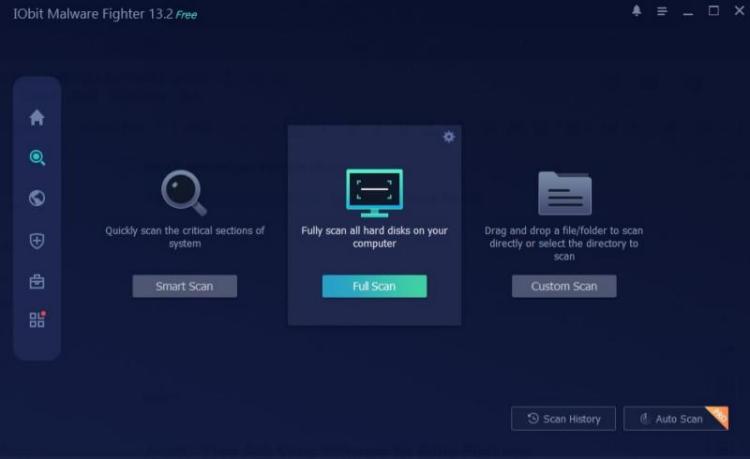 Step 3. It won’t take long to complete the scan. Once scanned, you’ll be shown with the threats that it has detected, and from there you can easily fix those threats and malware.
Additionally, if you are concerned about browser security, or want to block ads, download securely, etc., please try the Browser Protect feature to safeguard your browsing experience.
Avast - Free Anti Virus Software for Extra Features
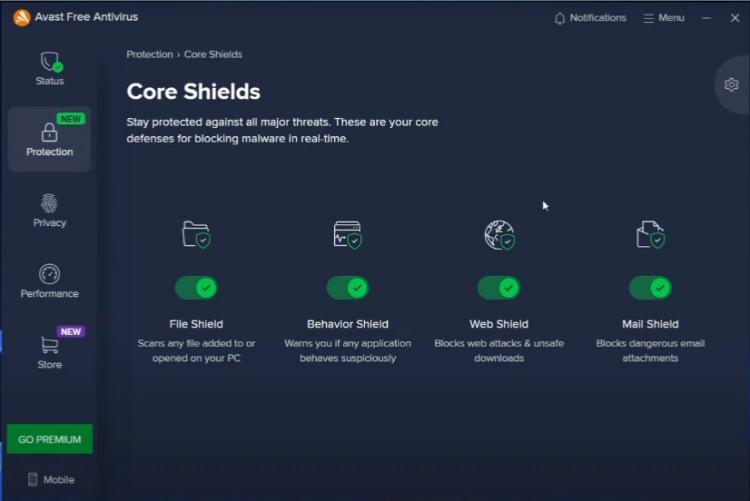
Avast has long been a titan in the world of anti virus software best free editions. It appeals to users who want more than just a scanner. It feels like a premium product, offering a suite of tools that usually cost money, such as a Wi-Fi inspector and a password manager. For users who like bonus tools, this is one of the more flexible choices in the anti virus software for free category.
Key points:
Smart Scan: This multi-layered check examines your system for malware, outdated software, and browser vulnerabilities in a single pass.
CyberCapture: It automatically isolates unknown files and sends them to the Avast cloud for real-time analysis and threat identification.
Network Inspector: This tool scans your home and public Wi-Fi networks to identify security weaknesses and help prevent unauthorized access.
Pros
Free version extends its protection to macOS, Android, and iOS.
Consistently earns top marks in independent lab tests.
Cons
Sneaking in extra tools via 'dark patterns'.
Best for: Users who want additional features and a more layered free security experience.
AVG - Anti Virus Free with Simplicity
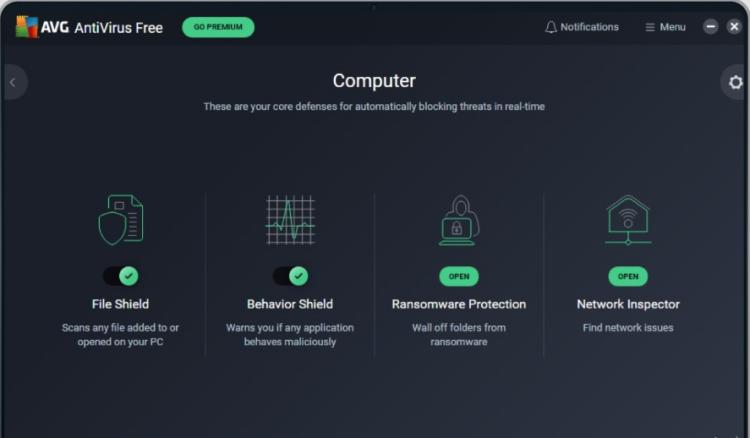
Owned by Avast but maintaining its own identity, AVG provides a more streamlined experience. It uses the same powerful engine but wraps it in a simpler, darker interface. It’s a great example of anti virus software free best suited for those who find Avast too cluttered.
Key points:
File Shield: It continuously scans every file you open or save to ensure they are free from hidden malware before they can infect your system.
Web Shield: This component automatically blocks dangerous downloads and malicious websites to keep your online browsing sessions safe and secure.
Behavior Shield: It monitors all active applications on your PC in real-time for suspicious activity that could indicate an unknown threat.
Pros
Easy to navigate and provides excellent malware detection rates.
Provides high-level protection with a minimal footprint on your system resources.
Cons
Fewer advanced extras than some feature-heavy competitors.
Best for: Users who want simplicity first and extra features second.
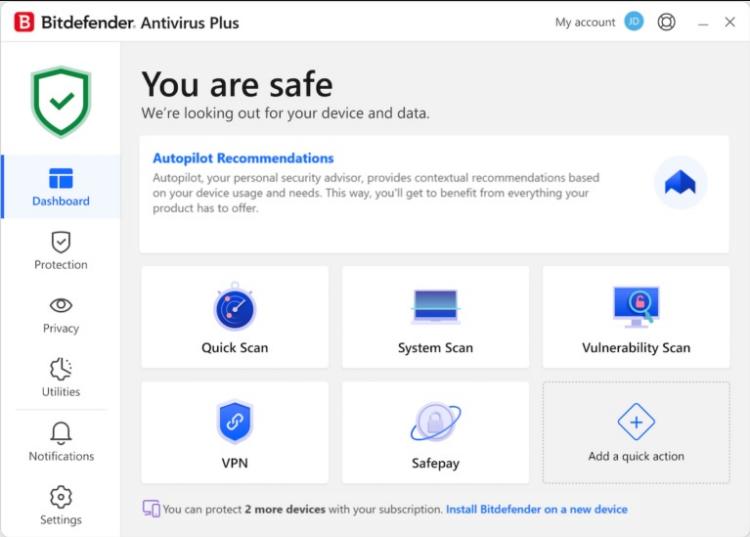
Bitdefender – Anti Virus Free Best with Lightweight Protection
If you hate seeing icons in your system tray or getting pop-ups while you work, Bitdefender is your best bet. It is widely considered the best free anti virus software for performance enthusiasts. It runs silently in the background, only alerting you if something is actually wrong.
Key points:
Real-Time Data Protection: The software continuously monitors your system to block viruses, worms, and Trojans the moment they attempt to infect your PC.
Advanced Threat Defense: This feature uses behavioral detection to analyze active apps in real-time and instantly stops any suspicious activity that looks like a "zero-day" exploit.
Anti-Phishing & Fraud Protection: It automatically sniffs out and blocks websites masquerading as trustworthy sources to prevent your credit card or login data from being stolen.
Pros
Minimalist UI and virtually zero impact on system boot times.
Cons
Very few manual configuration options for those who like to tinker.
Best for: Gamers and professionals who need their PC’s full power without background interference.
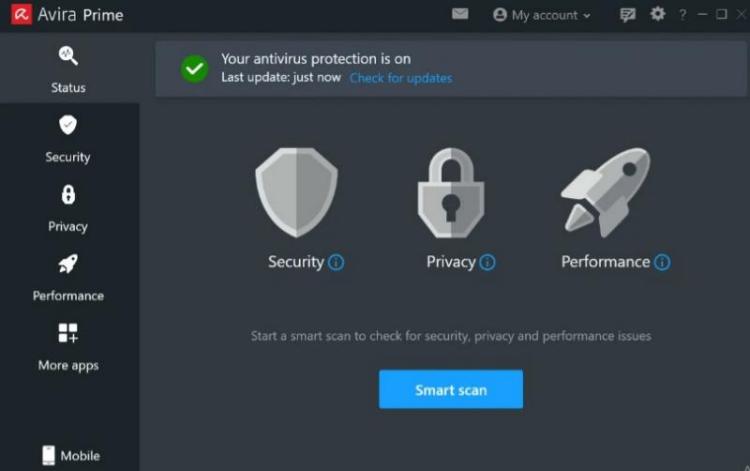
Avira - Free Anti Virus Security Suite Feel
Avira takes the anti virus software for free concept and expands it into a mini-security suite. When you install Avira, you get access to a limited VPN, a software updater, and privacy tools. It’s a very modern approach to free security.
Key points:
Protection Cloud: This AI-driven system analyzes suspicious files in the cloud to defend your PC against rapidly evolving zero-day malware.
Browser Safety Extension: It actively shields you from online threats by blocking malicious websites and intrusive trackers before they can load in your browser.
Software Updater: The tool identifies outdated programs on your system and helps you patch them to prevent hackers from exploiting known software vulnerabilities.
Pros
Uses the exact same award-winning malware detection technology found in Avira’s paid Pro.
The free package bundles extra utilities like a VPN and a password manager.
Cons
The suite can feel a bit heavy on system resources during full scans.
Best for: Users who want a holistic approach to privacy and security in one package.
Malwarebytes - Best On-Demand Malware Cleanup
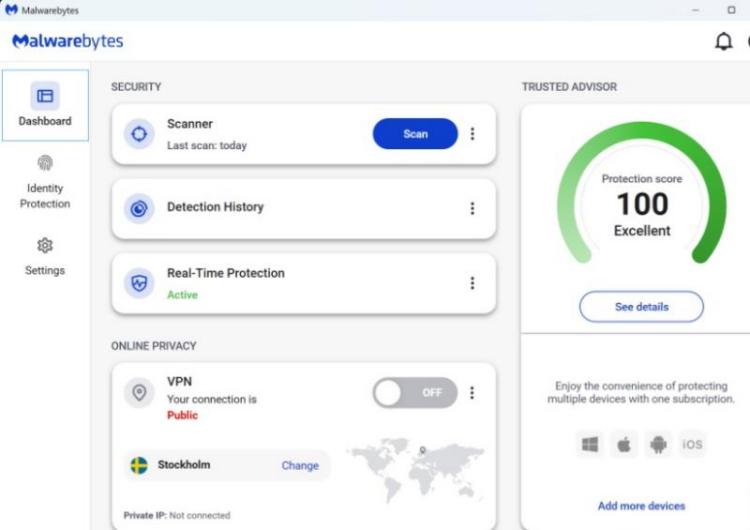
It is important to note that Malwarebytes Free functions differently than the others. While it is an incredible tool, it is primarily a "remediation" tool. It is often used alongside other anti virus software for free windows to clean up what they might have missed.
Key points:
On-Demand Threat Scanning: It excels at deep-cleaning your system by manually hunting down and removing malware, viruses, and trojans that other scanners might miss.
Potentially Unwanted Program (PUP) Detection: The software specifically targets "gray area" software, like annoying toolbars or junkware, that slows down your PC but isn't always flagged by traditional antivirus.
Malware.AI Detection: It uses advanced, behavior-based machine learning to identify the characteristics of suspicious files, helping it catch emerging threats without a known signature.
Pros
Can be installed alongside any other antivirus without causing software conflicts.
Specializes in cleaning severely infected computers with viruses.
Cons
The free version lacks real-time protection after the initial trial.
Best for: Users who want a "second opinion" or clean an already infected computer.
What You May Concern About Anti Virus Software Windows
Q: Is anti virus software for free Windows safe to use?
Yes, provided you stick to well-known brands like IObit Malware Fighter or Microsoft. Avoid "no-name" tools found in pop-up ads, as these are often malware in disguise.
Q: Is free antivirus software actually good enough?
For most home users, yes. The core scanning engines in free versions are often identical to the paid ones. You are mostly paying for convenience features like VPNs or identity theft insurance.
Q: How to choose the best free anti virus software?
For most users: Microsoft Defender or AVG or Bitdefender.
For extra features: Avast or Avira.
For performance: IObit Malware Fighter.
Q: How to stay safe even with free anti virus program?
Always keep your software updated, use a complex password manager, and never click on suspicious email attachments. An antivirus is a safety net, but your habits are the first line of defense.
The Bottom Line
Choosing the right anti virus software for free in 2026 doesn't have to be a headache. Whether you prefer the invisible protection of Bitdefender or the feature-rich approach of Avira, there is a no-cost solution ready to defend your data.
For a balanced mix of ease of use and powerful malware-specific defense, we recommend giving IObit Malware Fighter a try. It offers the specialized protection needed to navigate today’s digital threats with confidence.
IObit Malware Fighter Free
- Quick and deep system scanning throughout PC system.
- Smart defense against all malicious infestations.
- High-level security and privacy protection in real time.
- Leading anti-malware and anti-virus engines.