A sluggish browser may lead to lag, longer page load times, and storage problems as cache, cookies, and browsing history accumulate. A browser cleaner removes these files to improve speed and performance. Whether you need a simple browser cleaner or a more advanced tool, choosing the right software is important. This guide covers top browser cleaners to boost performance and privacy.
What Is a Browser Cleaner?
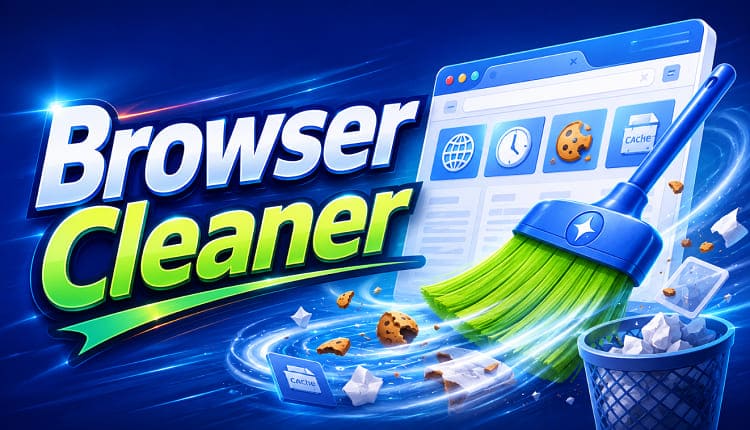
A cleaner for browser is a tool that removes unnecessary data stored while you browse the internet. Browsers save cache, cookies, history, and temporary files to help pages load faster, but over time this data can build up and slow down performance or use extra storage.
A browser cleaner helps you:
Clear cache and temporary files
Remove cookies and browsing history
Delete online activity traces
Free up storage space
Improve browser speed and responsiveness
Some users prefer a browser cleaner extension because it works directly inside the browser and is easy to use. However, desktop cleaning tools often provide deeper cleaning by removing both browser junk and other system files.
What Features Should the Best Browser Cleaner Have?
The best free browser cleaner should offer more than simple data deletion. A reliable tool should combine cleaning performance, privacy protection, and ease of use.
Complete Browser Junk Removal: A quality browser cleaner should detect and remove cache, cookies, temporary files, browsing history, and download records.
Support for Multiple Browsers: Choose tools that are compatible with widely used browsers such as Chrome, Edge, Firefox, and Opera rather than supporting only one browser.
Privacy Protection: A good cleaner should remove personal data such as visited sites and tracking cookies to reduce privacy risks.
Automatic Scanning: Automatic scanning helps quickly find and remove unnecessary files with minimal effort.
Additional Performance Optimization: Advanced cleaners can also remove system junk, optimize resources, and improve overall PC performance.
Now that you know what makes a good browser cleaner, let's explore several popular tools that can help maintain a cleaner and faster browsing experience.
Best Browser Cleaner Tools to Try
Now that you understand what a browser cleaner is and why it matters, let’s take a closer look at the best tools available to help you clean your browser and improve performance.
1. Advanced SystemCare – Best All-in-One Browser Cleaner for Windows
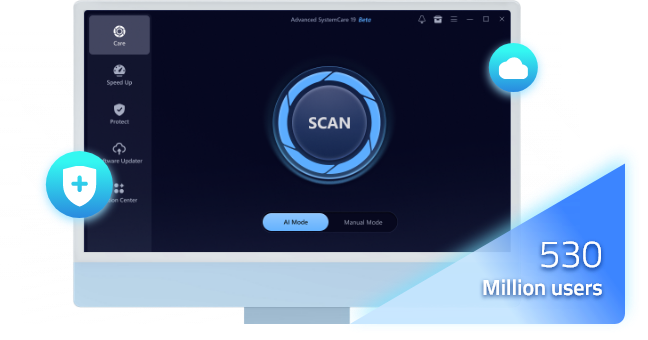
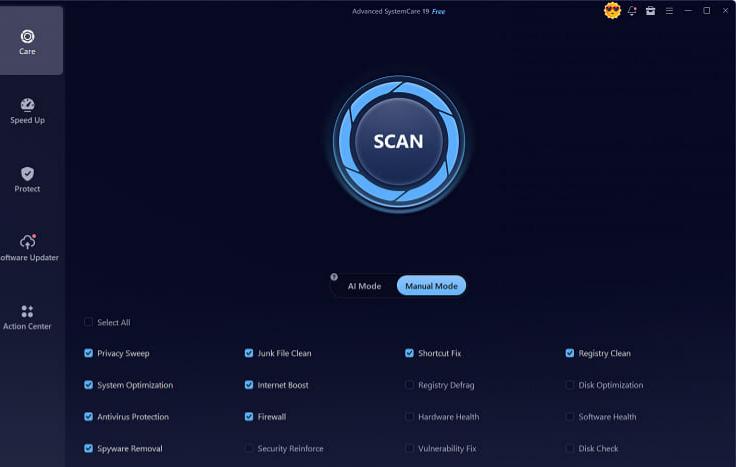
Advanced SystemCare is more than a basic browser cleaning program. It combines browser privacy cleaning, junk file removal, and system optimization features to help users maintain better PC performance.
Unlike a simple browser cleaner extension, Advanced SystemCare can scan multiple areas of your computer and remove browser-related junk together with unnecessary system files. It is a suitable choice for users who want a complete cleaner for browser maintenance and overall PC optimization.
Advanced SystemCare Free
- Clean: 420 billion traces removed & 85 EB junk files cleaned
- Protect: 80 million unauthorized access blocked & 20 million bugs fixed
- Speed Up: 6 million hours of startup time saved & Turbo boost
- Optimize: Auto clean and auto care your PC with AI mode
Key Features of Advanced SystemCare browser cleaner:
Comprehensive Browser Privacy Cleaning Protection
Advanced SystemCare removes browser history, cookies, and privacy traces from popular browsers to help protect personal information.
Efficient Browser Cache Cleanup Process
It identifies and clears unwanted browser cache files to free up disk space and enhance browser speed and responsiveness. Not only that, but it also works as a hard disk cleaner that can help you remove junk files on the hard disk.
AI Smart Scan Intelligent System Analysis
The AI-powered scanning system automatically identifies browser junk, privacy risks, and system issues, making cleanup easier for beginners.
Complete Junk File Removal System Cleanup
Besides browser data, it cleans temporary files, outdated logs, and unnecessary system junk that may slow down your PC.
Real-Time System Optimization Performance Monitoring
As the best Windows optimizer, Advanced SystemCare monitors system performance and helps manage resources for a smoother browsing experience.
Multi-Browser Support Across All Major Platforms
It works with popular browsers including Chrome, Edge, Firefox, and Opera, providing a complete browser cleaning solution.
For users looking for a powerful RAM optimizer Windows 11 or the best free browser cleaner, Advanced SystemCare provides a broader solution than standalone browser extensions because it combines browser cleanup with full system optimization.
2. CCleaner – Simple Browser Cleaning Solution
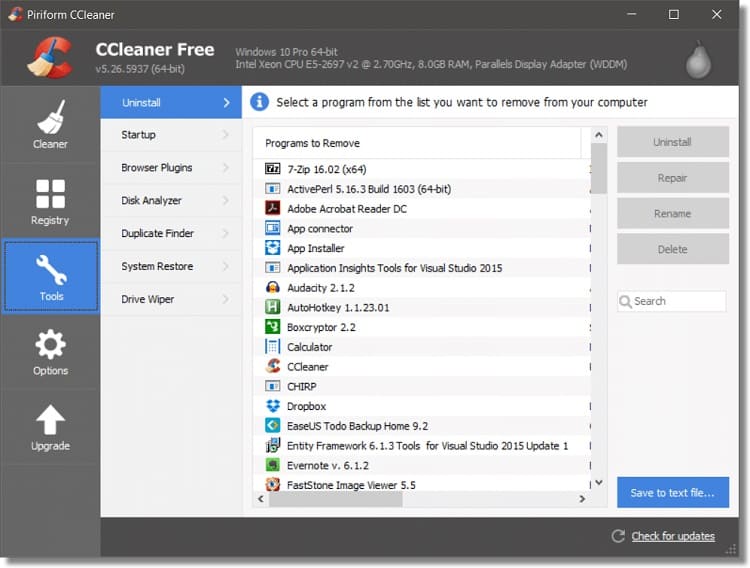
CCleaner is a widely used cleaning program that helps remove browser cache, cookies, temporary files, and other unnecessary data that can slow down your system. It is especially useful for freeing up storage space and improving browser performance. The tool is suitable for users who want a straightforward cleaner for browser maintenance without complicated settings, offering a simple interface and quick cleaning process for everyday use.
Key Features:
Removes browser cache and cookies.
Cleans temporary system files.
Supports multiple browsers.
Provides simple cleaning controls.
Pros
Easy for beginners.
Supports many browsers.
Offers a free version.
Cons
Some advanced features require payment.
Limited system optimization compared with all-in-one tools.
CCleaner works well for users who only need basic browser cleanup and do not require additional performance features.
3. BleachBit – Free Open-Source Browser Cleaner
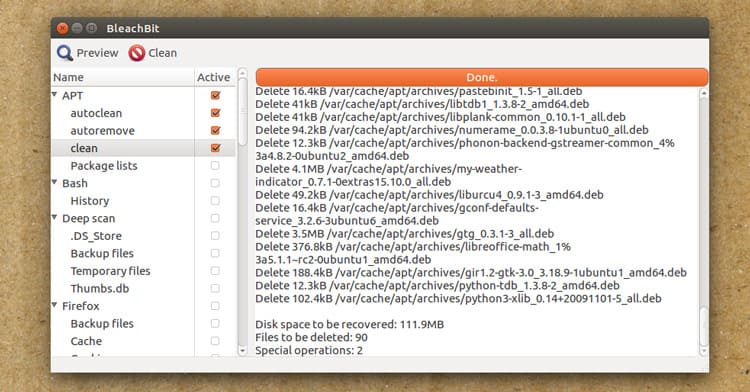
BleachBit is a lightweight, open-source cleaning tool designed for users who want more control over the cleaning process. It is available for Windows and Linux and focuses on privacy and system maintenance. It can remove browser history, cache, cookies, and temporary files from different applications, and also helps free disk space by securely deleting unnecessary data and reducing digital traces left behind during everyday use.
Key Features:
Completely free and open-source.
Removes browser privacy data.
Supports many applications.
Provides secure file deletion.
Pros
No cost.
Lightweight.
Strong privacy-focused cleaning.
Cons
Less beginner-friendly interface.
Requires more manual adjustments.
BleachBit is a good option for advanced users who prefer a free cleaning tool with customizable options.
4. Browser Cleaner Extensions – Quick Chrome Cleaning Option
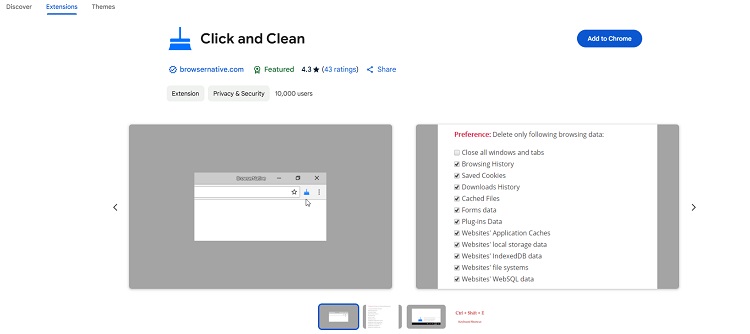
For users searching for a browser cleaner Chrome solution, browser extensions such as Click&Clean provide a convenient way to remove browsing data directly from Chrome, allowing users to clear cache, cookies, and history with a single click. These tools are especially useful for users who want quick maintenance without installing heavy software, helping improve browser speed, free up space, and enhance privacy protection in just seconds.
Click & Clean is a popular browser cleaner extension that helps users quickly remove browsing data and protect privacy.
Key Features:
Clean browser cache, cookies, history, and downloads with one click.
Remove saved website data and form information securely.
Auto-clean when the browser closes.
Privacy tools to reduce tracking and clear online traces.
Extra tools like disk cleanup and secure file deletion.
Pros
Free and easy to install.
Simple, beginner-friendly design.
Fast cleaning with flexible options.
Improves privacy with quick data removal.
Cons
Only cleans browser data, not the whole system.
Mainly works with Chrome and Chromium browsers.
Interface looks a bit outdated.
No advanced performance optimization features.
The advantage of extensions is convenience. However, they usually focus only on browser-level cleaning and cannot remove system junk or optimize PC performance.
If you want deeper cleaning beyond Chrome data, a dedicated browser cleaner like Advanced SystemCare may provide better results.
Which Browser Cleaner Should You Choose?
Different users have different cleaning needs depending on how they use their devices, the browsers they prefer, and the level of performance or privacy they expect. Some users only need to clear cache and cookies occasionally, while others require deeper system optimization, automatic maintenance, and advanced privacy protection to keep their browsing experience fast, secure, and efficient.
For complete PC cleaning: Advanced SystemCare is recommended because it combines browser cleanup, junk removal, and system optimization.
For basic browser maintenance: CCleaner is suitable for users who only need simple cache and cookie cleaning.
For privacy-focused cleaning: BleachBit is a good choice for users who prefer open-source software.
For Chrome-only cleaning: A browser cleaner extension is convenient for quick browser data removal.
How to Use Advanced SystemCare to Clean Browser Data?
Follow these simple steps to clean browser junk with Advanced SystemCare and quickly optimize your system performance and browsing speed:
Step 1. Download and install Advanced SystemCare on your Windows computer.
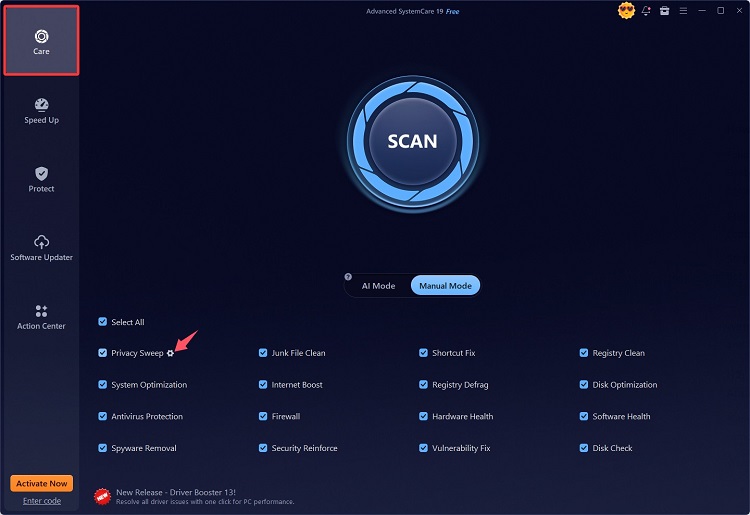
Step 2. Launch the program and select Privacy Sweep. Click on the gear icon next to it to check more details.
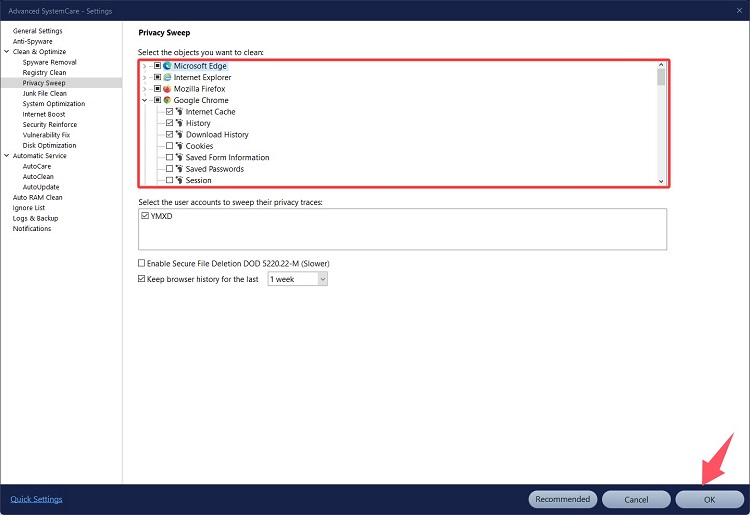
Step 3. Select the browser you want to clean and click OK to proceed.
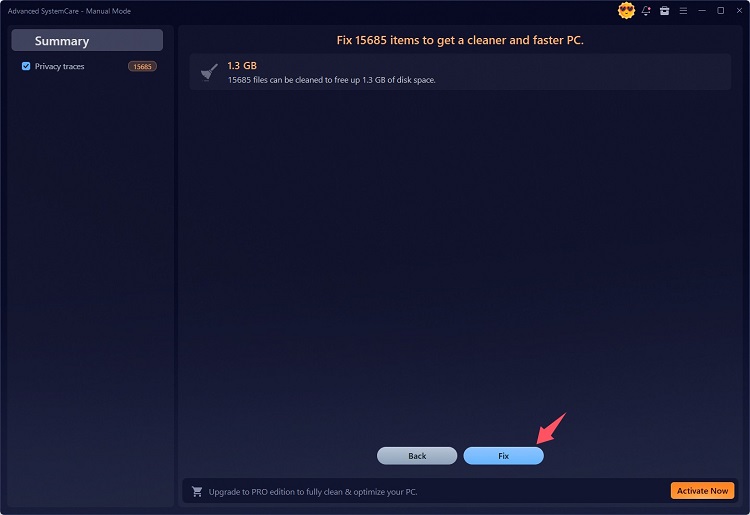
Step 4. Back to the Home Screen and click Scan to detect junk files stored in your browser. Once finished, click Fix to remove browser junk and maintain a faster browsing environment.
What Users Should Know About Browser Cleaner for Android?
Many Android users also search for a browser cleaner for Android to remove unnecessary browsing data and improve device storage.
When choosing an Android browser cleaning solution, consider:
Cache cleaning features.
Privacy protection.
Storage management.
App reliability.
Most Android browsers already include built-in options to clear browsing history and cache. Third-party cleaning apps may provide additional tools, but users should carefully check app permissions and choose trusted solutions. Some good options include: CCleaner, Files by Google, SD Maid, and AVG Cleaner. Choose one depending on your needs.
Final Thoughts
A reliable browser cleaner helps remove unnecessary browser data, improve performance, and protect privacy. Browser extensions are useful for quick Chrome cleaning, while dedicated tools provide deeper optimization.
For users who want an all-in-one solution, Advanced SystemCare combines browser cleaning with powerful PC optimization features, making it a strong choice among the best free browser cleaner options.