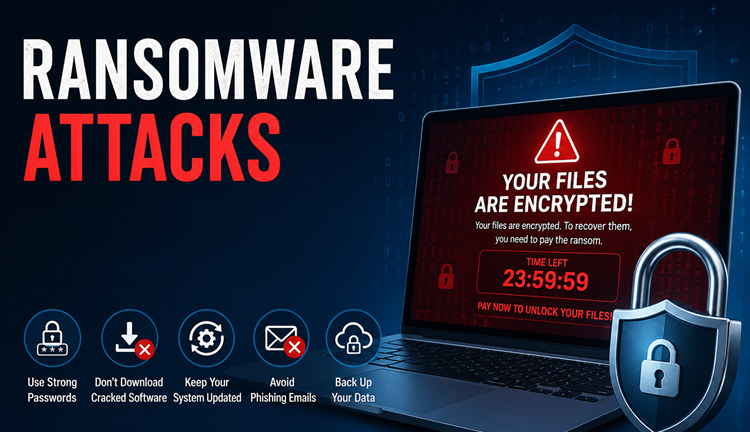
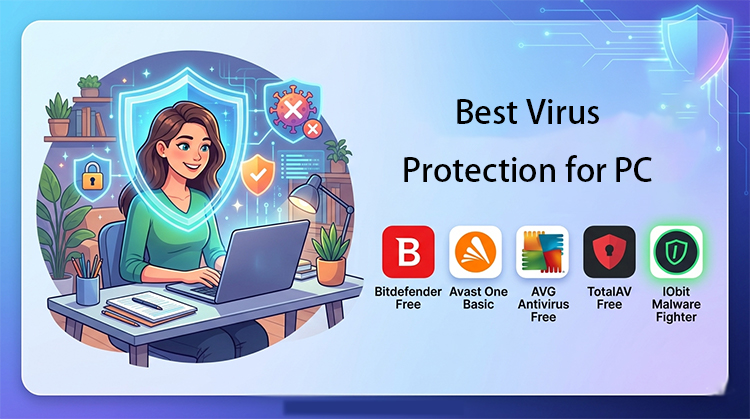
Ransomware attacks are on the rise, targeting both individuals and businesses. Cybercriminals use these malicious programs to lock your files and demand payment, often causing irreparable data loss. That’s why having reliable ransomware protection software is no longer optional—it’s essential. Choosing the right software can safeguard your personal documents, financial information, and work data against these cyber threats.
Choosing the right software can make the difference between quickly recovering from an attack and losing critical data permanently. In this article, we’ll explore the top anti ransomware software solutions available in 2026, highlighting their features, strengths, and weaknesses so you can protect your system effectively.
Top Ransomware Protection Software Tools
Choosing the right ransomware protection software can be overwhelming given the variety of options available. To help you make an informed decision, we’ve ranked the top anti ransomware software tools based on their features, effectiveness, and ease of use.
1. IObit Malware Fighter – Advanced Anti-Ransomware Solution
IObit Malware Fighter takes the top spot thanks to its robust real-time protection and user-friendly design. This software combines advanced malware detection with a dedicated anti-ransomware module, making it one of the most effective tools for preventing ransomware attacks.
IObit Malware Fighter Free
- Quick and deep system scanning throughout PC system.
- Smart defense against all malicious infestations.
- High-level security and privacy protection in real time.
- Leading anti-malware and anti-virus engines.
Key Features:
Real-Time Protection: Blocks ransomware threats instantly before they can encrypt your files.
Behavior-Based Ransomware Blocking: Detects suspicious activity and prevents ransomware attacks in real-time.
Automatic Backup & Recovery: Helps safeguard your critical files with scheduled backups.
Lightweight & Easy to Use: Minimal system impact while offering full protection.
Pros
Comprehensive ransomware defense
Intuitive interface
Regular updates and support
Cons
Some advanced features require the premium version
2. Malwarebytes Anti-Ransomware
Malwarebytes Anti-Ransomware is another trusted solution that uses behavior monitoring to stop ransomware before it damages your system. Its layered security approach makes it highly effective against both known and emerging ransomware threats.
 Key Features:
Predictive behavior analysis
Automatic ransomware blocking
Integration with existing antivirus software
Pros
Effective against zero-day threats
Lightweight with minimal system slowdown
Cons
Free version has limited features
Not as comprehensive as some all-in-one suites
Malwarebytes is ideal for users looking to enhance their existing security tools with targeted anti-ransomware protection.
3. Bitdefender Antivirus Plus
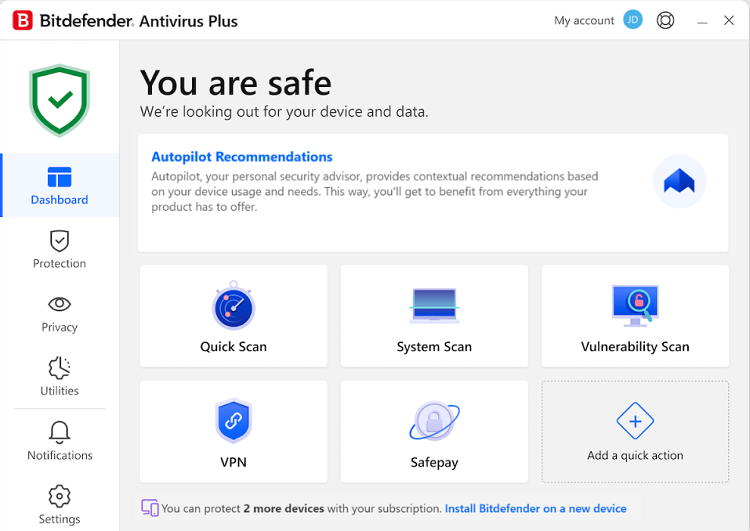
Bitdefender Antivirus Plus offers strong ransomware protection alongside full antivirus features, making it suitable for users who want an all-in-one security solution. Its layered approach ensures that ransomware attacks are detected and neutralized quickly.
 Key Features:
Multi-layered ransomware defense
Advanced threat detection
Automatic backups and safe file vaults
Pros
High malware detection rates
Easy setup and intuitive interface
Cons
Premium subscription required for full features
Occasional system slowdown during scans
Bitdefender is particularly recommended for users who want strong ransomware protection integrated with full antivirus capabilities.
4. Kaspersky Anti-Ransomware Tool
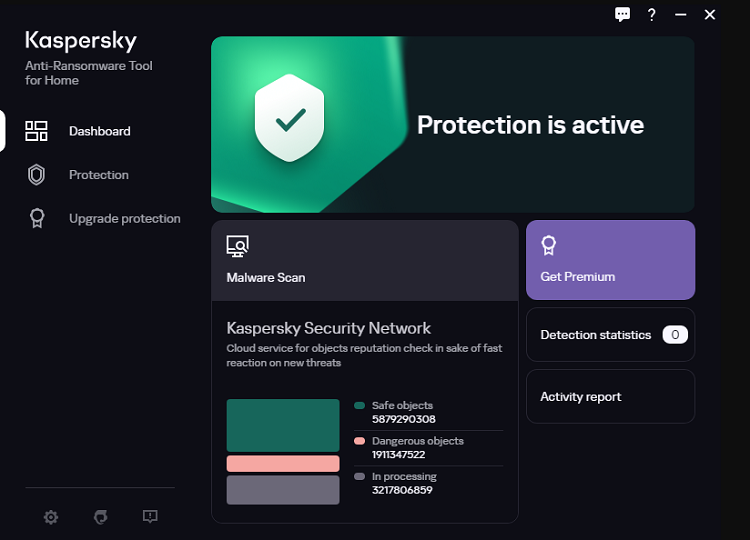
Kaspersky Anti-Ransomware Tool is a free utility designed specifically to prevent ransomware attacks on Windows systems. Its behavior-based detection system monitors suspicious activities and stops threats before they can lock your files.
 Key Features:
Real-time ransomware monitoring
Automatic threat neutralization
Compatible with existing security software
Pros
Free to use
Lightweight with low system impact
Cons
Limited features compared to full antivirus suites
Focused solely on ransomware protection
This tool is ideal for users looking for a free, specialized solution to supplement their existing antivirus software.
5. Sophos Home Free
If you’re looking for free protection, combining ransomware defense with reliable anti virus software for free can further enhance your PC security. Sophos Home Free brings enterprise-grade ransomware protection to individual users at no cost. It leverages cloud-based threat intelligence to prevent ransomware infections and other malware attacks.
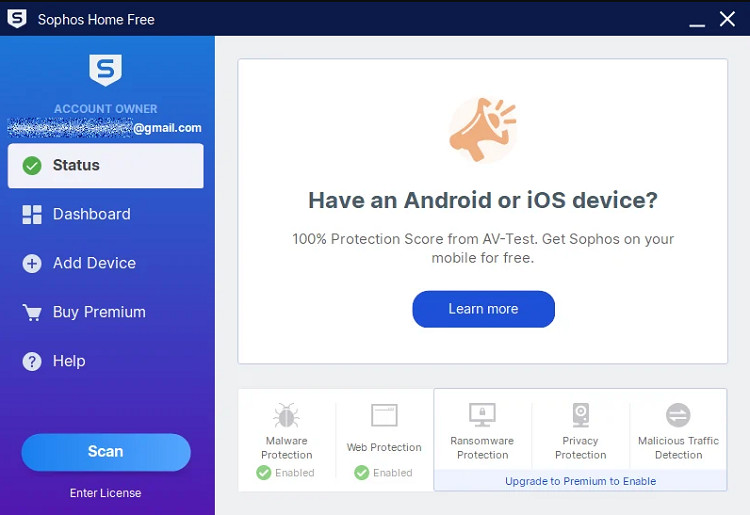 Key Features:
Pros
Free version with strong protection
Cloud management for multiple devices
Cons
Some advanced features require a premium subscription
Limited offline protection
For those looking for a reliable best free anti ransomware software, Sophos Home Free offers a solid starting point.
How to Use IObit Malware Fighter for Maximum Ransomware Protection
Once you’ve chosen IObit Malware Fighter, it’s important to know how to configure it properly for optimal protection. Follow these steps:
Step 1. Download and Install:
Visit the official IObit Malware Fighter page and download the free or premium version. Follow the installation prompts.
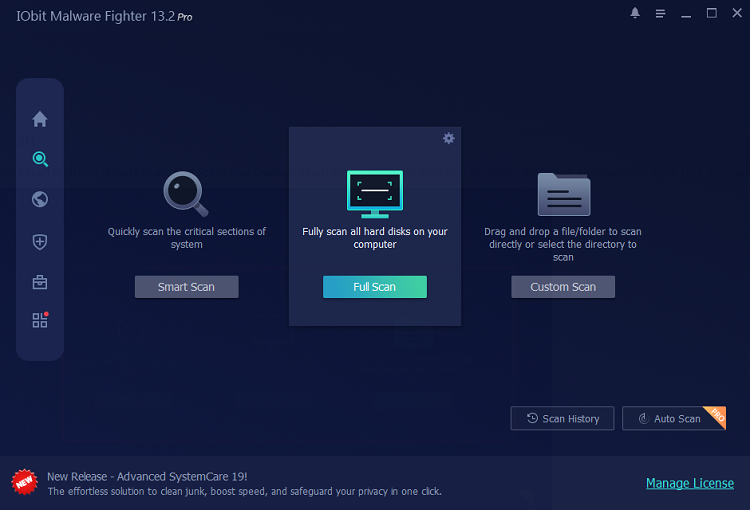
Step 2. Run a Full Scan:
Open IObit Malware Fighter and go to the Scan section. Select Full Scan to thoroughly check your entire system, including hard drives, startup items, hidden files, and vulnerable areas where ransomware or malware may be hiding.
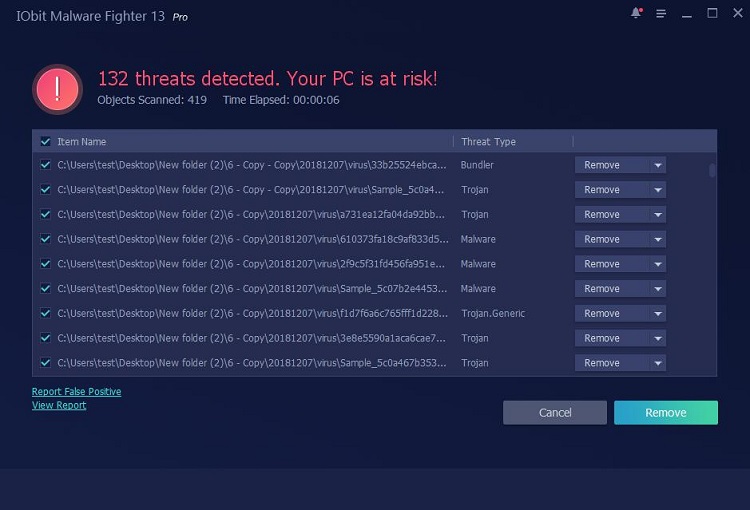
 Step 3. Remove Detected Threats:
After the scan finishes, IObit Malware Fighter will display detected risks, suspicious files, malware, or ransomware-related threats. Review the scan results and click Remove to clean your system.
 Step 4. Enable Automatic Scanning for Continuous Protection:
To stay protected from future ransomware attacks, enable Auto Scan in IObit Malware Fighter. Click the Auto Scan button at the bottom right of the Scan window.
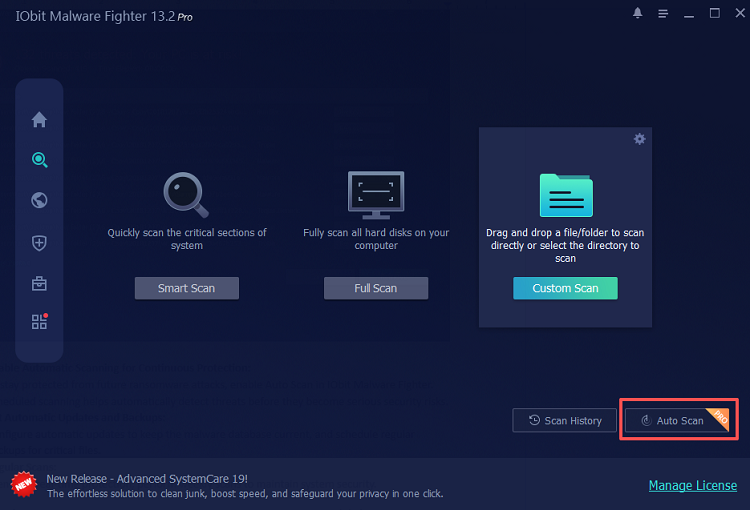
Then you can configure the most appropriate scan method for your PC. Scheduled scanning helps automatically detect threats before they become serious security risks.
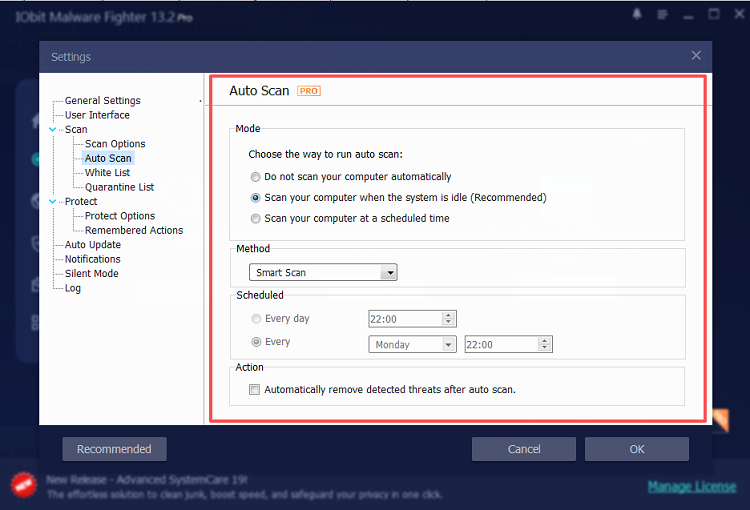
By following these steps, you can maximize your protection against ransomware while keeping your system fast and responsive. Beyond ransomware, threats like malicious ads can compromise your system. To improve your overall security, you can also block ads in Chrome free.
FAQ: Ransomware Protection Software
Q1: What is the most effective ransomware protection software?
A: IObit Malware Fighter ranks among the top solutions due to its real-time protection, behavior-based blocking, and file backup features. Other top tools include Malwarebytes, Bitdefender, and Kaspersky.
Q2: Can free anti ransomware software fully protect my PC?
A: Free tools provide essential protection, but premium versions often include advanced features like automatic backups, behavior analysis, and extended threat databases.
Q3: How does IObit Malware Fighter protect against ransomware?
A: It uses real-time monitoring, a dedicated anti-ransomware module, and automatic backups to prevent ransomware from locking your files.
Q4: Are anti ransomware solutions necessary for small businesses?
A: Absolutely. Even small businesses are targeted by ransomware attacks. Using dedicated anti ransomware solutions helps protect sensitive data and maintain operations.
Q5: How often should I update my ransomware protection software?
A: Always enable automatic updates. Cyber threats evolve daily, and keeping your software up to date ensures maximum protection.
Conclusion
Ransomware attacks are no longer rare—they’re a real threat to anyone using a computer. Investing in reliable ransomware protection software is crucial for safeguarding your personal and professional data. Among the options available, IObit Malware Fighter stands out for its advanced features, user-friendly interface, and dedicated anti-ransomware protection.
Don’t wait until it’s too late. Protect your system and files today by downloading IObit Malware Fighter. Whether you choose the free version or premium upgrade, you can enjoy peace of mind knowing your PC is shielded from ransomware attacks.