

Kevin Hart
Kevin is an experienced editor focused on tech blog writing. Familiar with all kinds of PC software on the market. All the topics he chooses are aimed at bringing more benefits to users.
Expert in
PC Health Solution

All-in-one PC health solution: clean, optimize and secure

Comprehensive PC cleaning, optimization and protection

Keep drivers always up-to-date

More stable performance with less system crashes

Protect millions of computers against malware

Top computer security with full-round protection

Protect against viruses & boost PC performance
Quick and deep system scanning throughout PC system.
Smart defense against all malicious infestations.
High-level security and privacy protection in real time.
Leading anti-malware and anti-virus engines.

Check the best virus protection for PC in 2026! No more information leak, data breach, ransomware, etc. All are free solutions selected for you.

Kevin Hart


In a world where digital threats evolve by the hour, leaving your PC unprotected is like leaving your front door wide open in a storm. But with hundreds of security suites screaming for your attention, how do you choose the one that actually works without slowing your system to a crawl?
 Whether you're a hardcore gamer, a remote professional, or just a casual browser, we’ve done the heavy lifting for you. In this guide, let's dive deep into the 5 best virus protection for PC tools of 2026, comparing speed, cost, and defense power to help you find your perfect digital shield.
Choosing the right free virus protection for PC in 2026 is about finding the balance between rock-solid defense and a system that doesn't feel like it’s running through mud. While Windows Defender is a great baseline, these five tools offer specialized features that might better suit your digital lifestyle.
Here is a comparison of the top 5 free antivirus tools for PC:
| Software | Best For | Real-Time Protection | Key Free Features | System Impact |
| Bitdefender Free | Set-it-and-forget-it security | Yes | Behavioral detection, anti-phishing | Very Low |
| Avast One Basic | All-in-one privacy | Yes | 5GB/week VPN, Firewall, Data breach alerts | Low |
| AVG Antivirus Free | Multilayered defense | Yes | Performance tune-up, email shield | Low |
| TotalAV Free | Beginners/Cleanup | Manual Only | Malware removal, PC optimization tools | Moderate |
| IObit Malware Fighter | Layered protection | Yes | Bitdefender engine, Browser protect | Low |
5 best PC protection software that have already proven to be effective and free are compared above. It’s time to learn about them one by one. Follow the content below!
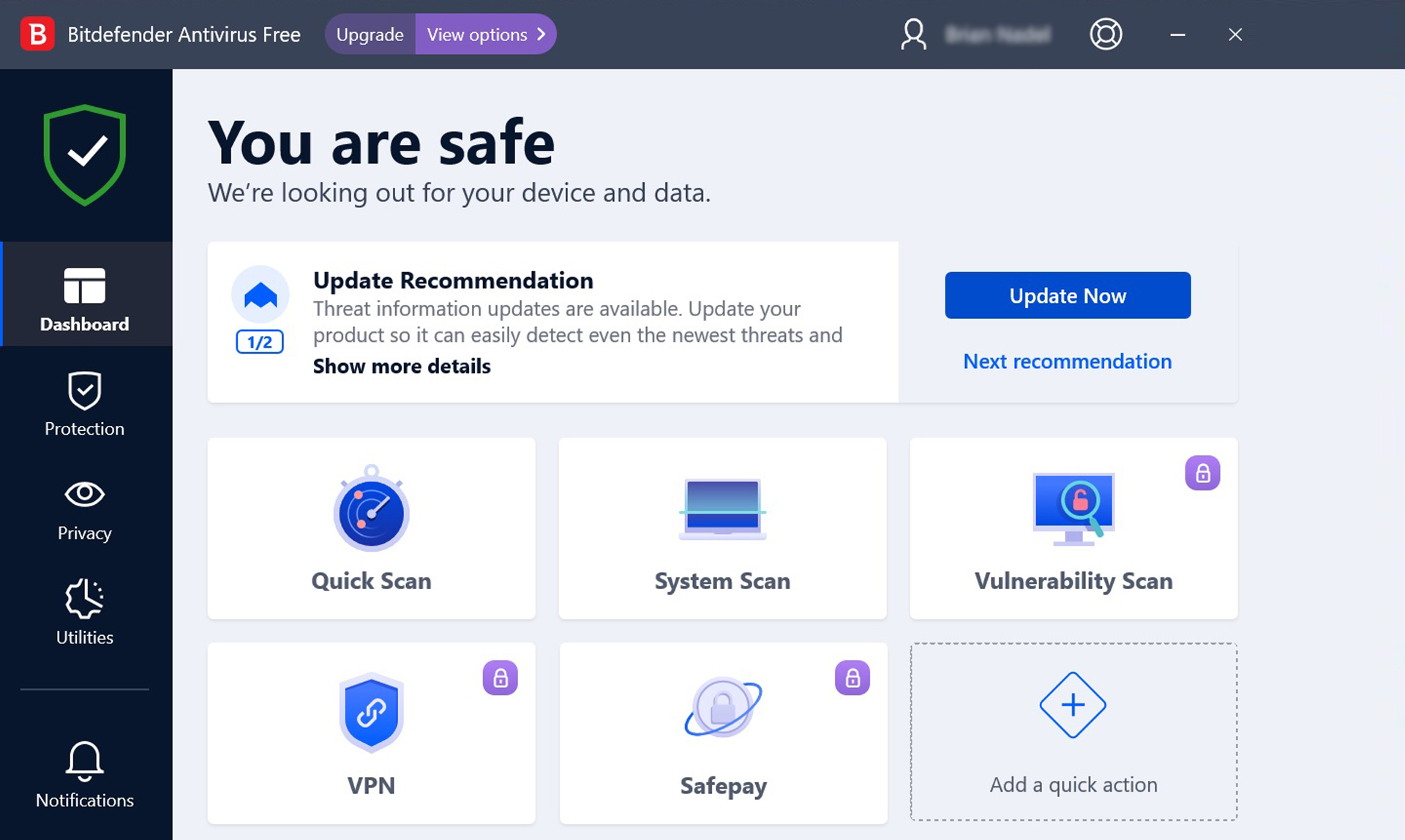
Securing your PC doesn't have to be expensive, and Bitdefender Antivirus Free is the gold standard for minimalist, high-performance protection. Unlike many free virus protection for PC that bombard you with pop-ups or heavy background scans, Bitdefender operates as a silent guardian. It uses an advanced, behavior-based detection engine that catches everything from standard malware to sophisticated zero-day exploits. Designed specifically for users who want "set-it-and-forget-it" security, it offers real-time defense without hijacking your system resources. Whether you’re gaming or working, Bitdefender provides industry-leading safety while staying completely out of your way.
Pros and cons of this tool can be summarized here.
Pros:
Zero Interruptions: Minimalist interface with almost no annoying pop-ups or "upsell" notifications.
Elite Detection: Uses the same top-tier scanning engine as Bitdefender’s paid versions.
Low System Impact: Extremely light on RAM and CPU, making it ideal for older PCs or gaming rigs.
Immediate Defense: Real-time monitoring and basic ransomware protection are included by default.
Cons:
Windows Only: This free version is strictly for Windows PCs; macOS and mobile are not supported.
Lacks Advanced Features: No built-in firewall, file shredder, or advanced anti-tracking tools.
Limited Customization: Very few manual settings, which might frustrate "power users" who want total control.
No Scheduled Full Scans: While it monitors in real-time, you cannot schedule deep system scans for specific times.
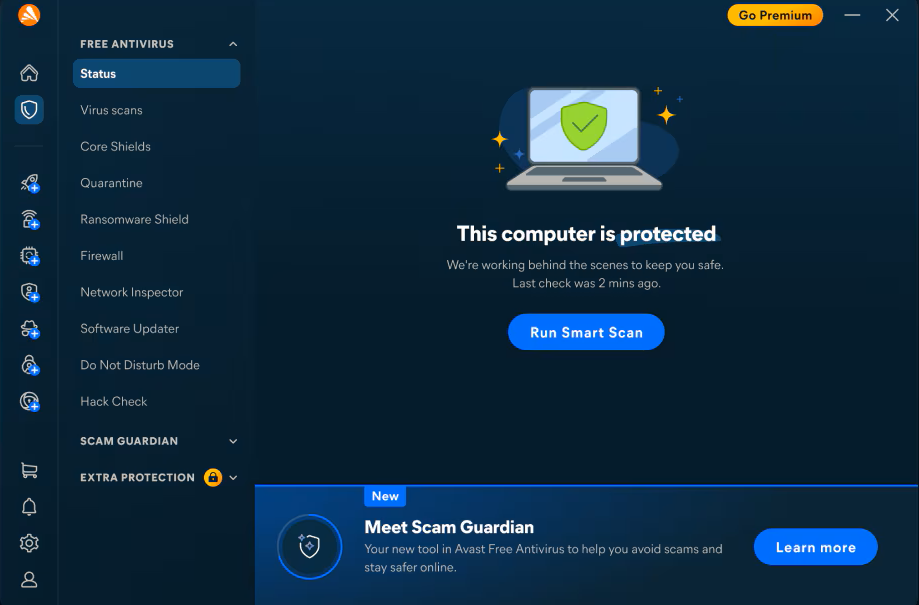
If you’re looking for more than just a virus scanner, Avast One Basic is the ultimate all-in-one freebie. This best PC protection software breaks the mold of traditional antivirus software by bundling essential privacy and performance tools into a single, sleek interface. Beyond its award-winning malware engine, Avast One includes a built-in VPN with a generous 5GB weekly data allowance—perfect for staying safe on public Wi-Fi. It also features a "Smart Scan" that doesn't just look for viruses, but also identifies tracking cookies and system junk that could be slowing you down. For users who want a comprehensive security suite without the premium price tag, Avast One is a powerhouse choice.
Pros and cons of this tool can be concluded here.
Pros:
Free VPN Included: Offers 5GB of encrypted traffic per week, a rare and valuable addition for a free tool.
Excellent Phishing Protection: Consistently ranks near the top of industry tests for blocking fraudulent websites and scams.
Cross-Platform: Provides high-quality protection not just for Windows, but also for macOS, Android, and iOS.
Performance Boosters: Includes basic PC cleanup tools to remove junk files and optimize background apps.
Cons:
Frequent Upselling: The app regularly prompts you to upgrade to the "Gold" or "Premium" versions for full features.
Privacy History: Avast has faced scrutiny in the past regarding data collection policies, though they have since implemented stricter audits.
Resource Usage: Slightly heavier on system resources compared to ultra-minimalist options like Bitdefender.
Limited Advanced Firewall: Some of the most robust network protection features are locked behind the paid tier.
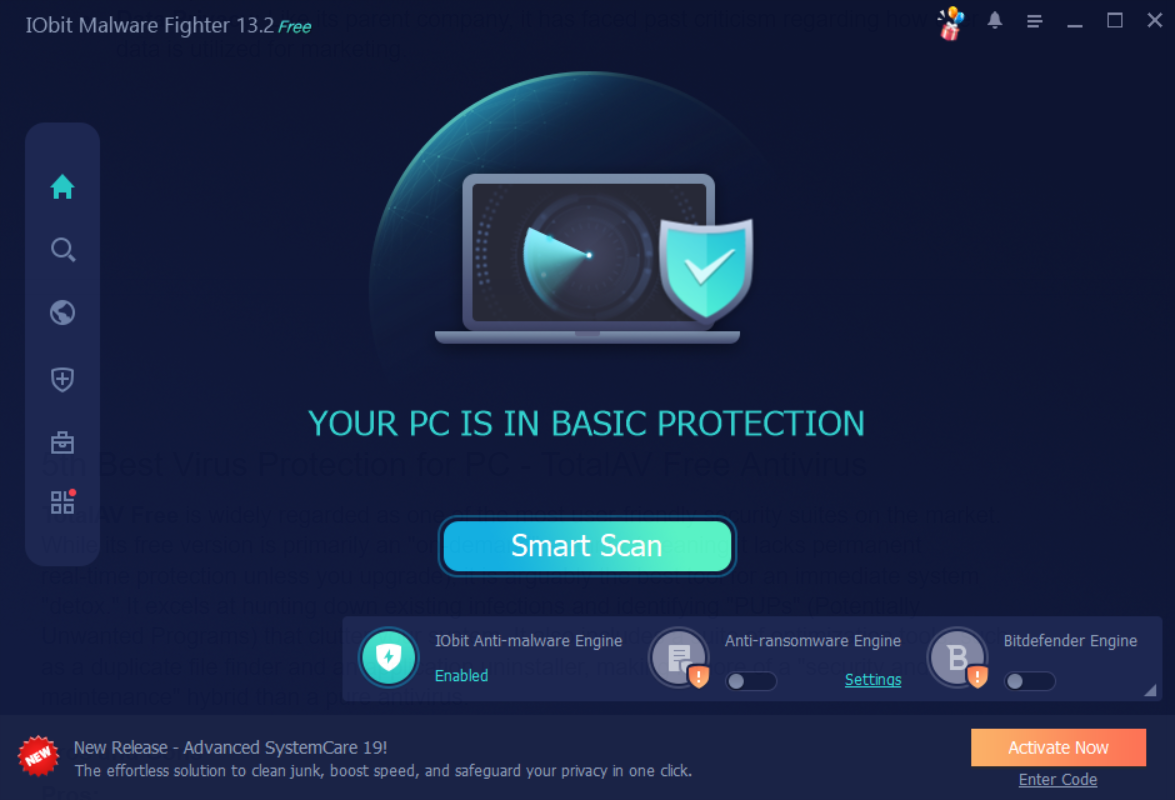
IObit Malware Fighter is a specialized security tool designed to work alongside your primary antivirus to provide an extra layer of defense. While this best virus protection for PC includes its own scanning engine to detect spyware and adware, its standout feature in 2026 is the "Triple-Core" engine approach (though the premium Bitdefender engine is reserved for paid users). The free version excels at "hardening" your PC, offering specific guards for your startup processes, browser passwords, and even your webcam. It’s a great choice for users who feel their current security might have "blind spots," particularly when it comes to browser-based threats and unauthorized system changes.
Pros and cons of this tool can be checked below.
Pros:
Specialized Malware Focus: Excellent at detecting and removing stubborn adware and browser hijackers that standard antiviruses might miss.
Browser Password Guard: Encrypts local browser data to prevent unauthorized apps from stealing your saved passwords.
Lightweight Utility: Can be used as a secondary "on-demand" scanner without conflicting with other security software.
Security Guards: Includes unique tools like USB Guard and Camera Guard to block physical and visual privacy breaches.
Cons:
Lack of Independent Testing: Unlike Bitdefender or Avast, this tool is rarely featured in major independent antivirus lab tests.
AVG Antivirus Free is often considered the more performance-oriented sibling of Avast. It utilizes a robust, cloud-based scanning engine that checks for threats in real-time without needing bulky database updates on your hard drive. In 2026, it remains a favorite for its "Smart Scan" technology, which looks for hidden malware, bad browser add-ons, and performance bottlenecks in one go. It also features a dedicated "Email Shield" specifically designed to block suspicious attachments, making it an excellent choice for users who still rely heavily on desktop email clients like Outlook.
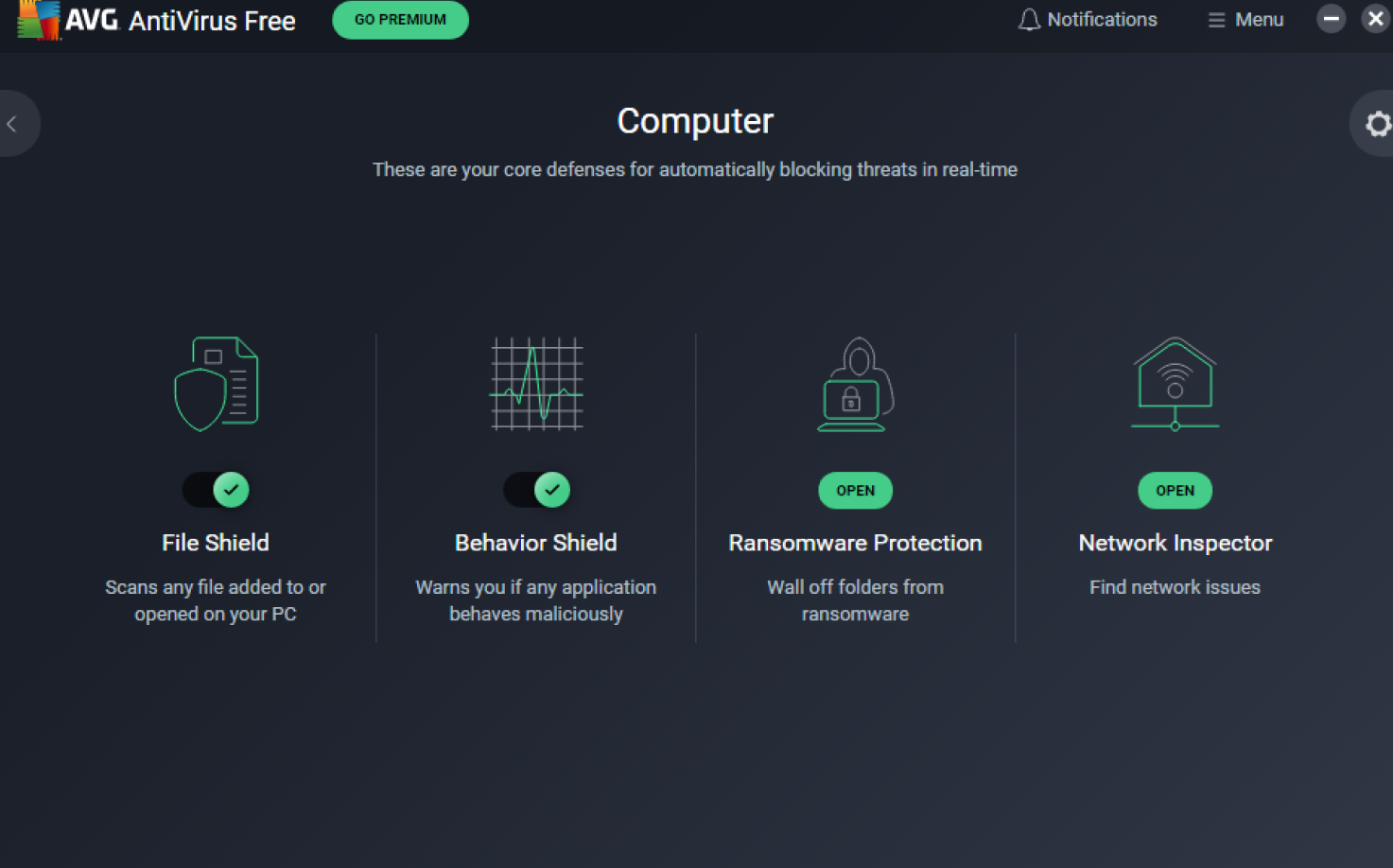
Pros and cons of this tool can be seen here.
Pros:
Versatile Scanning: Offers multiple scan types, including Boot-Time and USB/DVD scans.
Minimal System Drag: Very lightweight; it’s designed to run quietly in the background during gaming or work.
Remote Protection: Allows you to manage and scan your PC from your mobile device via the AVG dashboard.
Cons:
Missing Advanced Protection: Key features like the Enhanced Firewall and Ransomware Shield are locked behind the paid version.
Intrusive Upselling: Frequent notifications and "performance alerts" that require a subscription to fix.
Data Privacy: Like its parent company, it has faced past criticism regarding how user data is utilized for marketing.
TotalAV Free is widely regarded as one of the most user-friendly security suites on the market. While its free version is primarily an "on-demand" scanner (meaning it lacks permanent real-time protection unless you upgrade), it is arguably the best tool for an immediate system "detox." It excels at hunting down existing infections and identifying "PUPs" (Potentially Unwanted Programs) that clutter your system. It also includes a suite of optimization tools, such as a duplicate file finder and an application uninstaller, making it more of a "security and maintenance" hybrid than a pure antivirus software for free.
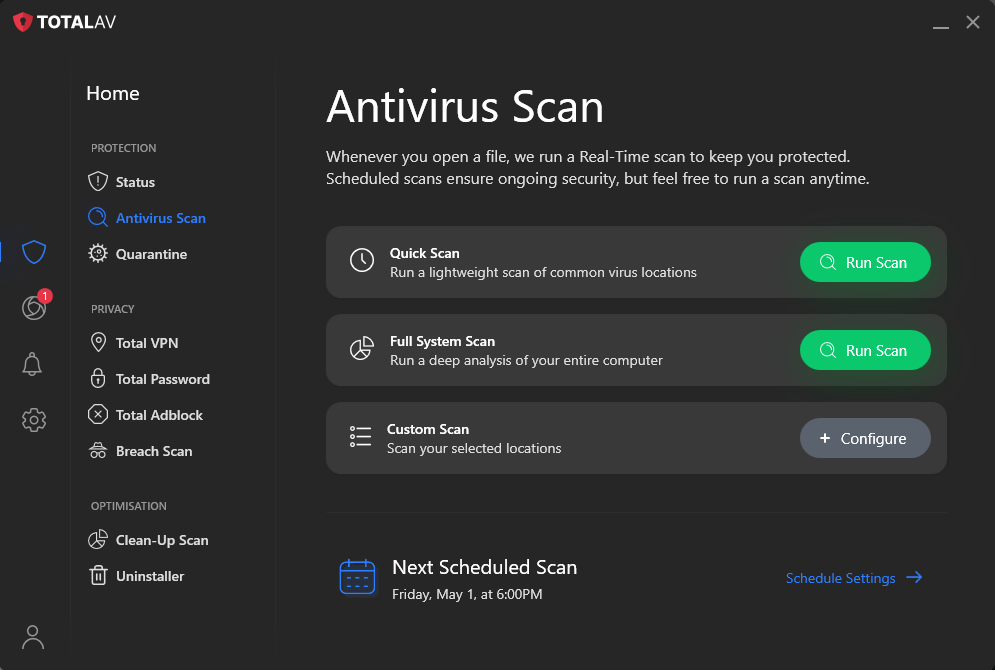
Pros and cons of this software are listed below:
Pros:
Exceptional UI: The interface is clean, modern, and very easy for beginners to navigate.
Strong Cleaning Tools: Excellent at removing junk files and clearing out browser history to speed up your PC.
High Detection Rates: Consistently scores near 100% in independent malware detection and removal tests.
Cons:
No Real-Time Protection: The free version only removes threats you manually scan for; it won't block them as they happen.
Aggressive Marketing: The transition from the free scan to the "upgrade required" screen can feel abrupt.
Renewal Costs: If you do choose to upgrade, the introductory price is cheap, but the second-year renewal is significantly higher.
After checking 5 tools above on best virus protection for PC, ensuring that real-time defense is active is crucial for staying protected against incoming threats. This feature acts as a persistent shield that monitors your system for suspicious activity and unauthorized changes.
Here is how to enable it in a few simple steps with IObit Malware Fighter as an example.
Step 1. Download and launch the Application.
Step 2. Locate the "Security Guard" Tab.
Step 3. Inside the Security Guard menu, you will see a main toggle for Real-time Protection. Click it so that it turns from gray/off to green/on.
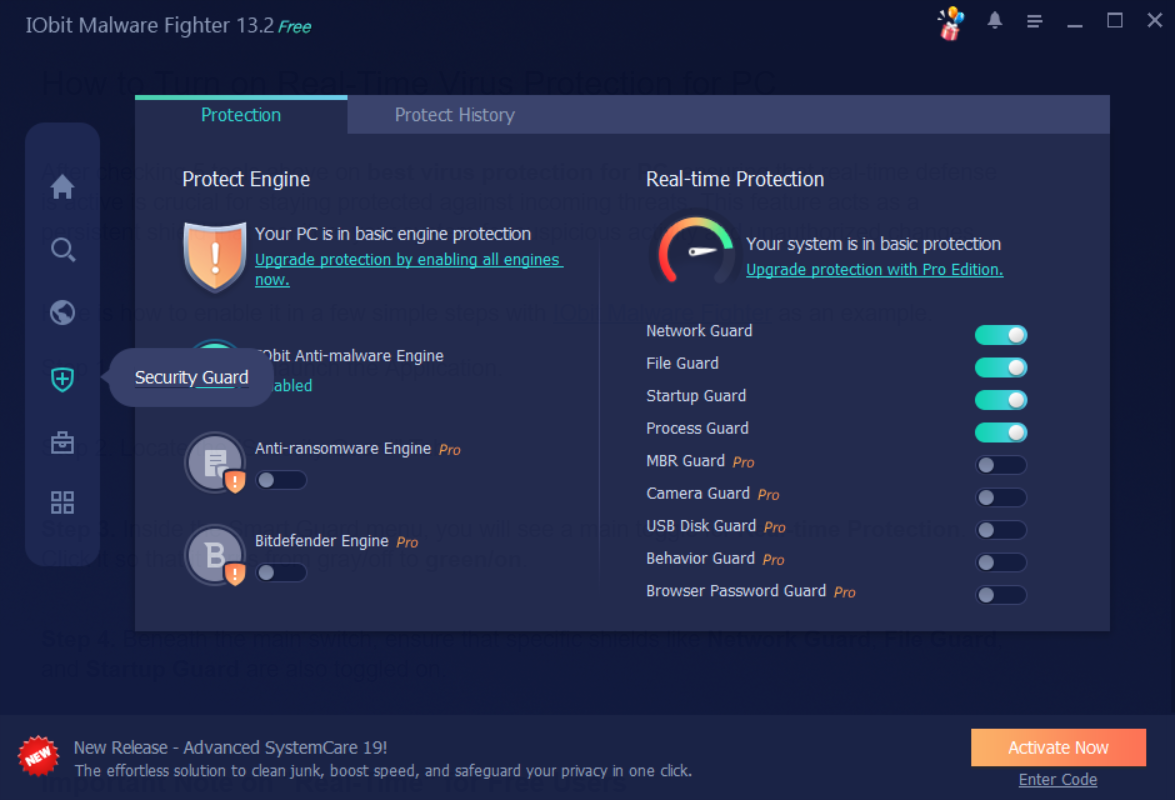
Step 4. Beneath the main switch, ensure that specific shields like Network Guard, File Guard, and Startup Guard are also toggled on.
Choosing the right best virus protection for PC is the most important step you can take to ensure your PC remains fast, private, and secure in 2026. Whether you prioritize the silent protection of Bitdefender, the privacy tools of Avast, or the deep-cleaning capabilities of TotalAV, there is a free solution tailored to your needs.
As a versatile tool that specializes in hunting down hidden spyware and hardening your browser security, IObit Malware Fighter is highly recommended. It’s lightweight, easy to use, and provides that essential extra layer of defense every PC needs.

Protect PC from malware and virus.
Free Download