We instinctively avoid .exe files and unknown attachments, yet we open PDFs such as electronic receipts, reports, and invoices without a second thought. Cybercriminals exploit that everyday trust. In fact, malicious PDFs are now one of the leading entry points for enterprise data breaches and personal identity theft.
If you've downloaded a suspicious PDF and want to scan it safely, this guide is for you. We’ll explain how PDF-based threats spread, how to spot signs of an infected file, and the best virus scanner PDF tools—from instant online checkers to powerful desktop security suites—to help keep your device protected.
Can a PDF Have a Virus?
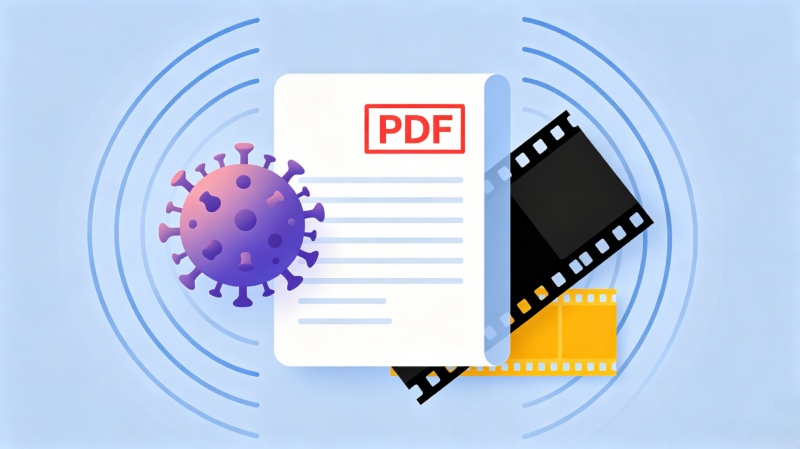
First, let's cover the basics: Can a PDF have a virus? Yes. Modern PDFs aren't just static documents; they can include JavaScript, embedded files, and links that can trigger automatic actions. Attackers abuse these features to embed malicious code or links within a PDF. When opened, a compromised PDF file may download malware, redirect users to phishing websites, or target vulnerabilities in outdated PDF readers. That’s why scanning PDF files for threats is a crucial step in protecting your device and data.
PDF Malware Signs: How to Tell If a PDF is Malicious
Since PDF files can contain malicious content, it's important to know the warning signs. Here are several indicators that a PDF file may be unsafe:
Unexpected sender or source. Be cautious of PDFs received from unknown contacts, unfamiliar organizations, or unsolicited emails.
Urgent call-to-actions. Subject lines like “Invoice Overdue,” or “Your e‑Ticket Attached” are often designed to create a sense of urgency and encourage impulsive clicks.
Suspicious file name. Files with misleading names, such as report.exe or double extensions like document.pdf.exe, are strong indicators of malicious intent.
Abnormal file size. A simple PDF that is unexpectedly large may contain embedded content or malicious code and deserves closer inspection.
Unexpected requests. Be wary of PDFs that ask you to enable JavaScript, open external links, download additional files, or enter sensitive information.
Embedded attachments. PDFs containing unexpected embedded files or executables should be treated with caution.
IObit Malware Fighter Free
- Quick and deep system scanning throughout PC system.
- Smart defense against all malicious infestations.
- High-level security and privacy protection in real time.
- Leading anti-malware and anti-virus engines.

Quick Fix: Top Free Online PDF Virus Scanners
If you don’t have dedicated anti-malware software installed on your device yet, online PDF virus scanners are an excellent quick fix for urgent situations. Here are 2 file virus scanners free online for you.
VirusTotal
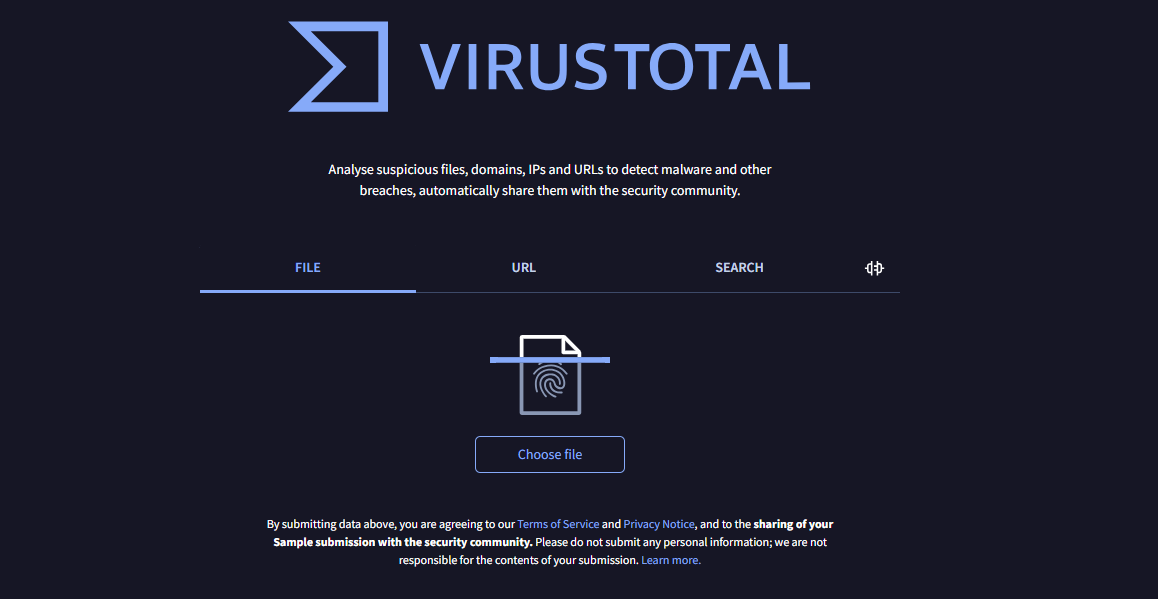
VirusTotal is a widely used free online virus scanner for PDFs and URLs. Instead of relying on a single antivirus program, it simultaneously analyzes uploaded files against over 70 security engines and blocklists—including Kaspersky, Bitdefender, and Symantec—and generates a detailed detection report. The tool also provides information about embedded URLs and file behavior, delivering a crowd-sourced verdict with no software installation required.
 Also Read: How to Protect Your Computer from Viruses >>
NordVPN File Checker
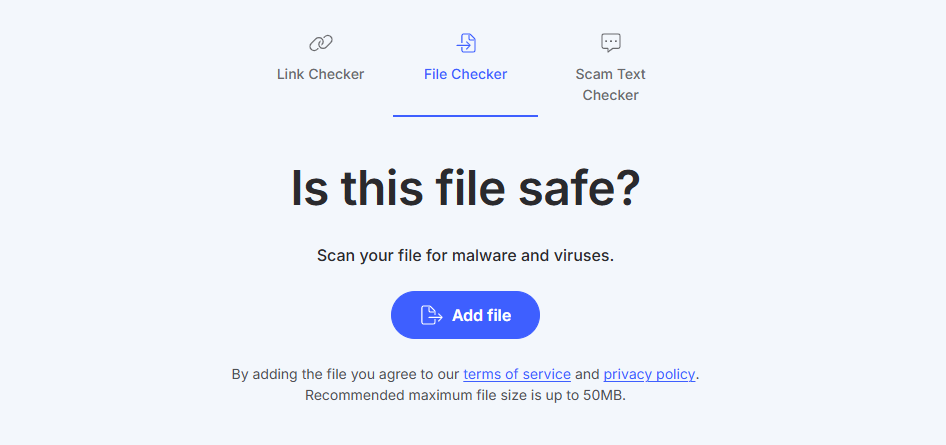
Compared with VirusTotal, NordVPN File Checker offers a simpler scanning experience by providing a clear verdict after analyzing a file. It works directly in your browser and lets you scan suspicious files before opening them. NordVPN also emphasizes privacy: uploaded files are automatically deleted after the scan and are not shared with third parties or the broader security community. This makes it an ideal choice for users who want to quickly scan sensitive or confidential PDF documents while minimizing privacy concerns.
Best Desktop Solution: Scan and Block PDF Viruses in One Click
Online PDF scanners are handy for a quick check, but they have clear limits. As they lack real-time defense, they cannot stop a malicious file from executing or freezing your system if you open it by mistake. Furthermore, strict file size restrictions limit their usability, and uploading confidential documents online creates undeniable data privacy concerns.
Overcoming the limitations of online scanners requires a dedicated desktop security solution. IObit Malware Fighter helps fill this gap with comprehensive malware detection, removal, and real-time protection. Utilizing a sophisticated dual-engine system (IObit’s own anti‑malware engine plus a second engine like Bitdefender), it scans the deepest layers of PDF files for malicious code before it can execute. Running directly on your Windows PC, it provides seamless, proactive defense to neutralize document exploits at the point of entry.
IObit Malware Fighter Free
- Quick and deep system scanning throughout PC system.
- Smart defense against all malicious infestations.
- High-level security and privacy protection in real time.
- Leading anti-malware and anti-virus engines.
Key features of this virus scanner PDF tool:
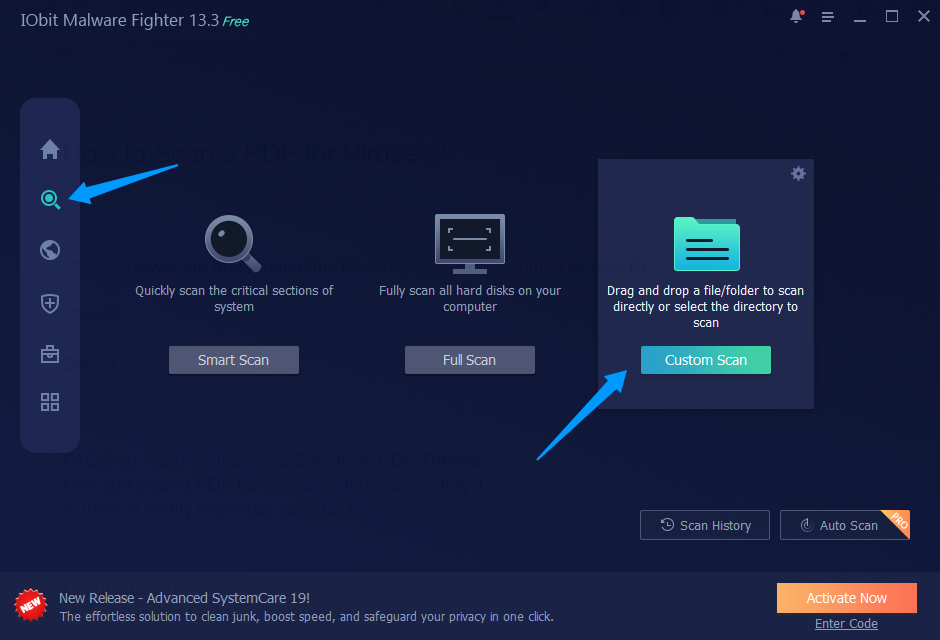
Custom Scan for Single PDF Files: Instead of risking a cloud upload, you can simply drag and drop a suspicious PDF into the scanner window or select it manually. IObit Malware Fighter instantly analyzes the document using multiple engines to deliver a fast, private verdict.
Real-Time Malware Protection: Beyond just scanning individual files, this free antivirus software continuously monitors your entire system in the background, automatically blocking incoming threats before they can execute or cause damage.
Full System & Rootkit Scan: If you've already opened a suspicious PDF, you can run a deep system scan to check for malware that may have been downloaded or activated, including hidden threats such as rootkits.
Quarantine & Automatic Removal: When a suspicious or malicious file is detected, this PC virus protection software can isolate it in quarantine to prevent further interaction and help remove associated threats from your system.
How to Scan a PDF for Viruses? [Step-by-Step Guide]
Ready to get started? Here's how to use IObit Malware Fighter to scan a PDF for viruses and secure your system step-by-step.
Step 1. Download and launch this file virus scanner on your Windows PC.
Step 2. Go to the Scan tab, choose Custom Scan, and upload the PDF you want to check for threats. Or simply drag and drop it onto the panel.
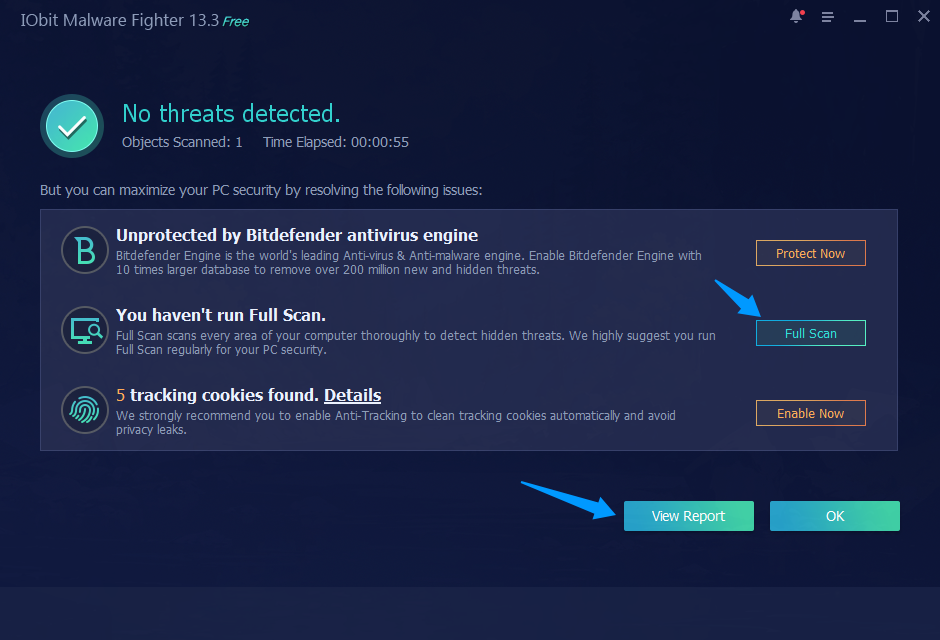
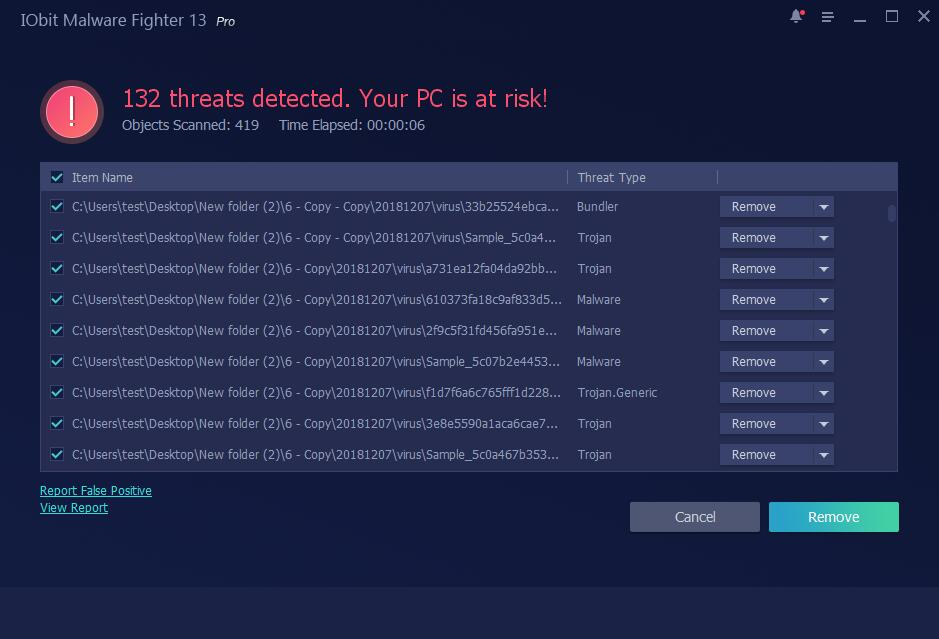
Step 3. After the scan finishes, click View Report to see detailed findings. You can also choose to run a full system scan for more comprehensive protection against more serious threats.
Step 4. If any threats are found, remove them manually to secure your device.
Conclusion
Today, malicious PDFs are a leading tool for digital attacks. While web-based virus scanner PDF tools offer quick verification, their file-size constraints and lack of real-time monitoring mean they shouldn't be your only line of defense. To truly protect your data, IObit Malware Fighter offers a comprehensive desktop solution. It can help identify, isolate, and remove threats that may be hidden within malicious PDFs or downloaded through document-based attacks. Whether you need to verify a single document or protect your entire system, pairing safe browsing habits with robust software is essential.
Try IObit Malware Fighter to safeguard your system against PDF-based malware and other emerging threats.