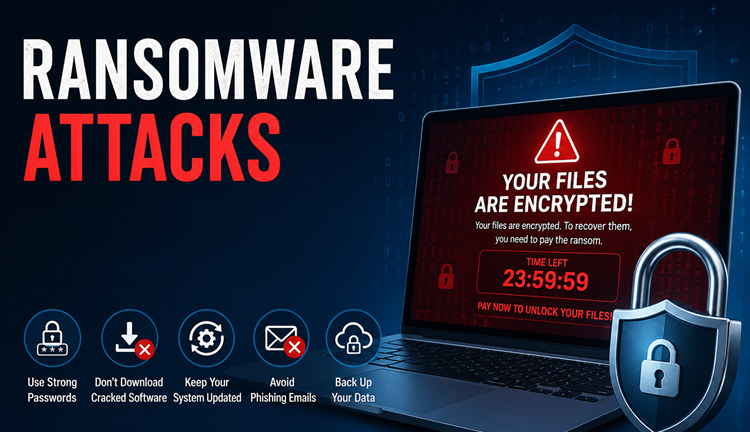
Waking up to find your photos, files, and financial documents locked behind a screen demanding payment? Ransomware is one of today’s most devastating cyber threats, and standard antivirus software for ransomware tools often fail to stop it. To truly secure your digital life, you need proactive defense.
Here in this blog, you’ll be recommended the 5 best anti-ransomware tools and how these antivirus for ransomware enhances your security.
What is Antivirus Software for Ransomware?
Antivirus software for ransomware is a specialized security program designed to detect, block, and isolate ransomware attacks. Unlike standard antivirus that only scans for known files, it uses behavioral monitoring to spot unauthorized file-encryption attempts in real-time, and it often backs up and restores your data automatically if an attack occurs.
Best Antivirus Software for Ransomware - Instant & Smart Ransomware Removal
If you’re looking for a powerful and trusted antivirus software for ransomware, IObit Malware Fighter is the best antivirus software for ransomware solution to check. It works perfectly to provide real-time ransomware blocks & removal, homepage advisor, anti-tracking, DNS protect,ion and other features to enhance your online security.
IObit Malware Fighter Free
- Quick and deep system scanning throughout PC system.
- Smart defense against all malicious infestations.
- High-level security and privacy protection in real time.
- Leading anti-malware and anti-virus engines.
Why IObit Malware Fighter Wins?
Full ransomware detection & removal: The top-ranked antivirus for ransomware virus offers a deep scan of hidden ransomware and clean virus removal on Windows PC.
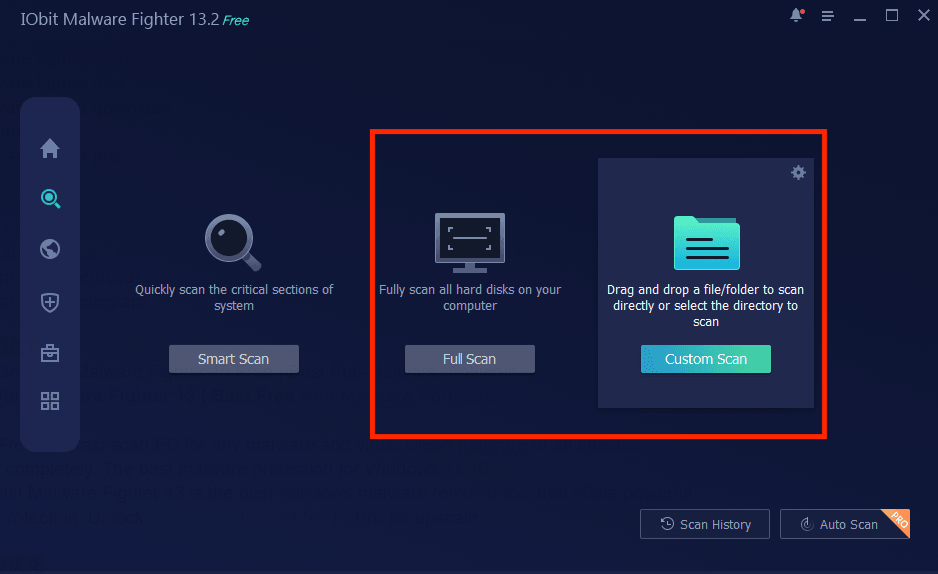
Advanced anti-ransomware with multi modes: It supports 3 scan modes of ransomware detection for various demands: Smart Scan, Full Scan, and Custom Scan.
Real-time malware block & protection: IObit’ anti-ransomware ensures real-time malware block, like block ads in chrome free, and protection with a robust anti-ransomware engine.
Protect personal files from ransomware: It can also protect your essential personal files from ransomware, avoiding unauthorized encryption and keeping your data accessible only to you.
Scan at a scheduled time automatically: IObit allows you to schedule scans at your preferred intervals—daily, weekly, or monthly —ensuring continuous vigilance without interrupting workflow.
How to Use IObit Anti Ransomware for Free Removal
Here’s how the best free antivirus malware software works on Windows:
Step 1. Free download and install IObit Malware Fighter on your PC.
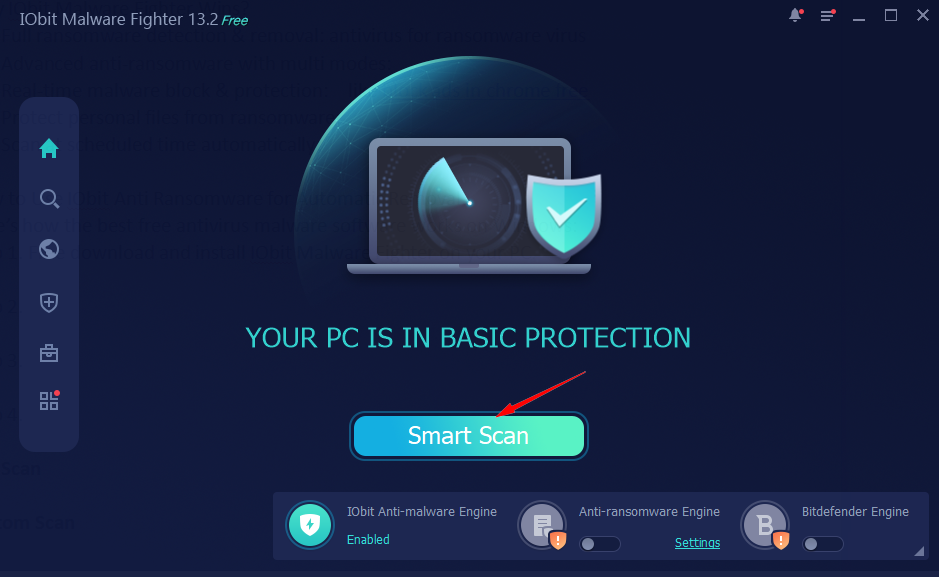
Step 2. Launch the software and click on “Smart Scan” to quickly scan the critical sections of the system.
Tips: You can also select “Full Scan” or “Custom Scan” to get a full scan of all hard disks or just choose certain files and programs to scan.
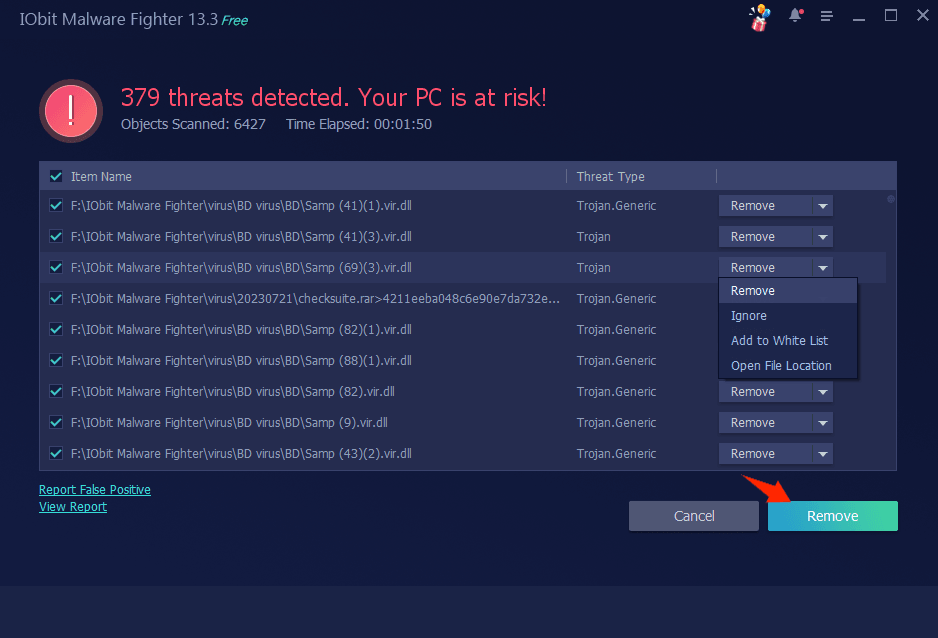
Step 3. After scanning out all the ransomware viruses & threats, click on “Remove” to clean up instantly.
Automate Anti-ransomware Engine for Premium Protection
If you need more advanced anti ransomware protection for digital life, you’re wise to upgrade to Pro and enjoy a powerful anti-ransomware engine in real time.
Step 1. Enable “Anti-ransomware Engine” on the home page, and it will bring you to a subscription page.
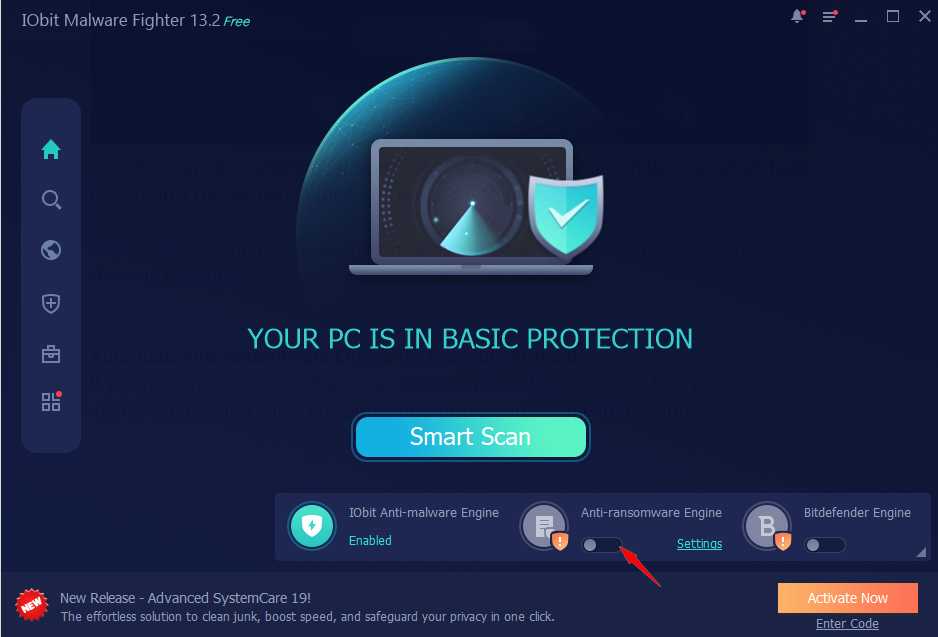
Step 2. Get a suitable plan at a low price and enjoy superior Pro anti-ransomware protection at once.
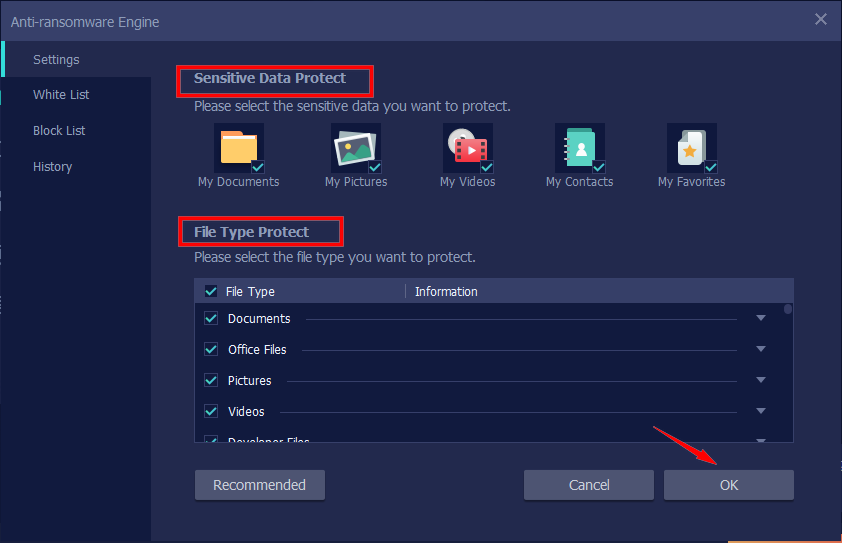
Step 3. Click on Settings to customize the items (sensitive data and file type) that need to be protected, and create a white/block list if needed.
Other 4 Tested Antivirus for Ransomware Tools
To properly defend your PC or Mac, you need advanced, behavior-based anti-ransomware software. Here are 4 heavily tested and proven antivirus for ransomware to prevent cyber threats.
1. Bitdefender Antivirus Plus
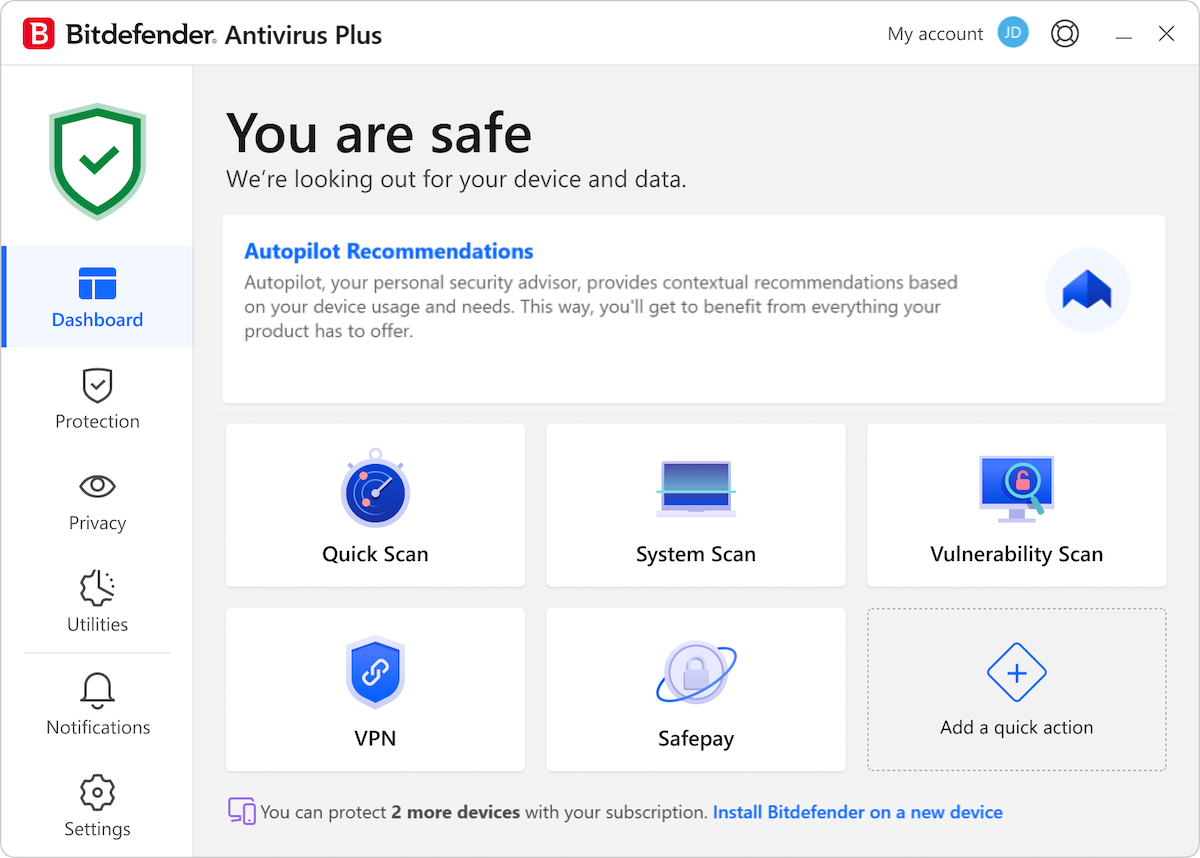
Bitdefender Antivirus Plus is widely regarded as an industry benchmark for highly substantive cybersecurity. It is built specifically for users who want bulletproof protection without dealing with endless pop-ups or heavy system slowdowns.
Why It Wins:
Minimal System Footprint: Uses specialized cloud-based scanning infrastructure to prevent performance lag while gaming or working.
Proactive Process Mitigation: Monitors system processes at the behavioral level, stopping suspicious modifications instantly.
Key Features:
Pricing: Starts at $12.99 for the first year (covering 1 Windows PC)
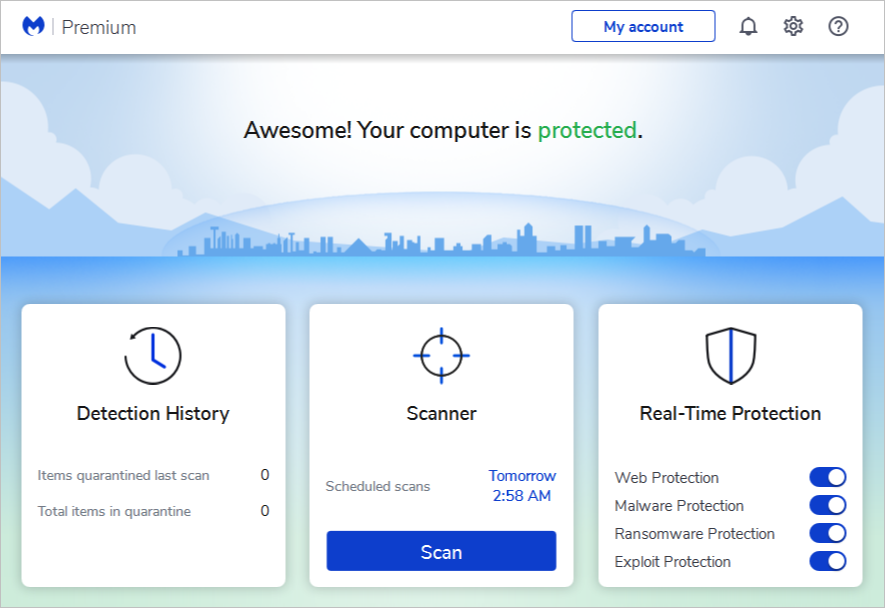
2. Malwarebytes Anti-Ransomware
Instead of just checking your files against a list of old, known viruses, Malwarebytes actively watches how programs behave. It's built to instantly spot strange behavior and block brand-new threats that have never been seen before.
Why It Wins:
Specialized Behavioral Architecture: Specifically engineered to isolate the physical actions of ransomware.
Superb Cleanup Capabilities: Complete malware & ransomware cleanup.
Excellent Companion Software: Operate seamlessly alongside the default operating system security, like Windows Defender.
Key Features:
Pricing: Standard plans start at $59.99 per year (covering up to 3 devices)
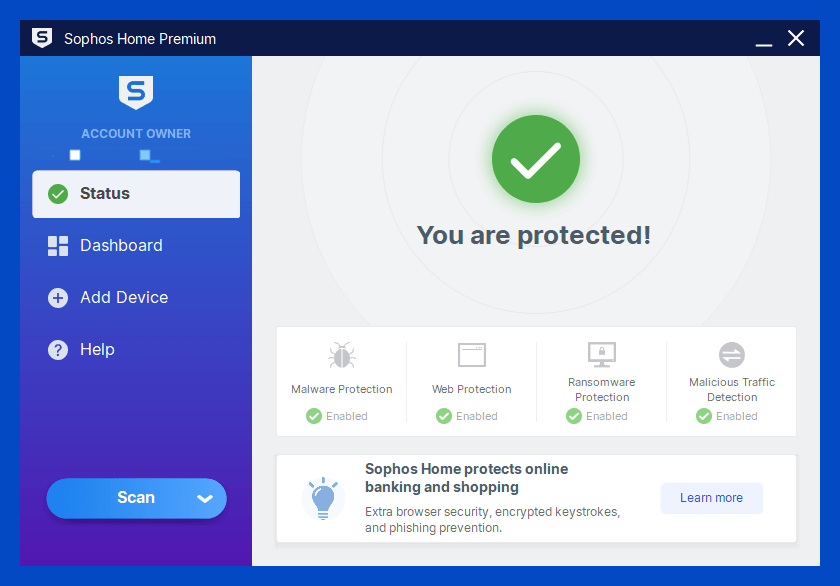
3. Sophos Home Premium
Sophos Home Premium is the best antivirus ransomware for users managing multiple computers across a family, offering a centralized, web-based cloud dashboard to oversee remote security.
Why It Wins:
Predictive AI Security: Advanced AI to analyze files and neutralize threats before they execute.
Remote Security Management: Support up to 10 devices via any mobile browser.
Corporate-Grade Protection: Robust anti-ransomware techs to safeguard major corporate networks globally.
Key Features:
Pricing: Billed at $59.99 per year (covers an expansive 10 devices, making it highly cost-effective)
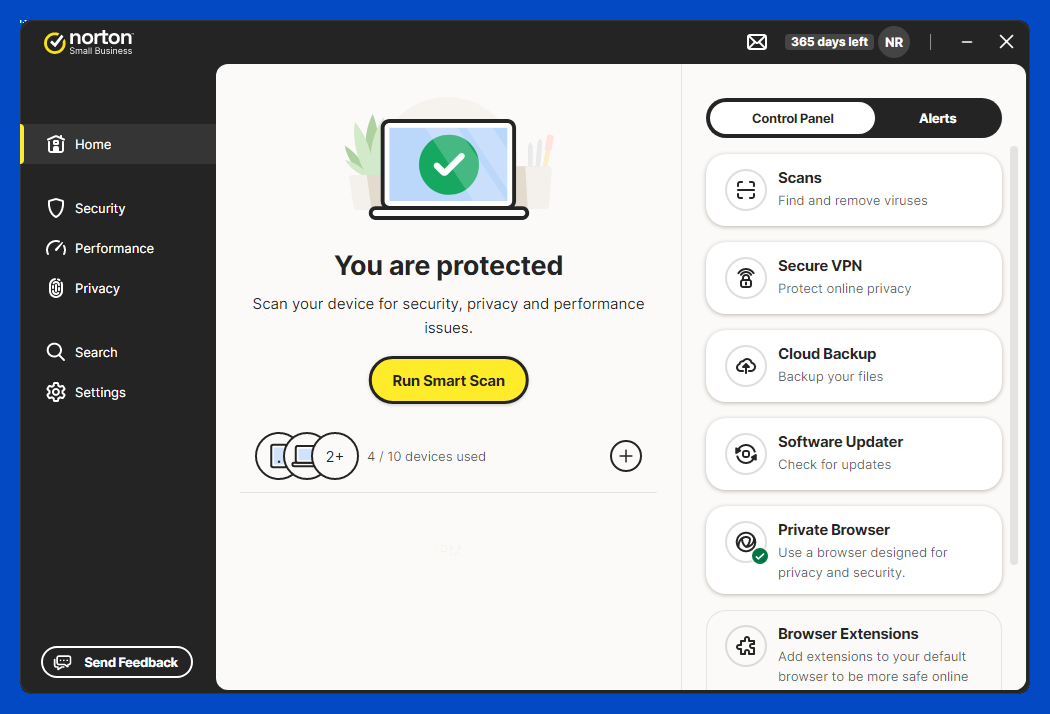
4. Norton Anti-Ransomware
Norton is also an excellent anti ransomware software for cybersecurity. Rather than focusing solely on local device shielding, Norton blends behavioral protection with secure cloud backups to diminish ransomware threats completely.
Why It Wins:
Comprehensive Multi-Device Coverage: Deliver security features including integrated firewalls, VPNs, and password managers
Dual-Layered Data Security: Combine robust on-device threat interception with fully automated, remote cloud storage options.
Key Features:
Smart Firewall Integration
Automated Cloud Backup
Insight Environment Analysis
Intrusion Prevention System (IPS)
Pricing: Entry-level tiers start at $29.99 for the first year (covering 1 device).
What to Look for When Choosing Anti-Ransomware Software?
That’s all about the 5 best ransomware removal tool free. Have no idea which one to pick? When choosing anti-ransomware software, look for these critical features to ensure your data stays secure:
Behavioral Monitoring: Effective anti virus software for free must use artificial intelligence to monitor what programs do. If an unknown file suddenly tries to encrypt dozens of documents, the software should stop it instantly.
Automated File Rollback: Look for a program that automatically backs up your files in the background and can instantly restore them to their original state if ransomware strikes.
Folder Shielding: High-quality software allows you to designate specific folders, like Documents or Photos, as protected zones.
Low System Impact: The software should run silently in the background without hogging system resources, slowing down your workflows, or interrupting your daily activities.
Independent Lab Scores & Pricing: A great anti-ransomware solution should receive a high rating among organizations and users, and it should be cost-effective.
FAQs About Antivirus Software for Ransomware
1. Can Free Antivirus Stop Ransomware?
Yes, IObit Malware Fighter is the best free antivirus software that also provides advanced security feature for ransomware removal and protection.
2. Does Windows Defender Have Ransomware Protection?
Yes, Windows Defender includes built-in ransomware protection. However, its core feature, Controlled Folder Access, is turned off by default and must be manually enabled in your Windows Security settings.
3. Which Antivirus is Best for Removing Ransomware?
IObit Malware Fighter is the best antivirus software that delivers robust real-time and custom ransomware detection and removal for free.
Final Thoughts
Stop the endless pop-up windows and malicious messages that disturb you with the mentioned antivirus software for ransomware. To get advanced anti ransomware removal and prevention, free download IObit Malware Fighter at once! No longer worry about frustrating pop-ups that demand payments.
IObit Malware Fighter Free
- Quick and deep system scanning throughout PC system.
- Smart defense against all malicious infestations.
- High-level security and privacy protection in real time.
- Leading anti-malware and anti-virus engines.