- Support Center
- Multiple Languages
- Language
- Help Us Translate
Expert in
PC Health Solution

All-in-one PC health solution: clean, optimize and secure

Comprehensive PC cleaning, optimization and protection

Keep drivers always up-to-date

More stable performance with less system crashes

Protect millions of computers against malware

Top computer security with full-round protection

Protect against viruses & boost PC performance
Clean: 420 billion traces removed & 85 EB junk files cleaned
Protect: 80 million unauthorized access blocked & 20 million bugs fixed
Speed Up: 6 million hours of startup time saved & Turbo boost
Optimize: Auto clean and auto care your PC with AI mode

Learn everything about the Windows 12 release date, expected features, hardware requirements, pricing, and compatibility. Discover the latest rumors, the possible Windows 12 launch date, and how to prepare your PC.



Microsoft has not officially confirmed the Windows 12 release date, and any specific 2026 launch timeline remains speculative.
Windows 12 is expected to focus on AI integration, improved security, better performance, and a more adaptive user interface.
PCs that already support Windows 11 are likely to have a higher chance of running Windows 12.
Microsoft may continue offering Windows 12 as a free upgrade for eligible Windows 11 devices.
Preparing your PC in advance with compatibility checks and system optimization can help ensure a smoother transition.
Quick Answer: Microsoft has not officially confirmed the Windows 12 release date. As of 2026, Windows 12 has not been officially released, and there is no confirmed launch date, beta, or ISO available from Microsoft.
The Windows 12 release date is one of the biggest questions among PC users today. Many people are asking: is there any Windows 12, when will it arrive, will it be a free upgrade, and will Microsoft offer an official ISO download?
Although Microsoft has not officially confirmed the Microsoft Windows 12 release date, industry reports and ongoing rumors provide some clues about the possible Windows 12 launch date, expected features, and hardware requirements. While many details remain speculative, there are enough reliable indicators to outline what users can realistically expect.
In this guide, we'll look at the latest information about the Windows 12 release date, rumored features, compatibility requirements, pricing, and whether upgrading from Windows 11 will be worthwhile.
As of now, Microsoft has not officially announced the Microsoft Windows 12 release date. Unlike the launches of Windows 10 in 2015 and Windows 11 in 2021, the company has not revealed a roadmap or confirmed when the next major version of Windows will arrive.
Even so, reports from industry analysts and hardware manufacturers suggest that the Windows 12 release date could fall sometime in 2026 as part of Microsoft's next development cycle. Some rumors claim that internal preview builds are already being tested by Microsoft and selected partners, although none of these reports have been officially confirmed.
Until Microsoft makes an announcement, all rumored release schedules should be treated with caution.
Understanding Microsoft's current Windows roadmap helps explain the speculation surrounding Windows 12.
Windows 10 was released in 2015 and reached the end of support in October 2025
Windows 11 continues to receive regular updates and security improvements
Although many users expected Microsoft to introduce a new version soon after Windows 10's lifecycle ended, the company appears to be focusing on improving Windows 11 through continuous updates.
While the Windows 12 release date remains unconfirmed, many industry observers believe a transition could happen around 2026.
Developing a new operating system is a massive undertaking that requires years of engineering, testing, and optimization. Microsoft understands that releasing Windows 12 without meaningful improvements would provide little incentive for users to upgrade.
Windows 11 serves as a good example. Although it introduced a redesigned interface and stronger security, many users initially stayed with Windows 10 because of its stability, familiarity, and broader hardware compatibility. Others upgraded only after later Windows 11 updates improved performance and reliability.
For that reason, Microsoft is expected to ensure Windows 12 delivers significant improvements in performance, AI integration, and user experience before making it available to the public.
Over the past decade, Microsoft has shifted its focus toward cloud services, artificial intelligence, and enterprise solutions such as Azure and Microsoft 365.
As a result, the company now prefers continuous improvements through Windows updates rather than frequent major releases. This strategy may explain why the Windows 12 launch date has not yet been officially announced.
Before releasing any major version of Windows, Microsoft typically conducts extensive public and private testing through the Windows Insider Program.
If Windows 12 follows the same process, testing will likely include:
Early Insider Preview builds
Internal versions for developers and OEM partners
Performance optimization
AI feature validation
Security testing
Hardware compatibility verification
At the moment, there is no official public Windows 12 beta. Until Microsoft confirms the Windows 12 launch date, users should avoid downloading unofficial Windows 12 ISO files from third-party websites, as they may contain malware or modified software.
Is Build 26100 Windows 12?
No. Build 26100 is associated with Windows 11 version 24H2, not an official Windows 12 release. Users should be cautious with websites labeling Build 26100 as Windows 12.
Although Microsoft has not officially revealed the Windows 12 interface, several leaked concepts and industry reports point to a noticeable visual refresh.
Several reports and leaked concepts suggest possible interface changes, including:
A floating, centered taskbar with a cleaner appearance
A redesigned search bar positioned near the top of the desktop
Improved support for touch-enabled and hybrid devices
Smarter desktop widgets for weather, notifications, and AI-powered suggestions
More adaptive layouts across multiple screen sizes
These changes would make Windows 12 more flexible for traditional desktop PCs, tablets, foldable devices, and future AI-powered hardware.
Artificial intelligence is expected to become one of the defining features of Windows 12.
After introducing Microsoft Copilot in Windows 11, Microsoft appears to be moving toward a much deeper AI integration throughout the operating system. Rather than functioning as a standalone assistant, Copilot could become an essential part of everyday Windows tasks.
Based on current reports, Windows 12 may include:
A context-aware AI assistant capable of understanding ongoing tasks
AI-powered document summaries and meeting recaps
Smarter Windows Search with generative AI results
Automatic optimization of power, performance, and security settings
Tighter integration with Microsoft 365 and Azure AI services
If these features become reality, Windows 12 would represent Microsoft's first truly AI-first desktop operating system rather than simply adding AI as an optional feature.
Security has become one of Microsoft's top priorities, and Windows 12 is expected to continue that trend. While Microsoft has not confirmed the final feature list, industry reports suggest several major improvements in both security and system performance.
Expected enhancements include:
Stronger default security with mandatory TPM 2.0 and Secure Boot, possibly accompanied by stricter CPU compatibility requirements.
AI-powered threat detection capable of identifying suspicious behavior, ransomware, and malware before they can cause serious damage.
Optimized performance for next-generation processors such as Intel Core Ultra and AMD Ryzen AI chips.
Better support for PCIe 5.0 and NVMe SSDs, resulting in faster boot times, shorter loading screens, and improved file transfers.
Smarter power management that dynamically adjusts system resources to improve battery life on modern laptops.
Overall, Windows 12 is expected to deliver stronger security while taking full advantage of the latest AI-ready hardware.
Microsoft has not officially released the final Windows 12 hardware requirements. However, current reports indicate that the requirements will be similar to Windows 11, with several upgrades designed to support AI-powered features. If you're unsure whether your current PC is eligible, you can also check our complete guide on whether your computer is compatible with Windows 11, since Windows 12 is expected to follow many of the same hardware requirements.
The expected minimum requirements include:
CPU: A modern processor, such as an Intel Core (8th generation or newer), AMD Ryzen 3000 series or later, with support for newer AI-capable architectures like Intel Core Ultra and AMD Ryzen AI.
TPM 2.0 and Secure Boot: These security features are expected to remain mandatory for Windows 12.
RAM: At least 8 GB, with 16 GB recommended for users who plan to use AI features extensively.
Storage: An SSD may be recommended or required, although Microsoft has not confirmed the final storage requirements, with 128 GB minimum and 256 GB or more recommended.
Graphics: A DirectX 12-compatible GPU with a WDDM 3.x driver.
Display: An HD display (720p or higher) measuring at least 9 inches.
If your PC already meets the Windows 11 requirements, it may have a better chance of being compatible with Windows 12 as well, although Microsoft may tighten compatibility rules for certain older processors.
Before the official Windows 12 release date, it's a good idea to check whether your computer is likely to meet the expected hardware requirements.
Here are a few simple steps:
1. Check Your System Specifications
Open Settings > System > About to review your processor, installed RAM, and storage information.
2. Run Microsoft's PC Health Check
Microsoft's PC Health Check utility can verify whether your computer currently meets the Windows 11 requirements. Although it does not yet evaluate Windows 12 compatibility, it provides a reliable indication of whether your PC is likely to support the next version.
3. Verify TPM 2.0 and Secure Boot
Press Win + R.
Type tpm.msc and press Enter.
If the TPM status shows "The TPM is ready for use," your computer already supports TPM 2.0.
You can also enter your BIOS or UEFI settings to confirm that Secure Boot is enabled.
4. Check Your Graphics Card
Open Device Manager, expand Display adapters, and verify that your graphics card supports DirectX 12 and uses a modern WDDM driver.
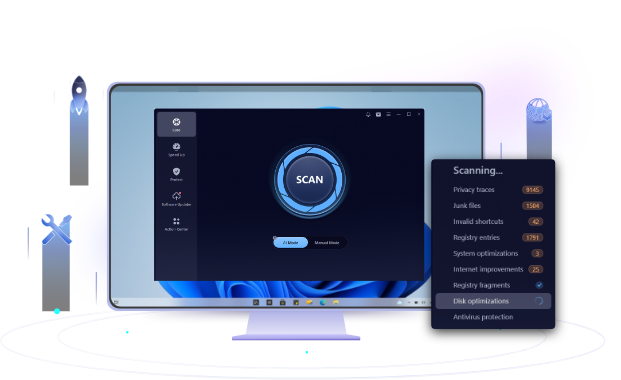
Before upgrading to a future version of Windows, keeping your PC clean and optimized can help ensure better performance and stability. Tools like IObit Advanced SystemCare can help remove unnecessary files, optimize system settings, and improve overall PC performance with simple automated maintenance features.
Although Microsoft has not officially unveiled Windows 12, current reports suggest that it will build on Windows 11 rather than replace it completely. The biggest changes are expected to center on artificial intelligence, performance optimization, and a more adaptive user interface.
In short, Windows 12 appears to be an evolution of Windows 11 rather than a complete redesign. Its biggest advantage is expected to be native AI capabilities, making it an AI-first operating system built for modern hardware.
Many users are wondering whether they should wait for Windows 12 or upgrade now.
For most people, Windows 11 remains the best choice because it continues to receive updates, security improvements, and new features.
Users with older Windows 10 PCs should consider upgrading their hardware in advance, especially if their devices do not meet modern requirements. Until Microsoft confirms the Microsoft Windows 12 release date, Windows 11 remains the safest option.
Is There Any Windows 12 Officially Available Yet?
Many users are asking: is there any Windows 12 available for download right now?
The answer is no. Microsoft has not officially released Windows 12 or confirmed a final launch schedule. Although rumors and industry reports suggest that the next generation of Windows could arrive around 2026, the company has not announced an official Windows 12 release date.
Users should be careful with websites claiming to provide Windows 12 beta versions or ISO downloads. Until Microsoft releases official information, any unofficial Windows 12 installation files should be avoided.
Will Windows 12 Require New Hardware?
Not necessarily, but Microsoft has not announced the final Windows 12 hardware requirements.
The expected Windows 12 requirements should remain similar to Windows 11, including:
A modern processor
TPM 2.0 support
Secure Boot capability
Sufficient RAM
SSD storage
If your current PC runs Windows 11 smoothly, it will likely have a good chance of supporting Windows 12 when it becomes available.
Will Windows 12 Be a Free Upgrade From Windows 11?
Microsoft has not confirmed this yet, but a free upgrade remains possible based on previous Windows upgrade strategies. Based on Microsoft's previous upgrade strategy, Windows 11 users should be able to upgrade to Windows 12 without purchasing a new license, assuming their hardware meets the requirements.
The upgrade will likely be delivered through Windows Update, similar to previous Windows version transitions.
However, Microsoft has not yet confirmed upgrade policies because the official Microsoft Windows 12 release date has not been announced.
Can Windows 10 Upgrade Directly to Windows 12?
In theory, a direct upgrade from Windows 10 to Windows 12 may be possible, but hardware compatibility will be the deciding factor.
Many older Windows 10 computers do not support TPM 2.0 or newer processors required by Windows 11. If Microsoft keeps similar requirements for Windows 12, those devices may not qualify.
For users with unsupported Windows 10 PCs, upgrading hardware before the Windows 12 launch date may be the better long-term solution.
Will Windows 12 Be Available as a Separate Download?
Microsoft has not confirmed this yet, although an official ISO may be provided if Windows 12 is released.
Following previous Windows releases, users may be able to:
Download an official ISO file from Microsoft's website
Create a bootable USB installation drive
Install Windows 12 on compatible PCs
If you plan to perform a fresh installation instead of upgrading, you may also want to read our guide on how to clean install Windows 11, as the installation workflow for Windows 12 is expected to be very similar.
However, users should only download installation files from official Microsoft channels. Unofficial Windows 12 ISO downloads may contain modified files or security risks.
How Much Will Windows 12 Cost?
Microsoft has not announced Windows 12 pricing yet.
However, based on previous Windows versions, several possibilities are expected:
Free upgrade for eligible Windows 11 users
Similar pricing to Windows 11 for standalone licenses
Different prices depending on Home and Pro editions
Will Windows 12 Be Lighter or More Resource-Intensive Than Windows 11?
The answer depends largely on your hardware. Windows 12 may provide better performance on newer devices because it is expected to be optimized for AI processors, hybrid CPUs, and faster SSD technologies.
However, advanced AI features may also increase hardware requirements. Compared with Windows 11, Windows 12 may require more memory and newer processors to deliver the best experience.
For older computers, performance improvements may be limited.
The Windows 12 release date has not been officially confirmed yet, but current reports suggest that Microsoft may introduce its next-generation operating system in 2026. With expected improvements in AI integration, security, performance, and hardware optimization, Windows 12 could bring significant changes to the Windows experience.
For now, Windows 11 remains the best choice for most users. Keeping your system updated and ensuring your hardware meets modern requirements will help you prepare for the future. Once Microsoft announces the official Windows 12 launch date, users with compatible PCs should be ready for a smoother upgrade process.
 People Also Ask
Check how to uninstall Claude Code and details both the manual terminal commands and a free uninstaller tool to cleanly remove it from your system.
PC stuck on boot screen? Learn how to fix pc stuck on boot screen with proven methods like Safe Mode, SFC scan, and driver updates.
Is it okay to uninstall Copilot? This article provides a full guide on how to uninstall Copilot from Windows 10 without affecting your system.