

- Support Center
- Multiple Languages
- Language
- Help Us Translate
Expert in
PC Health Solution

All-in-one PC health solution: clean, optimize and secure

Comprehensive PC cleaning, optimization and protection

Keep drivers always up-to-date

More stable performance with less system crashes

Protect millions of computers against malware

Top computer security with full-round protection

Protect against viruses & boost PC performance
Clean: 420 billion traces removed & 85 EB junk files cleaned
Protect: 80 million unauthorized access blocked & 20 million bugs fixed
Speed Up: 6 million hours of startup time saved & Turbo boost
Optimize: Auto clean and auto care your PC with AI mode

Why is my PC so slow all of a sudden? Explore common reasons of a laggy PC and possible solutions to speed it up.



Too Many Startup Programs
Background Apps & Processes
Overloaded Browser
Malware or Virus Infections
Full Hard Drive
Outdated Drivers
Hardware Bottlenecks
A slow PC significantly affects productivity and user experience. Unfortunately, many people has experienced "My PC is so slow all of a sudden", finding system freezes, long load times and high CPU usage etc. There are many causes leading to laggy PC, with a combination of software and hardware limitations.
Why is My PC is running slow? Understand the most common reasons and get proper fixes.
Many programs - like Spotify, Steam - automatically launch when Windows starts. They are usually running at login with high resource consumption, leading to increased boot time.
Way 1. Right-click the taskbar and select Task Manager > Startup. Select a program and click Disable.
Way 2. Go to Settings > Apps > Startup and toggle apps off.
Dozens of processes that run behind the scenes would also use a significant amount of resources. For example, Windows updates, antivirus scans and cloud syncing can suddenly slow your system.
Access Task Manager > Processes > Background Processes.
Select ones that don’t need to run but eat a lot of CPU/memory.
Click End task.
Modern browsers (like Google Chrome, Firefox) are often resource-intensive, requiring high amounts of RAM for fast rendering speed. If you have opened too many tabs and installed plenty of extensions, your RAM would fill up and your PC is running slow.
Close unnecessary tabs, especially the websites with complex animations/effects, and remove unhelpful extensions.
It is also suggested to clear browser cache/cookies and update your browser to the latest version for browser performance optimization.
More than security threats, malicious software silently uses system resources to run hidden processes - like cryptomining, data telemetry - which seriously impact performance and probably cause overheating.
Run a full scan with Windows security and remove detected threats. Otherwise, use a reliable third-party anti-malware tool to protect your PC.
Windows always needs "breathing room" for temporary data and updates. 100% disk usage can make the performance drop significantly.
Open File Explorer
Right-click your drive, for example C: drive.
Select Properties > Disc Cleanup
Choose files to delete and click OK.
Additionally, clear Recycle Bin and clean up Windows Installer folder for more space.
Outdated drivers can cause a series of issues, system lags/freezes, devices not working and poor performance.
Search Device Manager and open it.
Right-click one driver and select Update driver.
Follow the on-screen instructions to update.
Get more solutions to update Windows driver >>
Hardware limitations, like weak CPU/GPU, insufficient RAM, slow storage can affect the whole system. Your PC is running slow and laggy if the component bottleneck happens.
If you have an older PC, consider switching from HDD to SSD, adding more RAM or using a more powerful CPU/GPU to boost your PC.
Advice: You can use a bottleneck calculator to detect the exact issues and get smart recommendations for cost-efficient upgrade.
It is a bit difficult to ensure an exact reason of why My PC is so slow and troubleshoot properly for non-skilled users.
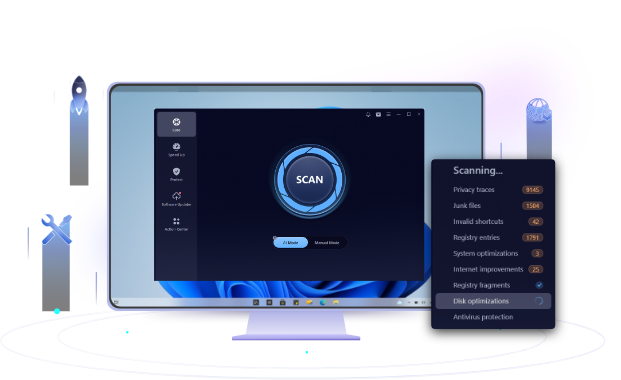
Advanced SystemCare is a full-featured program designed to optimize and speed up your PC automatically. You can use it stop startup and background programs, clean junk/temp files and protect your system in a single click. The modern and intuitive interface can also help beginners get how to perform the functions without guesswork or technical knowledge.
If you have encountered “My PC is so laggy” issue, consider using Advanced SystemCare to deal with it easily.
 People Also Ask
PC stuck on boot screen? Learn how to fix pc stuck on boot screen with proven methods like Safe Mode, SFC scan, and driver updates.
How to protect my computer from viruses? Are there any effective ways to protect my computer from attacks? Do I need a professional antivirus tool for my PC?
How to fix corrupted files in Windows 11 to enhance system stability? This guide covers the most effective methods to repair damaged files on your PC.