- Support Center
- Multiple Languages
- Language
- Help Us Translate
Expert in
PC Health Solution

All-in-one PC health solution: clean, optimize and secure

Comprehensive PC cleaning, optimization and protection

Keep drivers always up-to-date

More stable performance with less system crashes

Protect millions of computers against malware

Top computer security with full-round protection

Protect against viruses & boost PC performance
Clean: 420 billion traces removed & 85 EB junk files cleaned
Protect: 80 million unauthorized access blocked & 20 million bugs fixed
Speed Up: 6 million hours of startup time saved & Turbo boost
Optimize: Auto clean and auto care your PC with AI mode

Wondering if 8GB RAM is still enough? Learn how 8GB handles modern gaming, web browsing, and daily workloads, plus when it's time to upgrade to 16GB.



Quick Answer: 8GB RAM is Only Enough for Basic Needs
Six Ways to Make a 8GB RAM Computer/Laptop Run Smoothly
What Happens When You Run Out of RAM
Yes, for basic tasks (web browsing, streaming videos, Word, Excel, and others).
No, for heavy tasks (AAA games, AI video editor apps, 3D modeling, and others).
In detail, 8GB is enough for:
Basic web browsing
Word processing, email
Light photo editing
Streaming videos
8GB is not so good for:
Modern AAA gaming
Video editing with AI apps
Run local AI models
Photoshop processing
Programming
Keep storage space free
Keep your primary drive within 15% to 20% free space. If your drive runs out of space while RAM is full, the system will freeze or crash. Manually deleting junk files makes it easy to overlook certain items, including uninstallation leftovers, Delivery Optimization files, and so on. Hence, PC cleaner is recommended for automatically cleaning temporary files, junk files, caches, and the like. Advanced SystemCare is on the top list of this kind. It offers disk cleanups and RAM optimization to help your PC run smoother.
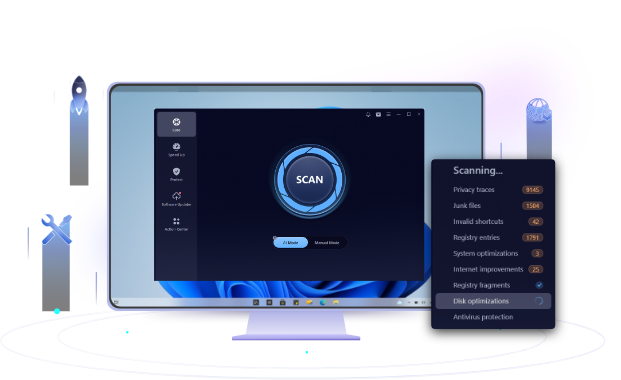
It scans hidden directories to remove junk files or unnecessary files.
It automatically scans and purges browser cache as well as app cache.
It repairs broken shortcuts, invalid keys, and orphaned entries.
Meanwhile, it scans and identifies large files that take up too much space.
It frees up memory by releasing unused resources cached by idle background applications with one click.
Reduce startup applications
Applications like Spotify, Steam, OneDrive launch in the background. And there are some recently downloaded apps that launch quietly that take a certain amount of RAM. Disable non-essential startup apps free up physical memory so those active apps can respond without triggering swap memory.
Enable browser Memory Saver feature
Now each tab in web browsers is an isolated process. The more tabs you open, the more RAM it occupies. When your Turn on Memory Saver, it automatically keeps only active tabs loaded.
Keep graphics and chipset drivers are updated
chipset and GPU driver updates can fix memory leaks and improve integrated GPU memory allocation efficiency.
Uninstall pre-installed bloatware
PCs often provide pre-installed manufacturer utilities, antivirus or other tools. They run continuous background services and telemetry agents. Remove those unnecessary programs to avoid taking system resources.
Disable visual effects
Operating system animations, window transparency effects, and other visual effects require GPU rendering cycles. Disable these visual effects, reduce GPU and DWM overhead, and accelerate desktop responsiveness.
When RAM is run out, the system triggers a series of reactions, ranging from the simple use of virtual memory to a decline in performance.
Slow or unresponsive application switch
The mouse cursor lagging
Longer to open programs
Stalling background processes
Application-level crashes
Total system freeze
 People Also Ask
Learn what to do when the referenced account is currently locked and you may not be able to log in, avoid future lockouts, and protect your PC.
How to improve Steam download speed? Check how to make Steam download faster in 12 ways: Check Internet Connection, Switch Steam Download Server Region…
How to defrag hard disk Windows 11/10? Check this step-by-step guide inside.