Apps use cache to load faster and improve your experience, but over time, these temporary files can consume valuable storage and even affect performance. Whether you use an Android phone, iPhone, or Windows PC, regularly removing unnecessary cache can help free up space and resolve app-related issues.
In this guide, you'll learn the best app cache cleaner methods for every major platform. We'll also show you how to use Advanced SystemCare to clean the application cache on Windows with just a few clicks.
What Is an App Cache Cleaner?
An app cache cleaner is a tool or built-in feature that removes temporary files created by applications. These files include images, scripts, thumbnails, cookies, and other data that help apps load faster.
While the cache is useful, it keeps growing as you use your device. Eventually, it may:
Occupy several gigabytes of storage
Slow down certain apps
Cause apps to behave unexpectedly
Store outdated temporary data
Unlike deleting app data, clearing the cache usually doesn't remove your personal files or account information.
Do You Really Need a Third-Party App Cache Cleaner?
Modern smartphone operating systems have gotten incredibly smart at managing memory, which raises the question: Are third-party cleaning apps still necessary?
The Pros:
Massive Time Saver: A dedicated cache cleaner app allows you to batch-clean cache across dozens of apps with a single tap.
Deep Clean Automation: Some apps utilize accessibility features to automatically navigate system settings and clear hidden files you might otherwise miss.
The Cons:
Adware & Bloatware: The Google Play Store is flooded with free cleaning apps that are packed with aggressive pop-up ads, which ironically slow down your phone.
Battery Drain: "Ram Boosters" or "Task Killers" bundled inside third-party cleaners can drain your battery by constantly forcing background apps to shut down and restart.
Best Windows App Cache Cleaner
For some people, especially those who regularly use Windows apps and desktop programs, cleaning the app cache on a PC is important, thus freeing up more space for newly stored data. If this is what you want, try Advanced SystemCare.
Advanced SystemCare Free
- Clean: 420 billion traces removed & 85 EB junk files cleaned
- Protect: 80 million unauthorized access blocked & 20 million bugs fixed
- Speed Up: 6 million hours of startup time saved & Turbo boost
- Optimize: Auto clean and auto care your PC with AI mode
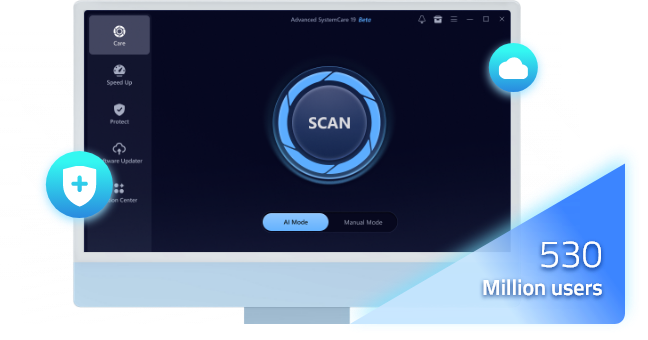
Advanced SystemCare is a popular PC optimization tool designed to clean system and app caches, remove junk files, and improve overall performance. It helps free up storage space, speed up system response, and maintain smooth operation with minimal effort. As one of the best app cache cleaners, it provides an all-in-one solution for users who want a faster, cleaner, and more efficient Windows experience.
With this Windows app cache cleaner installed, you can have these features.
One Click Cache Cleaning
As one of the best disk cleaner software, it can instantly scan and remove app cache, temporary files, and system junk to quickly free up space and boost performance.
AI Smart Scan And Clean
Uses AI to detect and remove junk files, privacy traces, and unnecessary data automatically, helping improve system performance with minimal user effort.
Windows Apps Cache Clean
It helps clean the cache generated by built-in Windows apps such as Calculator, Microsoft Store, Maps, Photos, Camera, Mail, Calendar, Weather, and other Windows apps to free up storage, resolve cache-related issues, and improve app responsiveness.
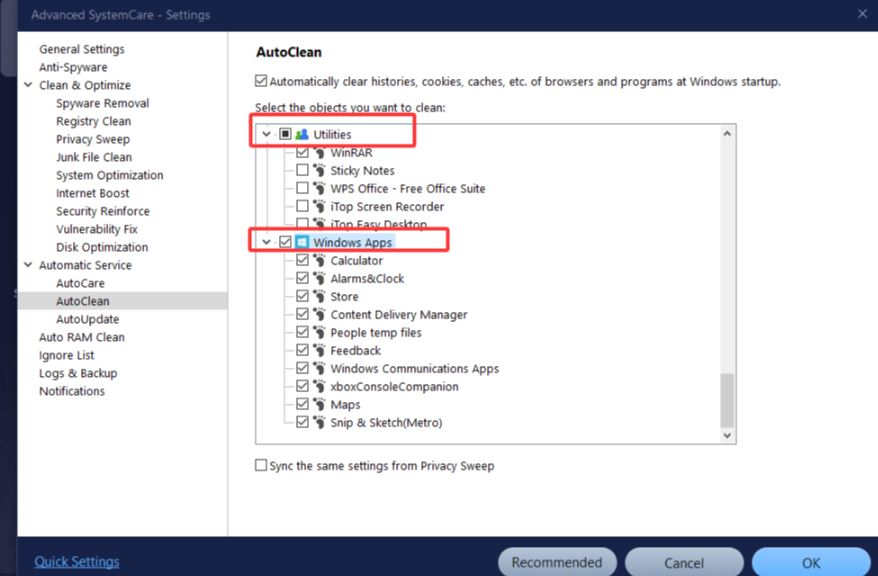
Third-party App Cache Clean on PC
Remove temporary cache created by popular third-party applications, including Chrome, Edge, Firefox, Adobe software, Spotify, Zoom, Steam, Office, and other installed programs to reclaim disk space and keep applications running smoothly.
Windows Search & Browser Cache Clean
Removes Windows Search history and browser cache from major browsers, improving privacy, reclaiming disk space, and helping browsers run more efficiently.
Deep Junk File Removal
Performs a thorough system scan to detect hidden and unnecessary files that standard cleaning tools often miss.
Real-Time System Optimization
Continuously monitors system performance and automatically applies optimizations to keep your PC running smoothly. So, many people regard it as one of the best RAM optimizers for Windows 11.
Privacy Protection Cleaning
Clears browsing traces, cookies, and usage history to help protect user privacy and reduce digital footprint.
Startup Acceleration Tool
Manages startup programs to reduce boot time and ensure faster system launch.
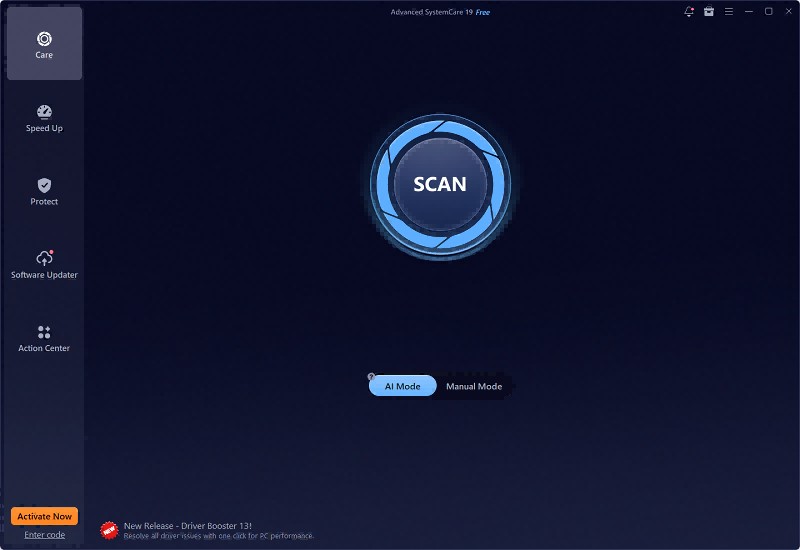
How to Clean App Cache on PC with Advanced SystemCare Free
If you want to know how to clean the app cache on a PC using Advanced SystemCare, here are the steps.
Step 1. Download Advanced SystemCare from the official website and install it on your Windows computer.
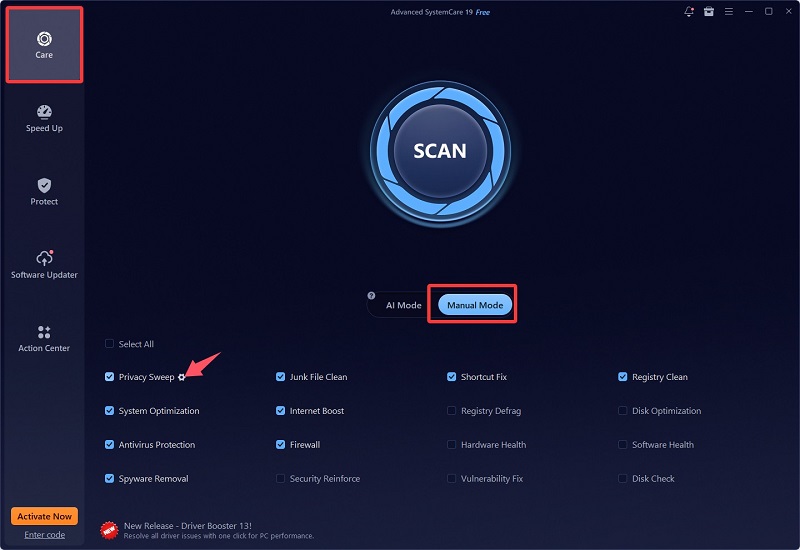
Step 2. On the home page, go to Care, select Manual Mode, then click the gear icon next to Privacy Sweep.
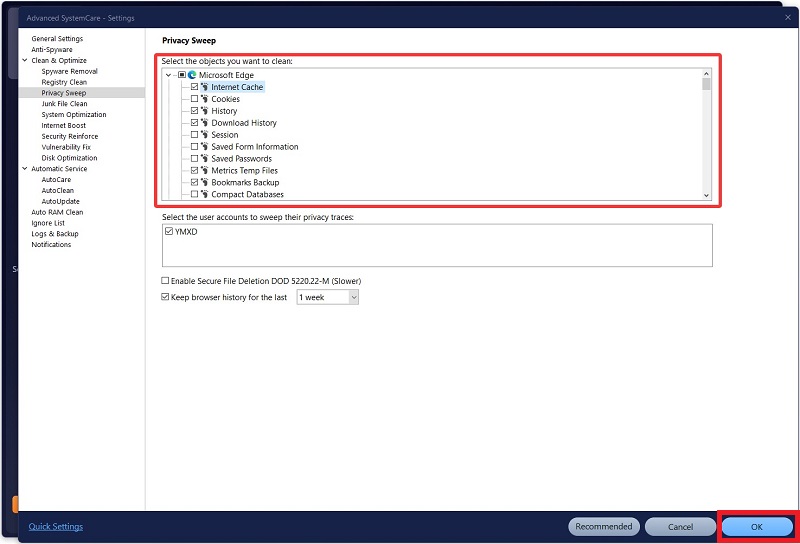
Step 3. Go to Clean & Optimize > Privacy Sweep and select the specific browser cache, cookies, and privacy traces you want to delete. Click OK to save your preferences.
Step 4. Go back to the main interface and click the SCAN button. This software will start scanning your computer.
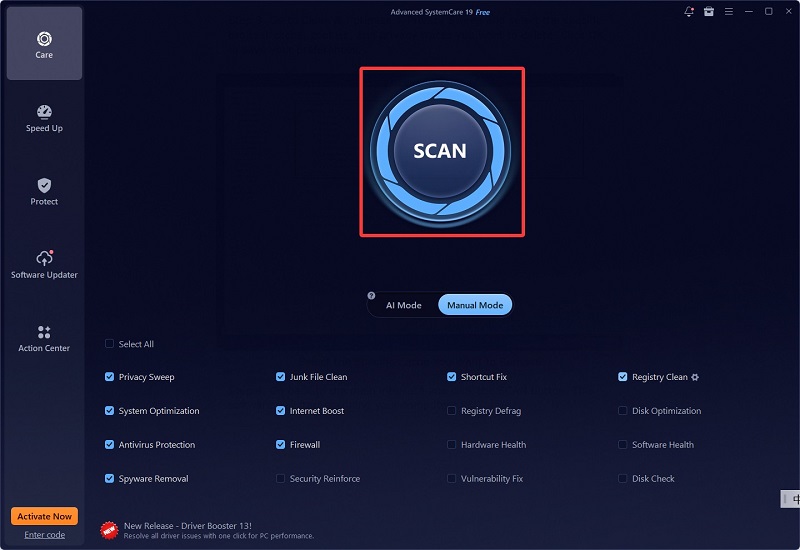
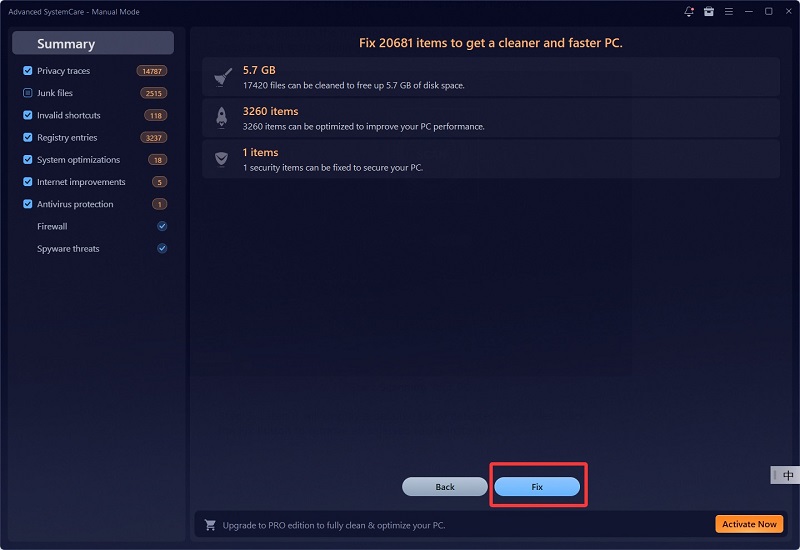
Step 5. Later, it will display a detailed list of detected cache files. Click the Fix button to remove all selected cache instantly.
Top 3 Best App Cache Cleaner Android
How do I clear my cache on apps? If you prefer using a dedicated tool to automate the cleaning process, these three options are highly rated, secure, and reliable.
1. Files by Google (Best Overall & Safest)
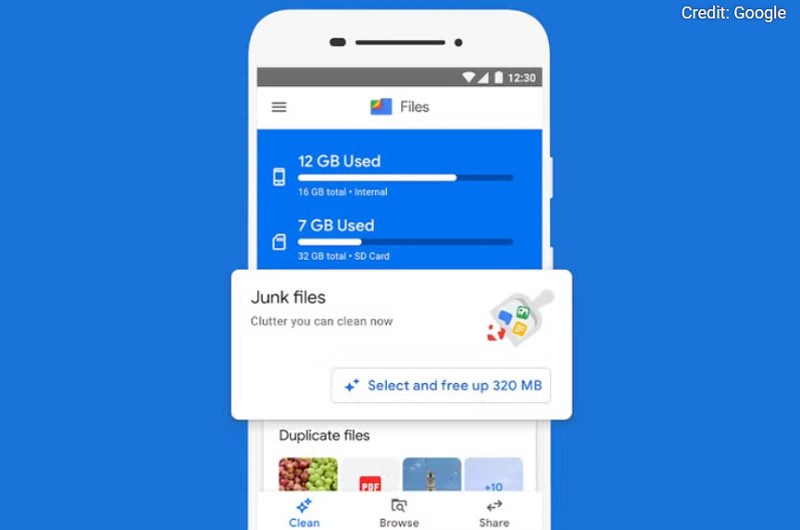
Files by Google is one of the most trusted app cache cleaner solutions for Android users. Developed by Google, it helps free up storage by removing junk files, clearing temporary app cache, identifying duplicate files, and managing large downloads. Besides cleaning, it also serves as a powerful file manager, making it a convenient all-in-one tool for improving device performance without requiring advanced technical knowledge.
Key Features
Removes junk files and temporary cache
Smart storage recommendations
Duplicate file detection
Large file management
Secure file sharing without internet
Pros
Completely free
Developed by Google
Easy-to-use interface
Safe and lightweight
No intrusive ads
Cons
Android only
Limited deep system cleaning
Doesn't automatically clear the cache for every app
2. 1Tap Cleaner (Best for Automation)
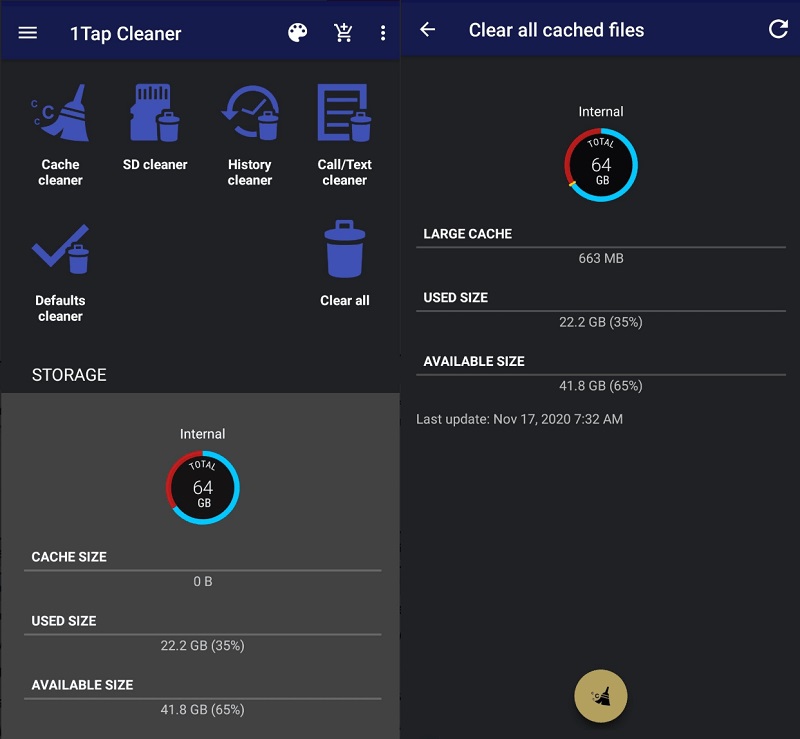
1Tap Cleaner is a lightweight utility designed specifically for quickly clearing app cache and other temporary data with minimal effort. Its one-tap cleaning feature makes it ideal for users who frequently run out of storage or want to maintain device performance. In addition to cache cleaning, it can clear browsing history, call logs, and default app settings, offering several maintenance tools in one compact application.
Key Features
One-tap cache cleaning
History and log cleaner
Default app manager
Batch cleaning support
Home screen widget
Pros
Extremely simple to use
Fast cleaning process
Multiple cleanup tools
Lightweight installation
Cons
Contains ads in the free version
User interface feels outdated
Some features require premium access
Limited functionality on newer Android versions
3. SD Maid 2 / System Cleaner (Best for Power Users)
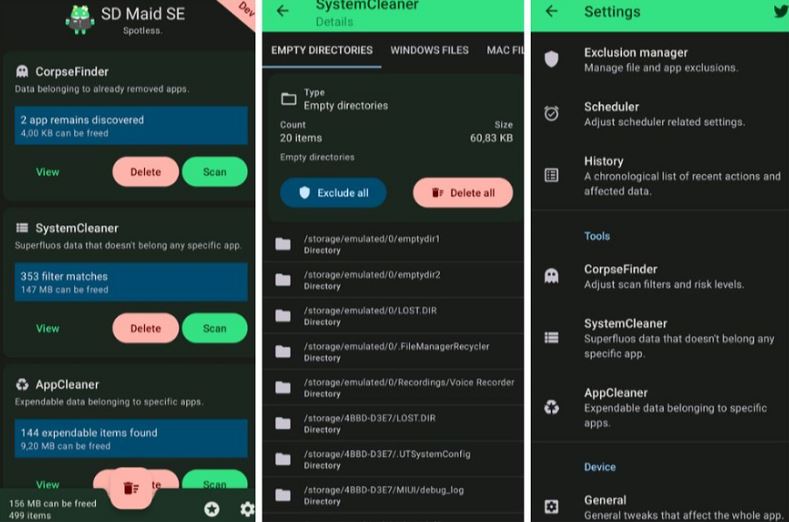
SD Maid 2, also known as System Cleaner, is an advanced app manager cache cleaner built for users who want more control over Android storage. It scans for leftover files, empty folders, obsolete cache, and unnecessary system data that standard cleaners often miss. With automation options and powerful storage analysis, SD Maid 2 is well suited for experienced users looking to keep their devices organized and running efficiently.
Key Features
Pros
Deep cleaning capabilities
Powerful storage analysis
Regularly updated
Highly customizable
Cons
An advanced interface may overwhelm beginners
Some features require the Pro version
Deep cleaning options may need additional permissions
Top 3 Best App Cache Cleaner iPhone
Unlike Android, iOS does not feature a universal "Clear Cache" button within system menus. Apple manages system memory aggressively, but there are still hidden cache cleaner app free to free up space.
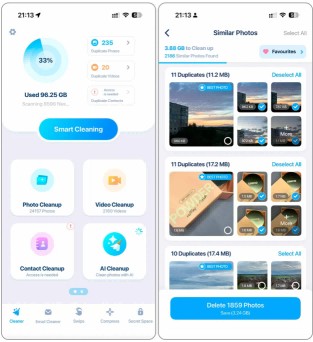
1. PhoneClean – Deep Cache & Junk Cleaner for iPhone
PhoneClean is a well-known iOS cleaning tool designed to free up storage by removing hidden junk files, temporary app data, and system caches. It focuses on deep cleaning without affecting personal data like photos or contacts. It’s especially useful for users who frequently install apps, browse heavily, or stream media, which can quickly build up cached files.
Key Features
Deep system cache cleaning
App junk file removal
Temporary file cleanup
Quick scan and one-click cleaning
Safe cleaning mode to protect personal data
Pros
Easy-to-use interface
Deep cleaning capability
Helps recover significant storage space
Safe for beginners
Cons
Some features require paid version
Limited real-time monitoring
Desktop-based tool (not fully standalone iOS app)
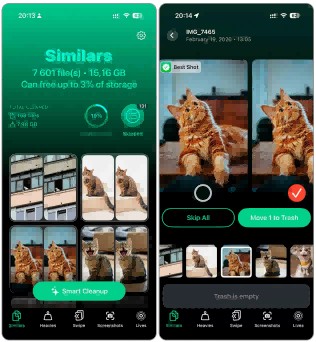
2. Clever Cleaner - AI-powered iPhone Storage Cleaner with Smart Photo Cleanup
Clever Cleaner is one of the best app cache cleaner solutions for iPhone users who want to reclaim storage without manually sorting through files. Instead of directly clearing app caches - which iOS doesn't generally allow - it helps remove unnecessary photos, duplicate images, large videos, and other storage-consuming files that often contribute to a cluttered device. Its intuitive interface and smart scanning features make it easy for users to optimize iPhone storage and improve overall performance with just a few taps.
Key Features
Smart detection of duplicate and similar photos
Removes large videos and unnecessary media
Finds screenshots and unused images
Fast storage scanning and cleanup
Simple, user-friendly interface
Pros
Easy to use for beginners
Quickly frees up valuable iPhone storage
Smart AI-powered photo organization
Fast scanning and cleanup process
Helps improve device performance by reducing storage clutter
Cons
Easy to use for beginners
Quickly frees up valuable iPhone storage
Smart AI-powered photo organization
Fast scanning and cleanup process
Helps improve device performance by reducing storage clutter
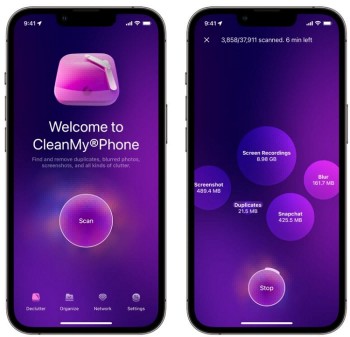
3. CleanMy®Phone – AI-Powered Cache Cleaner with Smart Storage Optimization
CleanMy®Phone is a modern iOS cleaning solution focused on AI-powered storage optimization. It automatically detects unnecessary cache, duplicate photos, and hidden system junk, helping users maintain a clean and fast device with minimal effort. It’s designed for users who prefer automatic cleaning instead of manual file management.
Key Features
Pros
Fully automated cleaning experience
Clean and modern interface
Great for beginners
Efficient duplicate photo removal
Cons
Limited manual control
Some features are locked behind a subscription
May over-suggest cleanup items occasionally
The Bottom Line
In the end, choosing the best app cache cleaner comes down to finding a tool that is fast, reliable, and easy to use. This Windows optimizer - Advanced SystemCare delivers all three, making it a smart choice for keeping your PC clean, optimized, and running at its best. Now, get the best cache cleaning app for Windows downloaded and start cleaning your computer.