

- Support Center
- Multiple Languages
- Language
- Help Us Translate
Expert in
PC Health Solution

All-in-one PC health solution: clean, optimize and secure

Comprehensive PC cleaning, optimization and protection

Keep drivers always up-to-date

More stable performance with less system crashes

Protect millions of computers against malware

Top computer security with full-round protection

Protect against viruses & boost PC performance
Complete forced uninstallation for stubborn programs.
Uninstall a batch of programs at once.
Scan and remove leftover files, folders, and registry entries.
Support the management of Universal Windows Platform apps.

Does clearing app data delete everything, including passwords or accounts? Learn what happens to your data and how clearing data differs from uninstalling an app.



Clearing app data usually removes locally stored content.
Clearing app data won't clean information stored on remote servers or account.
Clearing an app's data removes saved login sessions and passwords.
Clearing app data does not normally delete your online account.
Completely remove an app and its leftover data with IObit Uninstaller.
If an app is running slowly, crashing frequently, or taking up too much storage, clearing its data might seem like a quick fix. But does clearing app data delete everything? Will you lose saved passwords, your account, photos, or other important information? The impact depends on what the app stores locally and what it backs up online.
Clearing app data usually removes locally stored settings, login sessions, app databases, downloaded content, and other information the app uses to remember your activity.
The process differs between phones and PCs:
On mobile, the clear data or clear storage option typically removes an app's private local data, including settings and databases.
On a PC, clearing app data may involve removing cache files, configuration settings, or locally stored information through the app or system settings.
The exact effects depend on the operating system and application.
Does clearing data on an app delete everything? No. Clearing app data generally resets an app to its original state, similar to opening it for the first time after installation. It can remove login sessions, preferences, downloaded content, and locally stored databases.
However, information stored on remote servers or synchronized with your account may remain available. For example, your cloud-synced contacts or online game progress might return after you sign in again.
It can, depending on where your passwords are stored.
Clearing an app's data may remove saved login sessions, locally stored credentials, and passwords saved specifically within that app. You might need to enter your password again the next time you open it.
However, passwords stored separately in a password manager or synced through a service such as Google Password Manager are generally not deleted simply because you clear another app's data.
Learn More: Does Clearing Cache Delete Passwords? What Happens If You Clear Browser Cache and Cookies? >>
No. Clearing app data does not normally delete your online account.
For example, if you clear the data of a social media app, you will typically be signed out, but your profile, online posts, and account information should remain on the service's servers. You can usually access them again by signing in.
If you want to remove an app and as much of its associated data as possible, simply clearing app data may not be enough. On a Windows PC, IObit Uninstaller can help you uninstall unwanted programs, clean Windows installer folder, scan for leftover files and registry entries.
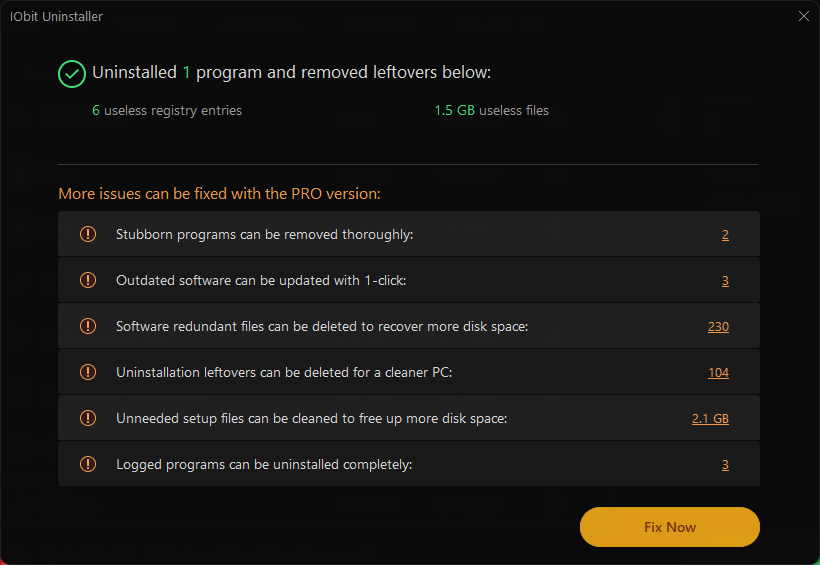
Keep in mind that removing local files does not necessarily delete your online account or cloud backups. Before uninstalling an app, back up any important data you want to keep.

Does clearing app data delete everything? No, but it can remove important information stored locally, including saved settings, login sessions, downloads, and unsynced content. Your online account and cloud-backed information usually remain intact.
Before clearing data or uninstalling an app, always check your backups and understand where your information is stored.
 People Also Ask
Looking for an IObit Uninstaller key? Learn how to get a genuine free activation key and use a valid Pro license with IObit Uninstaller 14, 15, or 16.
Free up disk space by safe Windows Installer folder cleanup. This guide shows how to use Settings, Disk Cleanup, etc., to remove unwanted installer files.
Learn how to uninstall updates on Android apps, roll back system updates, and stop automatic updates with these simple, practical steps.