- Support Center
- Multiple Languages
- Language
- Help Us Translate
Expert in
PC Health Solution

All-in-one PC health solution: clean, optimize and secure

Comprehensive PC cleaning, optimization and protection

Keep drivers always up-to-date

More stable performance with less system crashes

Protect millions of computers against malware

Top computer security with full-round protection

Protect against viruses & boost PC performance

AI-powered photo and video editing software has transformed how Windows users enhance photos and videos. From improving image quality to creating professional video content, today's AI tools make editing faster and easier than ever.
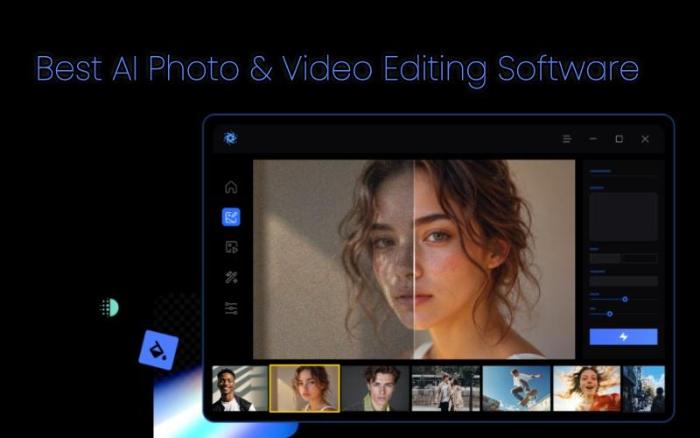
With so many options available, choosing the right one isn't always easy. In this guide, we've rounded up the 5 best AI photo editing software for PC alongside leading AI-powered video editing and enhancement tools, and you'll find an option that fits your needs.
| Software | Best For | Photo Editing | Video Editing | Free Version |
| Vidmud AI Studio | Privacy & All-in-One AI Editing | ✅ | ✅ | ✅ |
| Adobe Photoshop & Premiere Pro | Professionals | ✅ | ✅ | Trial |
| CapCut Desktop | Social Media Creators | ✅ | ✅ | ✅ |
| Topaz Photo AI & Video AI | AI Enhancement | ✅ | ✅ | Trial |
| Canva Desktop | Beginners | ✅ | Limited | ✅ |
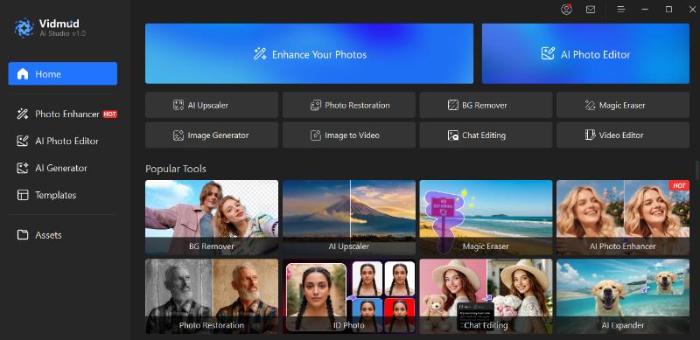
Vidmud AI Studio is an all-in-one AI photo editing software and video enhancement software designed specifically for Windows users. Unlike many cloud-based AI tools, it runs AI models locally on your PC, allowing you to edit photos and enhance videos without uploading your files to external servers. It combines AI photo enhancement, image editing, video enhancement, image generation, and video generation in one desktop application. With free access, local processing, and a privacy-first design, Vidmud AI Studio is an excellent choice for creators who want professional AI tools while keeping full control of their data.
Pros
Free to use
Runs AI locally on Windows
No user photos or videos stored
Combines photo editing and video enhancement in one application
Faster workflow without relying on cloud uploads
Simple interface for beginners
Cons
Some advanced models require higher hardware performance
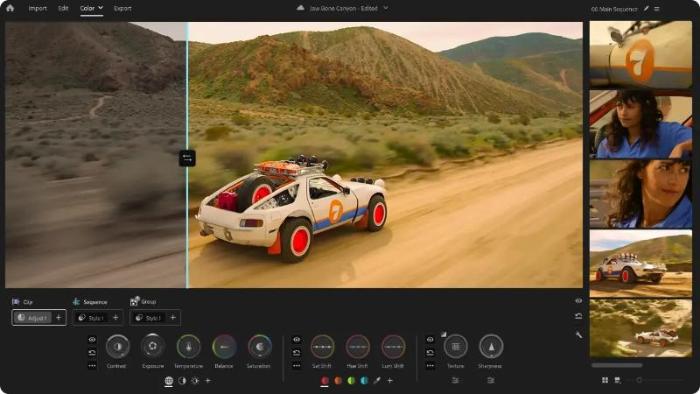
Adobe Photoshop and Premiere Pro remain the industry standard and are often considered the best AI photo editing software and video enhancement software for creative professionals. Adobe Photoshop and Premiere Pro remain the industry standard for professional photo and video editing. Their AI-powered features, including Generative Fill, Super Resolution, object removal, and intelligent masking, significantly speed up creative workflows. With deep editing capabilities and seamless integration across the Adobe ecosystem, they are ideal for photographers, designers, filmmakers, and creative professionals who need maximum flexibility.
Pros
Industry-leading editing tools
Powerful AI features
Excellent ecosystem integration
Frequent feature updates
Extensive plugin support
Cons
Expensive subscription
Steep learning curve
Many AI features rely on cloud services
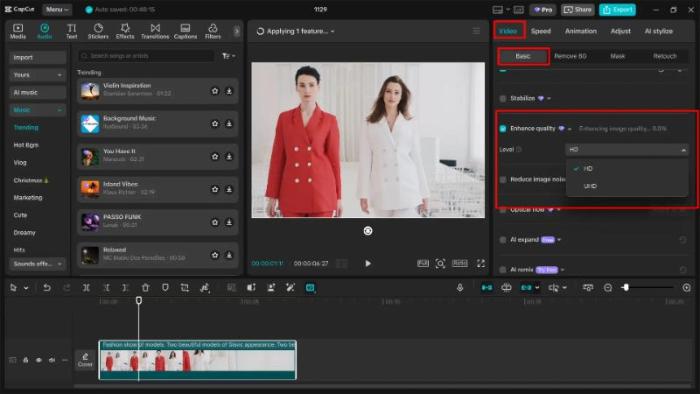
CapCut Desktop is an easy-to-use AI video editor for Windows that also includes AI photo editing features. Popular among TikTok, YouTube Shorts, and Instagram creators, it offers automatic captions, AI background removal, video enhancement, templates, and one-click effects. Its intuitive interface makes it ideal for beginners who want fast content creation without learning professional editing software.
Pros
Beginner-friendly interface
Excellent free version
Fast AI editing tools
Great for short-form content
Frequent updates
Cons
Some premium AI tools require a subscription
Certain features rely on cloud processing
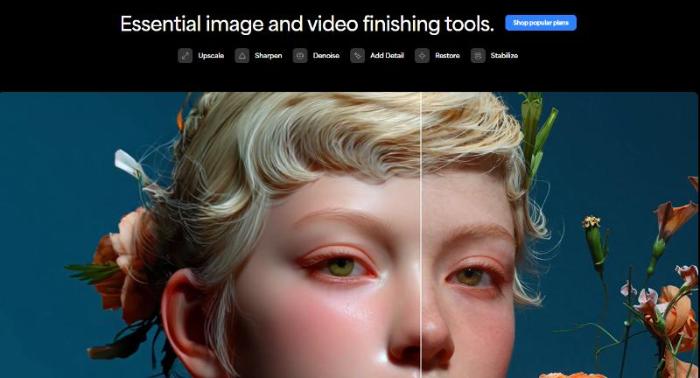
Topaz specializes in professional video enhancement software and AI photo enhancer rather than full creative editing. Its advanced AI models deliver some of the best video enhancing software capabilities available today, including photo upscaling, video upscaling, noise reduction, face recovery, and motion deblurring.
Pros
Outstanding AI enhancement quality
Excellent upscaling
High-quality noise reduction
Supports local processing
Cons
Higher price than most competitors
Limited editing features
Not an all-in-one creative suite
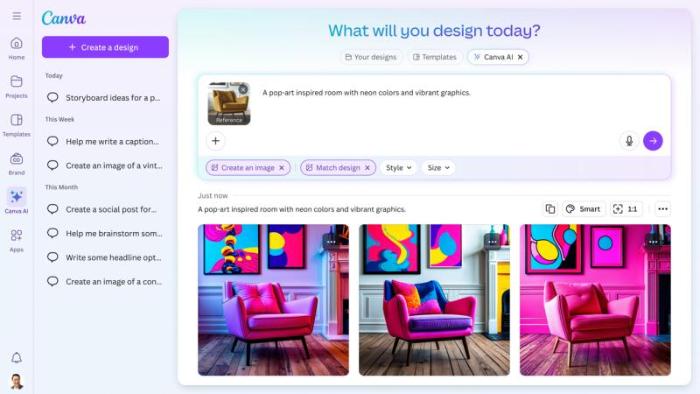
Canva Desktop combines AI-powered image editing with graphic design tools in a beginner-friendly platform. While its photo editing capabilities and AI video enhancer are lighter than professional software, it excels at creating presentations, social media graphics, marketing materials, and simple videos with the help of AI-assisted editing.
Pros
Extremely easy to use
Large template library
Free plan available
Good collaboration features
Cons
Limited advanced photo editing
Basic video enhancement capabilities
Many premium AI tools require Canva Pro
Final Thoughts
Choosing the best AI photo editing software or AI video enhancement software depends on your workflow, budget, and editing needs. Whether you're enhancing photos, improving videos, or creating content, the right AI tool can save time and deliver professional-quality results. Compare the features, pricing, and performance of each option to find the software that best fits your creative workflow.

No, next time.