

- Support Center
- Multiple Languages
- Language
- Help Us Translate
Expert in
PC Health Solution

All-in-one PC health solution: clean, optimize and secure
Comprehensive PC cleaning, optimization and protection

Keep drivers always up-to-date
More stable performance with less system crashes

Protect millions of computers against malware
Top computer security with full-round protection

Protect against viruses & boost PC performance
Automatically scan and update drivers.
Update game ready drivers for peak gaming performance.
Identify and fix various common of hardware issues.
Boost 30% of system performance for fast & smooth running.

Is IObit Driver Booster safe? Is Driver Booster worth it? Explore its security features, possible risks and safe usage tips before downloading.



IObit Driver Booster Is Really Safe
IObit Driver Booster Explained
IObit Driver Booster Security Certification
IObit Driver Booster Safe Usage
Final Verdict: Is IObit Driver Booster Worth It
Is IObit Driver Booster safe? The short answer is: Yes.
IObit Driver Booster is generally considered as a secure, reliable and legitimate driver update utility without malware or any harmful stuff. However, if you still have some questions, we will guide you to gain a deeper insight into Driver Booster.
IObit Driver Booster or Driver Booster, is developed by IObit to scan, check and update drivers on Windows. Since its initial release in 2013, Driver Booster has evolved into an all-in-one driver management solution that combines update, backup, troubleshooting, and gaming optimization. It aims to simplify the driver maintenance workflow, helping users automatically update drivers in time without manual downloads and installations. With a large database, it supports installing driver updates for a wide range of hardware components, such as graphic cards, audio devices, network adapters and so on.
Driver Booster has both Free and Pro version. You can enjoy automatic scan and 1-click driver update at no cost, while some advanced features - like multiple updates, more drivers - require an upgrade.
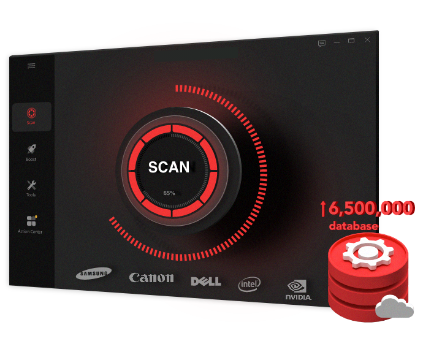
IObit Driver Booster is technically a safe program that does not contain virus, ransomware, spyware or malicious code itself. It is also committed to data protection and system stability relying on several security schemes.
Multi-Layer Driver Certification: Driver Booster sources its drivers directly from major manufacturers (NVIDIA, Intel, AMD, Realtek, Dell, HP, etc.). All drivers pass Microsoft’s WHQL tests, proving that the files are digitally signed, uncorrupted, and officially verified for Windows compatibility. What’s more, before any driver package is added to the database, it undergoes IObit internal security testing, from file parsing, full antivirus scans and real-world stress test.
Driver Backup and Restore Point Creation: Driver Booster allows users to back up existing driver files and create a system restore point before applying driver updates. If a newly installed driver causes a conflict or system instability, you can roll back or revert back to your previous setup immediately.
IObit Driver Booster is tested no harmful for your PC, but reports in community forums (like Reddit) point out some key concerns.
Bundled Software: If you do not carefully review installation checkboxes, optional programs (often from IObit) may be installed alongside the tool.
Ad Prompts: Free version frequently display prop-ups prompting users to upgrade to the Pro version or install partner software.
Additionally, it increases the risk of malware if you download the program from unofficial websites or install modified versions.
Here are some tips to reduce risks as far as possible for safe usage.
Download only from official sources: Always download Driver Booster from the official IObit website or Microsoft Store to avoid third-party installers.
Uncheck useless upgrades: Pay attention during the installation. Ucheck optional trial software or promo add-ons if you prefer a minimal installation.
Create system restore points: Ensure that you can roll back if a driver breaks a device.
Update drivers selectively: Avoid clicking "Update All". Instead, update only specific component drivers when you are actively troubleshooting a device issue.
Driver Booster features automatic and efficient driver management abilities to check for outdated drivers and manage updates in one place. It doesn’t mean that it is essential for everyone but depends on the needs.
Driver Booster is worth using when:
You want to scan multiple hardware components for outdated drivers at once.
You have trouble finding the correct drivers manually.
You need convenient driver backup and restore features.
You regularly troubleshoot hardware or gaming-related driver issues.
Not a good option if:
Your PC is working properly and you rarely need driver updates.
You prefer free, built-in Windows tools.
You want to avoid upgrade prompts or additional software offers.
You are concerned about the risks of installing incompatible drivers.
Conclusion
Is IObit Driver Booster Safe? Yes. It is a convenient driver update tool for PC. Generally, its free version is enough to perform driver updates when necessary, while Pro version allows advanced users to take more control over the driver management. Also, some users who prefer a totally free solution, the built-in tools - Windows Update and Device Manager - can also meet your need.
 People Also Ask
Is IObit legit? This IObit review checks whether IObit Windows PC tools are legit and safe. Explore its popular utilities and common user concerns about the software.
Is IObit Uninstaller safe? Can you trust it? Learn about its main features, bundleware risks, safe installation tips, and alternatives before installing it.
Learn how to update drivers via CMD in Windows 10/11 with PnPUtil and DISM commands. Back up drivers, fix common errors, or update all drivers automatically.