- Support Center
- Multiple Languages
- Language
- Help Us Translate
Expert in
PC Health Solution

All-in-one PC health solution: clean, optimize and secure

Comprehensive PC cleaning, optimization and protection

Keep drivers always up-to-date

More stable performance with less system crashes

Protect millions of computers against malware

Top computer security with full-round protection

Protect against viruses & boost PC performance
Complete forced uninstallation for stubborn programs.
Uninstall a batch of programs at once.
Scan and remove leftover files, folders, and registry entries.
Support the management of Universal Windows Platform apps.

This blog shares 4 methods to show readers how to uninstall games on PS5 without losing progress and personal preferences, check how to remotely remove games via phones or via your PS5 device.



Uninstall games on PS5 may result in data loss
Remove games from PS5's Games and Apps interface to uninstall without data loss
Remove games from your controller to uninstall without data loss
Remotely remove games via your phone
Uninstalling games on PS5 deletes your game progress? Some may fear that they never stored their games in the cloud, and once they uninstall games on their PS5, the progress is deleted along with the application files. But the truth is, the game progresses, and they stay where they are.
Only a few actions cause severe data loss, and in the blog below, you can see them, avoid them, and find an extra safe way for how to uninstall games on PS5.
For those who don’t know the mechanism behind PS5 uninstallation, they suspect that it also removes the game progress. For those who need to uninstall and reinstall to solve in-game problems, this result is unacceptable.
Does uninstalling a PS5 game delete save data?
No, unless you find the saved game progress files and delete them.
Will I lose everything if I uninstall a game and reinstall it?
No, the user preference settings and game progress stay where they are.
These actions make you lose your data
Factory reset
Manually remove your stored game data in the PS5 settings panel.
Login with a new PSN account that has no access to your game data
Accidentally delete your saved progress during gameplay
To uninstall games on PS5 without losing data is easy. Follow the steps below to safely uninstall any games and leave your stored gaming data where it is.
Step 1. Go to the Settings button and then select Storage.
Step 2. Select Games and Apps.
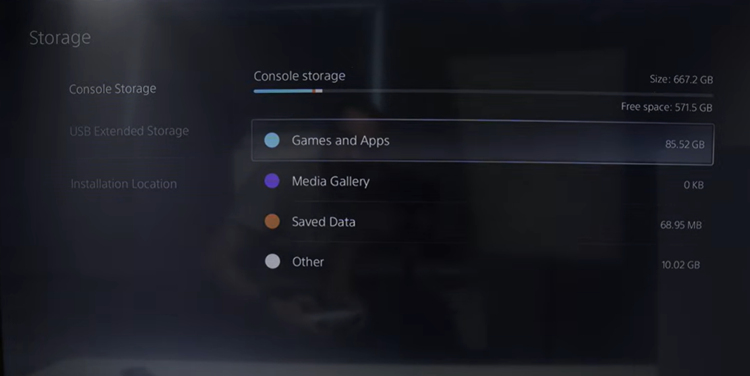
Step 3. Check the games you want to uninstall and then press the Delete button.
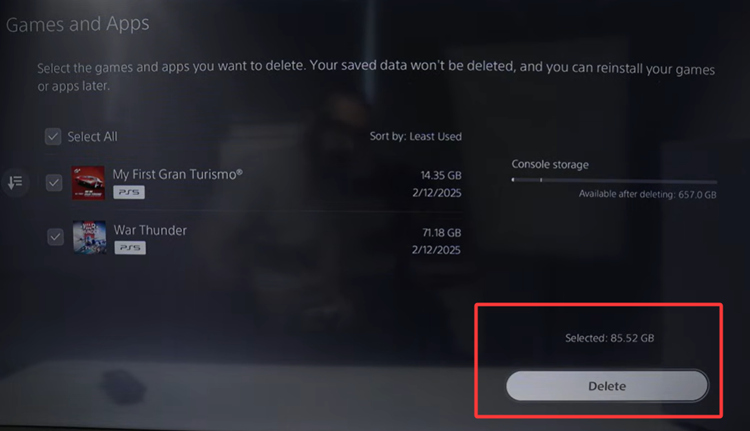
This method is super friendly for those who want to batch delete games. If you only want to delete one game or want to uninstall without deleting, you can read on to find another method.
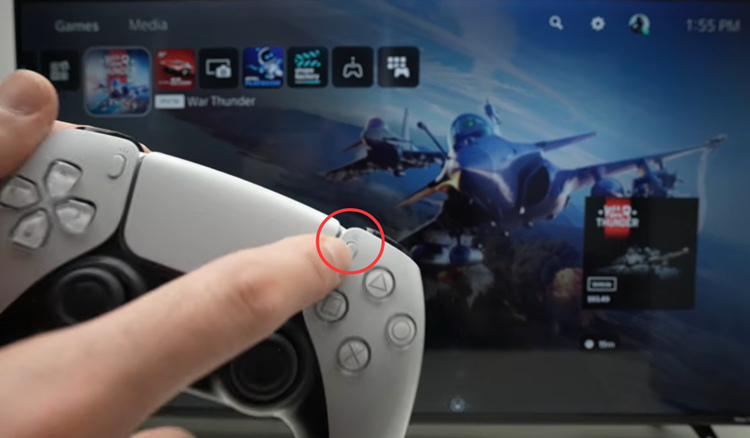
There is one tiny button on your console that allows you to delete games in one click. No batch uninstall, however.
How to uninstall games on PS5 without deleting?
Step 1. Switch to the main interface of your PS5.
Step 2. Hover over the game you want to uninstall.
Step 3. Press the button on your controller.
Step 4. From the sub menu, you can see the option for Delete.
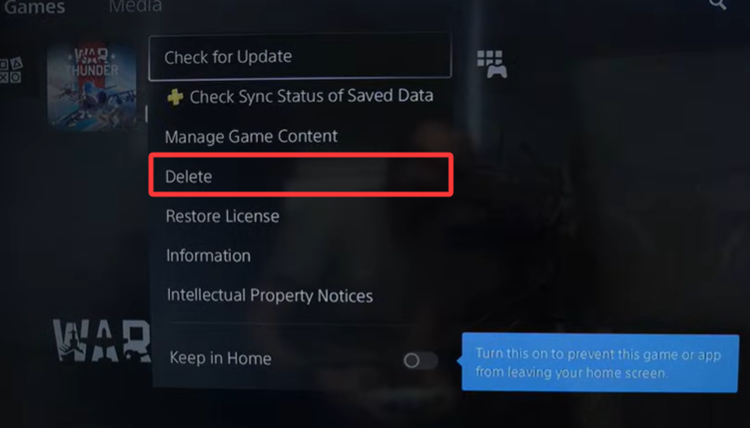
(images come from YouTube Uploader: Tricks Tips Fix)
Not many users know they can uninstall games via the PS5 App on their phones. This method works remotely and this type of application removal requires your PS5 to be in Rest Mode and connected to the App.
How to uninstall games on PS5 from a phone when you are not at home?
Step 1. First things first, make sure your PS5 is connected to the Internet and stays in Rest Mode.
Step 2. Now head to the PS5 app, and follow the procedure below: System > Remote Play > Enable Remote Play.
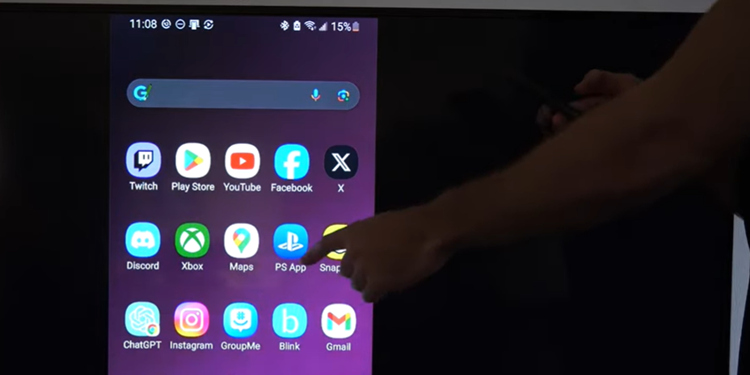
Step 3. Choose ‘Pair Console with App.’
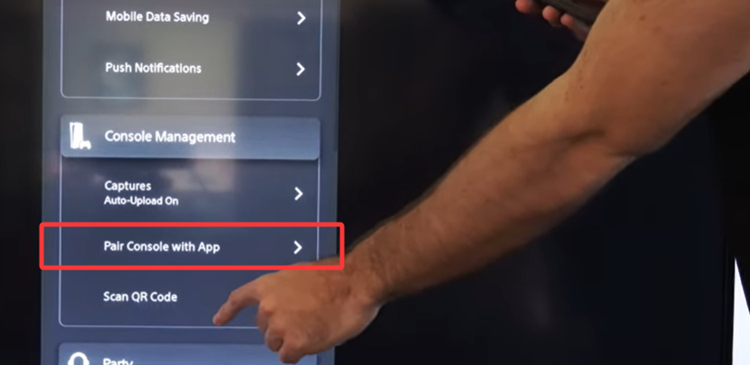
Step 4. Now you can enter the game list and select which game you want to delete.
IObit Uninstaller is a free and advanced Windows program uninstaller. If you play Steam or Epic games, you can use this uninstaller to remove stubborn leftovers. If you want to clean uninstall stubborn apps, registry entries, and even browser plugins and extensions, this software can help you.
Complete Program Removal – Uninstalls software fully, including stubborn apps, leftover files, and registry entries.
Browser Cleanup – Removes unwanted toolbars, plugins, and extensions.
Batch & Forced Uninstall – Lets you uninstall multiple programs at once and handle programs that resist normal removal.
System & Privacy Tools – Scans for leftovers, shreds files, and helps keep software up to date.
This blog shares 3 ways for how to uninstall games on PS5 without losing data. Actually, if you don’t intentionally remove your game progress, your stored files and personal preferences will not be eliminated. Follow the free methods above to safely uninstall games.

 People Also Ask
Want to know why you can’t uninstall Rainbow Six Siege? Check this blog for the full answer and complete fixes to get R6 uninstalled successfully.
If you uninstall Steam, what happens to your games and saves? Learn whether your games are deleted, where files are stored, and how to keep your progress safe.
Is it okay to uninstall Copilot? This article provides a full guide on how to uninstall Copilot from Windows 10 without affecting your system.