macOS is often mistakenly thought to be immune to malware, but modern online threats like adware, Trojans, and phishing files still target Mac users. We tested the 7 best antivirus for Mac in 2026. Below you will find a clear comparison covering key features, pros and cons, and step-by-step guides, so you can easily choose the one that matches your security needs to guard your Mac.
Do I Need Antivirus for Mac in 2026? What Can It Do?
Many Mac users believe that macOS is immune to viruses and malware. However, Macs are not completely safe from cyber threats. Malware, ransomware, phishing attacks, and spyware can still target Apple devices.
Although macOS includes built-in security features such as XProtect and Gatekeeper, third-party antivirus software for Mac can provide an extra layer of protection. Therefore, using an antivirus for Mac solution is essential.
A reliable Mac antivirus can help you:
Detect and remove malware and viruses.
Block malicious websites and phishing attacks.
Provide real-time protection against threats.
Protect your personal data and privacy.
Our 7 Best Antivirus for Mac Picks: Which One Is Right for You
With so many Mac antivirus options available, how do you choose the right one? These seven are our tested Mac antivirus picks. First, check priority-based matches below. We will go through detailed reviews for each tool later.
MacBooster: For Mac security plus cleanup and performance optimization
Bitdefender Antivirus for Mac: For strong ransomware protection with minimal system impact
Malwarebytes: For lightweight on-demand malware scanning and PUP detection
Intego ONE: For an integrated Mac security suite with firewall, VPN, and optimization tools
Norton 360: For cross-device protection, VPN, and scam defense
Avast One: For a free antivirus option with flexible premium upgrades
ESET Cyber Security: For lightweight antivirus protection without unnecessary extras
7 Best Antivirus for Mac Comparison: Pros, Cons & Pricing
The table below helps you learn about the pros, cons, and pricing plans of the seven antivirus programs. Therefore, you can make an initial selection.
| Antivirus Software |
Pricing Plan |
Pros |
Cons |
Mac Optimization Tools |
| MacBooster |
Free/Paid |
Free all-in-one Mac cleaning, optimization, and security; Simple one-click UI |
May include unused optimization features for some users (This does not affect the use of antivirus functions.) |
✅ Yes |
| Bitdefender Antivirus for Mac |
30-day trial/Paid |
Strong malware detection and comprehensive protection |
Some advanced features require additional subscriptions |
No |
| Malwarebytes |
Free/Paid |
Fast scans; great at removing adware and PUPs |
Free edition lacks real-time protection |
No |
| Intego ONE |
Paid |
Mac-focused security and firewall protection |
Subscription price is a bit high |
No |
| Norton 360 |
7-day trial/Paid |
Comprehensive security and privacy tools |
Relatively expensive plans |
No |
| Avast One |
Free/Paid |
Free malware protection |
Limited features in the free edition |
No |
| ESET Cyber Security |
30-day trial/Paid |
Flexible security settings and advanced protection |
Can be complex for beginners |
No |
How to Use 7 Best Antivirus for Mac: Features & Guides
Many Macs face ransomware, phishing, and PUP risks beyond XProtect. We tested 7 antivirus software for Mac with features and setup guides for every need.
1. MacBooster - Mac Optimization & Security
MacBooster, developed by IObit, is a software suite designed specifically for macOS, focusing on system cleaning, optimization, and security maintenance. It integrates features such as junk file cleanup, virus and malware scanning, and real-time protection, all aimed at helping users maintain the health of their Mac systems and mitigate potential security risks.
The software includes virus and malware scanning capabilities, capable of identifying potential viruses, trojans, adware, and other malicious files. It supports quick scans, full-system scans, and custom scans, allowing users to address any detected threats.
Furthermore, MacBooster offers real-time protection, which monitors the system for potential security risks - helping users promptly detect and block malicious files, dangerous web pages, and unauthorized modifications to system settings.
Steps to use MacBooster to scan for malware and secure your Mac.
Step 1. Download MacBooster from the official website.
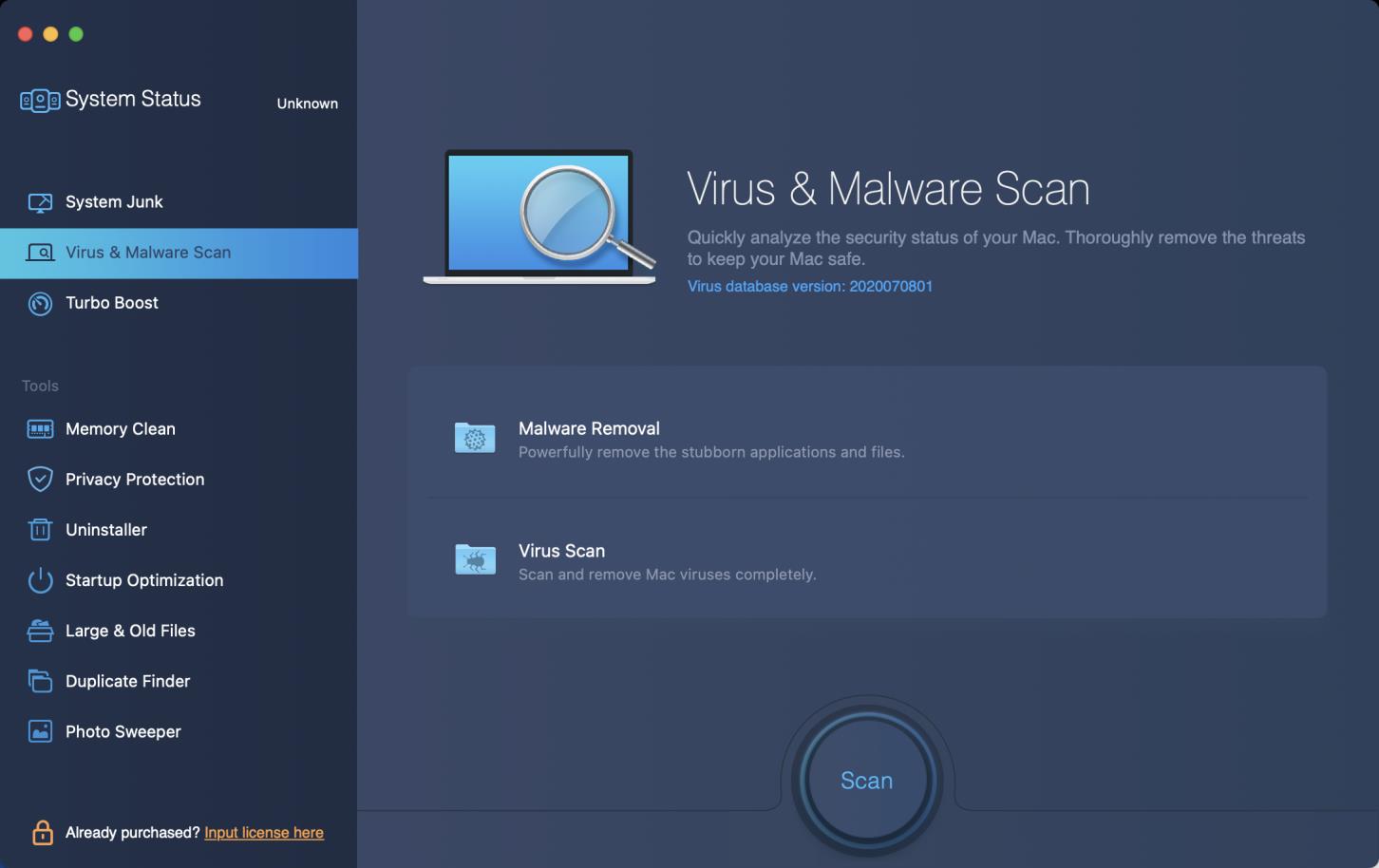
Step 2. Launch the software and select Virus & Malware Scan on the left sidebar.
Step 3. Click Scan to activate both malware removal and virus scan.
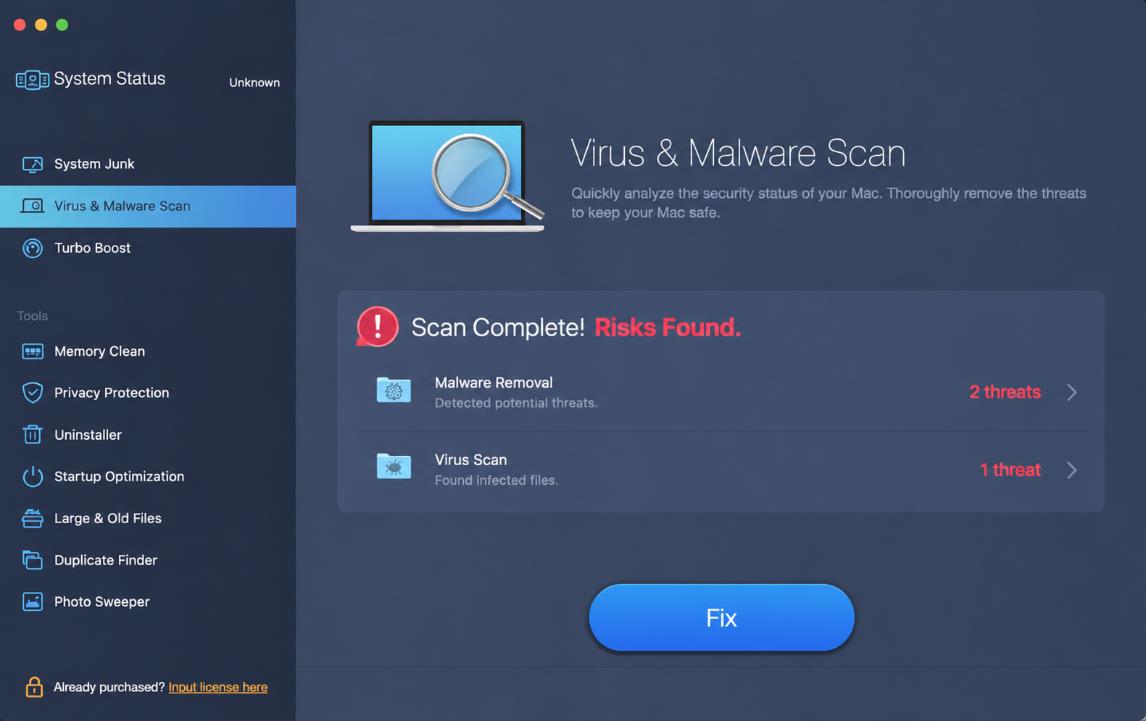
Step 4. After scanning, review found risks and click Fix to remove malware and viruses.
It also features extra Tools, including Memory Clean, Privacy Protection, Uninstaller, Startup Optimization, Large & Old Files, Duplicate Finder, and Photo Sweeper to free space and tune up your Mac.
2. Bitdefender Antivirus for Mac - Lightweight Premium Antivirus
Bitdefender Antivirus for Mac is a professional security solution developed by Bitdefender, designed to protect macOS computers from viruses, trojans, ransomware, adware, and other types of malicious software. The software employs a combination of real-time protection and proactive scanning to continuously monitor the system for potential security threats.
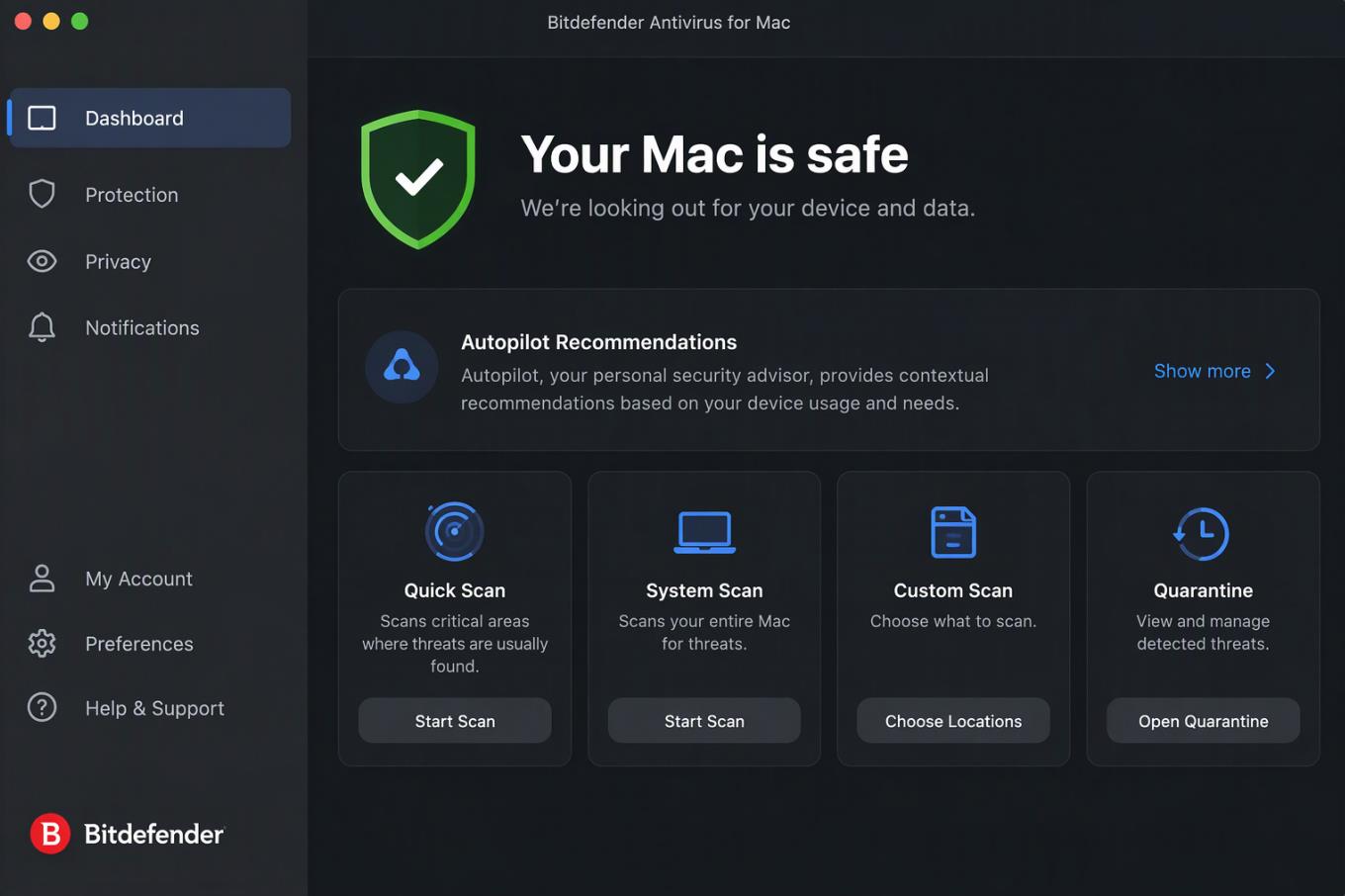
Step 1. Open Bitdefender Antivirus for Mac and click Protection in the navigation menu.
Step 2. Select the Antivirus tab and click System Scan to start a full scan of your Mac.
Step 3. Wait for Bitdefender to update its antivirus signatures and scan your entire system for malware.
Step 4. After the scan is complete, review the scan results. Bitdefender will automatically detect and remove infected items.
3. Malwarebytes - Specialized threat Remover
Malwarebytes antivirus for Mac is a popular lightweight anti-malware tool compatible with both Intel and Apple Silicon Macs. Its free version only runs manual scans to remove existing malware, adware, and PUPs, while Premium adds real-time threat blocking, ransomware protection, web protection against phishing, and App Block to stop unwanted apps.
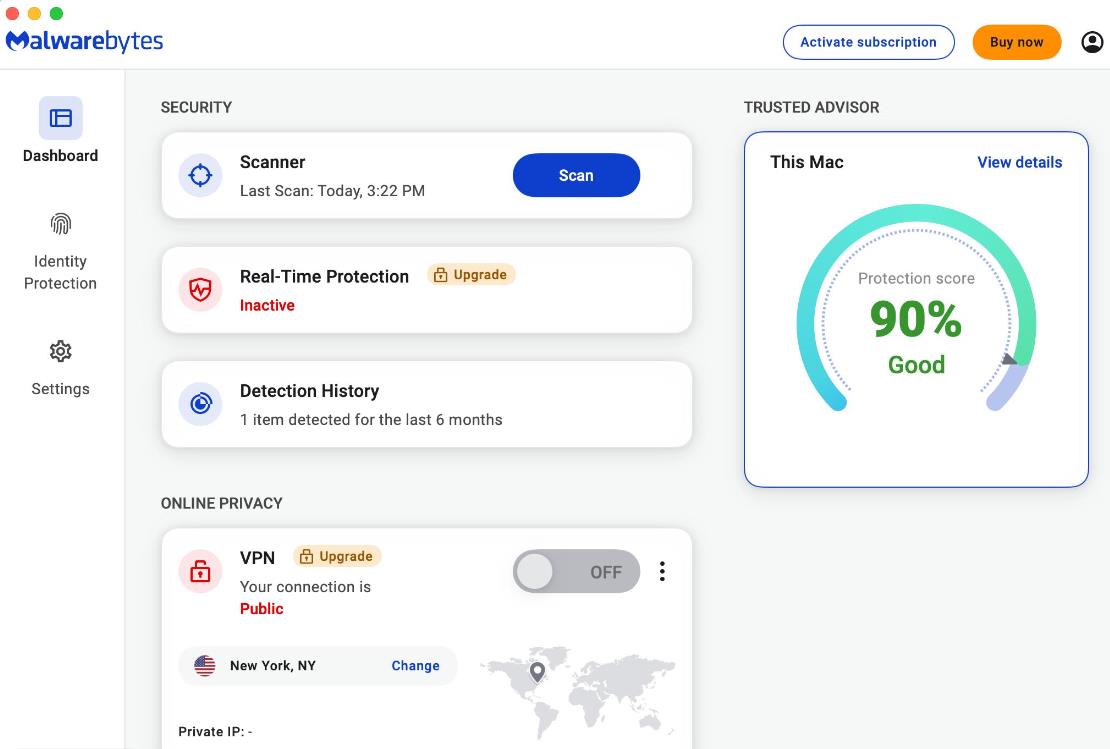
Step 1. Open Malwarebytes for Mac and locate the Scanner card on the main dashboard.
Step 2. Click Scan to start scanning. Wait for the scan to finish, then review the detected threats in the Threat Scan summary.
Step 3. Select any detected threats and click Quarantine to isolate them. Click Done if no threats are found.
4. Intego ONE - Mac-native Security Suite
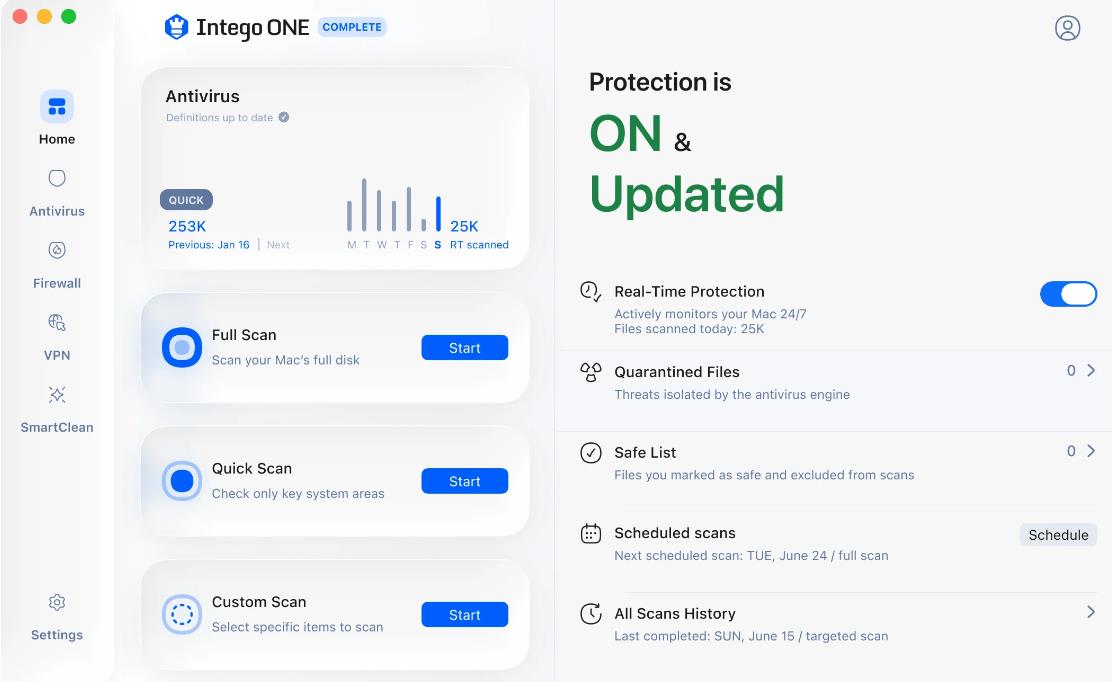
Intego ONE is a comprehensive security software suite for Mac, launched by Intego in 2026. It provides multi-layered protection against security risks faced by Mac users, including viruses, trojans, spyware, malicious websites, cyberattacks, and privacy breaches.
The software also integrates features such as network connection management, disk space cleanup, application uninstallation, and a VPN, offering users a more holistic solution for managing Mac security.
Step 1. Launch Intego ONE and select Antivirus from the left sidebar to open the Antivirus Dashboard.
Step 2. Find the Full Scan card and click Start to begin a full system scan.
Step 3. Wait for Intego ONE to scan your Mac for viruses, malware, and other potential threats.
Step 4. After the scan is complete, check the quarantined items and choose Repair All to repair them.
5. Norton 360 - Cross-platform Protection
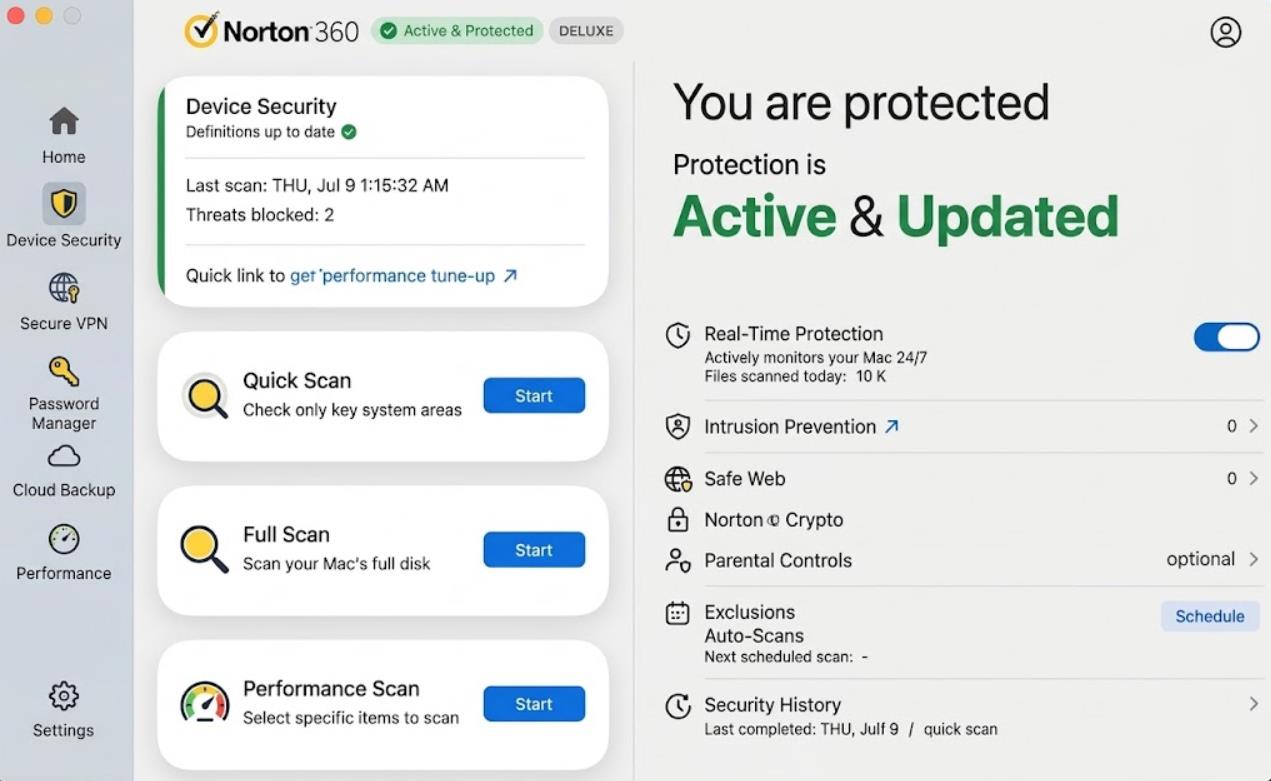
Norton 360 for Mac is a cross-platform subscription-based all-in-one security suite from NortonLifeLock. Standard, Deluxe, and Premium plans all work on Mac. It focuses on Mac malware defense, phishing blocking, and online privacy, though several features available on Windows are missing for macOS.
Step 1. Launch Norton 360. If the My Norton window appears, click Open next to Device Security.
Step 2. In the main window, double-click Security, then click Scans.
Step 3. Under Scans and Tasks, select Full Scan and click Go to scan for viruses and security threats.
Step 4. Wait for the scan to complete. Review any detected risks in the Threats Detected window, then click Finish in the Results Summary window.
6. Avast One - Security & Privacy Bundle
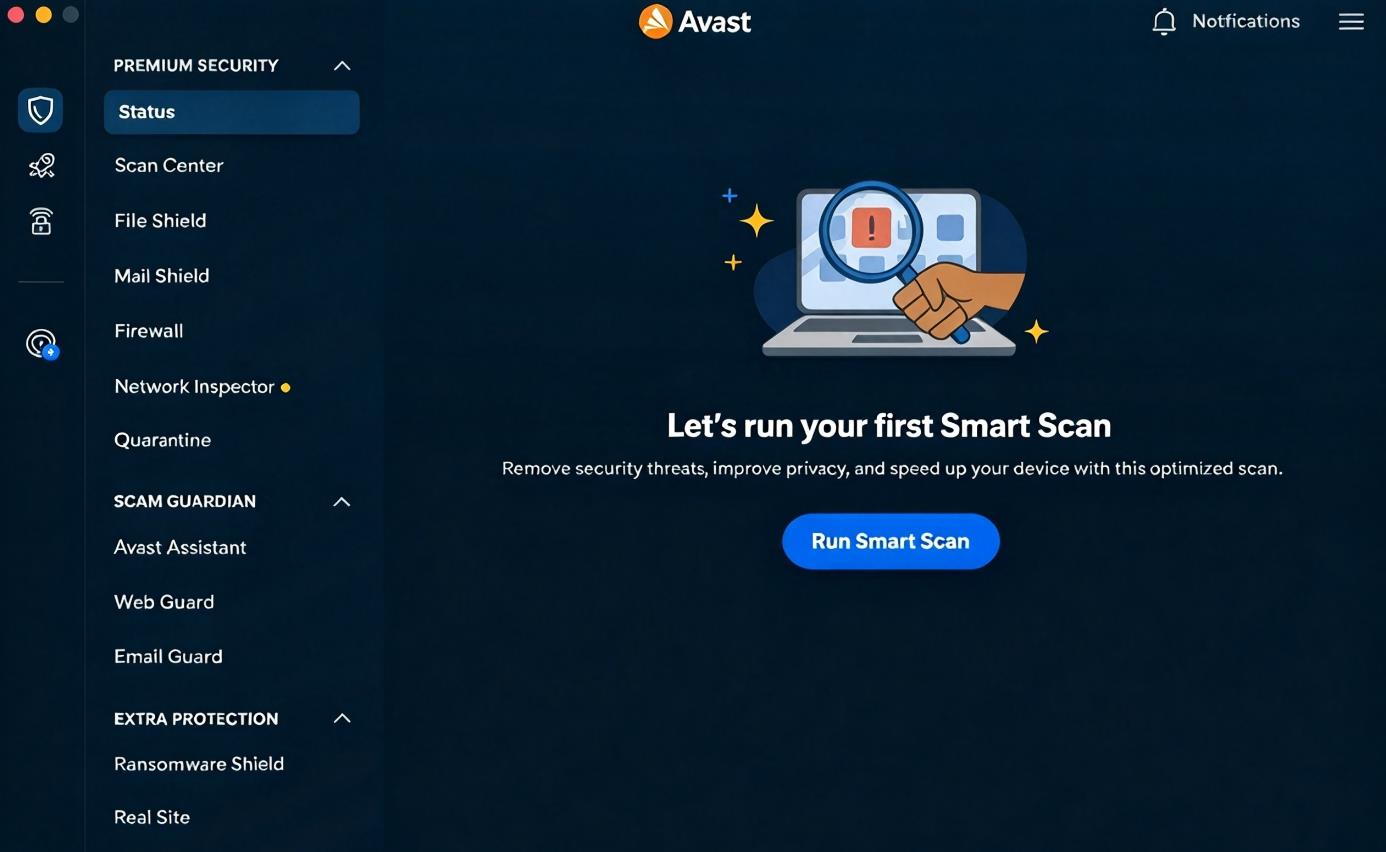
Avast One for Mac is Avast’s security suite built for Intel and Apple Silicon Macs. It provides real‑time malware and ransomware protection, AI phishing and scam blocking, a VPN, data breach monitoring and junk file cleanup. It has a generous free tier with weekly capped VPN data, and premium Individual or Family plans unlock unlimited VPN, Wi-Fi inspection, email protection and multi-device coverage across Mac, Windows and mobile.
Step 1. Open Avast One and select Status from the left-side menu.
Step 2. Click Run Smart Scan to start checking your device for viruses, malware, browser threats, and other security issues.
Step 3. Wait for the scan to finish. Click Resolve all and follow the on-screen instructions.
Step 4. Click Next to continue through the scan results. After resolving the issues, click Done.
7. ESET Cyber Security - Resource-light Antivirus
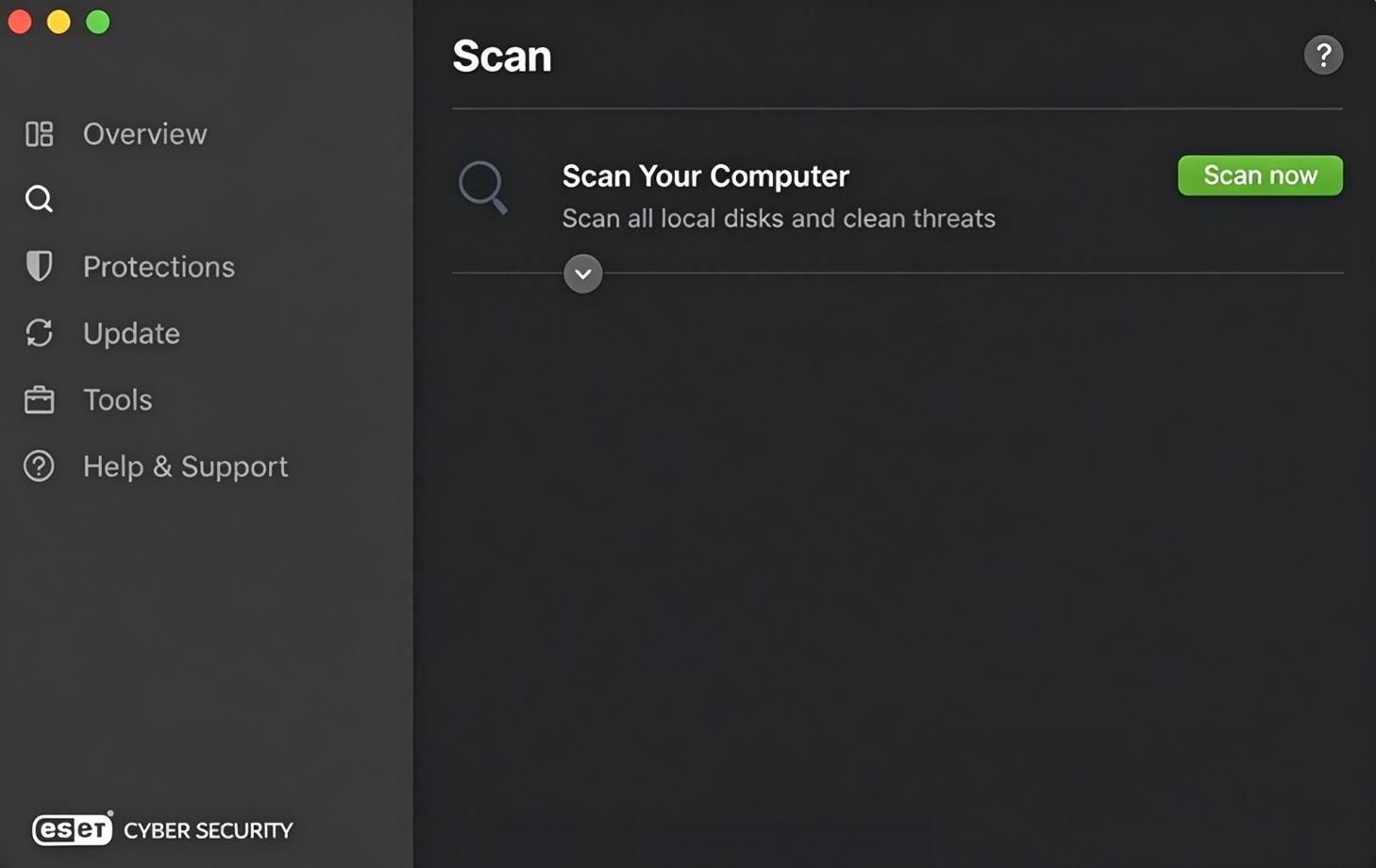
ESET Cyber Security is a lightweight, award-winning antivirus solution built for macOS, supporting both Intel and Apple Silicon Macs. Powered by ESET LiveGrid cloud reputation technology, it delivers real-time protection against Mac malware, ransomware, spyware, and cross-platform threats for Windows and Linux. Known for its low resource footprint, it runs quietly in the background without slowing down daily work or media playback.
Step 1. Open ESET Cyber Security and select Scan from the main application window.
Step 2. Click Scan now to start scanning your Mac for viruses, malware, and other potential threats.
Step 3. After scanning, click Show Log to view detailed results, then select items and choose Clean or Delete to remove them.
The Bottom Line
Whether you prioritize malware detection, low resource usage, free access, or Mac optimization, there is an option here for you. With the 7 best antivirus for Mac, we hope your Mac stays free from viruses and unwanted threats and runs smoothly with reliable protection.