- Support Center
- Multiple Languages
- Language
- Help Us Translate
Expert in
PC Health Solution

All-in-one PC health solution: clean, optimize and secure

Comprehensive PC cleaning, optimization and protection

Keep drivers always up-to-date

More stable performance with less system crashes

Protect millions of computers against malware

Top computer security with full-round protection

Protect against viruses & boost PC performance
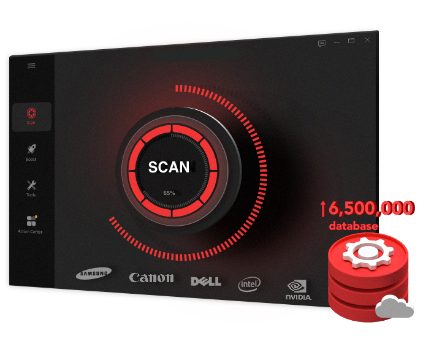
Automatically scan and update drivers.
Update game ready drivers for peak gaming performance.
Identify and fix various common of hardware issues.
Boost 30% of system performance for fast & smooth running.

What do driver updates do? Check this all-in-one guide inside.



Fixes Bugs: It repairs glitches, crashes, or "blue screen" errors.
Boosts Performance: It makes the hardware run faster, smoother, or more efficiently (especially important for gaming).
Adds Security: It patches holes that hackers could use to access your system.
What do driver updates do? Computer hardware (like your printer, graphics card, or Wi-Fi chip) doesn't automatically know how to talk to your operating system (Windows or macOS). A driver is the translator between them. So just take a driver update as a software tune-up for your hardware.
The Translator: Think of a driver as the bridge between your computer's hardware (physical parts) and its software (the operating system).
The Manual: It provides the instructions that tell Windows or macOS how to use a specific piece of equipment, like a printer, keyboard, or graphics card.
Driver updates are essentially "patches" sent by the manufacturer to improve that communication. They focus on three core areas:
Error Correction (Bug Fixes): Resolves known glitches, system crashes, or hardware "freezes."
Performance Optimization: Refines how the hardware uses power and memory to make it run faster or more smoothly.
Security Patches: Closes vulnerabilities that might allow malware to hijack a hardware component (like a webcam or Wi-Fi chip).
There are 4 common types of driver updates.
Graphics (GPU): Vital for gamers and designers; these updates often include "day-one" optimizations for new software.
Network: Improves Wi-Fi stability and internet speeds.
Peripherals: Ensures compatibility for new printers, scanners, or external monitors.
Chipset: Updates the "motherboard" instructions to help all parts of the computer work together better.
Automatic Updates: Most modern systems (like Windows Update) handle critical drivers automatically.
Manual Updates: Only necessary if you are:
Troubleshooting a specific hardware failure.
Setting up a brand-new device.
Optimizing a PC for high-end gaming or video editing.
To avoid any problem by manual updates, a one-stop solution for automatic driver updates is recommended here. Driver Booster can update all the drivers available for your PC and all you need to do is to click Update. Download this free software to experience now!
 People Also Ask
Yes. You can try 3 ways on how to uninstall the Realtek audio driver and reinstall it to solve the problem that PC sound is not working generally.
What is a device driver? A device driver is a middle program that lets your OS communicate with hardware. Learn more about the device drivers in computer.
Struggling with “why won't my GeForce driver update”? Learn why you can’t update NVIDIA driver and discover fixes for GeForce driver installation errors.