- Support Center
- Multiple Languages
- Language
- Help Us Translate
Expert in
PC Health Solution

All-in-one PC health solution: clean, optimize and secure

Comprehensive PC cleaning, optimization and protection

Keep drivers always up-to-date

More stable performance with less system crashes

Protect millions of computers against malware

Top computer security with full-round protection

Protect against viruses & boost PC performance
Automatically scan and update drivers.
Update game ready drivers for peak gaming performance.
Identify and fix various common of hardware issues.
Boost 30% of system performance for fast & smooth running.

Is your GeForce driver download failing? Discover fixes for NVIDIA GeForce Experience errors and learn how to keep your graphics card updated automatically.



Go to the official NVIDIA Driver Downloads page.
Select your Product Type, Product Series, Product, Operating System, and Download Type (Game Ready Driver or Studio Driver).
Click Search, then click Download to save the installer and run it on your PC.
When your games start stuttering, crashing, or displaying glitchy visuals, an outdated or corrupted graphics driver is usually the culprit. Downloading and maintaining the latest NVIDIA GeForce drivers ensures optimal gaming performance, stability, and access to new feature updates.
Here is a simple guide on GeForce drivers download, fix common download failures, and update your drivers effortlessly.
Your graphics processing unit (GPU) relies on drivers to communicate effectively with Windows and your games. Updating your NVIDIA drivers regularly delivers crucial optimizations:
Game-Ready Optimizations: Provides day-one support, bug fixes, and performance boosts for newly released titles.
Fix Visual Artifacts: Resolves screen tearing, flickering, black screens, and sudden frame drops.
Unlock New Features: Enables support for technologies like DLSS, Reflex, and ray tracing improvements.
Enhanced System Stability: Eliminates driver-related system crashes and Blue Screen of Death (BSOD) errors.
Identify Your GPU: Right-click the Start menu, open Device Manager, expand Display adapters, and note your graphics card model.
Search NVIDIA's Site: Visit NVIDIA's official driver download page and enter your exact GPU details and Windows version.
Download and Install: Run the downloaded .exe file. Choose Express Installation for a quick setup or Custom (Clean Installation) to completely reset your driver settings.
If GeForce Experience fails to download or install your driver, try these proven solutions:
Background processes can lock installer files.
Press Ctrl + Shift + Esc to open the Task Manager.
End tasks for all active NVIDIA background processes (e.g., NVIDIA Container, GeForce Experience).
Relaunch GeForce Experience and try downloading again.
Overprotective security software can block GeForce Experience from connecting to NVIDIA servers. Temporarily disable your third-party antivirus or Windows Defender Firewall, then retry the download.
Corrupted software files frequently cause installation loops and error messages.
Press Win + R, type appwiz.cpl, and hit Enter.
Find NVIDIA GeForce Experience, click Uninstall, and follow the prompts.
Download a fresh installer from NVIDIA’s website and reinstall it.
If stubborn driver leftovers block new updates, download Display Driver Uninstaller (DDU) to wipe all previous GPU drivers in Safe Mode before attempting a clean installation.
Match Your Driver Type: Choose Game Ready Drivers (GRD) if your main focus is gaming, or Studio Drivers (SD) if you focus on video editing, 3D rendering, and content creation.
Perform Clean Installs: If you encounter unexpected performance drops after updating, check the Perform a clean installation option during manual setup.
Keep Drivers Updated Regularly: Checking for driver updates once a month keeps your rig performing at its peak.
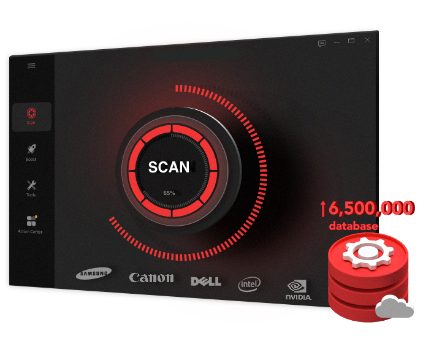
While manual GeForce driver download can sometimes run into unexpected errors or bloated installation issues, Driver Booster acts as a reliable, all-in-one alternative.
It automatically scans your entire system for outdated, missing, or corrupted drivers—including your NVIDIA GeForce GPU—and updates them with a single click from a certified database. Download it for free now!
 People Also Ask
Yes. You can try 3 ways on how to uninstall the Realtek audio driver and reinstall it to solve the problem that PC sound is not working generally.
Learn what RTX 4060 drivers are, how to spot driver-related issues like stuttering and crashes, and how to update or fix them to unlock your graphics card's full potential.
PC stuck on boot screen? Learn how to fix pc stuck on boot screen with proven methods like Safe Mode, SFC scan, and driver updates.