Expert in

PC Health Solution

Is Wise Registry Cleaner Good? Ultimate Review

  • An overview of Wise Registry Cleaner
  • Explore its pros, cons, and tested review
  • Never miss the best free alternative to it
Wise Registry Cleaner Review
What is Wise Registry Cleaner

What is Wise Registry Cleaner

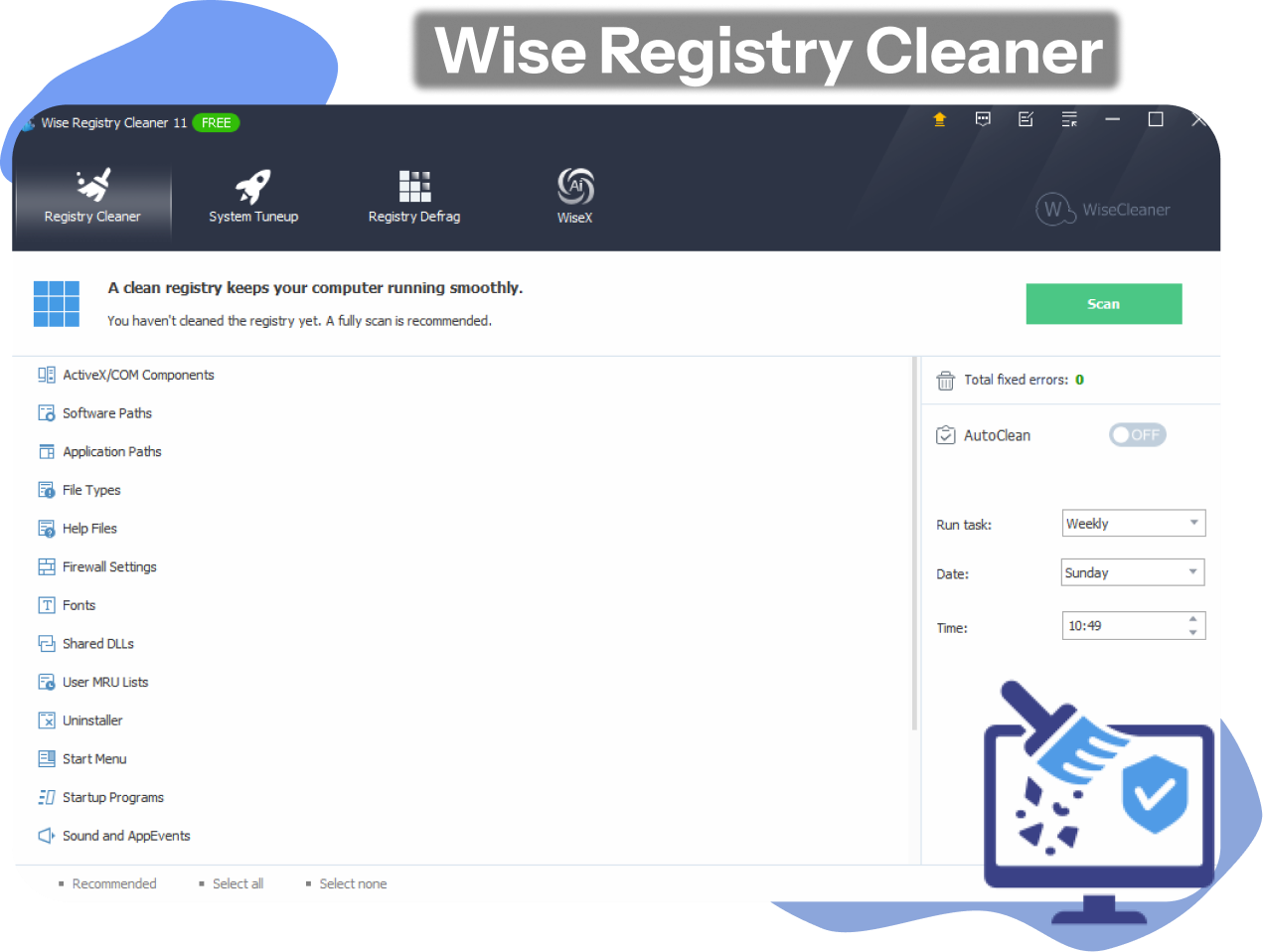
Wise Registry Cleaner is a smart and free Windows registry cleaner and optimizer that cleans & defrags the Windows registry automatically. It also helps fix Windows registry errors and optimize the system for faster PC running.

What Makes It an Ideal Registry Cleaner?

Based on our professional Wise Registry Cleaner test, Wise Registry Cleaner works perfectly for Windows registry cleaning and defragmentation.
Multi-User Registry Cleaning: Easily scan & clean the registry for all administrative accounts at once, perfect for computers used by multi people.
Fix Common Registry Problems: Auto find errors, and fix leftovers and corrupted registry entries to speed up your PC.
Scheduled Automatic Cleaning: Daily, weekly, or monthly schedule scan & clean depending on your needs. Automatic registry cleanup in the background.
Customizable Cleanup: It offers two scan modes: Fast Scan and Deep Scan. Customize the scanning items as per your needs.
Wise Registry Cleaner Features

Backup & Optimize Your System

Aside from cleaning up the Windows registry, Wise Registry Cleaner also offers users multiple safer options for system stability. It provides both automatic and manual system backups and creates restore points before cleaning the Windows registry. Moreover, the registry cleaner can optimize various Windows registry settings to uplift your system’s performance.
Wise Registry Cleaner Backup & Optimization

Is Wise Registry Cleaner Legit or Safe?

Developed by WiseCleaner, it is a legit and reputable tool used by millions of users. Is Wise Registry Cleaner safe? Yes, it is generally considered safe and reliable to clean up registry entries by reviewers since it comes with built-in backup & restore features that minimize the risks of system instability. But for the final answer, you have to figure it out after using it.
Is Wise Registry Cleaner Legit or Safe
Advanced SystemCare
- Best Alternative to Wise Registry Cleaner
Effortlessly clean up invalid registry entries and defrag your Windows Registry instantly with IObit Advanced SystemCare by one click. Boost your PC and maximize security right now!

Is It Worth? Pros & Cons of Wise Registry Cleaner

Is it wise to use Wise Registry Cleaner? Although it is considered an excellent software for smart registry cleanup, it has certain drawbacks. Consider seriously before you decide to subscribe.
What Users Hate:
  • Risk of OS corruption/instability
  • Pro version required for auto-updates
  • Contains in-app ads for other WiseCleaner tools

Should You Pay for Wise Registry Cleaner?

Wise Registry Cleaner Free offers only one-time scans and basic fixes, while Wise Registry Cleaner Pro review unlocks advanced features. Check the detailed information below.
Wise Registry Cleaner Free
  • Basic Registry Cleaning
  • Automatic Backup
  • System Tune-up
  • Windows Registry Defrag
Wise Registry Cleaner Pro
$14.97/Year for 3 PCs
  • Multi-User Registry Cleaning
  • Scheduled Auto-Clean
  • 1-Click Desktop Icon
  • Automatic Updates (Silent in background)
  • Direct Tech Support
  • System Monitor
Editor Says: Wise Registry Cleaner Free is suitable for users who only need to perform basic Windows registry scans and cleanups infrequently. If you require more advanced features, upgrade to the Pro version.

What Users Say About Wise Registry Cleaner

Clean interface. Great choice for...
“Really liked Wise Registry Cleaner. The interface is clean, well-organized, and easy to use. It's lightweight, fast, and feels reliable. Great choice for anyone looking for simplicity without sacrificing efficiency.”
Wise Registry Cleaner User Review 1
From Trustpilot, Posted by Alex
Works well for leftover entries cleanup.
“The primary reason I installed Wise Registry Cleaner was to tidy up my registry, which I suspected was cluttered with leftover entries from uninstalled programs. After cleaning, I noticed a modest improvement in boot times and overall responsiveness.”
Wise Registry Cleaner User Review 2
From Trustpilot, Posted by Mayowa
Wise Registry Cleaner helps me a lot.
“The registry is a very important thing in the Windows system, I am usually too careful to handle it, but with the help of Wise Registry Cleaner, I can clean my registry safely and without worry!”
Wise Registry Cleaner User Review 3
From Trustpilot, Posted by Herry
A wonderful free registry cleaner!
“I've been using Wise Registry Cleaner for a few months to optimize my Windows PC, and my experience with this free registry cleaner and optimizer has been highly positive.”
Wise Registry Cleaner User Review 4
From Trustpilot, Posted by Kent

Wise Registry Cleaner vs. Advanced SystemCare

Is Wise Registry Cleaner your prime choice? Editor has found the best free alternative to you. Check the Wise Registry Cleaner vs. IObit Advanced SystemCare comparison that helps you out!
Features Wise Registry Cleaner Advanced SystemCare
Clean up Invalid Registry Yes (Free) Yes (Free)
Defragment Registry Yes (Free) Yes (Free)
Fix Registry Errors Yes (Free) Yes (Free)
Back up Registry Entries Yes (Free) Yes (Free)
Restore Points Creation Yes (Free) Yes (Free)
Scheduled Cleaning Yes (Paid) Yes (Paid)
Remove Junk Files Yes (Free) Yes (Free)
System Tune-up Yes (Free) Real-time Tune-up (Free )
Internet Boost Basic Turbo Boost (Free)
Startup Optimization Basic Startup Optimizer (Free)
Privacy Protection Limited Advanced
Uninstall Unwanted Apps Not Supported Recommend free IObit Uninstaller
More About Wise Registry Cleaner Free Download Buy Pro
Editor Says: Wise Registry Cleaner is a highly focused tool specializing purely in registry repair, defragmentation, and basic system tune-ups, while IObit Advanced SystemCare is a massive, AI-driven suite that offers deep junk cleaning, real-time security alongside basic registry cleaning.

Find out More Truths About Wise Registry Cleaner

What are the Similar Windows Apps to Wise Registry Cleaner?
CCleaner, BleachBit, and IObit Advanced SystemCare are also wonderful alternatives to Wise Registry Cleaner for efficient registry cleanup and PC optimization.
Is Wise Registry Cleaner Free?
Yes. Wise Registry Cleaner is primarily free software. The free version includes core features like registry scanning, cleaning, defragmentation, and automatic backups.
How to Use Wise Registry Cleaner?
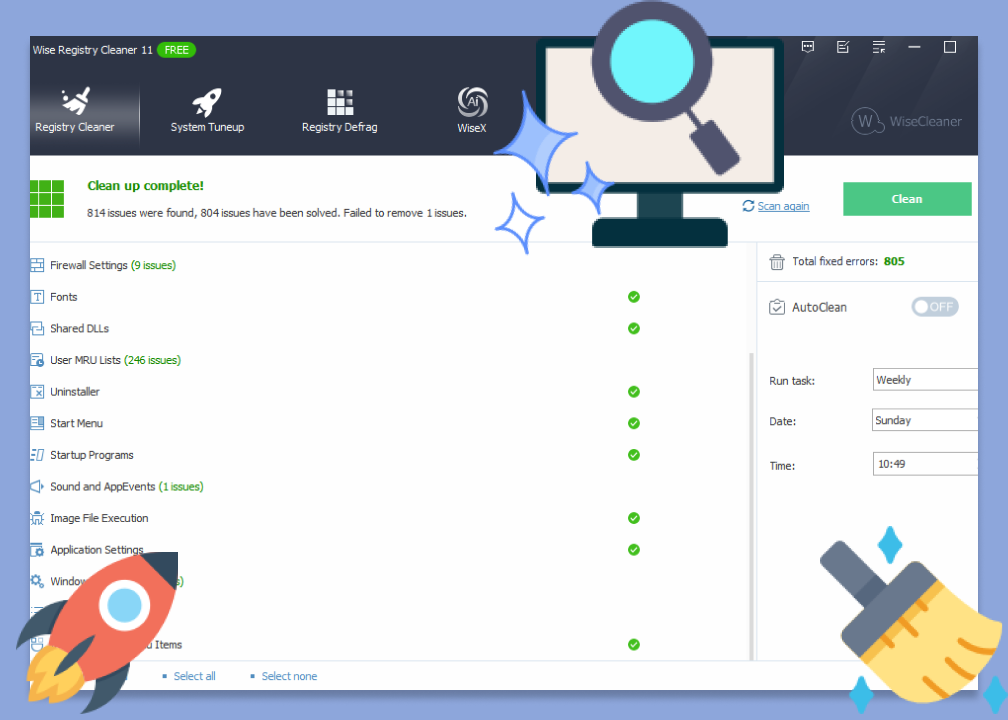
First of all, get Wise Registry Cleaner free download and installation on your PC. Click the Scan button to start scanning the registry. Review the scan result and click Clean to fix all selected registry issues.
What are the Risks of Using a Registry Cleaner?
Though it’s generally safe to use a free wise registry cleaner on Windows, it may accidentally delete critical system entries, leading to application crashes, "Blue Screen of Death" errors, or broken Windows updates.
Advanced SystemCare - Superme Alternative to Wise Registry Cleaner
Free download the industry-leading registry cleaner to clean and optimize your PC for free.