Expert in

PC Health Solution

WinUtilities Review

  • In-depth look at WinUtilities
  • Discover strengths and weaknesses of WinUtilities
  • Explore top alternatives and comparisons
WinUtilities Review
What is WinUtilities

What is WinUtilities

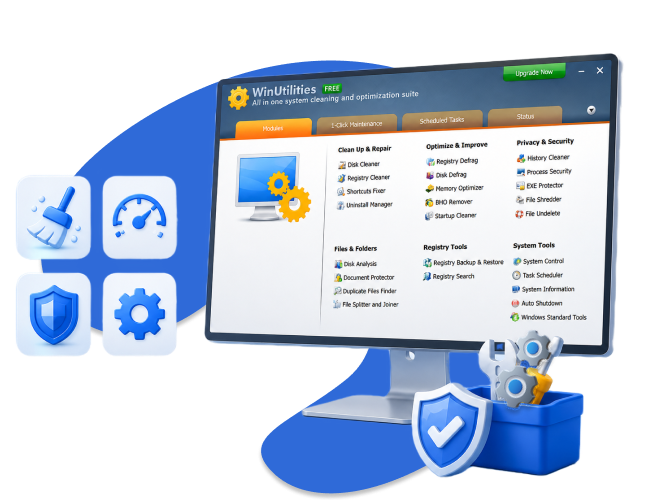
WinUtilities boosts PC performance with tools for cleanup, registry fixes, startup management, secure file erasure, and system monitoring, delivering a faster, cleaner, and more responsive Windows experience.

Is WinUtilities Worth Using?

WinUtilities is generally regarded as a capable optimization suite, especially for users seeking an all-in-one utility. Its lightweight design ensures minimal impact on system resources. The free version offers core features like disk cleanup and registry fixes, while the Pro version unlocks advanced tools such as automated maintenance, file shredding, and system health monitoring. Beginners should exercise caution with registry cleaners to avoid potential issues.
Is WinUtilities Good

Top Features of WinUtilities You Should Know

WinUtilities provides modules for registry cleaning, disk cleanup, privacy protection, and startup optimization. Its built-in tools allow users to delete temporary files, remove invalid registry entries, and monitor system performance. With secure file deletion and backup options, WinUtilities strives to maintain a balance between effective cleaning and safety, minimizing the risk of accidental data loss.
Top Features of WinUtilities You Should Know

Other Noteworthy Benefits of WinUtilities

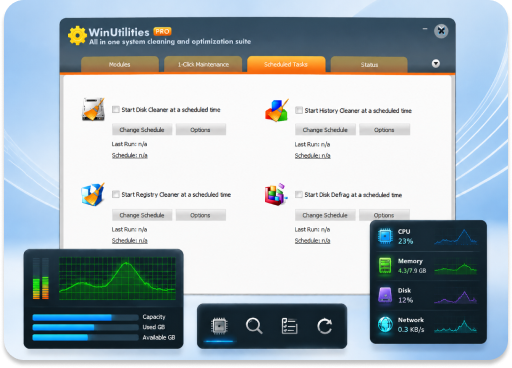
Beyond cleanup, WinUtilities includes utilities for memory optimization, file recovery, and system monitoring. Users can schedule maintenance tasks, manage context menus, and monitor real-time system resource usage. While the interface may appear classic, the software provides a comprehensive toolset for intermediate users who want more control over system performance without overly complex configurations.
Other Noteworthy Benefits of WinUtilities
Advanced SystemCare
-Best Alternative to WinUtilities
IObit Advanced SystemCare automates cleanup, optimization, privacy protection, and security monitoring with an intuitive interface for all users.

WinUtilities: Key Pros and Cons You Should Know

Explore WinUtilities’ strengths and weaknesses to decide whether this PC optimization tool suits your needs.
What We Dislike
  • Interface can feel outdated
  • Some features require Pro version
  • Limited automation compared with competitors
  • Advanced modules may confuse inexperienced users
  • Occasional alerts can be intrusive

Is WinUtilities Worth Buying?

WinUtilities Free handles basic system maintenance, while Pro adds automation and advanced safety, ideal for users seeking deeper, comprehensive PC optimization beyond simple cleanup.
WinUtilities Free
  • Basic disk cleanup and registry repair
  • Startup program management
  • Privacy protection
WinUtilities Pro
$29.99/Year for 1 PC
  • Access to all free features
  • Automated system maintenance
  • Advanced file recovery
  • Secure file shredder
  • Real-time system monitoring
Editor Says: The free edition suits casual users looking for basic maintenance. WinUtilities Pro offers a more robust experience, particularly for users wanting automated, deeper system optimization.

What Users Say About Glary Utilities

Reliable tool for deep PC cleaning
I've used WinUtilities Pro in our office to optimize Windows performance. It efficiently cleans temporary files, registry entries, and unnecessary programs. The tool also automates cleaning tasks and helps speed up startup, making system maintenance simple and effective.
User One
Posted by Ronny T., from G2
Complete all-in-one PC maintenance tool
WinUtilities Pro is an easy-to-use tool that includes every necessary feature for PC maintenance. It handles disk cleaning, registry optimization, memory management, privacy and security tools, and file/folder protection. It’s lightweight yet powerful, saving time and money while keeping systems running smoothly.
User Two
Posted by Ruben C., from G2
Excellent tool for cleaning and fixing PCs
WinUtilities helped clean up my computer by removing registry errors, broken shortcuts, and unnecessary files. The built-in disk cleaner and uninstall manager worked smoothly, making system maintenance quick and hassle-free. I've had a great experience with the software and would gladly recommend it to others.
User Three
Posted by S_Bays, from CNET Download
Comprehensive PC optimization tool
WinUtilities Professional Edition makes PC maintenance easy by automating cleaning, system optimization, privacy protection, and registry management. Its intuitive interface and well-organized features help keep your computer running smoothly and efficiently without manual hassle.
User Four
Posted by tomclarke98, from CNET Download

WinUtilities vs. IObit Advanced SystemCare

Still unsure whether WinUtilities is the right choice? To provide a clearer picture, we compared it with IObit Advanced SystemCare, another well-known PC optimization tool, and examined their features, usability, and overall value side by side.
Features WinUtilities IObit Advanced SystemCare
Interface Classic, simple Modern, intuitive
Ease of use Moderate High
Automated optimization Limited Extensive
Disk & registry cleanup Yes Yes
Startup program management Yes Yes
File shredder Pro Only Yes
System monitoring Basic Real-time & advanced
Free version limitations Some tools restricted Most tools available
More About WinUtilities Free Download Buy Pro
Editor Says: WinUtilities provides robust tools but leans toward intermediate users comfortable managing system tasks manually. IObit Advanced SystemCare offers an easier, more automated solution, ideal for beginners or anyone wanting ongoing maintenance without manual intervention.

Frequently Asked Questions about WinUtilities

Is WinUtilities safe to use?
Yes. WinUtilities is generally clean and safe, but downloading from official sources is recommended to avoid malware from unofficial copies.
Is WinUtilities legit?
Yes. It is a reputable tool used since the early 2000s for system maintenance and optimization.
Can WinUtilities free version compete with Pro?
No. The free version offers basic cleaning and optimization, while the Pro edition unlocks advanced features and automated maintenance.
Does WinUtilities work on all modern Windows versions?
Yes. It supports Windows 7 through Windows 11, including older PCs with minimal performance impact.
Why is IObit Advanced SystemCare a recommended alternative?
Advanced SystemCare combines automation, real-time monitoring, and user-friendly design, making system maintenance simpler and faster compared with WinUtilities.
Advanced SystemCare – Best Alternative to WinUtilities
Boost PC performance with real-time cleaning, protection, and optimization in one easy-to-use tool.