Expert in

PC Health Solution

Uninstalr Review

  • Learn what Uninstalr is and how it works
  • Explore its strengths, weaknesses, and real user experiences
  • Find out whether IObit Uninstaller is a better alternative
Uninstalr Review
What is Uninstalr

What is Uninstalr?

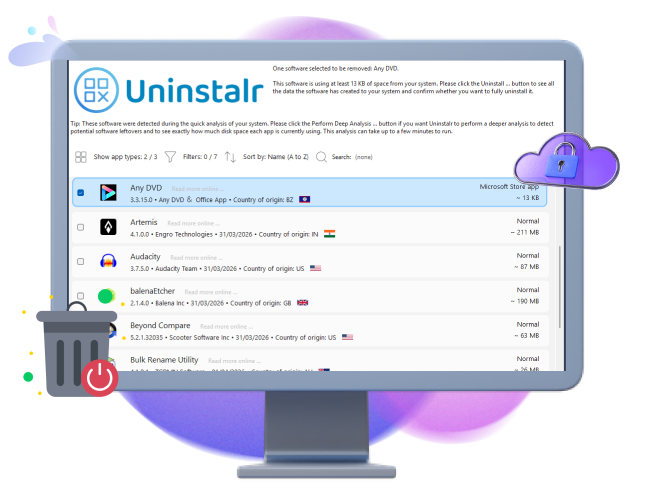
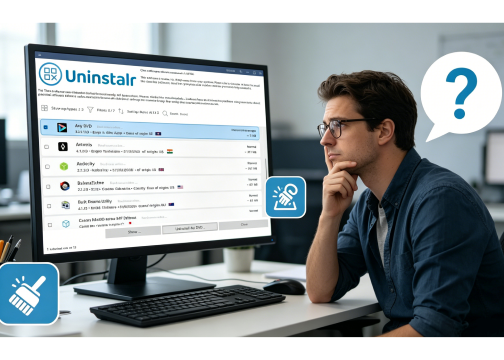
Uninstalr is a lightweight Windows software uninstaller. It aims to remove applications more thoroughly by detecting leftover files, folders, registry entries, and other traces that often remain after a standard uninstall process.

Get to Know Corn Features of Uninstalr

As a dedicated software removal tool, Uninstalr focuses on accurate and residue-free uninstallations. Its major features include: batch uninstall multiple programs simultaneously, detect leftovers from previously removed software, support unattended uninstall operations, preview files and registry entries before removal.
Features of Uninistalr

Extended Highlights of Uninstalr

Beyond its core uninstallation functionality, it can monitor newly installed programs in real time, ensuring that every trace of software is captured for future removal. It offers portable version, allowing users to run it without installation conveniently. Additionally, Uninstalr supports uninstalling Steam and Microsoft Store applications.
Other Highlights of Uninstalr

Is Uninstalr Worth It?

Uninstalr performs very well when its primary goal is considered: removing software thoroughly. However, thoroughness comes with a tradeoff. Some users report that scans can take longer than competing uninstallers, especially when analyzing large numbers of installed applications. Overall, Uninstalr is a legitimate and capable uninstall utility, but whether it is the right choice depends on how much control and automation you need.
Is Uninstalr Worth It
IObit Uninstaller
-Comprehensive Alternative to Uninstalr
Get complete software management with powerful uninstall tools, leftover cleanup, software updates, and browser protection—all in one place.

Uninstalr - Pros & Cons You May Concern

It performs well in clean and batch uninstalls, but it also has drawbacks. Check the pros and cons before you choose it.
What We Dislike:
  • Initial scans may take longer than competitors
  • Interface focuses on functionality rather than aesthetics
  • Beginners may find detailed removal options intimidating
  • Some users report occasional false leftover detections
  • PC usage is best minimized during large uninstall operations

Is Uninstalr Pro Worth Subscribing?

Uninstalr is genuinely freeware—no feature restrictions, no ads, no upgrade nags. The “Pro” version is purely a way to support the developer and receive priority support.
Uninstalr Free
  • Standard software uninstallation
  • Batch uninstall support
  • Leftover file detection
  • Portable app detection
  • Installation monitoring
  • Microsoft Store and Steam app removal
Uninstalr Pro
Price: $39 for lifetime upgrades
  • All free features covered
  • Priority technical support (personal email access to developer)
  • Support the continued development of the tool
Editor says: Most users will not need to upgrade. The free version already provides all its core features. Upgrade to Pro version, you will receive one-on-one technical support.

See What Users Say About Uninstalr

Can found leftovers years ago!
Just switched over to this from Revo Uninstaller (free version) which I've been using for a while now and running manual control to get rid of remnant files. For newly installed stuff it's been fine really but Uninstalr seems to have found leftovers in the reg etc. from programs I uninstalled even years ago! Batch select > Uninstall and all sorted. Nice work!
User 1
Posted by robbiekhan, from Reddit
Excellent app
Just ran a clean Windows install on my PC and stumbled across this post when searching for new best software. Loving this program so far. Thanks for the excellent app!
User 2
Posted by ignitionnight, from Reddit
Effective and fast for app removal
Uninstalr is amazing! I’ve been struggling with a cluttered computer for ages… I had a good experience with Uninstalr! Effective for getting rid of unwanted apps and really fast too. I just wish it showed me a preview before uninstalling. It’s a solid app.”
User 3
Posted by zeus408, from Reddit
Really good uninstaller
Really good software, I used this to get rid of Bulk Crap Uninstaller. This can also find leftovers!
User 4
Posted by mikaelish, from Reddit

It’s Your Turn: Choose Uninstalr or IObit Uninstaller

Still undecided about whether to choose Uninstalr? Let’s see how it stacks up against IObit Uninstaller, one of the most popular uninstallers in the market.
Features Uninstalr IObit Uninstaller
Standard Uninstall
Batch Uninstall
Unattended Uninstall
Leftover Scan
Software Health Monitor
Browser Extension Removal
Bundleware Detection
Force Uninstall
Portable Version
Installation Monitoring
Software Updater
More About Uninstalr Free Download Buy Pro
Editor says: If you value portable tools and pure uninstallation accuracy, Uninstalr is the better choice. If you prefer an all-in-one PC maintenance tool with a modern UI and broader cleanup capabilities, IObit Uninstaller is worth the switch.

Uninstalr FAQs

Is Uninstalr Safe?
Yes. Uninstalr is a legitimate and safe software uninstaller. It is regularly updated and widely recognized for its thorough software removal capabilities. As with any uninstaller, it's recommended to review detected leftovers before deleting them.
What Operating Systems Does Uninstalr Support?
Uninstalr is a freeware works in Windows 11, 10, 8 and 7.
Does Uninstalr Remove Leftovers Better Than Windows?
Generally, yes. Unlike the built-in Windows uninstaller, Uninstalr scans for leftover files, folders, and registry entries after a program is removed, helping achieve a cleaner uninstall.
Do I need to upgrade to Uninstalr Pro?
No. The free version contains every feature. Pro only adds technical support and is a way to support the developer’s work.
IObit Uninstaller – Best Alternative to Uninstalr
Ready to give your PC a smarter cleanup that goes beyond just uninstalling? Try IObit Uninstaller now!