Expert in

PC Health Solution

Genuine Surfshark Antivirus Review - What You Need to Know About Surfshark Antivirus

  • Unveil the in-depth and comprehensive truth about Surfshark Antivirus
  • Evaluate whether you should pay for Surfshark Antivirus
  • Compare the Surfshark Antivirus add-on with the exclusive antivirus application
Surfshark Antivirus Review
What Is Surfshark Antivirus

What Is Surfshark Antivirus

Surfshark Antivirus is an antivirus feature built into the Surfshark VPN, rather than a standalone antivirus program. It provides malware and virus protection as part of Surfshark One or One+, which combines antivirus protection, VPN, data leak monitoring, and other privacy tools in one package.

Unlock Surfshark Antivirus Device Protection Power

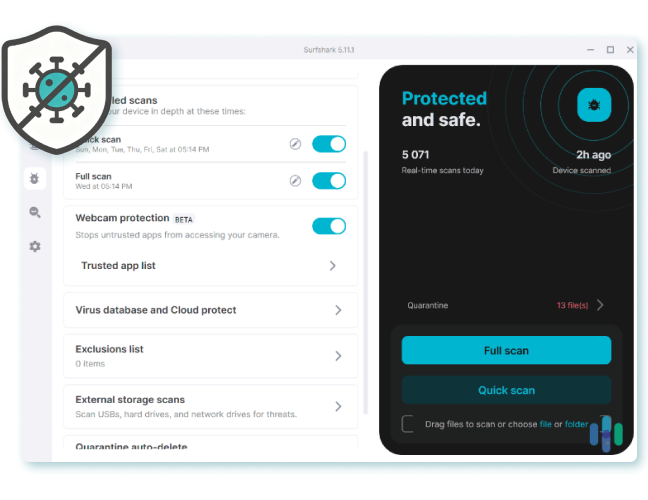
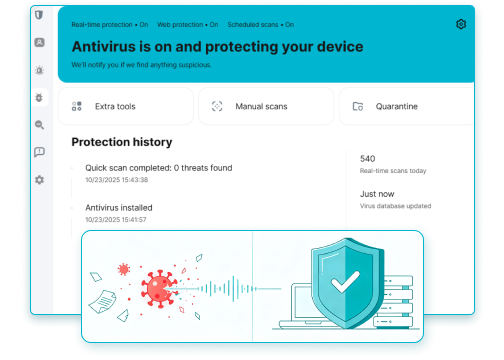
Surfshark Antivirus provides real-time protection against viruses, malware, spyware, and other online threats. Unlike traditional antivirus tools that focus mainly on threat detection, it combines antivirus protection with Surfshark’s VPN and privacy features for a more integrated security experience.
Surfshark Antivirus Review Features

Why Is Surfshark Antivirus Worth a Try

Surfshark Antivirus is worth considering for users who want an all-in-one digital security solution. Instead of managing separate antivirus and VPN subscriptions, users can get malware protection, online privacy, and data leak alerts under one subscription.
Why Is Surfshark One Antivirus Worth a Try

What Makes Surfshark Antivirus Stand Out

Beyond basic antivirus protection, Surfshark Antivirus stands out with features like scheduled scans, webcam protection, and real-time threat monitoring. Its lightweight design and seamless integration with Surfshark’s privacy tools make it a convenient choice for everyday users.
Surfshark Antivirus Review Shining Points
IObit Malware Fighter
- Best Alternative to Surfshark Antivirus
Guard your PC device with the standalone, exclusive, and multi-layered PC protection solution against viruses, malware, ransomware, etc., in real-time.

Weigh Pros Against Cons on Surfshark

What do users like and dislike about this antivirus software? Check the advantages and disadvantages in the Surfshark One Antivirus review.
What You Won’t Like
  • No free forever version. After the 7-day free trial, users have to pay for the ongoing service.
  • The antivirus features are only available for Surfshark One and One+ users.
  • Surfshark Antivirus has no standalone options. All antivirus features are built into its VPN app.
  • Some advanced and in-depth antimalware features are missing.

Worth Buying Surfshark One for Surfshark Antivirus?

Is it a good deal to pay for the Surfshark One plan? Check the Surfshark Antivirus price.
Surfshark Antivirus Free
  • 7-day free trial for Surfshark Starter plan
  • Core VPN features
  • Alternative ID
Surfshark Antivirus Pro
$3.59/month for 1 PC
  • Get full access to all Surfshark Starter features
  • Antivirus scheduled scans
  • Webcam protection
  • Real-time protection
  • Email scam checker
  • Personal data leak alerts
Editor Says: Surfshark Antivirus features are only available in the Surfshark One and Surfshark One+ plans. For users who only need VPN core features for IP masking, Surfshark Starter is an ideal choice. Who seeks decent antivirus protection with scanning, real-time protection and more data security functions, the Surfshark One will be much more suitable.

Real Surfshark Antivirus Reviews from Real Users

All in one package
All in one package, I can scan for virus, hide my location if I want, have a disposable email for checking new contacts out before giving them my own email. VPN , Search engine that no one can track and no adverts. I recently bought a new car and had problems connecting the phone to it for use through the infotainment centre. After reading through the details on surfshark, I found that I can set up certain websites and apps to be allowed access even with VPN active. This was very useful.
Real Surfshark Antivirus Review1
From Trustpilot, Posted by Ken
I'm amazed at the high scores for this…
I'm amazed at the high scores for this product. VPN is good, anti virus is awful, clunky and annoying. Don't get me started on the almost non existent help. …
Real Surfshark Antivirus Review2
From Trustpilot, Posted by robert venables
Easy to use and I can run it on all my…
Easy to use and I can run it on all my devices. I do wish I could use all the features in Australia. There also needs to be a better alert when mailwear or a virus is detected. Support is great :)
Real Surfshark Antivirus Review3
From Trustpilot, Posted by James
Surkshark AntiVirus will not Load on Windows 11
I have a laptop, desktop and firestick. Laptop and desktop are Windows 11. Firestick and laptop work great. My desktop will not load anti-virus. After working with Tech team of Surkshark for over 2 weeks and verifing I have no issues, bugs etc and loading app off Surfshark website and MS store, (Apps are different) I was told today that they can't help me and to wait for next software update which will be 5.10.2 with no date of release. And no guarantee that will resolve the issue I'm having..
Real Surfshark Antivirus Review4
From Trustpilot, Posted by William Capps
Anti-Virus/VPN that works as advertized
I have used several different Virus Security Programs over the past 5 years and I have found Surf Shark to be one of the better ones. Surf Shark is intuitive to use and there are no overly complex functions to contend with. I have been using Surf Shark for nearly a year and my Desktop and Mobile are in "koool runnnnins, man!"
Real Surfshark Antivirus Review5
From Trustpilot, Posted by Option Trader

Surfshark Antivirus vs. IObit Malware Fighter

Surfshark Antivirus add-on or standalone IObit Malware Fighter? Comparison ahead of decision.
Features Surfshark Antivirus IObit Malware Fighter
Free Version No, only a 7-day free trial Yes, Smart Scan, Custom Scan & Full Scan
On-Demand Scan Yes, Quick Scan, Full Scan Yes, Smart Scan, Custom Scan & Full Scan
Scheduled Scan Yes Yes
Real-Time Protection Yes Yes
Webcam Protection Yes Yes
VPN Yes, the Antivirus feature is built into the VPN app Yes, a standalone VPN app that needs an extra download
Browser Protection Web content blocker: 2FA feature lock Anti-tracking, Homepage Advisor, Download Protection, DNS Protection
Extra Local Protection No Yes, USB disk/File/Startup/MBR Protection
More About Surfshark Antivirus Free Download Buy Pro
Editor Says: Revo Uninstaller is acclaimed for its deep cleanup but features a technical workflow, which is perfect for advanced users who want maximum control over uninstallation. IObit Uninstaller has a more intuitive design and delivers powerful automatic features, tailored for casual, easy, and daily maintenance. If you are a beginner or non-skilled user, IObit Uninstaller is a better choice.

FAQs About Surfshark Antivirus

Does Surfshark Have Antivirus?
Yes. Surfshark comes with a dedicated antivirus feature built into the Surfshark VPN app, which is unlocked with a Surfshark One or Surfshark One+ subscription.
Can I Get Surfshark Antivirus Without the VPN?
No. As said before, the Surfshark Antivirus features and tools are bundled in its VPN application but are not available as a separate app. Surfshark Antivirus acts as an add-on to your existing Surfshark account once you are subscribed to Surfshark One/One+, along with other security features.
Surfshark Antivirus vs Bitdefender?
Surfshark is a lightweight virus protection bundled feature suitable for users who prioritize VPN usage, while Bitdefender is an industry-leading, separate cybersecurity solution guard against virus/malware/adware/spyware, etc., suitable for user groups who prefer a comprehensive defense.
Does Surfshark Have a Free Plan?
No, there is no free-forever version for Surfshark. But it offers a 7-day free trial for users to try the features provided in Surfshark Starter before subscribing.
IObit Malware Fighter - Exclusive Protection Beyond Surfshark Antivirus
Download and install IObit Malware Fighter right now to acquire airtight protection against viruses, malware, and any threats.