Expert in

PC Health Solution

Snappy Driver Installer Review

  • Free open-source software
  • Update outdated drivers
  • Scan for missing drivers
  • Work both online and offline
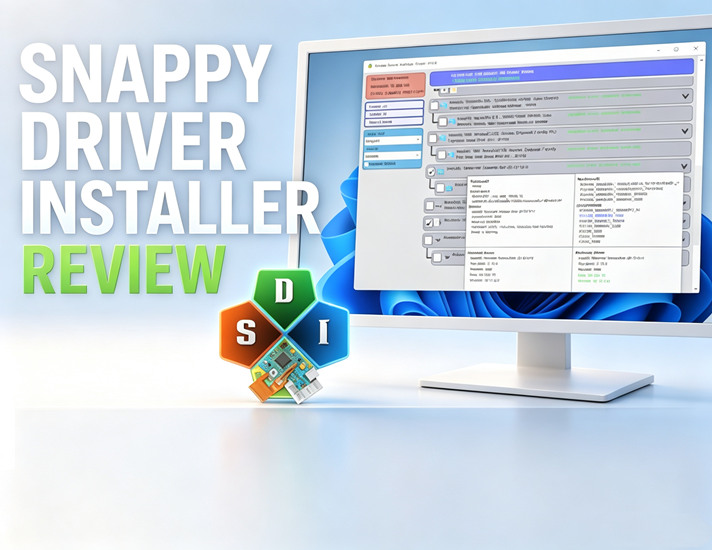
Cover of Snappy Driver Installer Review
Logo Snappy Driver Installer

What Is Snappy Driver Installer?

Snappy Driver Installer is an open-source driver updater. People prefer this free software to scan missing drivers, update outdated drivers, and install network, audio, display and chipset drivers.

Snappy Driver Installer Online - The Lite Version

The Online (Lite) version is the better choice for most users who only check for driver updates occasionally. If you don't frequently reinstall Windows, there's usually no need to download the 20 GB offline driver package. Instead, the Lite version downloads a small driver index, scans your PC, and fetches only the drivers you actually need from online sources. In most cases, the required downloads range from a few MB to a few GB, making the process much faster and more storage-friendly.
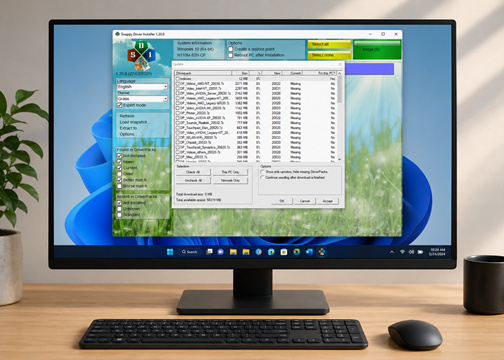
Snappy Driver Installer Lite Version

Snappy Driver Installer Offline - The Full Version

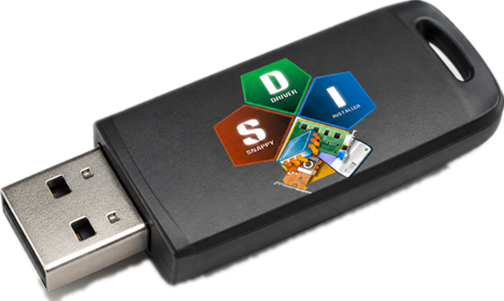
The Full Offline version of Snappy Driver Installer suits better for advanced PC users and IT technicians. The complete driver library (over 20 GB) allows you to install and update drivers offline. It is useful for system builders to carry USB to fix PC driver problems. Although the initial download is large—often over 20 GB—it provides instant access to a vast collection of drivers, making it ideal for repairing systems with missing network drivers.
External Hard Drive SDI

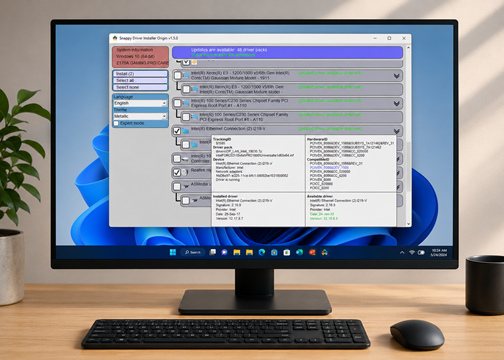
Snappy Driver Installer Origin

Snappy Driver Installer Origin (SDIO) was created to preserve the original open-source vision of Snappy Driver Installer after concerns emerged within the community regarding third-party promotions, project direction, and transparency. Unlike the original SDI, SDIO remains 100 percent open-source, offering transparent updates, no advertisements, and a strong focus on user trust.
Snappy Driver Installer Origin
Driver Booster
-IObit Driver Booster - Free Alternative to SDI/SDIO
Large driver pool, auto driver updates, and backup point - IObit Driver Booster saves you from back-and-forth uninstall and reinstall.

What are the Pros and Cons of Snappy Driver Installer?

Check the advantages and disadvantages of SDI
What We Don’t Like
  • Lack of auto updating function
  • Cannot auto check for driver updates
  • Newly updated drivers are unstable
  • Outdated user interface
  • Large offline package size
  • Potential driver mismatches
  • More advanced than necessary for casual users

Is Snappy Driver Installer Worth Buying?

Snappy Driver Installer is an open-source driver updater, you can use it all for free. But
Driver Installer Online Free
  • Detect Missing Drivers
  • Find Outdated Drivers
  • Driver Version Comparison
  • Small Download Size
  • Faster Setup
  • Ideal for Everyday Use
Driver Installer Online Pro
No Paid Version, But Driver Installer Offline
  • Offline Driver Database
  • Install Drivers Without Internet
  • Bulk Driver Installation
  • Portable Driver Toolkit
  • Driver Backup and Recovery Friendly
  • Great for Windows Reinstall
  • Support for Fresh Windows Installs
Unlike Windows Update, which focuses on automatically installing stable, Microsoft-approved drivers, Snappy Driver Installer (SDI) provides broader driver coverage and greater control. It can find missing drivers, offer multiple driver versions, and install drivers offline, making it especially useful for Windows reinstalls and hardware troubleshooting.

What People Say About Snappy Driver Installer?

Satisfied but...
I'd wish they had an option for "Update drivers(download) + shutdown pc when update is completed"
C
From SourceForge, Posted by crackez
I came from Reddit
The software fixed my computer from BSOD errors. I downloaded this because of a recommendation on Reddit.
B
From SourceForge, Posted by benbaruch
Looks good but conflicts with my touchpad
Looks nice and promissing, although it broke my Dell Inspiron 7548 with Windows 10 - after updating drivers with SDI, my touchpad stopped working, actually the device completely disappered from the device manager and was not listed anywhere to re-enable it.
J
From SourceForge, Posted by jacek_wislicki
Install some unwanted drivers
Makes the work of installing new systems a lot easier, although you have to be aware of installing some kind of drivers (kinda 2 or 3 categories), which simply does not work afterwards.
R
From SourceForge, Posted by renegade2k

Snappy Driver Installer vs. IObit Driver Booster

Check the comparison sheet and see which one suits you
Features Snappy Driver Installer IObit Driver Booster
Open Source Yes No
Automatic Driver Scans No Yes
Scheduled Driver Updates No Yes
One-Click Driver Updates Yes Yes
Background Driver Monitoring No Yes
Offline Driver Installation Yes No
Driver Database Large Offline Driver Packs Large Cloud-Based Database
Driver Version Selection Multiple Versions Available Usually Latest Recommended Version
Game-Ready Driver Updates No Special Focus Supports Game Driver Updates
More About More About SDI Free Download Buy Pro
Compared with SDI, IObit Driver Booster is better suited for users who prefer automatic driver scanning, one-click updates, and a more beginner-friendly experience.

More Things You Don’t Know About Snappy Driver Installer

What's the difference between SDI and SDIO?
SDIO (Snappy Driver Installer Original) is a user-preferred derivative of the SDI project, which remains actively developed, open source, and ad-free when SDI tend to get tampered by third-party ads and promotions.
Is SDIO better than Windows Update?
Yes, for those who need to check/install for missing drivers, SDIO is a better option than Windows update. The default system update is just routine driver maintenance, not dedicated driver update.
What is the difference between the Lite and Full versions?
The Lite version (online version) don’t require users to download a 20GB driver database. The driver is downloaded via an online driver library so the network connection is necessary. The full version (offline version) requires users to download the 20BG database, and the software works well on portable scenarios, helping IT technicians to do driver fix for newly reinstalled PC.
Can SDIO install drivers without an internet connection?
Yes. The Full Offline version contains a complete driver library and can install drivers even when the PC has no internet access.
Does SDIO create driver backups?
Yes. SDIO can create restore points before driver installation, helping users recover from potential driver-related issues.
IObit Driver Booster - One Click Driver Update Solution
Designed for users who want an easy, automated way to keep their drivers up to date with minimal effort.