Expert in

PC Health Solution

Revo Uninstaller Review

  • Understand all of Revo Uninstaller
  • Discover the strengths & weaknesses of Revo Uninstaller
  • Explore the best alternative to Revo Uninstaller
Revo Uninstaller Review
What is Revo Uninstaller

What is Revo Uninstaller

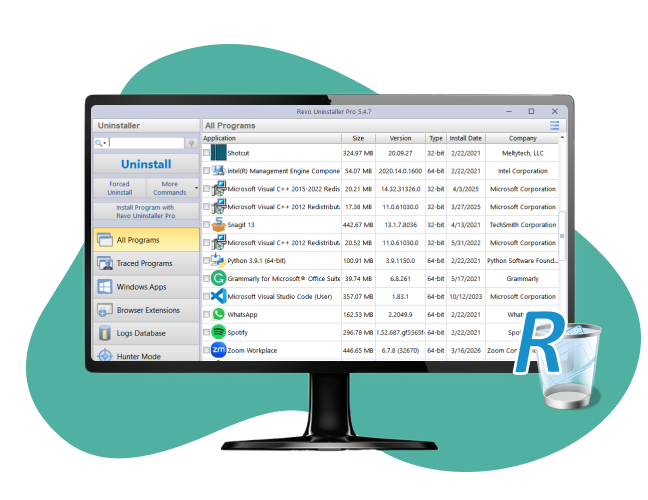
Revo Uninstaller is developed to thoroughly uninstall programs on Windows. It offers a clean uninstallation, helping users remove unwanted software without leftovers for more free disk space and better PC performance.

Key Features of Revo Uninstaller

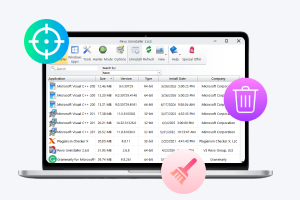
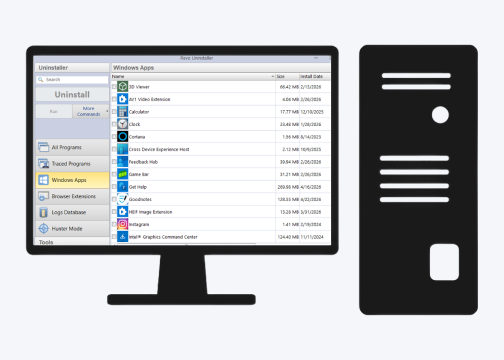
Revo Uninstaller runs its built-in uninstaller to remove programs, browser extensions, and Windows Apps in a breeze. It performs a deep scan to detect and delete leftover data and registry entries for a full cleanup. The Hunter Mode makes Revo Uninstaller act as a targeting icon, which you can drag onto desktop icons for quick uninstallation.
Revo Uninstaller Key Features

Additional Highlights of Revo Uninstaller

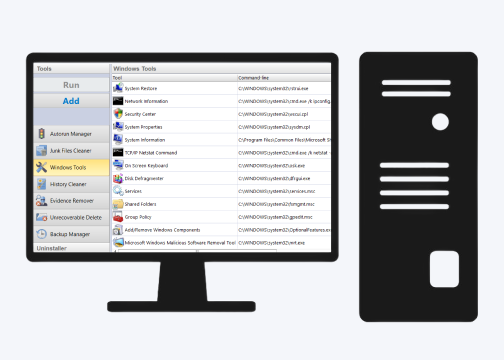
Revo Uninstaller has a bunch of useful tools to further optimize your system. You can take custom control of Windows startup items, remove unnecessary junk files, clear history (from browser cookies to Microsoft Office/Windows traces), and permanently erase files/folders without restoring possibility.
Revo Uninstaller Additional Highlights

Is Revo Uninstaller Good

Revo Uninstaller is generally recognized as a helpful tool for cleaner uninstallation, especially when some programs won’t be removed normally. It is lightweight and easy to use. You can try the free version to fully remove apps and leftover files on PC, while the Pro version offers more advanced features. But, beginners should avoid deleting unfamiliar things (like registry entries) in case of unexpected errors.
Is Revo Uninstaller Good
IObit Uninstaller
- Best Alternative to Revo Uninstaller
Uninstall unwanted software, browser plug-ins, and Windows apps in a single click. Get a cleaner, smoother, and faster PC.

What are the Pros & Cons of Revo Uninstaller

Revo Uninstaller offers a set of powerful features, while there are also a few drawbacks to consider. Check the key pros and cons for a balanced view before making a decision.
What Editor Dislikes
  • Can’t remove browser extensions for free
  • Can’t batch and force uninstall for free
  • Can’t detect and remove bundleware
  • Require being clear about what to delete when using “Advanced” mode
  • A bit outdated interface

Is Revo Uninstaller Worth Buying?

Revo Uninstaller Free and Revo Uninstaller Pro differ significantly in features and level of control. Revo Uninstaller Free vs. Revo Uninstaller Pro, should you pay for the advanced version?
Revo Uninstaller Free
  • Uninstall programs and leftovers
  • Uninstall Windows Apps
  • Hunter Mode
  • 6 additional cleanup tools
Revo Uninstaller Pro
$12.47/Year for 1 PC
  • Get full access to free features
  • Force uninstall
  • Batch/multiple uninstall
  • Remove browser extensions
  • Safe, moderate, and advanced scan modes
  • Real-time installation monitor
  • Automatic backup manager
Editor Says: Revo Uninstaller Free is suitable for casual users who only need a basic uninstaller without cost, while Revo Uninstaller Pro is great for power users who want an advanced experience to deal with stubborn apps and clean up the system deeply. The choice ultimately comes down to what you need.

What People Say About Revo Uninstaller

Help Remove Norton Anti Virus
"I downloaded the free version to specifically blast out the last remnants of Norton Anti Virus, as their own Norton Removal Tool seems to be a joke. Revo found all kinds of entries on my PC. I told it to delete them. Now I can't find anything Norton on my PC."
Review Avatar 1
From Trustpilot, Posted by Brendan
Works Well, But Laggy Interface
"Revo Uninstaller has helped me remove corrupted software, which could have been difficult to remove. But, the interface is laggy, which makes navigating and searching programs a bit difficult."
Review Avatar 2
From Trustpilot, Posted by Swastik
Uninstall Programs Professionally
"Amazing! I had been trying to uninstall 3 programs that I did not use any longer, and that appeared intrusive, but the usual procedure did not work. Revo, however, uninstalled them professionally in practically seconds and eliminated all their leftover traces."
Review Avatar 3
From Trustpilot, Posted by Mostafa
Recommended to Delete Certain Apps
"Revo Uninstaller helped uninstall several persistent apps that I've already deleted, but somehow are still inside my PC."
Review Avatar 4
From Trustpilot, Posted by John

Revo Uninstaller vs. IObit Uninstaller

Revo Uninstaller and IObit Uninstaller are two industry-leading uninstallation tools. Revo Uninstaller and IObit Uninstaller, which one is better? Check the comparison and find out your dream uninstaller for Windows.
Features Revo Uninstaller IObit Uninstaler
Interface Old-school Modern
Ease of use Good Better
Deep leftover cleanup Better Good
Batch uninstall Good Better
Force uninstall Good
Available in the Pro version
Better
Free to use
Uninstall browser extensions Good
Available in the Pro version
Better
Free to use
Uninstall Windows Apps Good Good
Uninstall stubborn programs Good Good
Hunter Mode Better Good
Installation monitor Good Better
File shredder Good Better
Startup manager Yes Not Supported
Browser/Office history cleaner Yes Not Supported
Detect bundleware Not Supported Yes
Software updater Not Supported Yes
Uninstall Windows Updates Not Supported Yes
Pop-up blocker Not Supported Yes
Platforms Windows Vista, 7, 8, 10, 11 Windows XP, Vista, 7, 8, 8.1, 10, 11
Free Version Yes Yes
More About Revo Uninstaller Free Download Buy Pro
Editor Says: Revo Uninstaller is acclaimed for its deep cleanup but features a technical workflow, which is perfect for advanced users who want maximum control over uninstallation. IObit Uninstaller has a more intuitive design and delivers powerful automatic features, tailored for casual, easy, and daily maintenance. If you are a beginner or non-skilled user, IObit Uninstaller is a better choice.

What's More You Want to Know About Revo Uninstaller

Is Revo Uninstaller safe?
Yes. Revo Uninstaller is tested as a clean and safe program without malicious stuff. But, you’d better download Revo Uninstaller from the official site in case of unexpected threats from cracked copies.
Is Revo Uninstaller legit?
Yes. Revo Uninstaller is a reputable tool developed since 2007. It is widely used and trusted by users.
Is Revo Uninstaller Free the same as the free trial of Revo Uninstaller Pro?
No. Revo Uninstaller Free is a standalone application with limited features. To get access to advanced functions, for example, force uninstall/batch uninstall, you should install the free trial version of Revo Uninstall Pro and pay for a license.
Is Revo Uninstaller good for old Windows versions?
Yes. Revo Uninstaller fully supports Windows Vista and later versions. It is lightweight and runs well on low-end PCs. Using it, you can achieve a much better cleanup than the default Windows uninstall utility on older versions of Windows.
Why is IObit Uninstaller the best alternative to Revo Uninstaller?
IObit Uninstaller is widely recommended as a great replacement for Revo Uninstaller. It has a cleaner and more stylish interface, plus automatic features (Software Health and Installation Monitor), providing a more convenient solution to uninstall unwanted programs on Windows. In short, IObit Uninstaller is an easier and feature-rich alternative to Revo Uninstaller.
IObit Uninstaller - Top Alternative to Revo Uninstaller
Free download the best uninstaller for Windows to remove any useless apps.