Expert in

PC Health Solution

Honest Malwarebytes Review - The Truth About Malwarebytes Antivirus

  • Check what you need to know about Malwarebytes
  • Estimate that if the Malwarebytes Pro version is worth buying
  • Compare Malwarebytes & the best alternative, IObit Malware Fighter
Malwarebytes Review
What Is Malwarebytes Antivirus

What Is Malwarebytes Antivirus

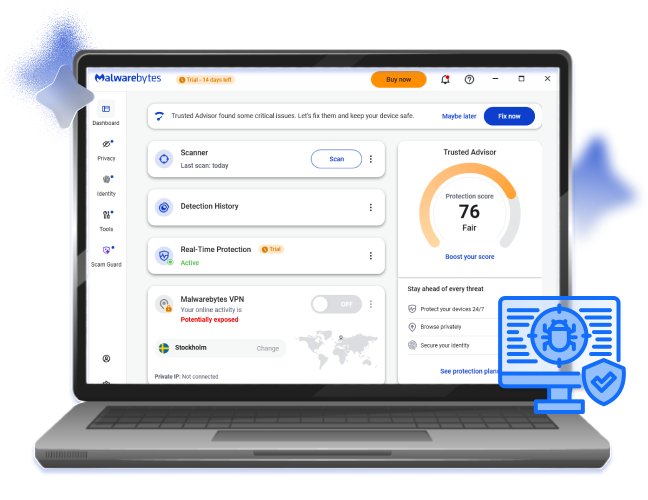
Malwarebytes is an antivirus that comes with on-demand virus and malware scanning, protecting users with rigorous security solutions, from local viruses, online scams, and identity theft.

Protected by Malwarebytes’ Core Features

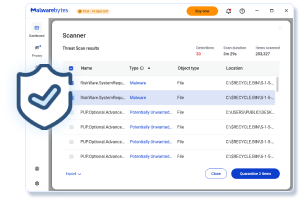
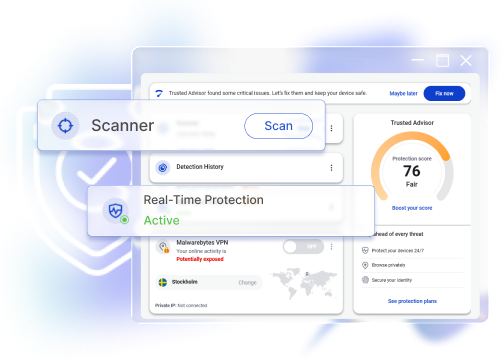
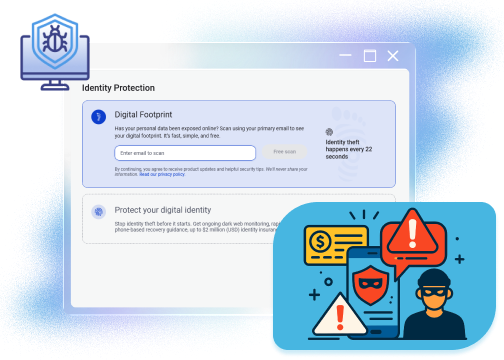
Malwarebytes outshines due to multi-layered protection, which covers local and online, data and identity: on-demand scanning for local viruses/malware/rootkits/adware, Real-Time Protection and Browser Guard for online threats detection, as well as Digital Footprint scan plus anti-tracking actions for identity and privacy guard, comprehensively securing your devices.
Malwarebytes Review Core Features

How Malwarebytes Differentiates from Others

Malwarebytes holds up and excels traditional antivirus software with its extensive focus on modern cyberthreats and its user-friendly design. Users can utilize AI Scam Guard to detect threats from emails, check personal footprint exposure, and enjoy a secure browsing experience. Plus, Malwarebytes comes with a Trusted Advisor to help users elevate their protection scores easily with expert advice.
Malwarebytes Antivirus Review Differentiation

Is Malwarebytes a Worth-Trying Antimalware?

Malwarebytes is a solid antimalware solution worth trying. It features excellent infection blocking against malware, viruses, adware, ransomware, as well as website/email scams. Plus, its 14-day free trial unlocks premium features like Real-Time Protection, schedule scanning, Browser Guard, etc., allowing users to experience advanced functions before purchasing.
Malwarebytes Review Worth Trying
IObit Malware Fighter
-Best Free Alternative to Malwarebytes
Secure your device with all-around antivirus and malware protection now, blocking any potential threats and guarding against privacy leaks in real time.

Benefits & Drawbacks You Will See from Malwarebytes Antivirus

Is it worth trying this antivirus software? Weigh up the edges and shortcomings for a more prudent and reasonable decision.
What You Won’t Like
  • Relatively high system performance impact during background scans.
  • Frequent pop-ups to remind you of security actions, promotions, etc.
  • The real-time protection is not open for free plan users.
  • Sometimes gives false positives of Potentially Unwanted Apps.

How Much Does Malwarebytes Cost? Free vs. Plus

Should you pay for Malwarebytes paid plans? Is Malwarebytes worth it? Check out how Malwarebytes Free differs from Malwarebytes Plus in advanced protection and user experience.
Malwarebytes Free
  • Quick Scan, Custom Scan, Deep Scan
  • Free auto threat scan at idle time once per month
  • Digital footprint scan
  • AI Scam Guard
Malwarebytes Pro
$79.99/Year for 3 devices
  • Get full access to free features
  • Automatic schedule scan for potential infections
  • Real-Time Protection
  • Browser Guard: in-browser scam and ad blocker
  • Malwarebytes VPN: Standalone private WireGuard VPN
  • Password-protect the Malwarebytes app
Editor Says: As you can tell from the comparison, Malwarebytes Plus brings more features, adding extra layers of protection like online anonymity, infection prevention, etc. Out of budget concerns, users who want lightweight cybersecurity solutions with basic virus scanning features can simply choose the free version, while Malwarebytes Plus is suitable when users need a 24-7 firm and comprehensive protection.

Malwarebytes Review: Real Voices of Malwarebytes Users

A great program
We have been using Malwarebytes for several years and it just keeps getting better and better and I would recommend it to anyone that wants good protection of their computers, tablets and smart phones.
Malwarebytes Antivirus Review 1
From Trustpilot, Posted by Eric T
Strong antivirus protection, but VPN and renewal transparency need improvement
I have used Malwarebytes for several years and have been very satisfied with the antivirus protection and Browser Guard…However, I decided not to renew my subscription because the VPN was not reliable enough in my experience. It sometimes disconnected or did not stay active as expected, so I could not always be sure whether my IP address/location was protected…Overall, I still consider Malwarebytes a very strong antivirus and browser protection provider, but I would like to see improvements in VPN reliability and renewal transparency.
Malwarebytes Plus Review 2
From Trustpilot, Posted by AF
Malwarebytes working well!
Malwarebytes has been great for me. I have not had viruses or problems, and the company's communication is clear. This protection was recommended to me a few years ago by IT staff where I worked.
Malwarebytes Free Review 3
From Trustpilot, Posted by Marcy
Poor app and no customer service.
Upgraded to full protection and enabled all benefits, but keep being told to upgrade. Also, settings change randomly, so some features turn themselves off. Customer service non-existent and can't be reached within app.
Malwarebytes Identity Theft Protection Review 4
From Trustpilot, Posted by delete321
Mafia-style protection
Malwarebytes offers protection the way Don Corleone offers protection: “Nice computer you’ve got there. It’d be a shame if anything happened to it.” It’s a legitimate security tool, but the experience is aggressive. It installs persistent background components, puts a constant presence in your menu bar, and repeatedly pushes you toward the paid version. When you decide you’re done, removing it isn’t as simple as dragging it to the Trash. You have to actively shut down its running processes or use its built-in uninstaller, or it lingers. If you want always-on protection and don’t mind the upsell pressure, it may work for you. If you prefer lightweight tools that leave cleanly when you uninstall them, this may not be a good fit.
Malwarebytes Antivirus Review 5
From Trustpilot, Posted by Joseph Rhinewine

Malwarebytes vs. IObit Malware Fighter

IObit Malware Fighter, another worth trying antivirus solution. But which one is better? Compare before you choose.
Features Malwarebytes IObit Malware Fighter
On-Demand Scan Quick Scan, Custom Scan, and Deep Scan Smart Scan, Custom Scan, and Full Scan
Schedule Scan Yes, only once a month Yes, only available in the Pro version
Real-Time Protection Only for Pro users, including web/malware/exploit/ransomware protections. Open to free users, including network/file/startup/process guard, etc.
Privacy Protection Anti-tracking, ad block, remote control, webcam monitoring, etc. Anti-tracking, homepage advisor, download/DNS/surfing protection
VPN Yes, a standalone VPN app Yes, a standalone VPN app
Identity Protection Yes, available in the Pro version No
Free version Yes Yes
More About Malwarebytes Free Download Buy Pro
Editor Says: Malwarebytes stands out for its multi-layered security, especially when it comes to identity and scam protection, which is ideal for users with extra requirements on protection from fraud and identity theft; IObit Malware Fighter is more lightweight and focused on virus/malware infection. Users who prefer a budget-friendly and online/local cybersecurity guard might as well choose IObit Malware Fighter as their defender.

Need More Help About Malwarebytes?

Is Malwarebytes Safe?
Yes. Malwarebytes is a legitimate and widely-trusted anti-malware solution by millions of users. To avoid fake/disguised versions, always download the app from its official website.
Is Malwarebytes Browser Guard any Good?
Positive attitudes show in Malwarebytes Browser Guard reviews. This is a Chrome privacy protection extension to block ads, site trackers, scam websites, malicious content, etc. Google Chrome users who need online security solutions while surfing may consider this add-on.
Malwarebytes vs. Windows Defender, Which One Is Better?
Neither is strictly better, as they focus on different types of protection. With Windows Defender, the local virus and malware infection won’t bother you, while Malwarebytes provides additional online protection against scam emails, harmful sites, identity theft, etc. Considering that they generally don’t conflict with each other, many users run them together for layered security.
What Plans Are Available in Malwarebytes?
Malwarebytes offers different plans for individuals, families, and small businesses. Personal users can choose from Standard, Plus, or Total plans, while families and businesses have dedicated options with broader device coverage and advanced security features.
IObit Malware Fighter - Your Ideal Choice Except Malwarebytes
Download IObit Malware Fighter now to get armed with the comprehensive 24/7 anti-malware solution.