Expert in

PC Health Solution

Geek Uninstaller Review

  • Get to know Geek Uninstaller inside and out
  • Learn its key strengths and potential drawbacks
  • Find the best free alternative to Geek Uninstaller
Geek Uninstaller Review
What is Geek Uninstaller

What is Geek Uninstaller?

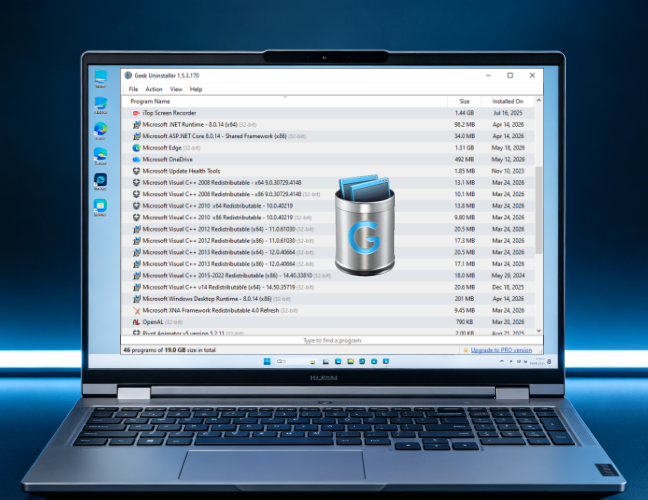
Geek Uninstaller is a lightweight, portable Windows utility that completely removes software. It performs deep scans to eliminate leftover files, registry keys, and stubborn programs without installing extra software.

Core Capabilities of Geek Uninstaller

Geek Uninstaller is a highly efficient utility that excels in simplicity and performance. When standard uninstallers fail, its Force Removal feature effectively removes stubborn or corrupted programs. Its fully portable design is another plus, running from a single EXE with no installation required. Paired with fast performance and deep leftover cleanup, it delivers a reliable, no-frills uninstallation experience.
Core Capabilities of Geek Uninstaller

Extended Strengths of Geek Uninstaller

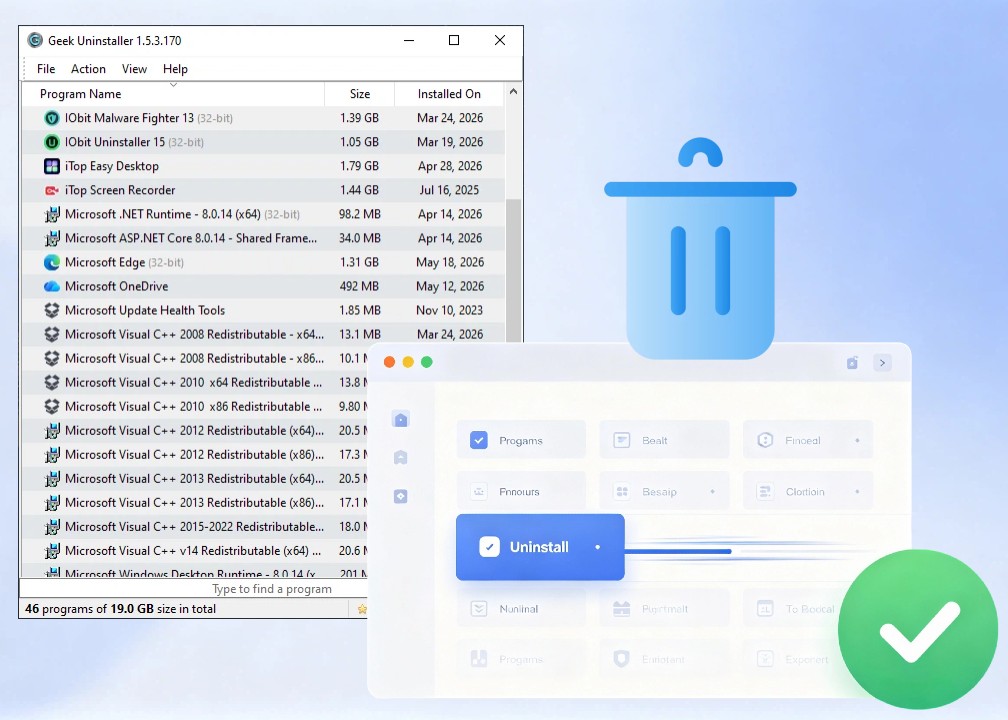
Beyond its core features, Geek Uninstaller offers additional strengths for everyday use. It can remove Windows Store bloatware, features a minimalist interface, and uses smart color-coding to track recently modified software. The Pro version further enhances functionality with batch uninstall, real-time installation monitoring, and startup management, making it a more comprehensive cleanup toolkit.
Extended Strengths of Geek Uninstaller

Is Geek Uninstaller Worth It?

Geek Uninstaller is a solid pick if you need a lightweight, portable removal tool with minimal overhead. The forced uninstall engine and deep leftover scanning make it especially effective at removing stubborn programs. While it lacks some advanced automation found in larger suites, for straightforward, clutter-free Windows maintenance, it's a practical and efficient choice.
Is Geek Uninstaller Worth It
IObit Uninstaller
- All-in-One Alternative to Geek Uninstaller
Achieve a peak PC performance with deeper leftover scanning, real-time install monitoring, and smart software health checks.

Geek Uninstaller Under the Hood: Strengths & Limitations

Geek Uninstaller features deep scanning, forced-uninstall routines, and instant startup, yet a few technical limitations remain. Review the key strengths and constraints below before you commit.
What Falls Short
  • Bare-bones interface
  • Free version limitations
  • Manual decisions required
  • Fewer auto uninstall options

Is Geek Uninstaller FREE Enough for Your Cleanup Workflow?

With notable differences between the free and Pro versions, should you stick with the lightweight free tool or upgrade for more thorough system hygiene?
Geek Uninstaller Free
  • Standard removal
  • Deep scan for leftovers
  • Basic registry cleanup
  • Microsoft Store app removal
Geek Uninstaller Pro
$24.95 (single PC, lifetime license)
  • Get full access to free features
  • Batch uninstall multiple programs
  • Real-time installation monitoring
  • Startup management
  • Advanced installation log tracking
  • More powerful automation
Editor says: Geek Uninstaller Free delivers portable, no-frills removal for quick home cleanups, while the Pro adds batch uninstall and real-time monitoring for power users and IT pros who need deeper system hygiene. The final choice boils down to your specific needs.

See What Users Say About Geek Uninstaller

Impressively Capable as a Free Tool
Geek Uninstaller does exactly what it's supposed to do: delete files and remove the remaining data. I'm very pleasantly surprised! It's also free!
Review Avatar 2
From Trustpilot, Posted by Hasha Cem
Good Uninstaller, but Lacks Features
This is a good uninstaller. It supports x64 programs and will do what you want it to do: uninstall programs and scan for leftover files. The only weak point of this free version is that it lacks many features compared to similar software. It is not perfect when uninstalling leftover files, as many may believe. It is good as a quick, moderate uninstaller, but if you want something more thorough, you will have to buy the PRO version.
Review Avatar 2
From Snapfiles, Posted by realbull2009250
Simple, Practical Uninstall Tool
Overall, Geek Uninstaller is a handy tool that proves quite practical. Inexperienced users shouldn’t have any trouble while working with this program, thanks to its user-friendly interface and straightforward design.
Review Avatar 3
From Softpedia, Posted by Ana Marculescu
Not a Fully Thorough Uninstall Solution
As I often try various bits of freeware, I thought Geek Uninstaller was ideal for me. But after using Geek for a couple of weeks, UltraSearch found 4 files on my hard drive with the name of a program I had removed, and another 4 files with the program maker's name. I then ran Regedit, which found 3 leftover keys. Now I am using another uninstaller, whose first use was to remove Geek!
Review Avatar 4
From Snapfiles, Posted by Fernman

Your Choice: Geek Uninstaller vs. IObit Uninstaller

Geek Uninstaller and IObit Uninstaller are both leading Windows uninstallers, but which one is right for you? Dive into this head‑to‑head technical comparison to find out.
Metric Geek Uninstaller IObit Uninstaller
User Interface Basic Modern
File Size Small Moderately Heavier
Portable Version Fully portable EXE Requires Installation
Registry Cleanup Basic Advanced
Batch Uninstall Pro only ✅Yes
Force Removal ✅Yes ✅Yes
Browser Removal Basic Advanced
Installation Monitor Pro only ✅Yes
Startup Program Manager Pro only ✅Yes
Software Health Check ❌No ✅Yes
File Shredder ❌No ✅Yes
More About Geek Uninstaller Free Download Buy Pro
Editor says: Minimalist power users and technicians who prefer a portable, distraction-free deep cleaner could choose Geek Uninstaller, while everyday users seeking an all-in-one suite with browser plugin removal, startup management, and software health checks will get more value from IObit Uninstaller.

Quick Answers to Common Geek Uninstaller Queries

Is Geek Uninstaller free?
Yes, Geek Uninstaller provides a free version for personal use, along with a paid Pro version that includes more advanced features.
Is Geek Uninstaller safe to use?
Yes, it is safe to use, as long as you download it from the official source.
Is Geek Uninstaller portable?
Yes, the free version runs as a single portable EXE with no installation required, even from a USB drive.
What operating systems does Geek Uninstaller support?
GeekUninstaller is built exclusively for Windows and supports Windows 7, 8, 10, and 11.
How is Geek Uninstaller different from the Windows built-in uninstaller?
Windows provides only basic removal and often leaves traces behind. Geek Uninstaller can force uninstall stubborn programs and perform deep scans to remove leftover files and registry entries, resulting in a much cleaner uninstall.
IObit Uninstaller - Your Powerful Alternative to Geek Uninstaller
Want a cleaner PC? Grab IObit Uninstaller—free, feature-packed, and a one-click uninstall solution that gets the job done.