Expert in

PC Health Solution

CCleaner 7 Latest Review: Buy It or Not?

  • Learn about CCleaner for Windows
  • Discover its free & pro features
  • Get a comprehensive alternative to it
CCleaner 7 Review
What is CCleaner

What is CCleaner?

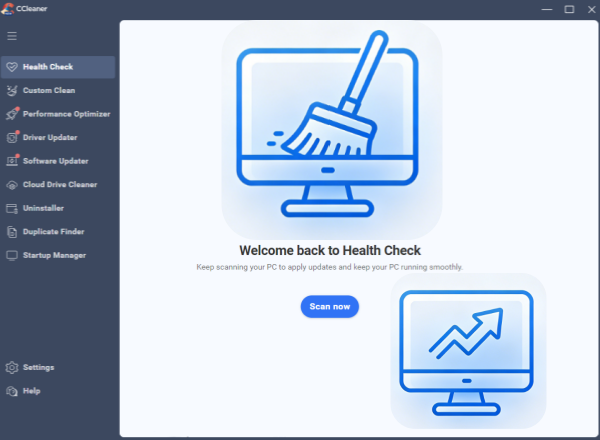
CCleaner is a versatile and practical software that integrates multiple features into its latest version CCleaner 7. With over 20 years of PC optimization experience, it helps to improve your PC performance effectively. So we focus on its Windows version in the following part.

What You Can Do with CCleaner 7?

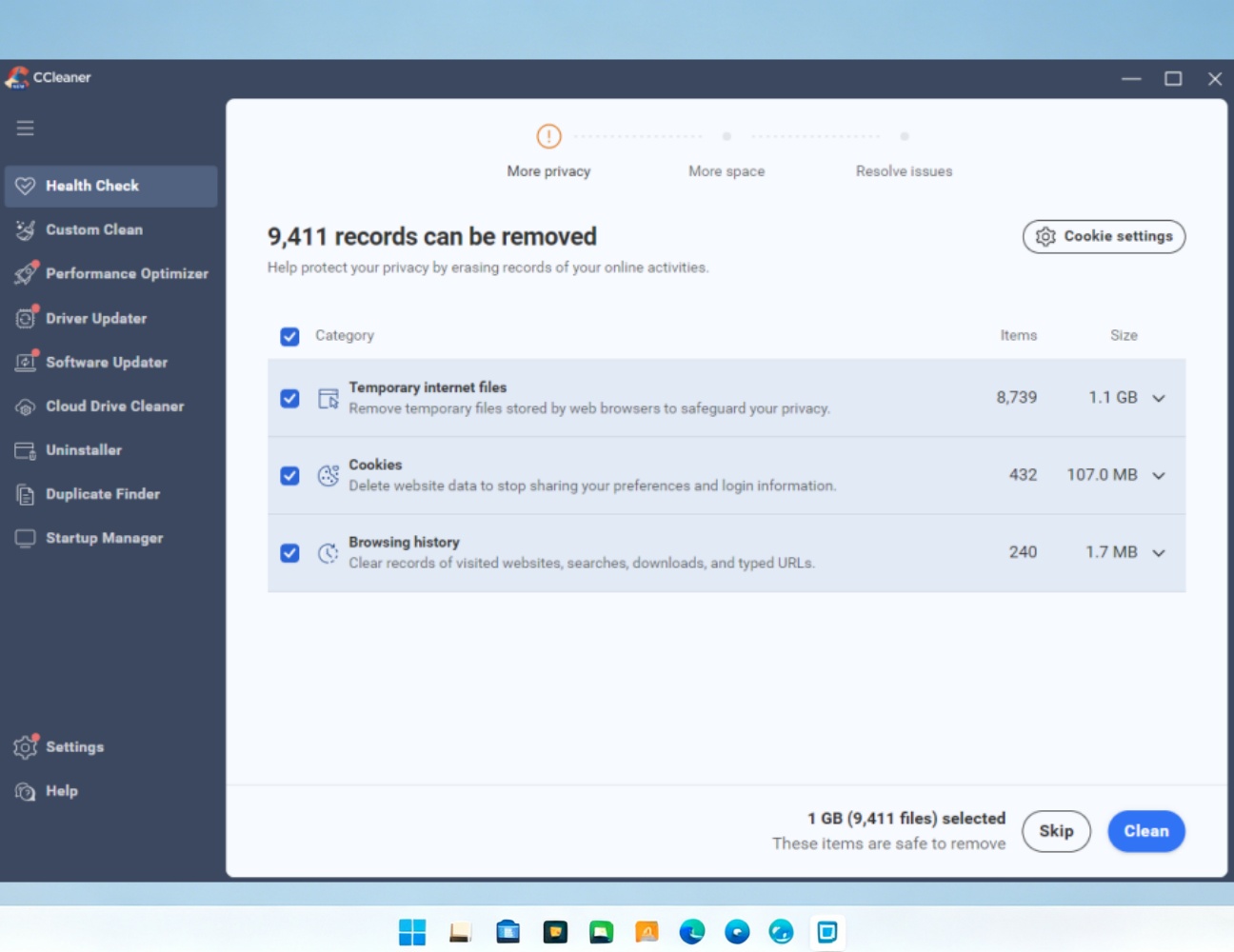
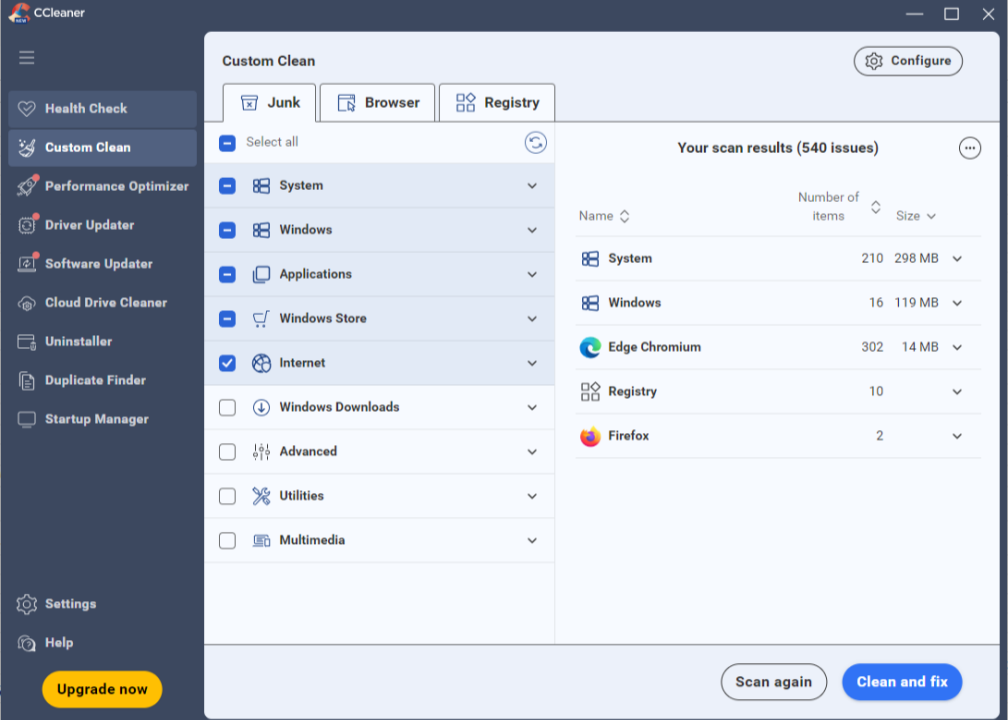
CCleaner was once the gold standard for PC maintenance, a utility program used to clean up unwanted files and invalid registry entries from your computer. In addition to basic PC cleaning features, CCleaner 7 has offered more. Software updates, driver updates, cloud drive cleaning, software uninstallation, startup management, and disable unnecessary apps.
Features of CCleaner

CCleaner Free VS CCleaner Professional

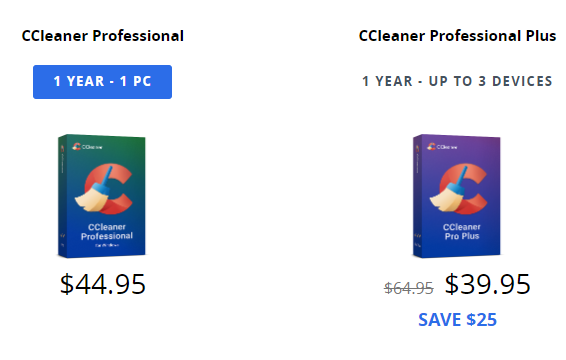
CCleaner seems to have many features. Actually, the free CCleaner version is basic, cleaning junk files, temporary files, cookies, and uninstalling apps. For more advanced features, you have to pay for it, starting from $44.95 for a year, according to its official web page.
Price of CCleaner Professional

Is CCleaner Safe?

We understand that due to a significant security incident (a supply-chain attack in 2017) in CCleaner, users may hesitate when choosing to download and install the product. Generally, it is considered safe to use today. Still, deleting flagged “unused” Windows registry may lead to system instability, software errors, or boot failures. Safe or not, it ultimately depends how you use it.
Is CCleaner Safe
Advanced SystemCare
- Best Free Alternative to CCleaner
Clean junk files, temp files and registry to make your PC cleaner and faster. More additional features to speed up and protect your PC easily.

What are the Pros & Cons of CCleaner?

CCleaner is definitely worth considering. Learn more about it to help you make a decision, buying it or finding a free alternative to replace it.
What Users Dislike
  • Don’t provide an effective solution to the problem
  • Not so easy to cancel subscription
  • Frequent pops up with a suggestion to upgrade

Is CCleaner Professional Worth Buying?

CCleaner free and CCleaner Pro have significant differences. Check the content below to get detailed information.
CCleaner Free
  • Automatic scan and clean
  • App uninstallation
  • Duplicate files finder
  • Startup apps management
CCleaner Pro
$44.95/Year for 1 PC
  • Access all free features
  • Disable unnecessary apps
  • Driver updater
  • Cloud drive cleaner
  • Schedule cleaning
Editor Says: CCleaner free version is enough for users who want to clean up PC unnecessary data, such as junk files, temp files, and browser cookies. For further PC optimization, try to upgrade to the Professional version.

What Users Say about CCleaner?

A really good basic service !!
I use this service on a regular basis (at least weekly) mostly to clear out excess cookies and marketing commercial spyware from browsing and social media. This software does a good job of achieving that without leaving behind a mess of that marketing promotion of their own. Good service.
From Trustpilot, Posted by Jim
I used CCleaner now for many years and…
I have used CCleaner now for many years and I never had any bad experiences. On the contrary it was very very helpful in keeping my machine's performance up and clean, also with the registry clean up process. I was always very satisfied, even relying on their software de-installation process, which I found to be much more diligent than what you get normally from Windows.
From Trustpilot, Posted by Dirk Loomans
Good Program
Good Program, functional, fast, easy to run, very effective. I've been using CCleaner since early 2005 and I've been running the performance scan every evening before switching off my computer. I help create a clean working environment.
From Trustpilot, Posted by Stigter Robert
Response to CCleaner’s Reply
Your message perfectly illustrates the exact problem I described. You didn’t address a single point I raised. Not one. Instead, you send the same copy‑and‑paste “please fill out our support form” deflection you send to everyone, which only leads to the same dead end: no answers, no fixes, no accountability, and no actual support.
From Trustpilot, Posted by John Scoggins

CCleaner VS Advanced SystemCare

Speaking of PC cleaner and optimizer, CCleaner and Advanced SystemCare are on the top level of the industry. To help you save your cost, we make a comparison table for CCleaner and Advanced SystemCare.
Features CCleaner Advanced SystemCare
Remove junk files ✅ (Free) ✅ (Free)
Clean registry ✅ (Free) ✅ (Free)
Disable startup apps ✅ (Free) ✅ (Free)
Duplicate file finder ✅ (Free) ✅ (Free)
Stop unnecessary programs ✅ (Paid) ✅ (Free)
Software updater ✅ (Paid) ✅ (Paid)
Schedule cleaning ✅ (Paid) ✅ (Paid)
Folder password protection ✅ (Free)
Performance monitor ✅ (Free)
Driver updater ✅ (Paid) ✘ (Recommend free Driver Booster of IObit)
Uninstaller ✅ (Free) ✘ (Recommend free IObit Uninstaller)
More About CCleaner Free Download Buy Pro
Editor Says: CCleaner 7 is an integration of multiple features, including cleaning, uninstalling, driver updating. While Advanced SystemCare is a better choice for comprehensive PC cleaning, optimization, and protection.

More FAQs about CCleaner

What are compatible devices of CCleaner?
CCleaner works well both on Windows, Mac, iOS, and Android.
How much does CCleaner cost?
CCleaner Professional (including performance optimizer, driver updater, automatic cleaning, and priority support) costs $44.95/year for 1 PC. CCleaner Professional Plus (including Professional, CCleaner for Mac Pro & Android Pro, inspect & monitor system info, deleted file recovery) costs $39.95 a year for 3 devices, $64.95 for 2-year plan.
What to do for CCleaner not working?
When CCleaner is not working, try the following fixes.
Update CCleaner to the latest version
Restart your PC
Run the program as Administrator
Uninstall and reinstall it again
Are there similar apps to CCleaner for Windows?
Yes. In the PC cleaning and optimizing industry, there are some famous software, including BleachBit (open-source), PC Manager (official software developed by Microsoft), Advanced SystemCare (comprehensive), Glary Utilities (powerful), Wise Disk Cleaner (fast).
Advanced SystemCare - Best Free Alternative to CCleaner
Free download to clean PC, free up space, improving and protecting computers.