Expert in

PC Health Solution

Bulk Crap Uninstaller Review

  • Can Bulk Crap Uninstaller remove stubborn software?
  • Differences between the portable and installed version
  • Can Bulk Crap Uninstaller remove Windows apps?
  • Is Bulk Crap Uninstaller Pricing Reasonable?
Cover Image for Bulk Crap Uninstaller Review
Head Two Bulk Crap Uninstaller

What Is Bulk Crap Uninstaller

Bulk Crap Uninstaller (BCU) is a free and portable Windows uninstaller tool designed to completely remove unwanted programs, leftover files, and stubborn software in bulk.

Key Features of Bulk Crap Uninstaller

Bulk Crap Uninstaller’s core features include bulk uninstalling multiple apps, cleaning leftover files and registry entries, removing stubborn or hidden programs, and uninstalling Windows bloatware. BCU also supports portable use and advanced cleanup tools for deeper system maintenance.
Bulk Crap Uninstaller Core Features

Unique Advantages of Bulk Crap Uninstaller

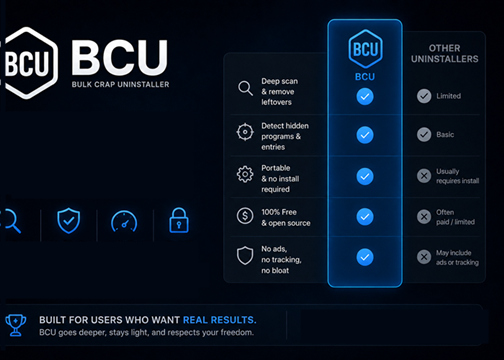
Bulk Crap Uninstaller stands out for its fully free and open-source design, advanced automation features, and powerful bulk removal capabilities. Unlike many competitors that lock deep cleanup functions behind paid versions, BCU provides complete leftover scanning, hidden app detection, and silent uninstall support at no cost.
Bulk Crap Uninstaller Unique Advantages

Bulk Crap Uninstaller Portable

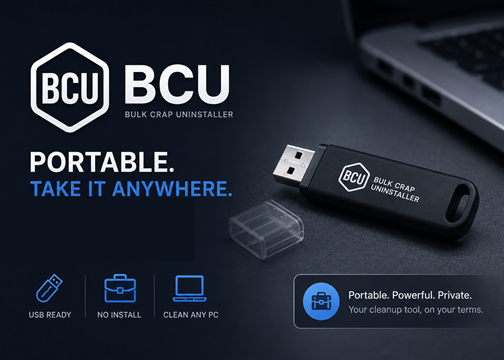
Bulk Crap Uninstaller Portable is a lightweight version of BCU that can run without installation. Users can launch it directly from a USB drive or local folder, making it convenient for troubleshooting, PC maintenance, and use across multiple computers.
Bulk Crap Uninstaller Portable
IObit Uninstaller
-IObit Uninstaller - Free Alternative to Bulk Crap Uninstaller
Offering clean interface, intuitive workflow. IObit Uninstaller safely uninstalls stubborn software, leftovers, plugins and Windows apps.

What Are the Pros & Cons of Bulk Crap Uninstaller

As an open-source software for uninstalling, BCU has many advantages, but users also commonly reflect some disadvantages. The editor conclude all the info and make lists of them here.
What the Editor Dislikes
  • Complex Interface for Beginners
  • Outdated User Interface Design
  • Risk of Removing Important Components
  • Limited Beginner Guidance
  • No Built-in Real-Time System Optimization
  • Occasional False Positives During Cleanup

Does Bulk Crap Uninstaller Have a Pro Version?

No, BCU is a completely free open source software. The only one different version of it is a portable version that works on external hard drivers.
Bulk Crap Uninstaller Free
  • Bulk Program Uninstalling
  • Leftover File and Registry Cleanup
  • Forced Removal of Stubborn Software
  • Hidden and Windows App Detection
  • Portable Version Support
Bulk Crap Uninstaller Pro
No Pro Version, but A Portable Version
  • No Installation Required
  • Runs Directly from USB Drives
  • Leaves Minimal System Traces
  • Supports Bulk Uninstalling and Deep Cleanup
  • Easy to Use Across Multiple PCs
Choose Bulk Crap Uninstaller (BCU) for powerful and free software removal on your main PC, and use BCU Portable when you need a lightweight uninstall tool that can run without installation across multiple computers.

What People Say About Bulk Crap Uninstaller

Feature-Packed and Easy to Use
Without a doubt, this is the best uninstaller I've ever used. But let the user beware, this is a serious piece of software and deserves some study time. Yes, it can easily be used by novice users and advanced users will love the plethora of features, but be sure you know what you're doing or you could really screw up your system. The more time I spend with this jewel, the more I like it. IMHO, BC is to uninstallers what Process Explorer is to Task Manager. It's that good.
from Sourceforge.net, posted by tonsis63
Deep Removement
Tried to remove unwanted programfiles with 5 other uninstallers (Revo, Ashampo) and they did not get the job done. Bulk did it. I am very pleased with that.
from Sourceforge.net, posted by bruut1
Simle Interface
It is simple, Just amazing, very powerful and efficient software with bunch of features and configuration options. I can not make up my mind about your support because its design is simple enough to everything talks for its self, so I do not need any kind of support.
from Sourceforge.net, posted by ethnicland
Fast Uninstallation
Very helpful application i uninstalled 103 programs from a computer i was cleaning out with minimal effort. Highly recommend. The leftover feature is pretty neat as well.
from Sourceforge.net, posted by modden455

Bulk Crap Uninstaller vs. IObit Uninstaller

A detailed feature-by-feature comparison chart between IObit Uninstaller and Bulk Crap Uninstaller (BCU), helping users quickly identify the best uninstall tool for their needs.
Metrics Bulk Crap Uninstaller Iobit Uninstaller
Bulk Uninstall Yes Yes
Leftover Cleanup Yes Yes
Windows App Removal Yes Yes
Safe Uninstallation May Remove Key Files Yes
Beginner-Friendly UI Moderate Excellent
Install Monitoring Limited Yes
Real-Time Software Health Features No Yes
Price Model Free & Open-Source Free + Pro Version
More About BCU Uninstaller Free Download Buy Pro
IObit Uninstaller is better suited for beginners who want a polished interface, automated cleanup, and extra PC maintenance features.
BCU is stronger for advanced users who prefer deeper control, portability, and completely free open-source functionality.

You Might Also Want to Know About Bulk Crap Uninstaller

Does Bulk Crap Uninstaller remove all leftover files completely?
BCU can detect and remove many leftover files, folders, and registry entries after uninstalling software, but no uninstaller can guarantee 100% complete removal in every situation.
Is Bulk Crap Uninstaller safe for Windows 11?
Yes, BCU supports Windows 11 and is generally considered safe by the Windows enthusiast and IT community when downloaded from official sources.
What is the difference between BCU and Revo Uninstaller?
BCU focuses more on advanced bulk removal, automation, and open-source functionality, while Revo Uninstaller is known for its beginner-friendly interface and polished commercial features.
Can BCU uninstall multiple programs at the same time?
Yes, one of BCU’s main features is bulk uninstalling, which allows users to remove multiple applications in a single process.
IObit Uninstaller - Your Best Free Alternative to Bulk Crap Uninstaller
Clean interface, intuitive workflow and the same ability to uninstall stubborn leftovers. IObit is the best free alternative for BCU.