

- Support Center
- Multiple Languages
- Language
- Help Us Translate
Expert in
PC Health Solution

All-in-one PC health solution: clean, optimize and secure
Comprehensive PC cleaning, optimization and protection

Keep drivers always up-to-date
More stable performance with less system crashes

Protect millions of computers against malware
Top computer security with full-round protection

Protect against viruses & boost PC performance
Clean: 420 billion traces removed & 85 EB junk files cleaned
Protect: 80 million unauthorized access blocked & 20 million bugs fixed
Speed Up: 6 million hours of startup time saved & Turbo boost
Optimize: Auto clean and auto care your PC with AI mode

How to overclock RAM safely? Learn how to enable XMP/EXPO, adjust frequency and voltage in BIOS, and test stability for a faster PC.



Check Your RAM Speed and Risks First
How to Overclock RAM in BIOS with XMP/EXPO
How to Overclock the RAM Manually
Test RAM Stability After Overclocking
Use System Care to Keep Your RAM Optimized
How to overclock RAM? You raise your memory's frequency, and sometimes tighten its timings, so data moves faster between RAM and CPU. Many kits run at a slow default speed, such as DDR4-2133 or DDR5-4800, until you enable their rated profile in BIOS. If you're asking how do I overclock RAM safely, start with that one-click profile and tune manually only if you want more. Faster memory can raise FPS, shorten load times, and smooth out multitasking, especially on AMD Ryzen PCs and systems using integrated graphics.
Press Ctrl + Shift + Esc, then go to Performance > Memory. If the speed shown is lower than the speed printed on your RAM label, your kit isn't running at its rated speed yet.
Overclocking RAM isn't risk-free, so keep these in mind:
Instability: Wrong settings cause freezes, BSODs, or a PC that won't boot.
Extra Heat: Higher speed and voltage make memory modules run hotter.
Data Corruption: Unstable RAM can silently damage files and apps.
Read Also: How to Fix Corrupted Files in Windows 11 >>
This is the safest way to overclock RAM, and it works for most users.
Step 1. Restart your PC and repeatedly press Delete or F2 to enter BIOS. The key varies by brand.
Step 2. Switch to Advanced Mode (usually F7) and open the AI Tweaker, OC, or Extreme Tweaker tab.
Step 3. Set the memory profile to XMP on Intel, or EXPO/DOCP on AMD. Names differ slightly between motherboards.
Step 4. Press F10 to save and exit, then check Task Manager to confirm the new speed.
If the profile isn't enough, here's how to overclock my RAM further:
Step 1. Return to the same tab and change the memory mode from Auto/XMP to Manual.
Step 2. Raise DRAM Frequency one step at a time, for example from 3200 to 3466 MT/s.
Step 3. If the PC crashes, loosen the timings by raising CAS Latency by 1, or increase DRAM Voltage by no more than 0.05V at a time. Stay within the limits your RAM manufacturer recommends.
Step 4. Save and reboot. If the PC won't start, clear the CMOS (check your motherboard manual) to restore default settings.
Run MemTest86 for at least four passes, or use TestMem5 or OCCT for an hour or more. Any error, crash, or blue screen means the settings are too aggressive, so lower the frequency or loosen the timings. Don't skip this step: an overclock that passes boot but fails testing can quietly corrupt your data.
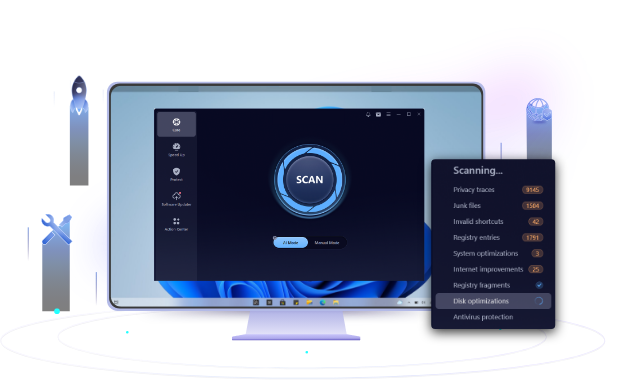
Faster RAM won't help much if junk files and background apps keep eating it. Advanced SystemCare is an all-in-one PC optimizer that cleans junk files, manages startup programs, frees up RAM, and monitors system performance. This leaves more memory for games and heavy apps, so your overclock delivers real gains.
Read Also: How to Improve Steam Download Speed >>
Conclusion
How to overclock RAM? Enable XMP/EXPO in BIOS first. If you want more speed, raise the frequency step by step, adjust timings and voltage carefully, and always run a stability test. Then use Advanced SystemCare to keep your memory clean so your overclocked RAM performs at its best.
 People Also Ask
How to check GPU temperature on PC? Check the 2 methods here and all you need to know.
Check how to boot into BIOS to change CPU ratio and tune your voltage. Also learn to use AMD’s Ryzen Master to directly change CPU frequency.
Is your computer overheating? Learn how to check CPU temperature is the first step toward a healthier, faster PC. Also, learn how to cool your computer down.