Accelerate the whole system with fast and efficient disk defragment

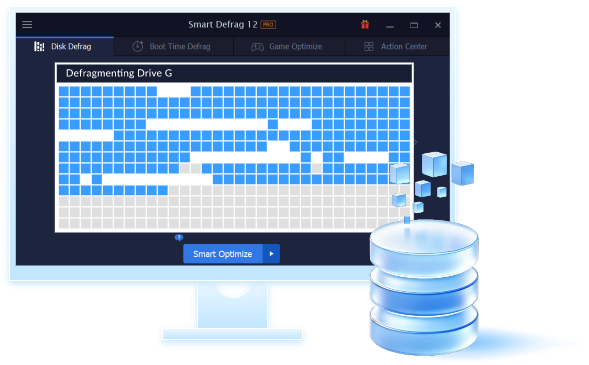
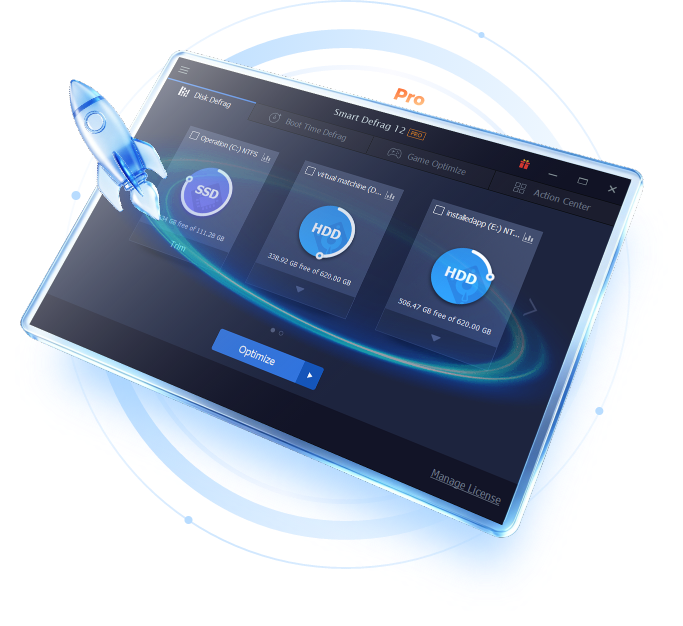
It is known that disk fragment has been a primary cause of slow and unstable PC performance. Smart Defrag 2 is such a FREE tool that provides extremely fast and efficient defragmentation to your hard drives intelligently for faster file loading and high disk performance. With "install it and forget it" feature, Smart Defrag 2 works automatically and quietly in the background on your PC, keeping your hard disk running at its top speed. This powerful, award-winning free defragmenter is 100% safe and clean with no adware, spyware, or viruses.

Key Benefits
[+] See all

Extremely Fast and Efficient Defragmentation Enhanced
Using IObit's latest defrag engine and the new "Boot Time Defrag" technology, Smart Defrag 2 has not only the world's fastest defragmenting speed but also the most advanced defragmenting ability. It's been specially designed for modern, large hard drives, which eliminates the long waiting time.
Designed for Top Disk Performance Enhanced
Smart Defrag 2 doesn't just provide simple defragmentation. It also streamlines your file system, places the frequently used files and directories into the fastest area of the disk, enabling your computer to run at top speed with the most stability.
Always-on Automatic Defragment Enhanced
Smart Defrag 2 works automatically and quietly in the background, so it continually and constantly keeps your computer fragment-free.
"Boot Time Defrag" Technology New!
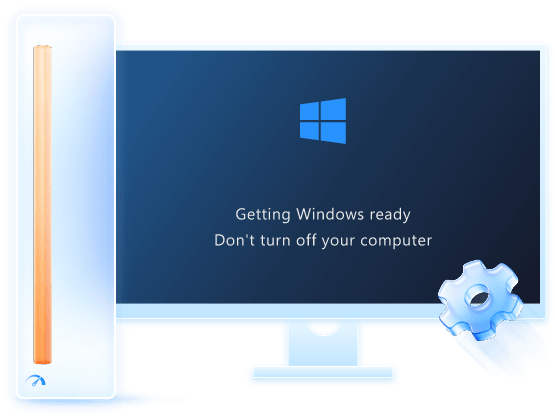
Smart Defrag 2 is using a new "Boot Time Defrag" technology which allows you to defrag files during the system boot process, while these files cannot be defragged or are not safe to move after the system is already boot-up.

Competitive Info

  Smart Defrag 2 Windows Own Defragmenter Paid Commercial Defragmenters

Boot-time Defrag

--

Performance Boost

--

Automatic Defrag

--

Defrag Speed

Very fast Slow Normal

Application Size

Small and light Small Big and heavy

Smart Defrag 2 Review

Smart Defrag ?un ottimo tool gratuito realizzato per eseguire la deframmentazione di dischi rigidi con l'intento di ottimizzare le prestazioni del proprio computer. Si ha pertanto l'opportunit?di rendere pi?omogenea la memorizzazione di dati e informazioni mediante la riallocazione delle porzioni dei file in aree fisiche contigue."

- download.html.it

Smart Defrag™ Product Specs

Current Version: 2.3
File Size: 4.62 MB
Operating System: Designed for Windows 8, Windows 7, Vista, XP and 2000
Release Date: Jan. 09, 2012
Designed to: Keep your hard disk running at peak performance.
Languages: English, Albanian, Arabic, Bulgarian, Czech, Danish, Dutch, Finnish, Flemish, French, Georgian, German, Greek, Hebrew, Hungarian, Indonesia, Italian, Japanese, Korean, Kurdish, Malay, Malayalam, Norwegian, Polish, Portuguese(PT-BR), Portuguese(PT-PT), Romanian, Russian, Serbian, Slovak, Slovenian, Spanish, Swedish, Turkish, Vietnamese, ChineseSimplified, ChineseTraditional.

Operating Systems Supported

  • Microsoft® Windows® 8
  • Microsoft® Windows® 7 (32-bit and 64-bit) Starter/ Home Basic/Home Premium/Professional/Ultimate
  • Microsoft® Windows® Vista (32-bit and 64-bit) Starter/Home Basic/Home Premium/Business /Ultimate
  • Microsoft® Windows® XP (32-bit and 64-bit) with SP2/SP3 or Home/Professional/Media Center
  • Microsoft® Windows® 2000

Hardware Requirements

  • 300 MHz processor or faster processor
  • 256 MB of RAM
  • 30 MB of free hard disk space

Language Support

  • English, Albanian, Arabic, Bulgarian, Czech, Danish, Dutch, Finnish, Flemish, French, Georgian, German, Greek, Hebrew, Hungarian, Indonesia, Italian, Japanese, Korean, Kurdish, Malay, Malayalam, Norwegian, Polish, Portuguese(PT-BR), Portuguese(PT-PT), Romanian, Russian, Serbian, Slovak, Slovenian, Spanish, Swedish, Turkish, Vietnamese, ChineseSimplified, ChineseTraditional.

Click the below pictures to enlarge

FAQs

Can Smart Defrag damage my Hard Drive?

Usually a defragmentation will not damage your computer or be responsible for data loss. It can happen if power is lost during a defrag, or if somebody for some reason cuts the power to the computer during an auto defrag or a scheduled defrag or even if it is started by hand and the user is extremely impatient and closes it down by cutting the power.

How to schedule my Smart Defrag?

Run Smart Defrag->click "Schedule" button->select the volume you want to defrag with schedule->Enable Schedule->Choose Action ->click "Schedule Config" button->Choose the schedule time.

SmartDefrag is a part of Advanced SystemCare 3?

Smart Defrag icon in ASC3 is only a link to Smart Defrag program. You have to have it installed to use it even through Advanced SystemCare 3.

Online Help

Sometimes, the questions have already been answered before you ask them! View the questions users most frequently asked about IObit products then you can find the answers. We suggest you Visit Our Online Help

Email Support

Welcome to our free email support. We very appreciate that you take the precious time to provide us with the products' information. Paid customers will receive our replies within 48 hours. Free users will receive our response accordingly. Email Support

Community Forum

Propose your questions and concerns here, and discuss them with many other experienced and enthusiastic users and our technical staff. We are very glad to hear your voice. Join IObit Forum

Top 8 reasons why you should choose IObit

  • IObit products will effectively keep your PC safe, error-free, and running at top speed! After all, aren't these the things that you care about the most?
  • IObit has gifted and top-flight programmers and systems designers, researching and developing innovative products for you.
  • We have some of the most advanced technologies (patents pending) in the industry.
  • IObit and its product developers are often recommended by IT experts and editors around the world as clearly being amongst the world's top suppliers of quality Windows utilities.
  • Our unique design ideas and technologies make IObit products easier, more efficient, and effective.
  • We have more than 100,000,000 downloads since 2005 - feedback says that 98% of those users would recommend IObit products to a friend.
  • IObit is trusted and recognized by many companies and organizations around the world.
  • You have nothing to lose. Many of our products are 100% free, and our paid products have the lowest prices in the industry with a 30-day money-back satisfaction guarantee!