
- Klantenservice
- Vertalingen
- Talen
- Help ons vertalen
Expert in Optimalisatie-
en Beveiligingssoftware

Alles-in-één PC-Oplossing: Optimaliseren, Opschonen en Beveiligen

Complete optimalisering, voor het schoonste, snelste en veiligste systeem

Houd Uw Drivers Altijd Up-to-date

Voor een stabiel systeem zonder crashes

Beschermt Al Jaren Miljoenen Computers Tegen Malware

Volledige bescherming tegen alle bedreigingen

Beschermt Tegen Virussen & Boost PC-prestaties
Ongewenste software en restanten verwijderen
Houd automatisch uw software up-to-date
Nooit meer zorgen over uw privébestanden
Harde schijf optimaliseren voor een snellere pc
Maakt uw Mac Sneller en Veiliger
Note: If you do not have the program installed, click here to download the latest version of Driver Booster and install it first.
1. Open Driver Booster FREE, and click the Enter Code text link on the bottom left of the main screen.
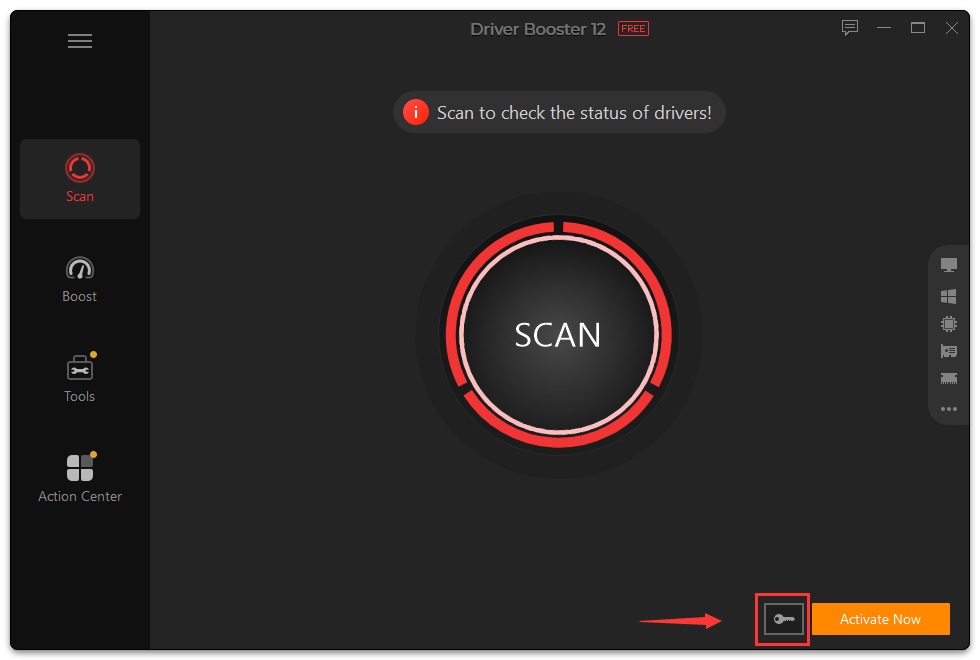
2. Copy & Paste to enter your license code, and click the Activate button to enjoy the Pro version.
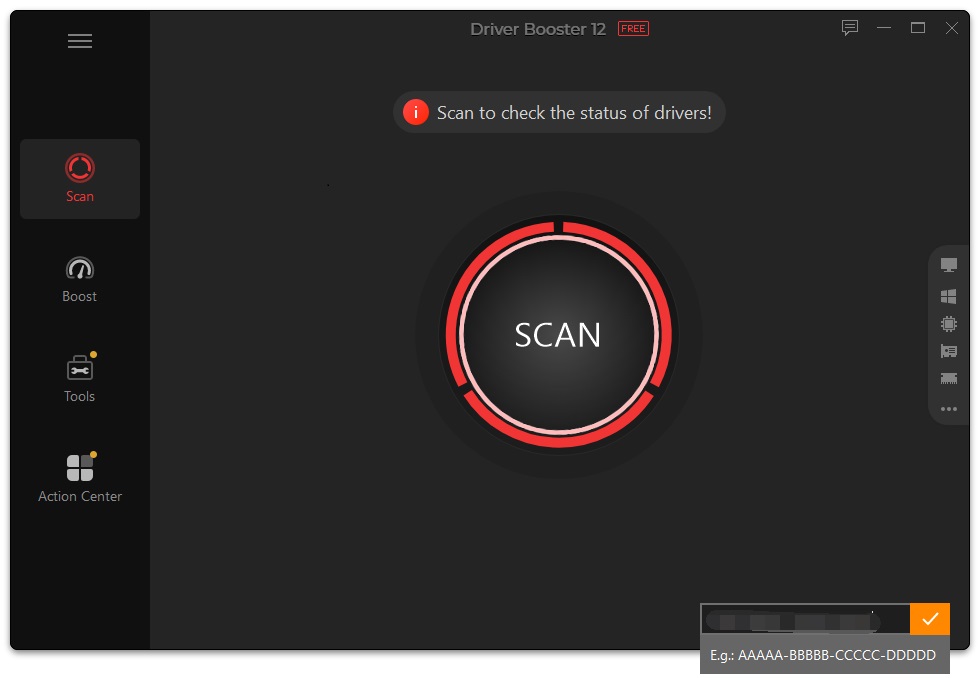
3. Click the OK button.
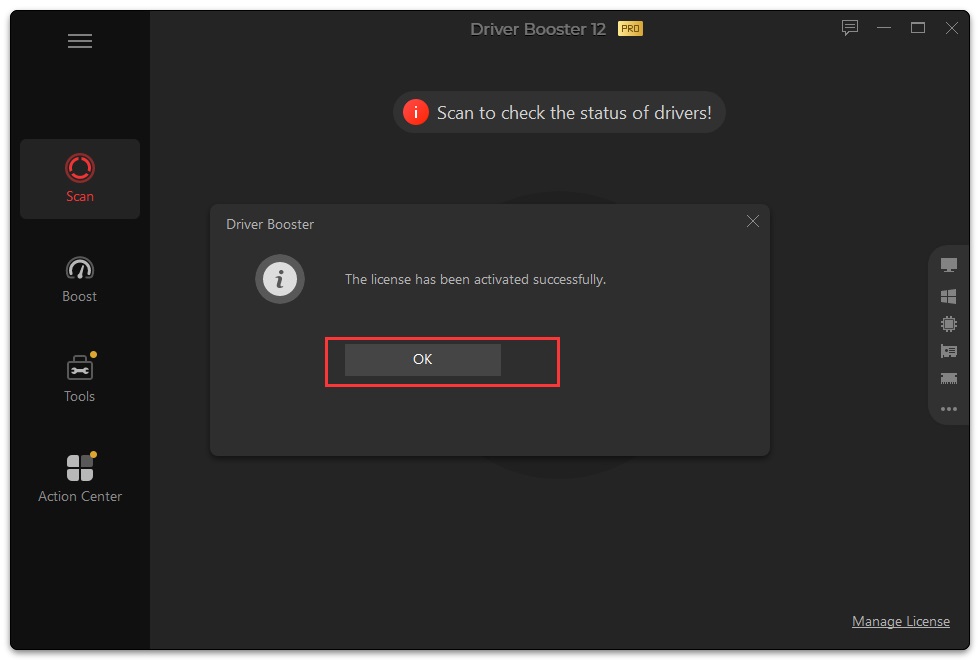
1. Open Driver Booster PRO, and click the Manage License text link at the bottom left of the main screen to open the License Manager window.
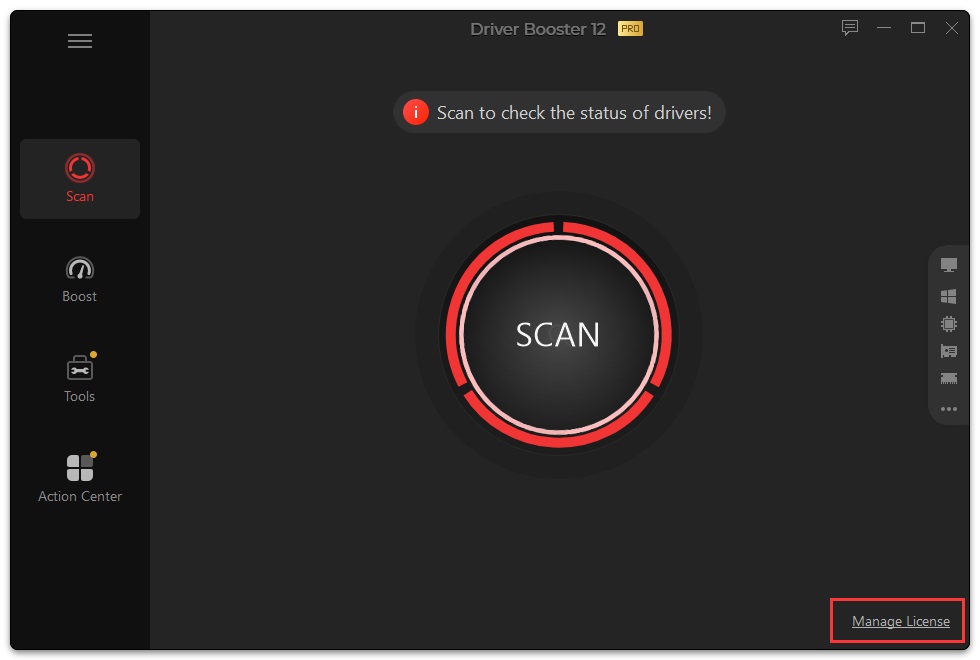
2. Click the Refresh text link.
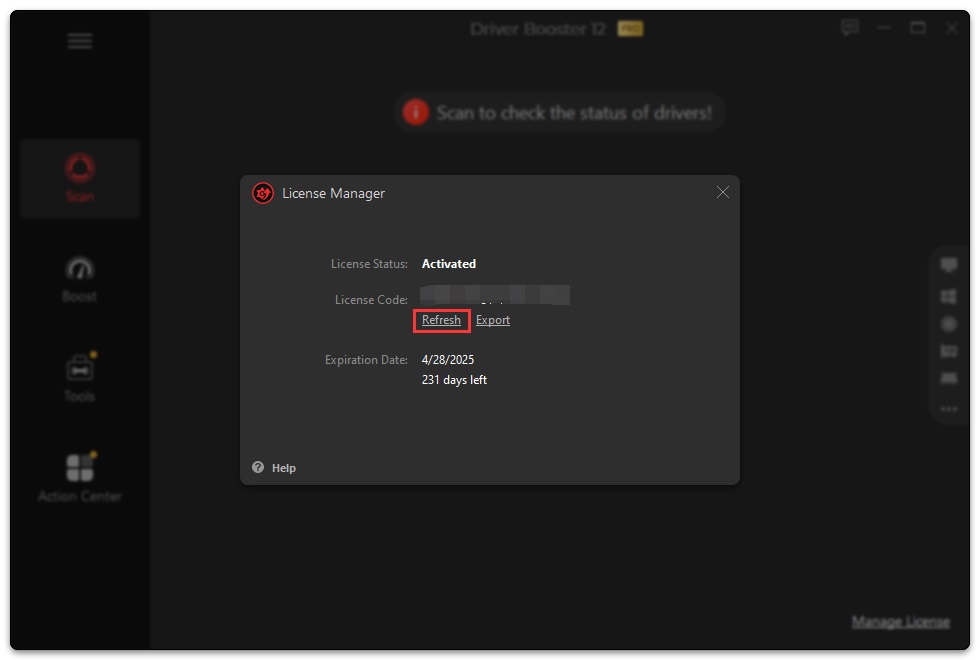
3. Copy & Paste to enter your new/renewal license code, and click the Activate button.
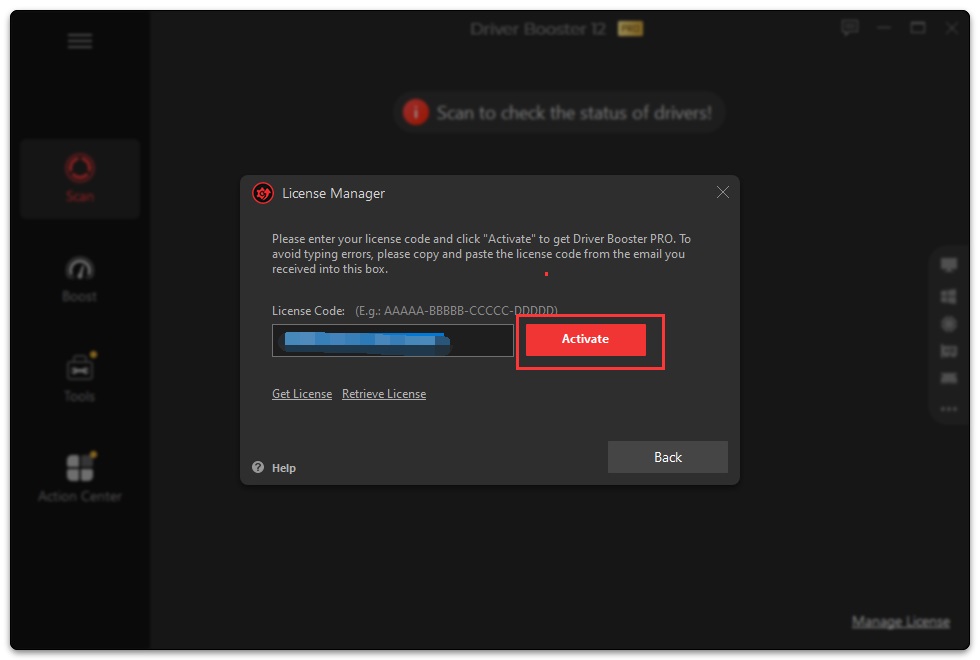
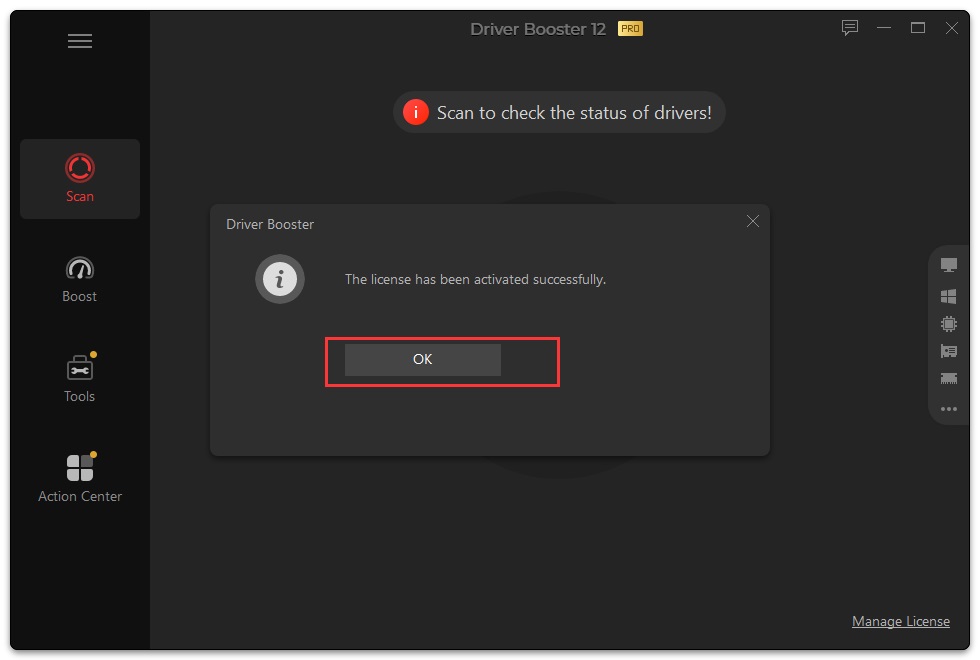
4. Click the OK button.
Meld u aan voor de nieuwsbrief en blijf op de hoogte van de nieuwste ontwikkelingen en ontvang de beste aanbiedingen! U kunt zich te allen tijde afmelden.
© 2005 - IObit. Alle rechten voorbehouden |Terugbetalingsbeleid |Gebruikersovereenkomst |Juridische informatie |Privacybeleid
IObit gebruikt cookies om de content te optimaliseren en te zorgen dat u de beste gebruikservaring heeft.
Door gebruik te maken van onze website accepteert u ons privacybeleid.