- Support Center
- Multiple Languages
- Language
- Help Us Translate
 Vidnoz AI creates engaging videos with realistic AI avatars. Free, fast and easy-to-use.
Try for Free >
Vidnoz AI creates engaging videos with realistic AI avatars. Free, fast and easy-to-use.
Try for Free >
Expert in
PC Health Solution

All-in-one PC health solution: clean, optimize and secure

Comprehensive PC cleaning, optimization and protection

Keep drivers always up-to-date

More stable performance with less system crashes

Protect millions of computers against malware

Top computer security with full-round protection

Protect against viruses & boost PC performance
Easily removing unwanted programs & leftovers
Automatically keep your software up-to-date
Quickly check system information and PC specs
Never worry about data theft or privacy leaks
Maximize hard drive optimization for faster PC
Enjoy a Faster and More Secure Mac
Note: If you do not have the program installed, click here to download the latest version of IObit Malware Fighter and install it first.
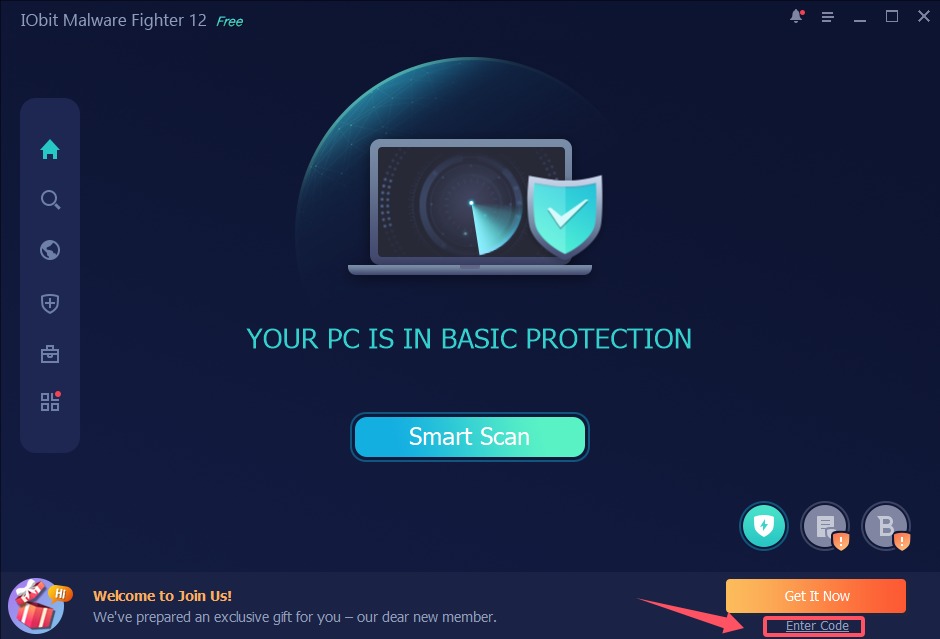
Step 1: Open your IObit Malware Fighter Free, click Enter Code under Activate Now button at the bottom right of the main screen to open the registration window.
Please refer to the picture below:
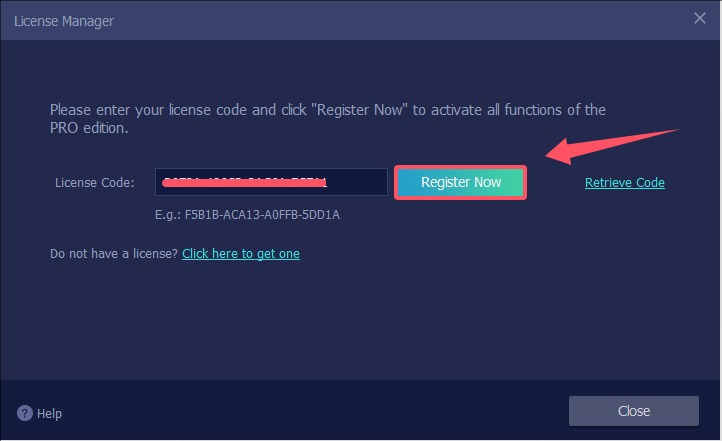
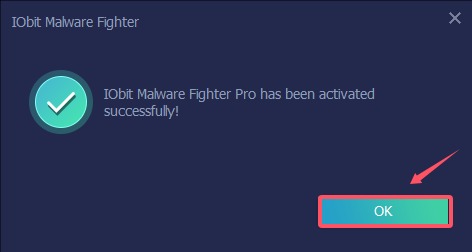
Step 2: Copy & Paste to enter your license code in the License Code box, and click Register Now button to get Pro version.
Please refer to the pictures below:
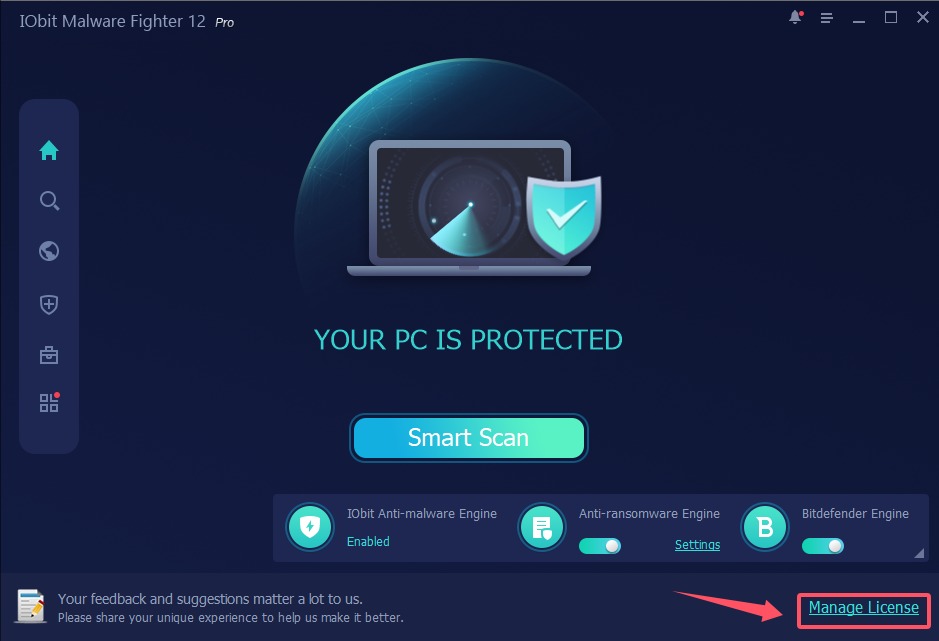
Step 1: Open your IObit Malware Fighter Pro, click Manage License text link at the bottom right to open the License Manager window.
Please refer to the picture below:
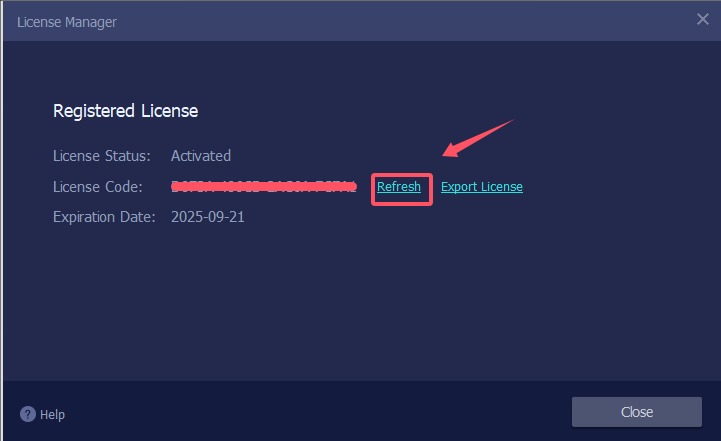
Step 2: Click the Refresh link in the License Manager window to open a new registration window.
Please refer to the picture below:
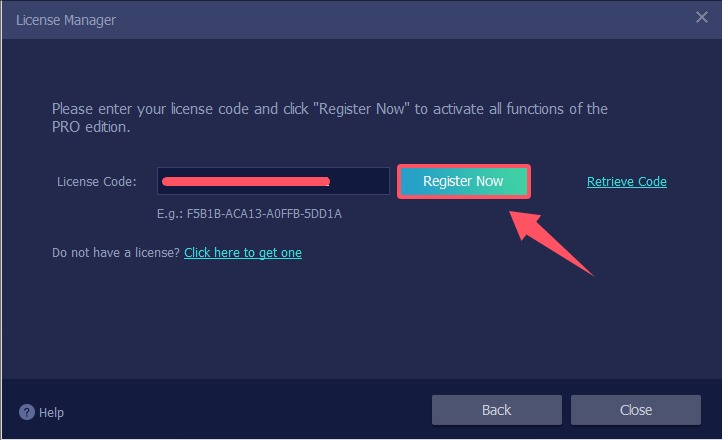
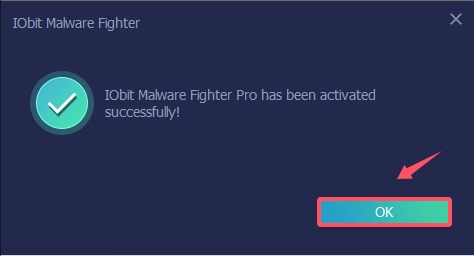
Step 3: Copy & Paste to enter your new/renewal license code, and click Register Now button to get the new service time.
Please refer to the pictures below:
Subscribe to keep you updated on products updates and special offers via email. And you can opt-out at any time.
© 2005 - IObit. All Rights Reserved |Refund Policy |EULA |Legal Notice |Privacy Policy
Vidqu Vidwud iMofone EaseHow iSmartta MioCreate Contact Us Support Products Home
IObit uses cookies to improve content and ensure you get the best experience on our website.
Continue to browse our website agreeing to our privacy policy.
